






Connect to Discourse from a Connection Pool in WebLogic

The CData JDBC Driver for Discourse enables you to follow standard procedures to integrate Discourse data into Java Web applications. This article shows how to deploy the CData JDBC Driver for Discourse in WebLogic Server.
Deploy the JDBC Driver in WebLogic Server
To deploy the driver, add the driver JAR to your classpath. The .lic file must be located in the same folder as the JAR. These files are located in the lib subfolder of the installation directory.
If you want to add the driver to all domains, prepend the path to the JAR to the WEBLOGIC_CLASSPATH environment variable in WL_HOME\common\bin\commEnv.cmd/sh. This script is located in WL_HOME\common\bin\. For example:
set WEBLOGIC_CLASSPATH=your-installation-directory\lib\cdata.jdbc.api.jar;%WEBLOGIC_CLASSPATH%
In WebLogic 12.2.1 if you want to add the driver to a specific domain, you can simply place the driver JAR and .lic file into DOMAIN_HOME\lib; for example, ORACLE_HOME\user_projects\domains\MY_DOMAIN\lib. These files will be added to the server classpath at startup.
Earlier versions require that you manually add the driver to the classpath: Prepend the following to the PRE_CLASSPATH environment variable in setDomainEnv.cmd/sh. This script is located in the bin subfolder of the folder for that domain.
set PRE_CLASSPATH=your-installation-directory\lib\cdata.jdbc.api.jar;%PRE_CLASSPATH%
After making these changes, restart the server.
Create a JDBC Data Source for Discourse
After deploying the driver, log into the WebLogic Administration Console and create the connection.
- In the Domain Structure tree, click Services -> Data Sources -> New -> Generic Data Source.
-
On the JDBC Data Source Properties page, enter the following information:
- Name: Enter a user-friendly name; for example, apijdbc.
- JNDI Name: Enter the path the JDBC data source will be bound to; for example, jdbc/API.
Database Type: Select Other.
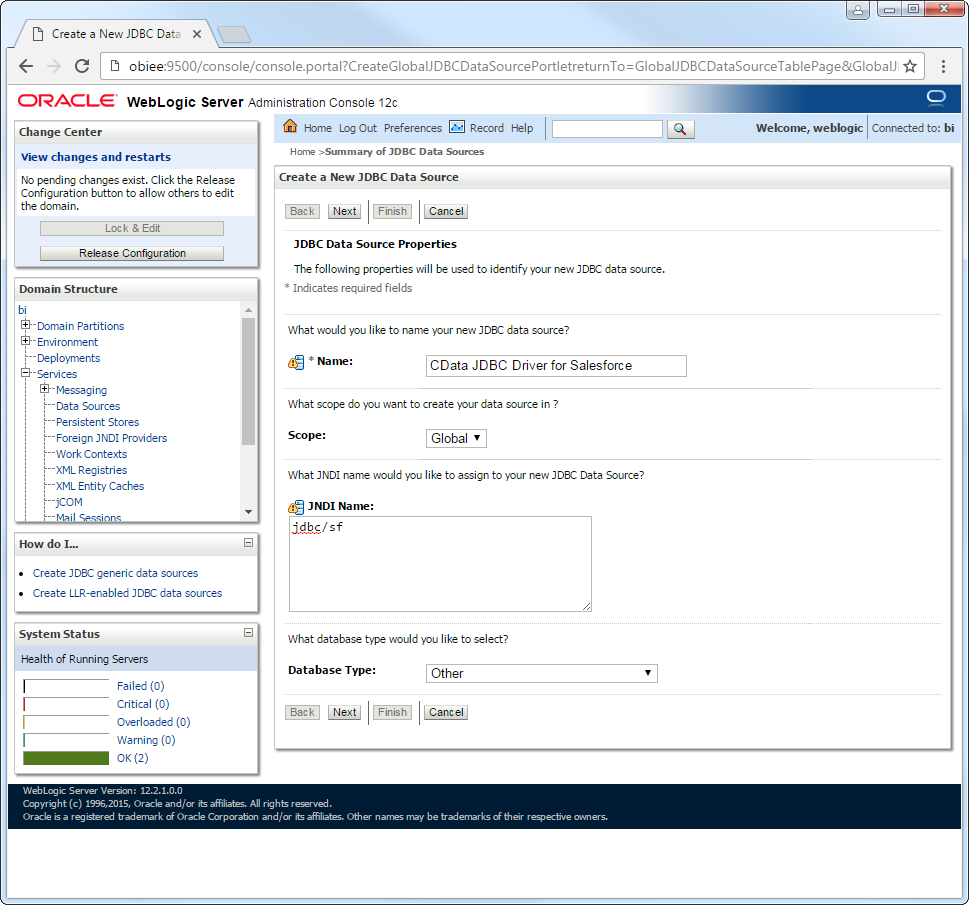
-
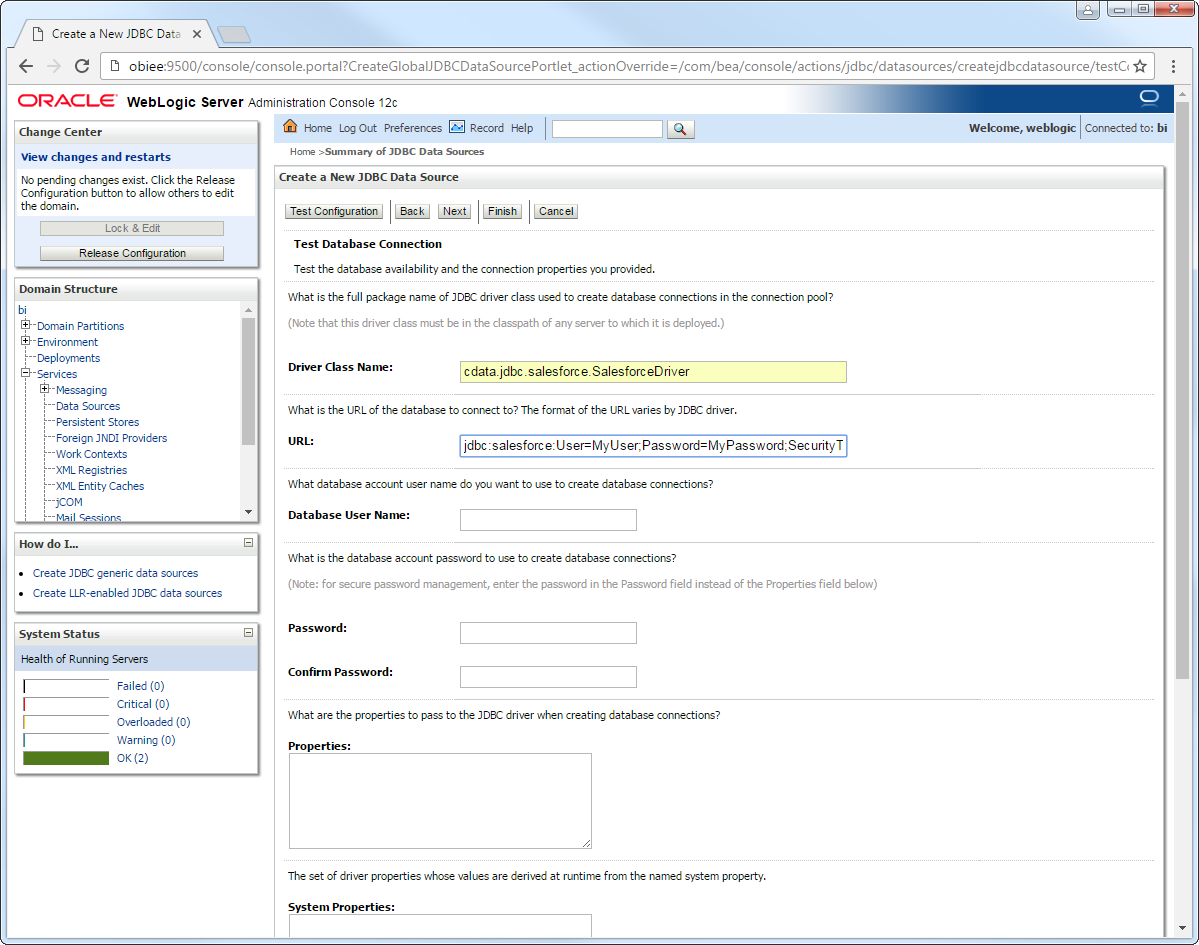
Click Next to use the default options. On the last page, enter the following information and click Test Configuration:
- Driver Class Name: Enter the driver class, cdata.jdbc.api.APIDriver.
URL: Enter the JDBC URL. A typical JDBC URL is below:
jdbc:api:Profile=C:\profiles\Discourse.apip;ProfileSettings='Domain=forum.example.com;APIKey=your_api_key;Username=your_username;'AuthScheme=APIKey;
The Discourse API uses API Key authentication.
Using API Key Authentication
Discourse requires API Key and Username for authentication. API Keys are generated in the Discourse Admin panel under the API section. You can create user-specific API keys or all-users API keys. Once you have obtained the API Key, set it along with the Domain and Username in the ProfileSettings connection property.
Example Connection string
Profile=C:\profiles\Discourse.apip;ProfileSettings='Domain=forum.example.com;APIKey=your_api_key;Username=your_username;'AuthScheme=APIKey;
Built-in Connection String Designer
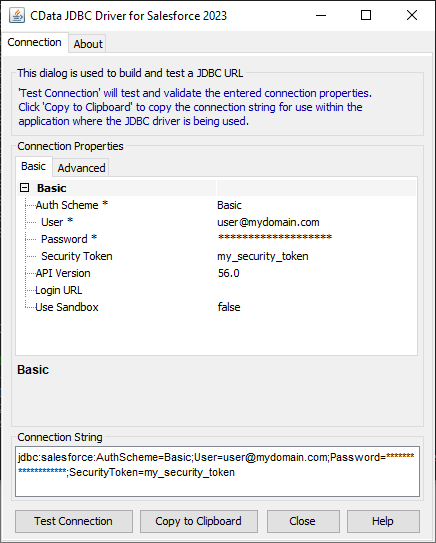
For assistance in constructing the JDBC URL, use the connection string designer built into the Discourse JDBC Driver. Either double-click the JAR file or execute the jar file from the command-line.
java -jar cdata.jdbc.api.jar
Fill in the connection properties and copy the connection string to the clipboard.
- Database User Name: Enter the username, if not specified in the JDBC URL.
- Password: Enter the password, if not specified in the JDBC URL.
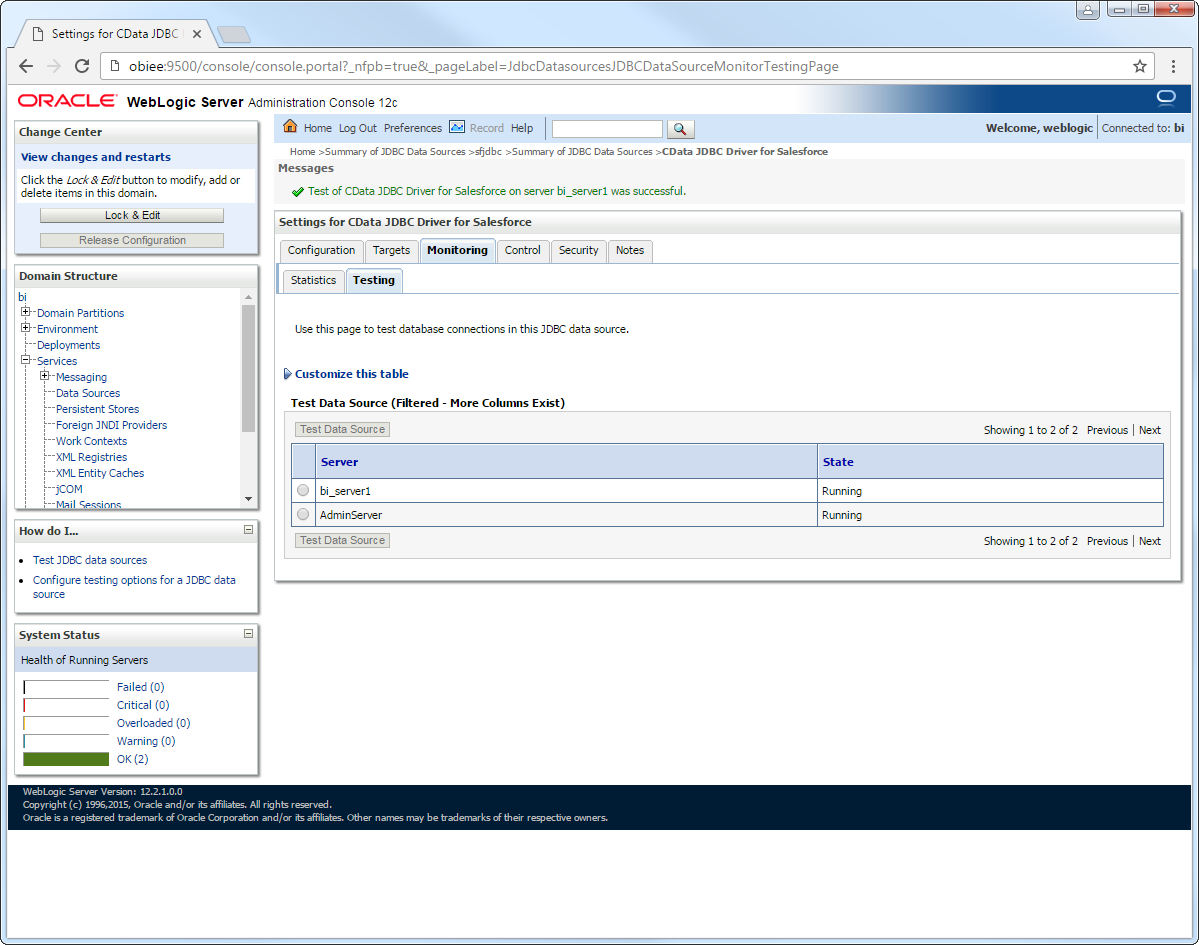
After selecting the server where you want to deploy the JDBC data source, you can now connect to Discourse data.
More WebLogic Integration
The steps above show how configure the driver in a simple connection pooling scenario. For more use cases and information, see the JDBC sections in the WebLogic Data Sources chapter of the Oracle Fusion Middleware documentation.