






Use ChatGPT to Talk to Your Google Campaign Manager 360 Data via CData Connect AI

ChatGPT is an AI chatbot developed by OpenAI, launched in November 2022. Based on large language models (LLMs), it enables users to refine and steer conversations through natural language processing. ChatGPT's developer mode, available to Plus and Pro subscribers, provides full Model Context Protocol (MCP) support for connecting to external data sources and tools.
CData Connect AI offers a dedicated cloud-to-cloud interface for connecting to Google Campaign Manager 360 data. The CData Connect AI Remote MCP Server enables secure communication between ChatGPT and Google Campaign Manager 360. This allows you to ask questions and take actions on your Google Campaign Manager 360 data using ChatGPT, all without the need for data replication to a natively supported database. With its inherent optimized data processing capabilities, CData Connect AI efficiently channels all supported SQL operations, including filters and JOINs, directly to Google Campaign Manager 360. This leverages server-side processing to swiftly deliver the requested Google Campaign Manager 360 data.
Step 1: Configure Google Campaign Manager 360 Connectivity for ChatGPT
Connectivity to Google Campaign Manager 360 from ChatGPT is made possible through CData Connect AI Remote MCP. To interact with Google Campaign Manager 360 data from ChatGPT, we start by creating and configuring a Google Campaign Manager 360 connection in CData Connect AI.
- Log into Connect AI, click Sources, and then click Add Connection
- Select "Google Campaign Manager 360" from the Add Connection panel
-
Enter the necessary authentication properties to connect to Google Campaign Manager 360.
Google Campaign Manager uses the OAuth authentication standard. The data provider facilitates OAuth in various ways as described below. The following OAuth flow requires the authenticating user to interact with DoubleClick Campaign Manager, using the browser. You can also use a service account to authenticate.
For authentication guides, see the Getting Started section of the data provider help documentation.
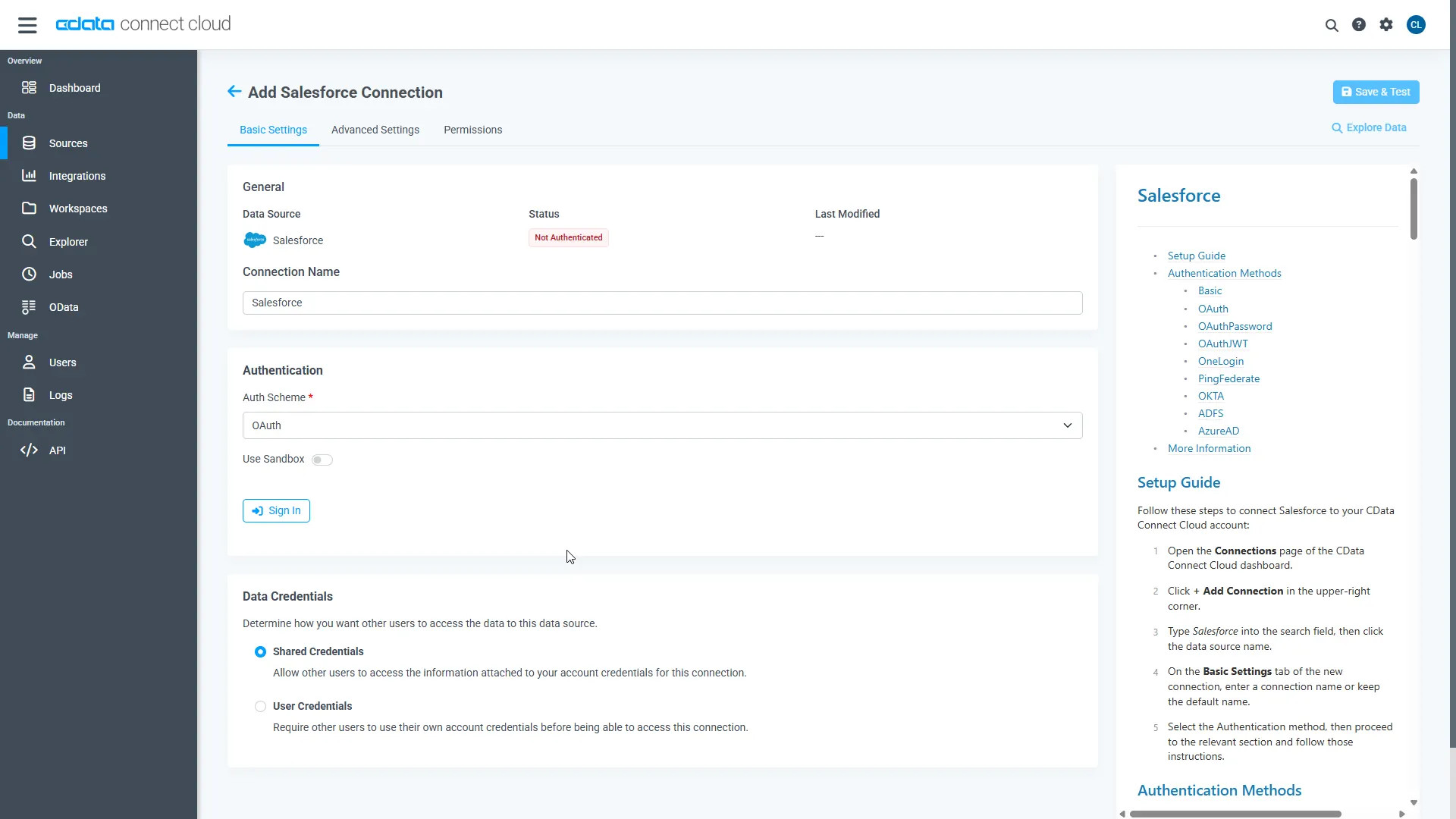
- Click Save & Test
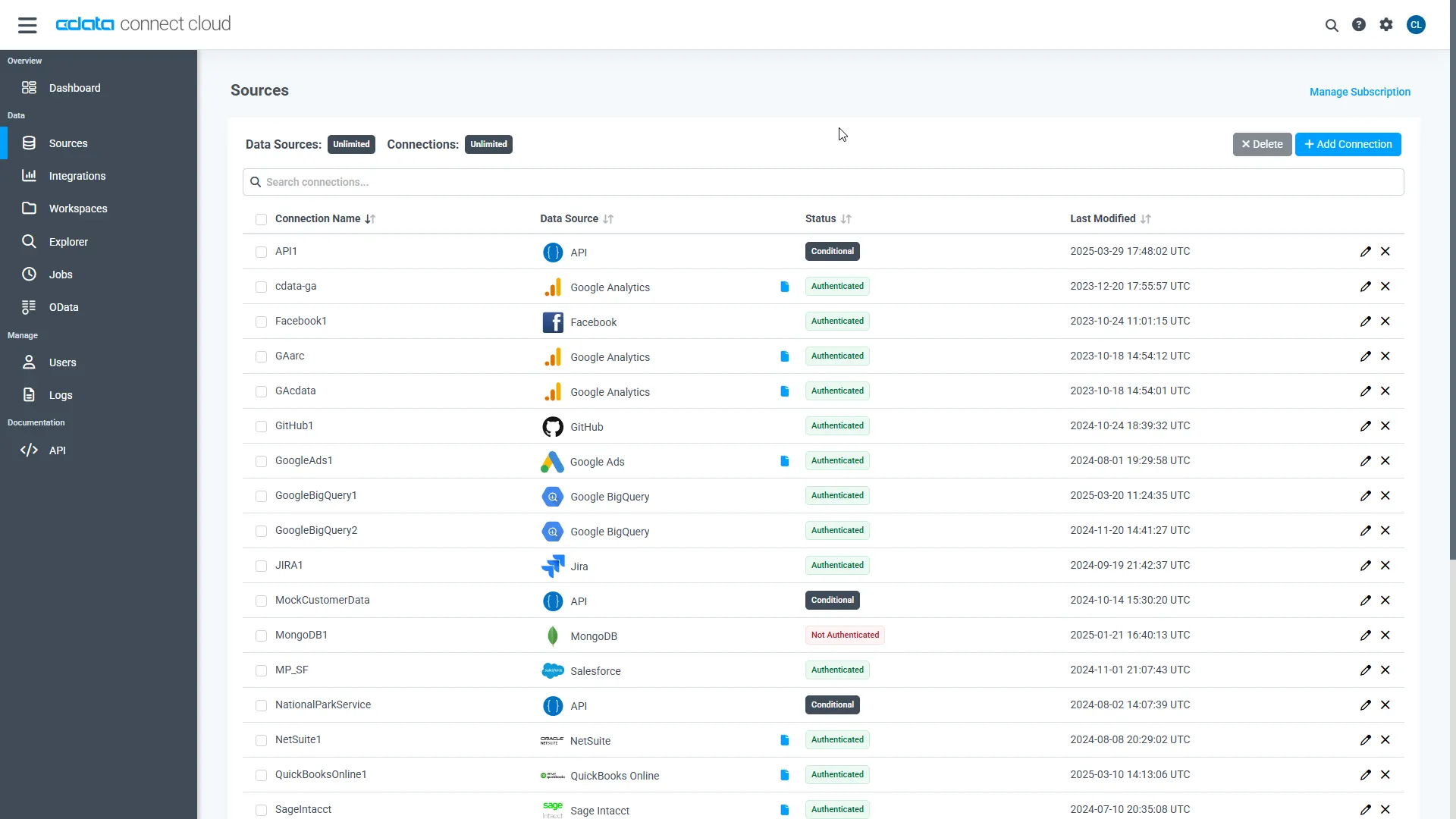
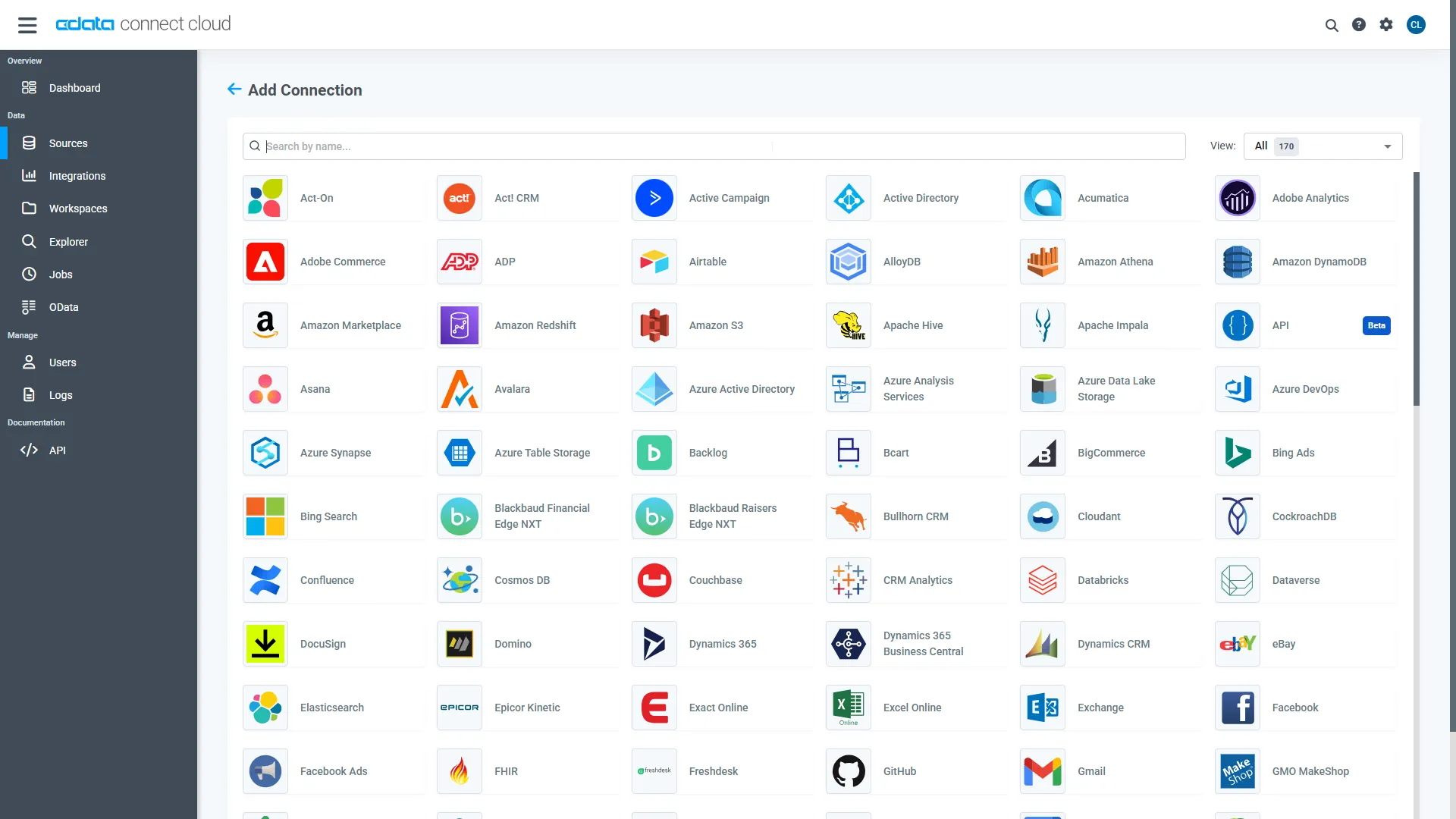
With the connection configured, we are ready to connect to Google Campaign Manager 360 data from ChatGPT.
Step 2: Connect ChatGPT to CData Connect AI
Follow these steps to add a CData Connect AI connector in ChatGPT:
- Sign in to ChatGPT with a Plus or Pro subscription.
- Navigate to Settings > Connectors.
- Under the "Advanced settings" section, toggle on Developer mode.
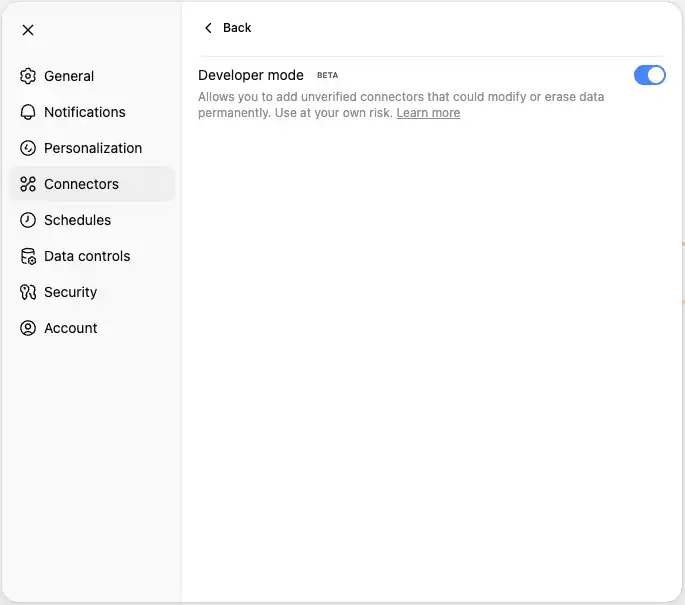
- Once developer mode is enabled, return to the Connectors page and click Create.
- Enter a name for the connector (such as Connect AI MCP).
- In the Remote MCP server URL field, enter:
https://mcp.cloud.cdata.com/mcp
- Set Authentication to "OAuth."
- Check I trust this application and click Create
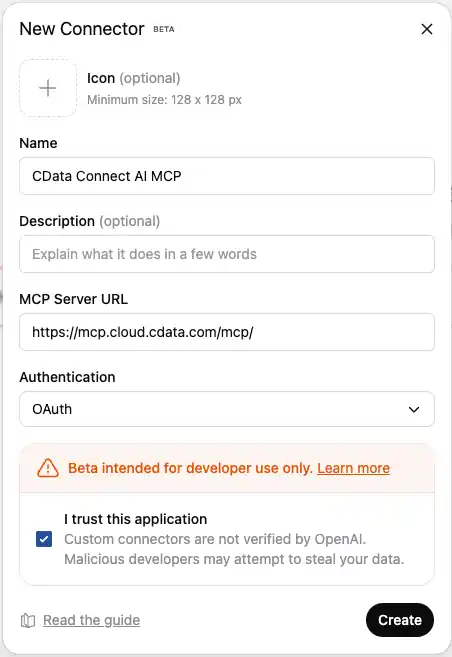
- You will be redirected to CData Connect AI's OAuth authorization page. Sign in with your Connect AI credentials.
- Review the permissions requested and click Authorize to grant ChatGPT access to your Connect AI resources.
- After successful authorization, you will be redirected back to ChatGPT.
- The Connect AI MCP Server will now appear in your available connectors list where you can manage the connector and enable/disable actions (tools).

Step 3: Explore Live Google Campaign Manager 360 Data with ChatGPT
- Start a new conversation in ChatGPT.
- In the tool picker, enable "Developer Mode."
- Enable your Connect AI MCP Sever.
- You can now start exploring your data with natural language prompts. ChatGPT will use the Connect AI MCP server to query your live Google Campaign Manager 360 data. Example prompts:
- "Show me all customers from the last 30 days"
- "What are my top performing products?"
- "Analyze sales trends for this quarter"
- "List all active projects and their current status"

- ChatGPT will translate your natural language queries into SQL and execute them against your Google Campaign Manager 360 data through the Connect AI MCP server.
IMPORTANT: ChatGPT's developer mode provides full read/write MCP access. Be cautious when allowing write operations to your Google Campaign Manager 360 data. Always review and confirm any data modifications before allowing them to proceed.
NOTE: Developer mode is in beta and only available to ChatGPT Plus and Pro subscribers. Refer to OpenAI's documentation for the latest setup information.
Get CData Connect AI
To get live data access to 300+ SaaS, Big Data, and NoSQL sources directly from your cloud applications, try CData Connect AI today!
