






Integrate Elasticsearch with JetBrains RubyMine using CData JDBC Drivers

CData JDBC Driver for Elasticsearch offer standardized JDBC connectivity to 200+ data sources, allowing developers to treat SaaS and cloud APIs as relational databases. By integrating these drivers into JetBrains RubyMine, user can connect IDE directly to external systems like CRM or ERP platforms, enabling SQL based data access and real-time querying.
RubyMine is a advanced IDE for Ruby and Rails development that offers advanced coding assistance, debugging, and database tools. Through CData JDBC integration, developers can link RubyMine with Elasticsearch for easy access to live Elasticsearch data.
Overview
Here is a quick overview of the integration process:
- Set Up Environment: Configure the Ruby interpreter in RubyMine
- Install JDBC Driver: Add the CData JDBC Driver for Elasticsearch to RubyMine's database configuration
- Connect: Establish a live connection to Elasticsearch and begin querying Elasticsearch data
About Elasticsearch Data Integration
Accessing and integrating live data from Elasticsearch has never been easier with CData. Customers rely on CData connectivity to:
- Access both the SQL endpoints and REST endpoints, optimizing connectivity and offering more options when it comes to reading and writing Elasticsearch data.
- Connect to virtually every Elasticsearch instance starting with v2.2 and Open Source Elasticsearch subscriptions.
- Always receive a relevance score for the query results without explicitly requiring the SCORE() function, simplifying access from 3rd party tools and easily seeing how the query results rank in text relevance.
- Search through multiple indices, relying on Elasticsearch to manage and process the query and results instead of the client machine.
Users frequently integrate Elasticsearch data with analytics tools such as Crystal Reports, Power BI, and Excel, and leverage our tools to enable a single, federated access layer to all of their data sources, including Elasticsearch.
For more information on CData's Elasticsearch solutions, check out our Knowledge Base article: CData Elasticsearch Driver Features & Differentiators.
Getting Started
Configure the Ruby Interpreter in RubyMine
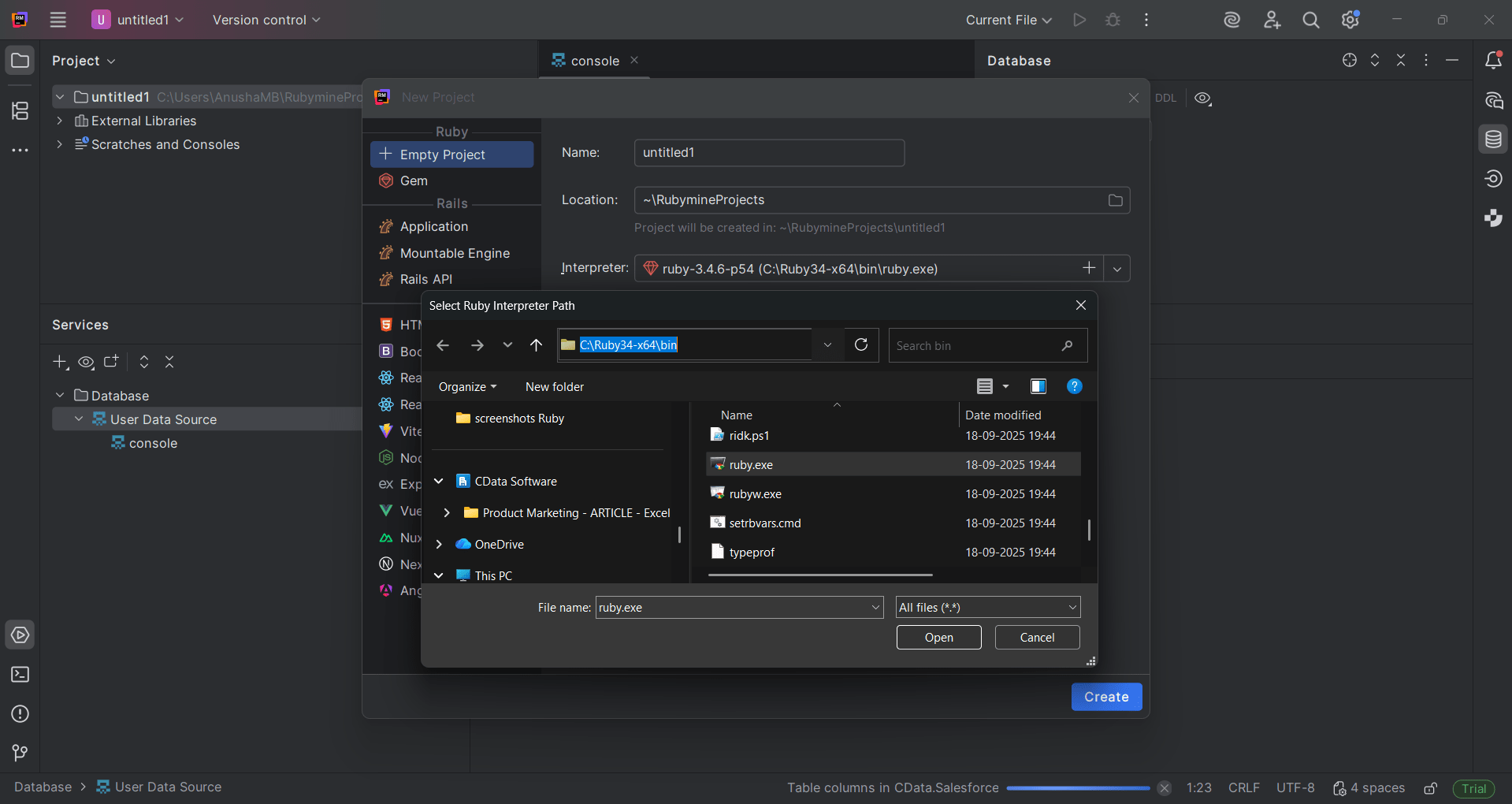
After installing the Ruby interpreter, open RubyMine and configure the environment.
- Create a New Empty Project
- Select the interpreter for example, C:\Ruby34-x64\bin uby.exe
- Click Create to initialize the project
Add the CData JDBC Driver for Elasticsearch
Next, configure the CData JDBC Driver for Elasticsearch within RubyMine.
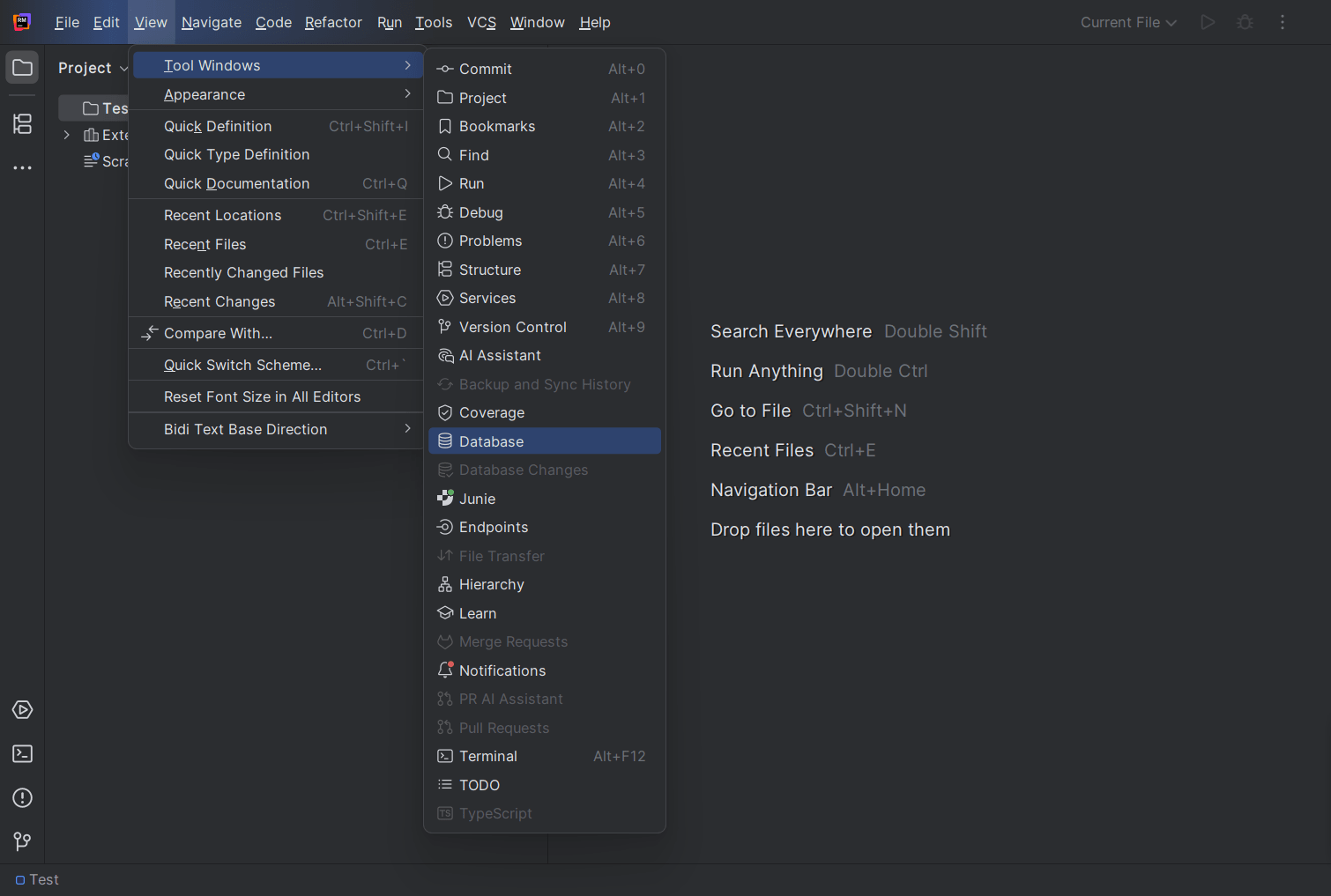
- Go to View, select Tool Windows and click Database to open the database panel
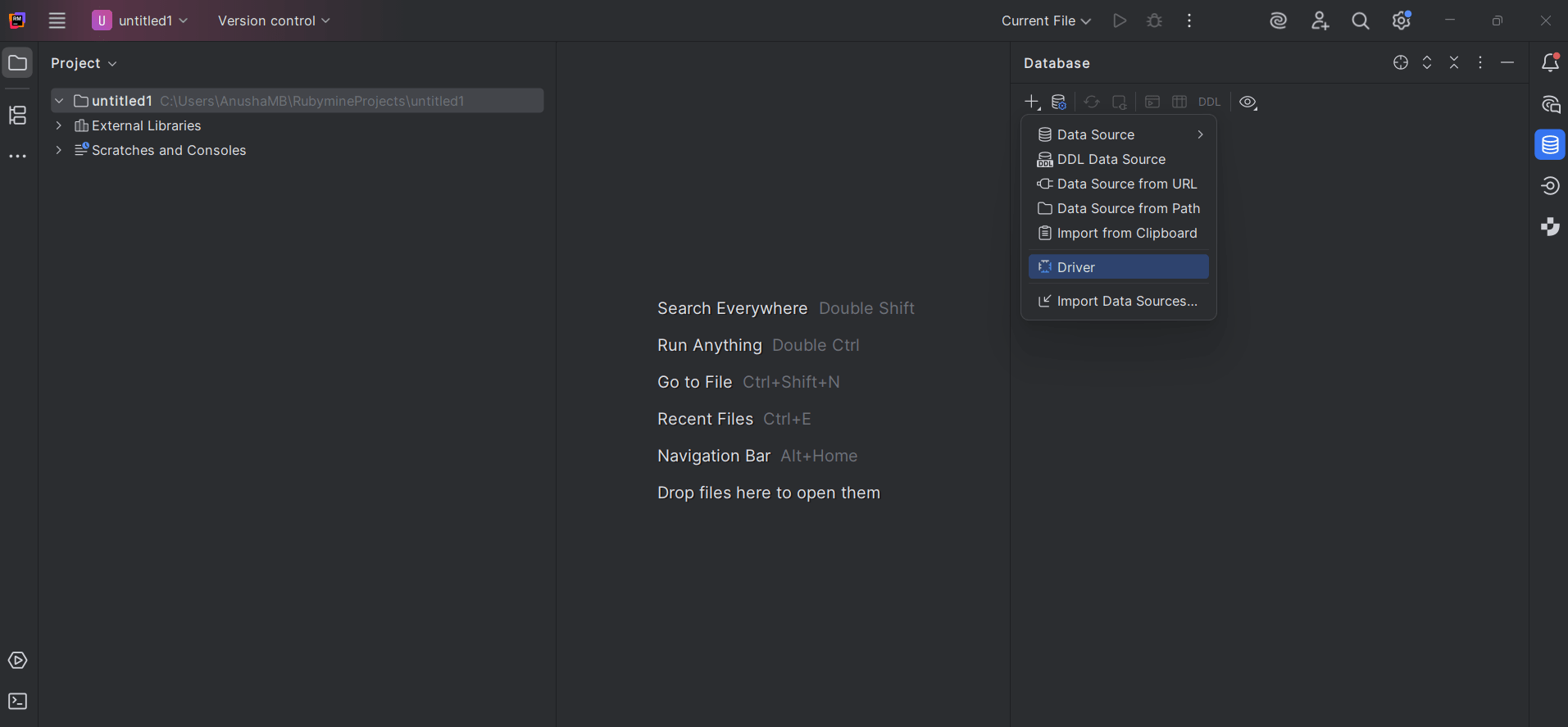
- Click the "+" icon and choose Driver from the dropdown
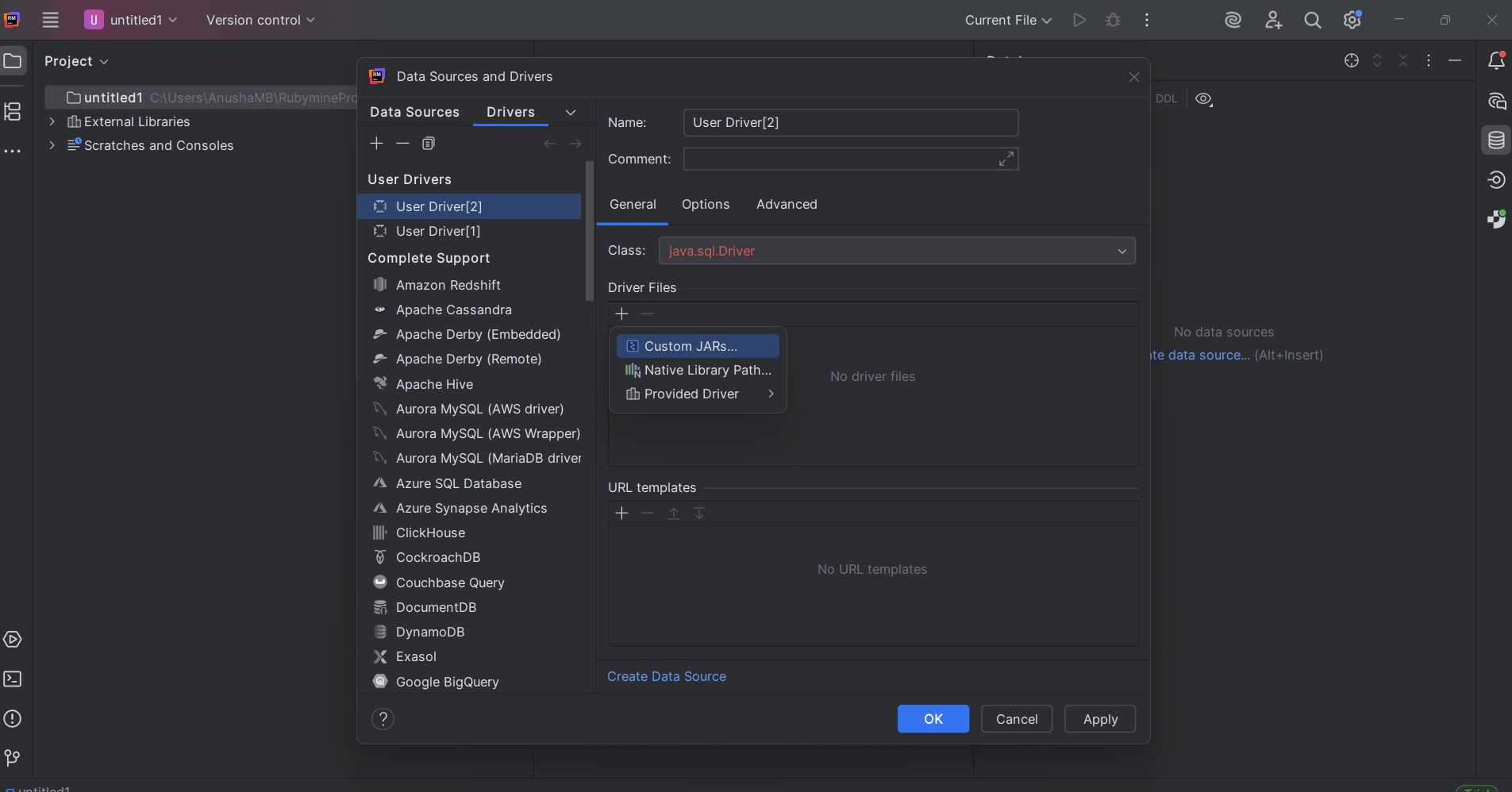
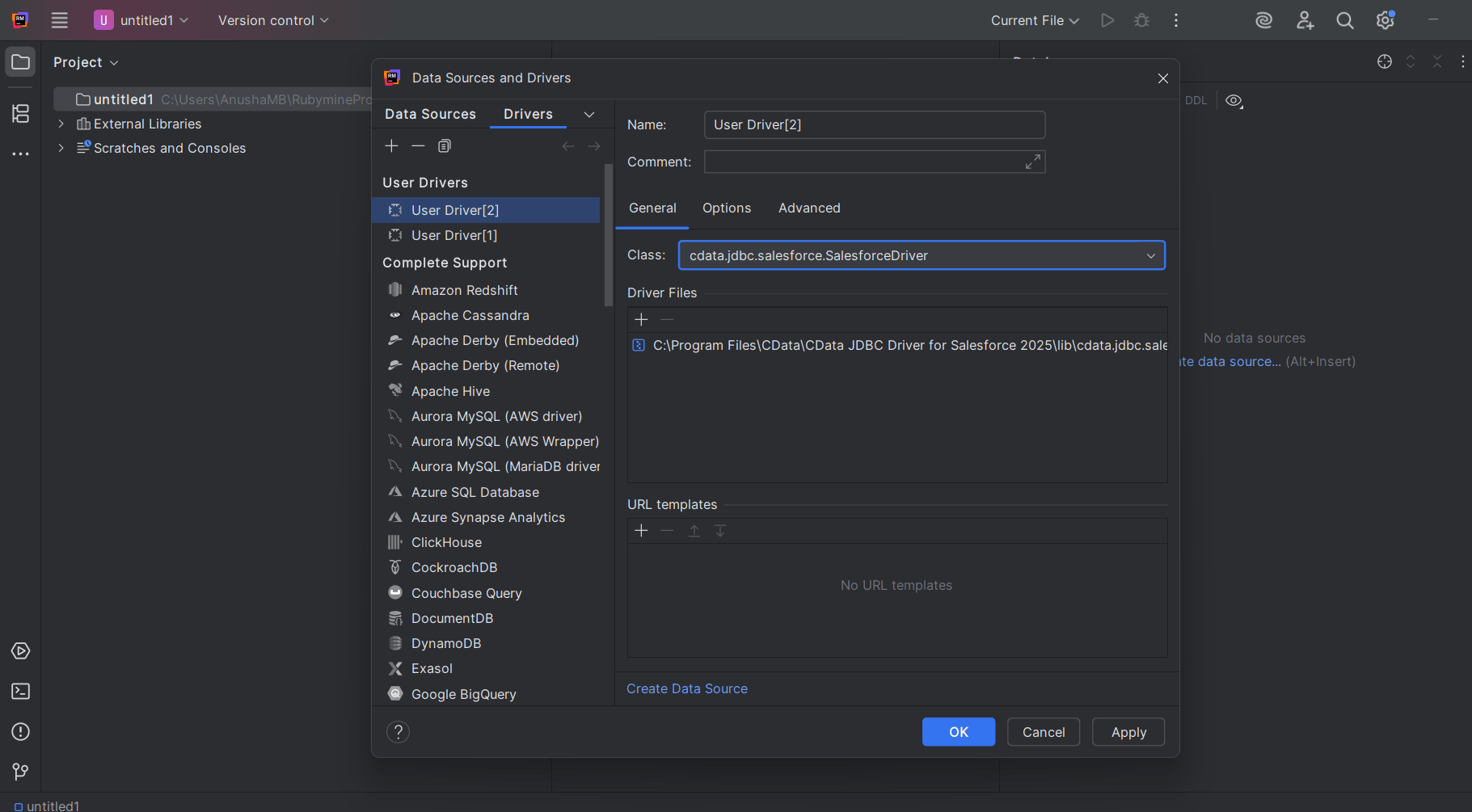
- In the Data Sources and Drivers window:
- Provide a Name for the driver (e.g., CData Elasticsearch JDBC)
- Click "+" in the Driver Files section and select Custom JARs
- Locate and open the cdata.jdbc.elasticsearch.jar file
- Set the Class to cdata.jdbc.elasticsearch.ElasticsearchDriver
Create the Elasticsearch data source
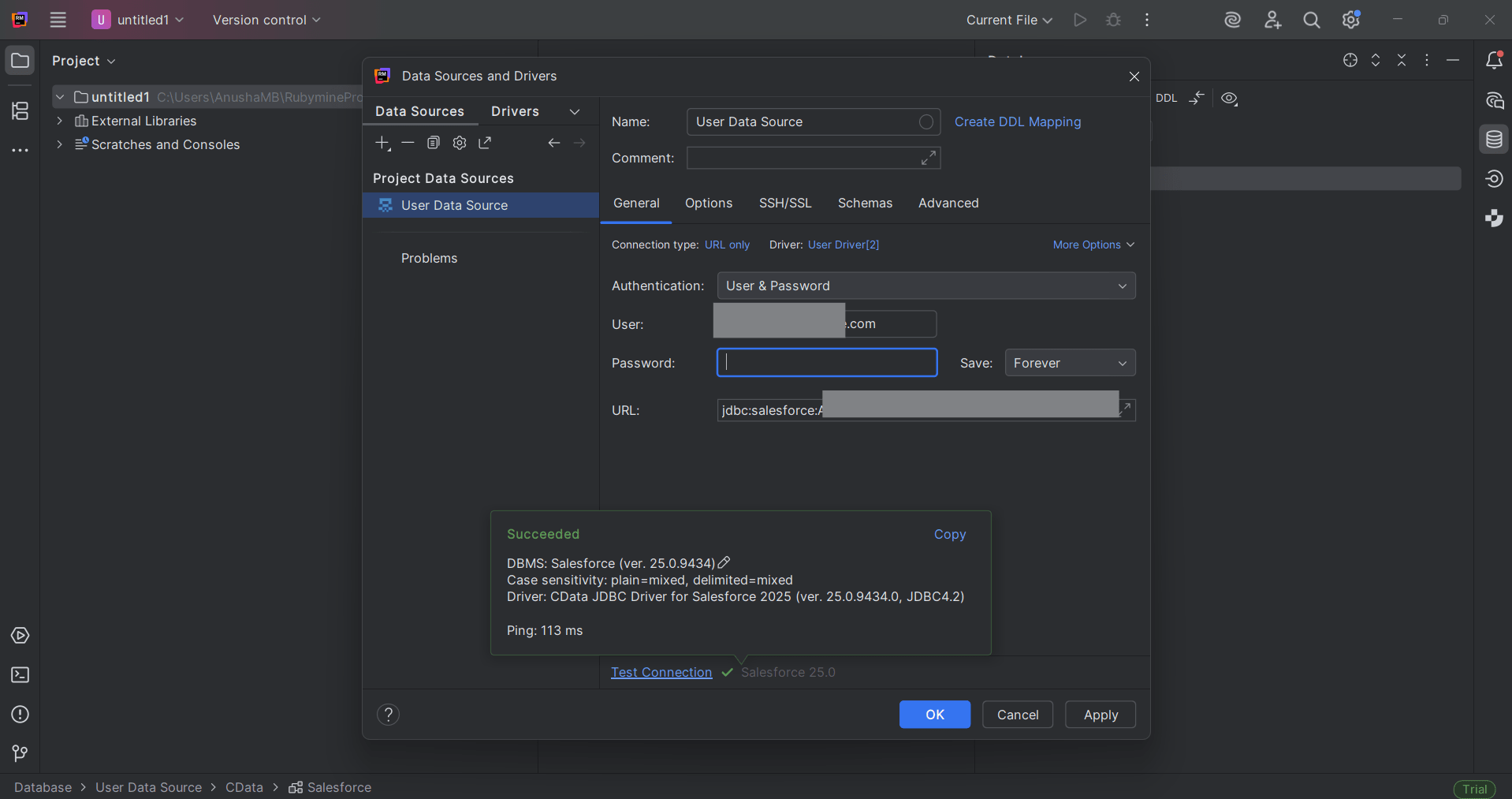
- Click Create Data Source and choose the newly created driver
- In the connection window, confirm that the selected driver is correct
- Enter your connection details:
- Name: Elasticsearch Connection
- URL: jdbc:elasticsearch:User=username;Password=password;
- Username and Password: User Elasticsearch credentials
- Click Test Connection. If successful, click OK to save

Query live Elasticsearch data
Once the connection is established, you can query live Elasticsearch data directly within RubyMine.
- Open the Database Console
- Run SQL queries, for example:
SELECT * FROM Elasticsearch data_Table LIMIT 10;
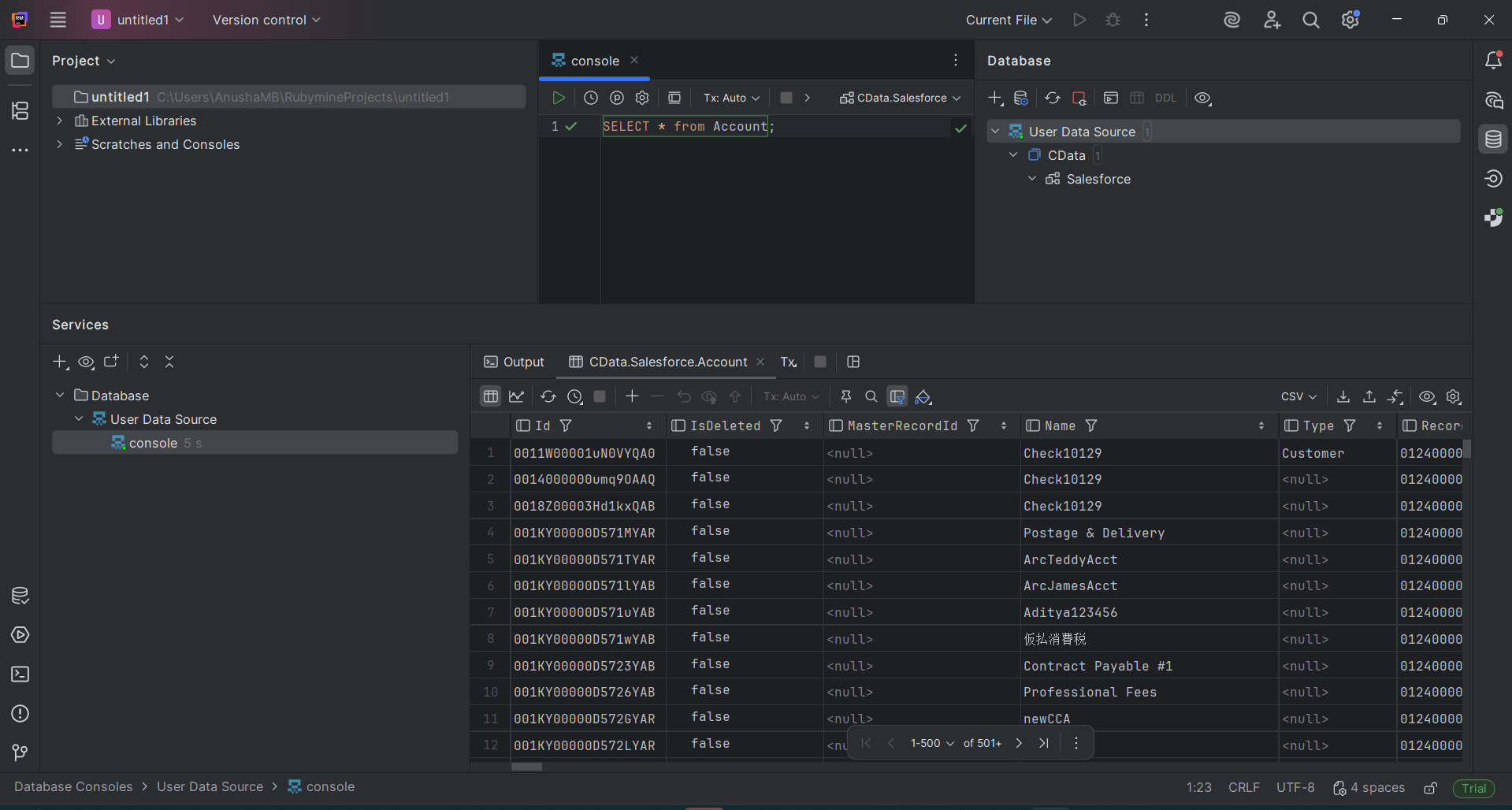
Developers can now easily access and manipulate Elasticsearch data using SQL inside RubyMine bridging code development and live data access in one unified environment.
Connect RubyMine to 300+ Data Sources with CData
CData JDBC Drivers bring real time data connectivity to your development environment. With support for over 300+ sources, including CRM, ERP, analytics, and cloud APIs, developers can query, visualize, and build data driven applications without leaving their IDE.
Start your 30-day free trial to experience the full potential of live data connectivity.
Ready to get started?
Download a free trial of the Elasticsearch Driver to get started:
Download NowLearn more:
 Elasticsearch JDBC Driver
Rapidly create and deploy powerful Java applications that integrate with Elasticsearch.
