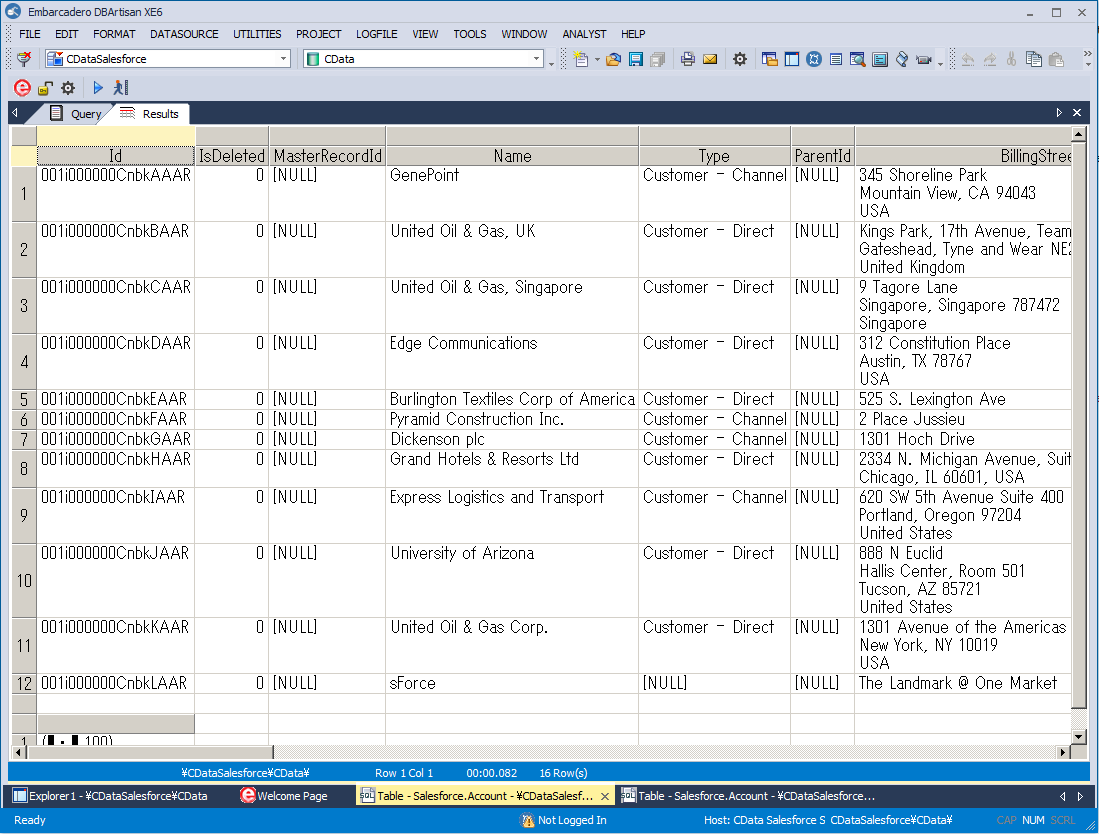
Connect to Freshteam Data in DBArtisan

The CData ODBC Driver for Freshteam seamlessly integrates Freshteam data into database management tools like DBArtisan by enabling you to access Freshteam data as a database. This article shows how to create an data source for Freshteam in DBArtisan and execute queries. You can then edit data visually and execute standard SQL.
Integrate Freshteam Data into DBArtisan Projects
If you have not already, first specify connection properties in an ODBC DSN (data source name). This is the last step of the driver installation. You can use the Microsoft ODBC Data Source Administrator to create and configure ODBC DSNs.
Start by setting the Profile connection property to the location of the Freshteam Profile on disk (e.g. C:\profiles\Freshteam.apip). Next, set the ProfileSettings connection property to the connection string for Freshteam (see below).
Freshteam API Profile Settings
Find your API Key in the top-right corner of your Freshteam account under the API Key section. Your AccountName is the subdomain of your Freshteam URL.
You can then follow the steps below to register Freshteam data as a database instance in your project:
- In DBArtisan, click Data Source -> Register Datasource.
- Select Generic ODBC.
- Enter a name for the data source and select the DSN.
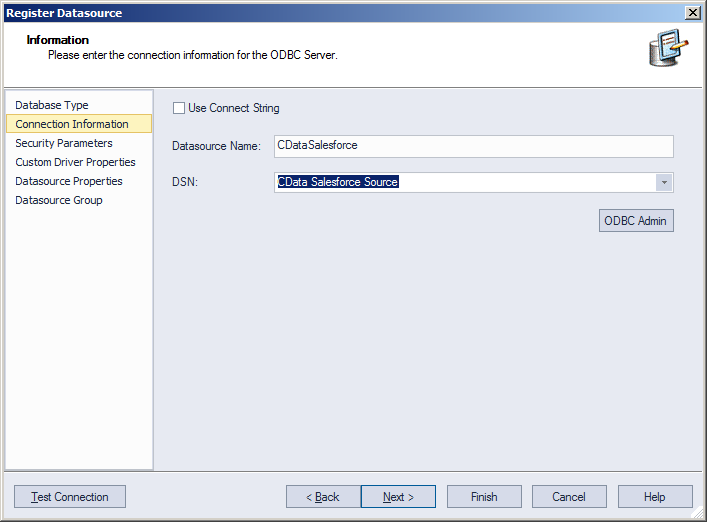
- Finish the wizard to connect to Freshteam data. Freshteam entities are displayed in the Datasource Explorer.
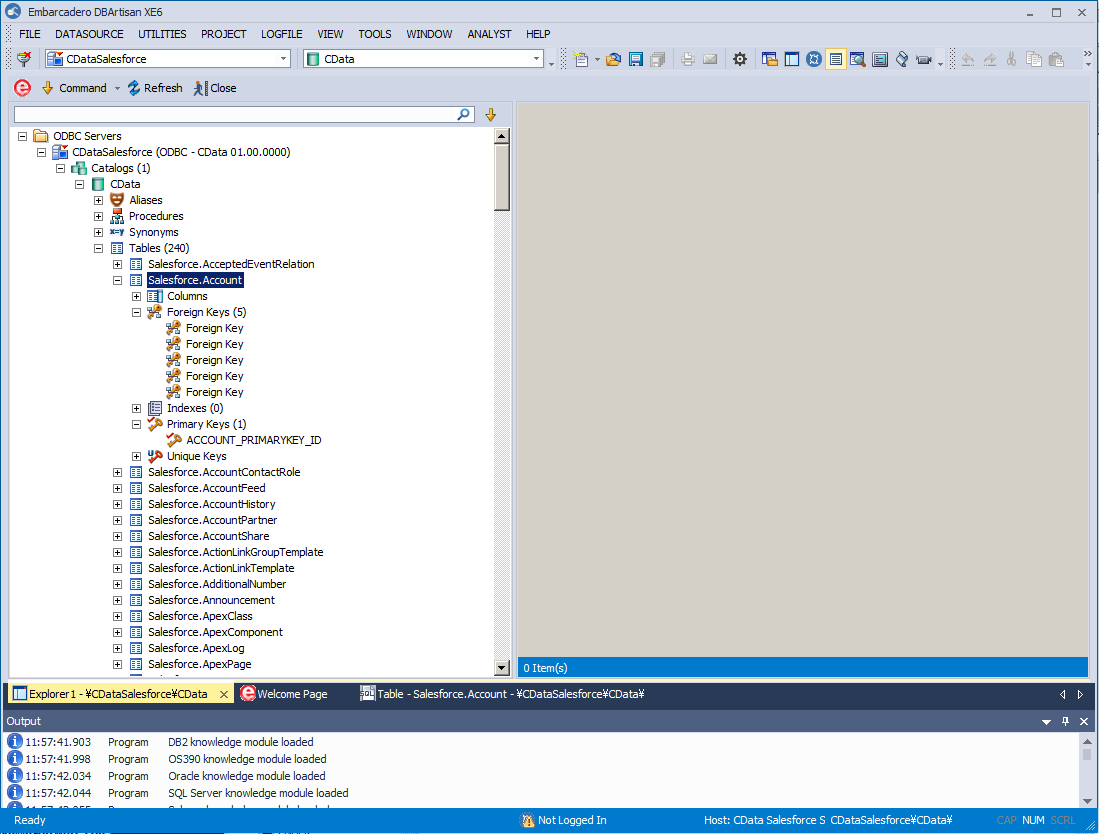
You can now work with Freshteam data as you work with any other database. See the driver help documentation for more information on the queries supported by the Freshteam API.