





Build Voice Agents in ElevenLabs with access to Live Jira Data

ElevenLabs is a leading AI audio platform that enables developers to build conversational voice agents capable of natural, human-like interactions. The ElevenLabs Conversational AI platform allows you to create voice-powered assistants that can reason through tasks, respond dynamically, and interact with external systems in real time.
By integrating ElevenLabs with CData Connect AI through the MCP (Model Context Protocol), your voice agents gain the ability to query, analyze, and act on live Jira data during conversations. This integration bridges ElevenLabs' conversational AI framework with the governed enterprise connectivity of CData Connect AI, ensuring all data access runs securely against authorized sources without manual data movement.
This article outlines the steps to configure Jira connectivity in Connect AI, generate the required authentication credentials, register the Connect AI MCP Server in ElevenLabs, and verify that your voice agent can successfully interact with live Jira data during conversations.
About Jira Data Integration
CData simplifies access and integration of live Jira data. Our customers leverage CData connectivity to:
- Gain bi-directional access to their Jira objects like issues, projects, and workflows.
- Use SQL stored procedures to perform functional actions like changing issues status, creating custom fields, download or uploading an attachment, modifying or retrieving time tracking settings, and more.
- Authenticate securely using a variety of methods, including username and password, OAuth, personal access token, API token, Crowd or OKTA SSO, LDAP, and more.
Most users leverage CData solutions to integrate Jira data with their database or data warehouse, whether that's using CData Sync directly or relying on CData's compatibility with platforms like SSIS or Azure Data Factory. Others are looking to get analytics and reporting on live Jira data from preferred analytics tools like Tableau and Power BI.
Learn more about how customers are seamlessly connecting to their Jira data to solve business problems from our blog: Drivers in Focus: Collaboration Tools.
Getting Started
Step 1: Configure Jira connectivity for ElevenLabs
Connectivity to Jira from ElevenLabs is made possible through CData Connect AI's Remote MCP Server. To interact with Jira data from your voice agents, start by creating and configuring a Jira connection in CData Connect AI.
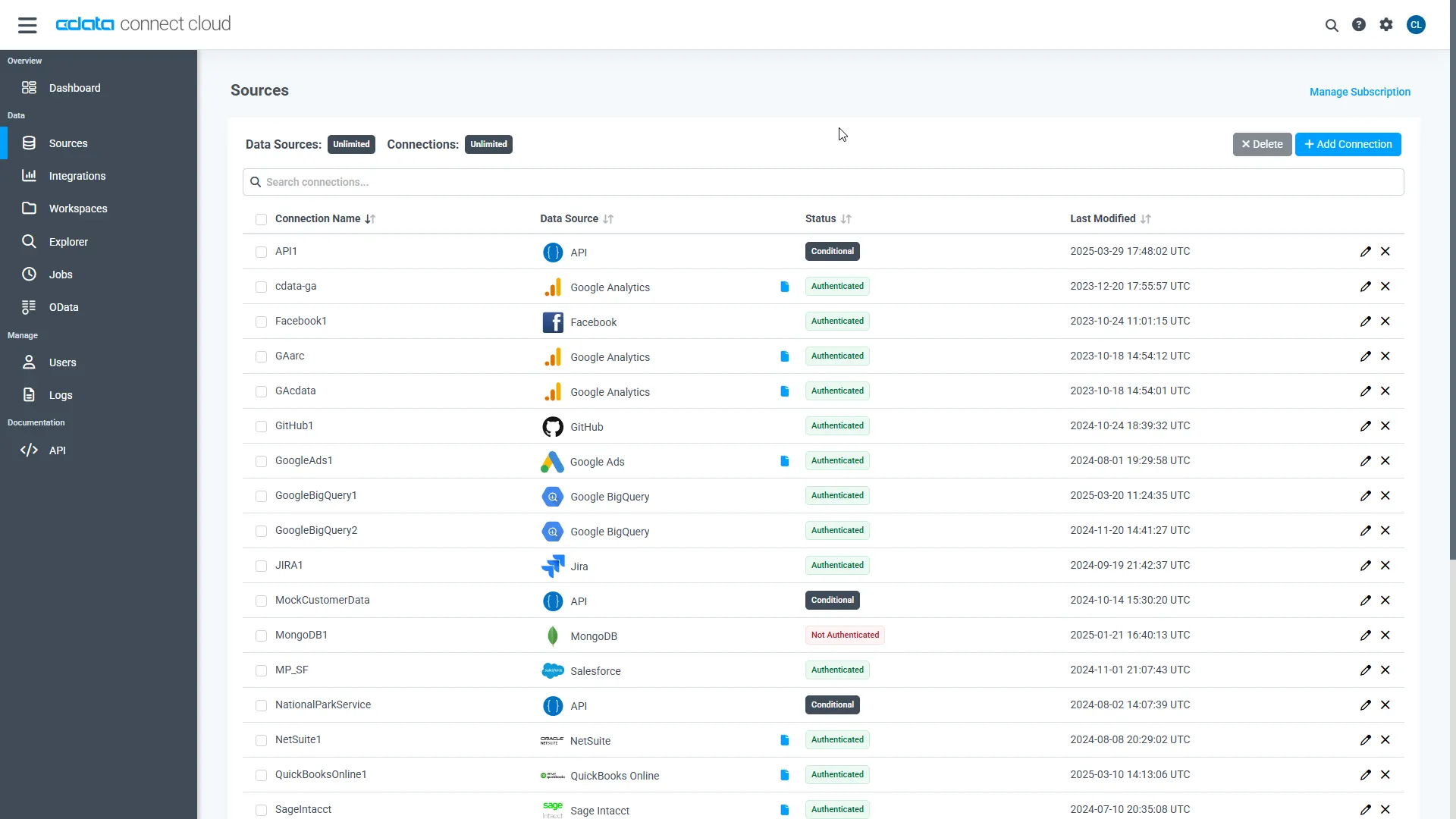
- Log into Connect AI, click Sources, and then click Add Connection
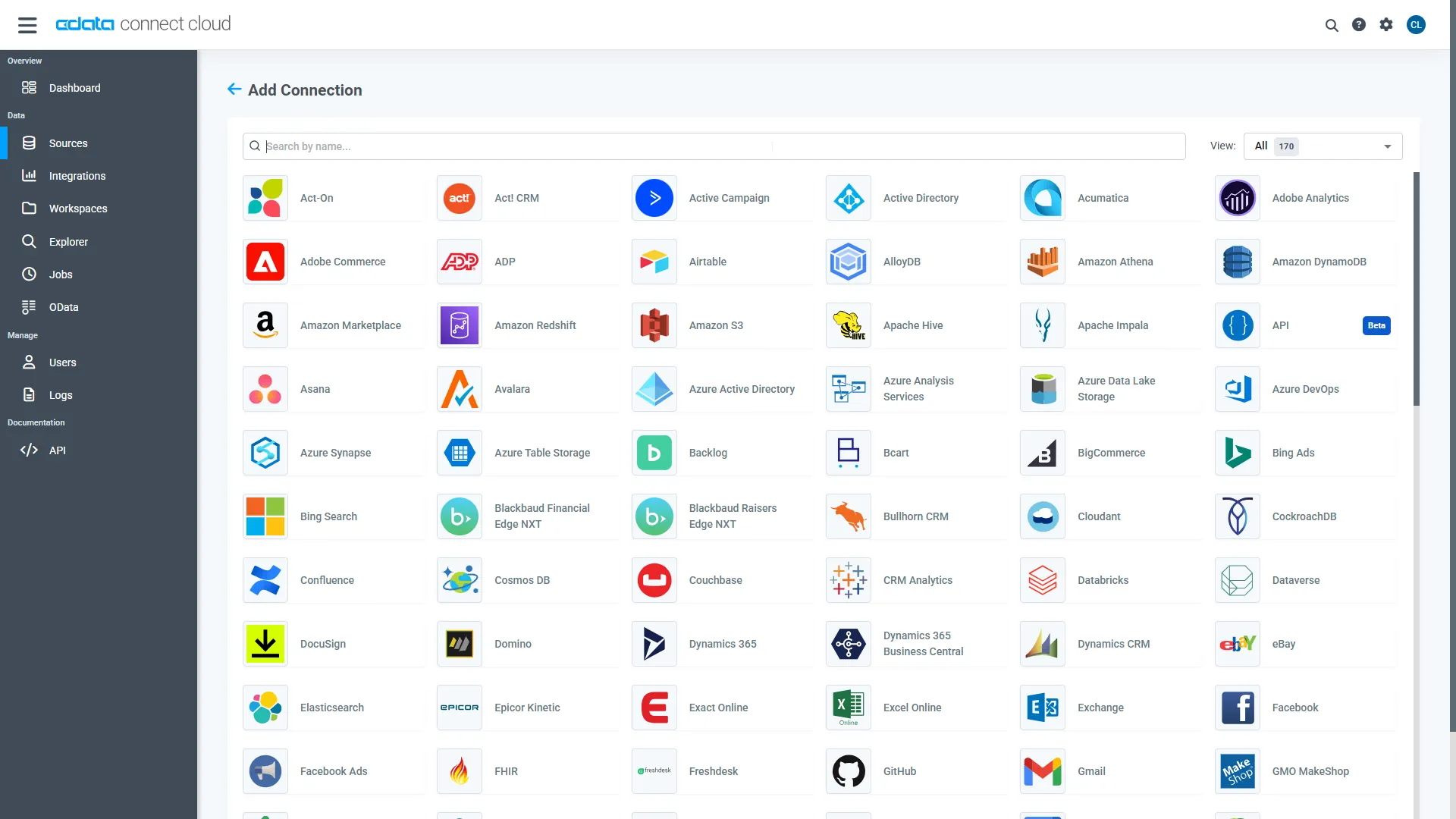
- Select Jira from the Add Connection panel
-
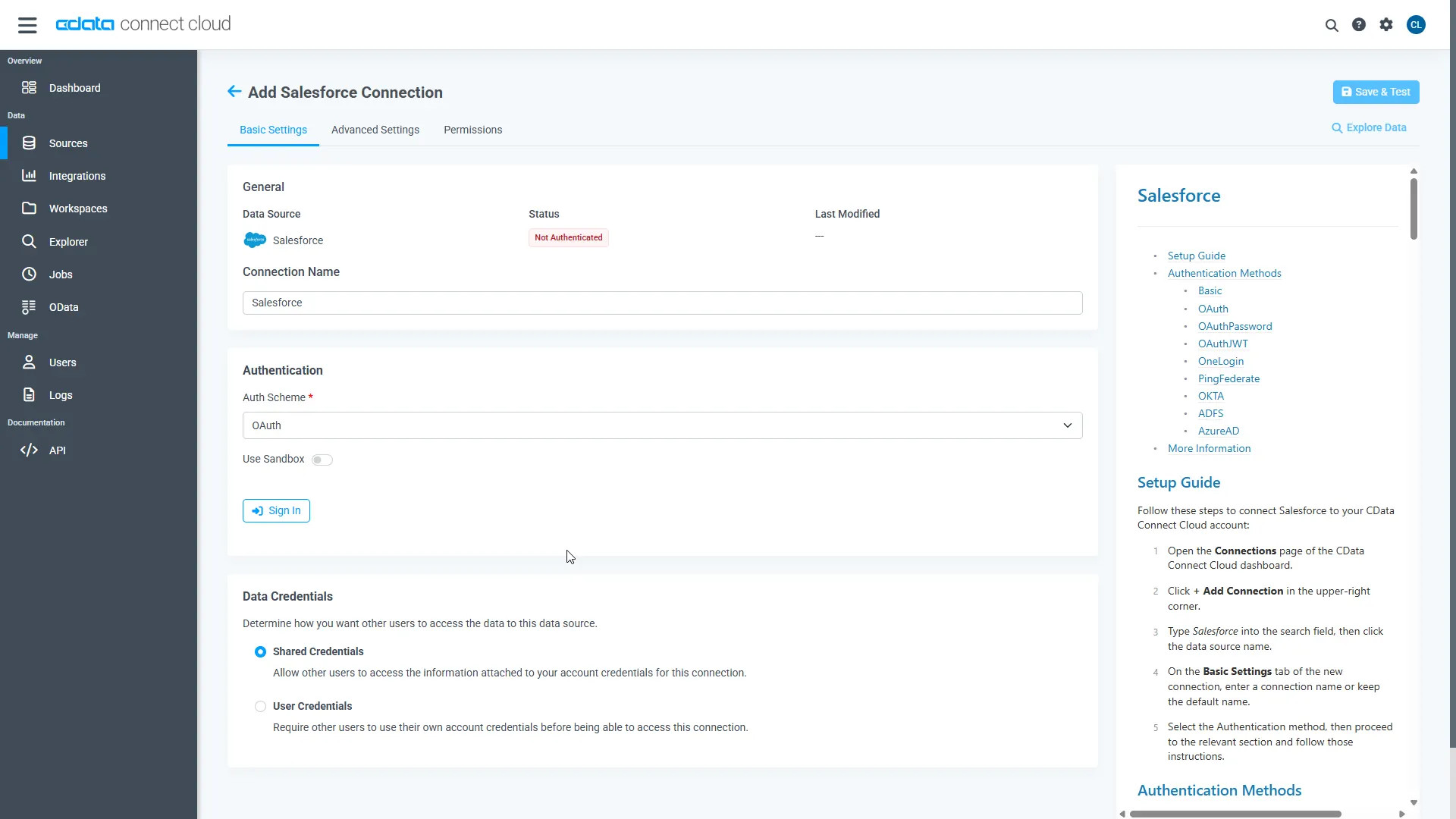
Enter the necessary authentication properties to connect to Jira.
To connect to JIRA, provide the User and Password. Additionally, provide the Url; for example, https://yoursitename.atlassian.net.
- Click Save & Test
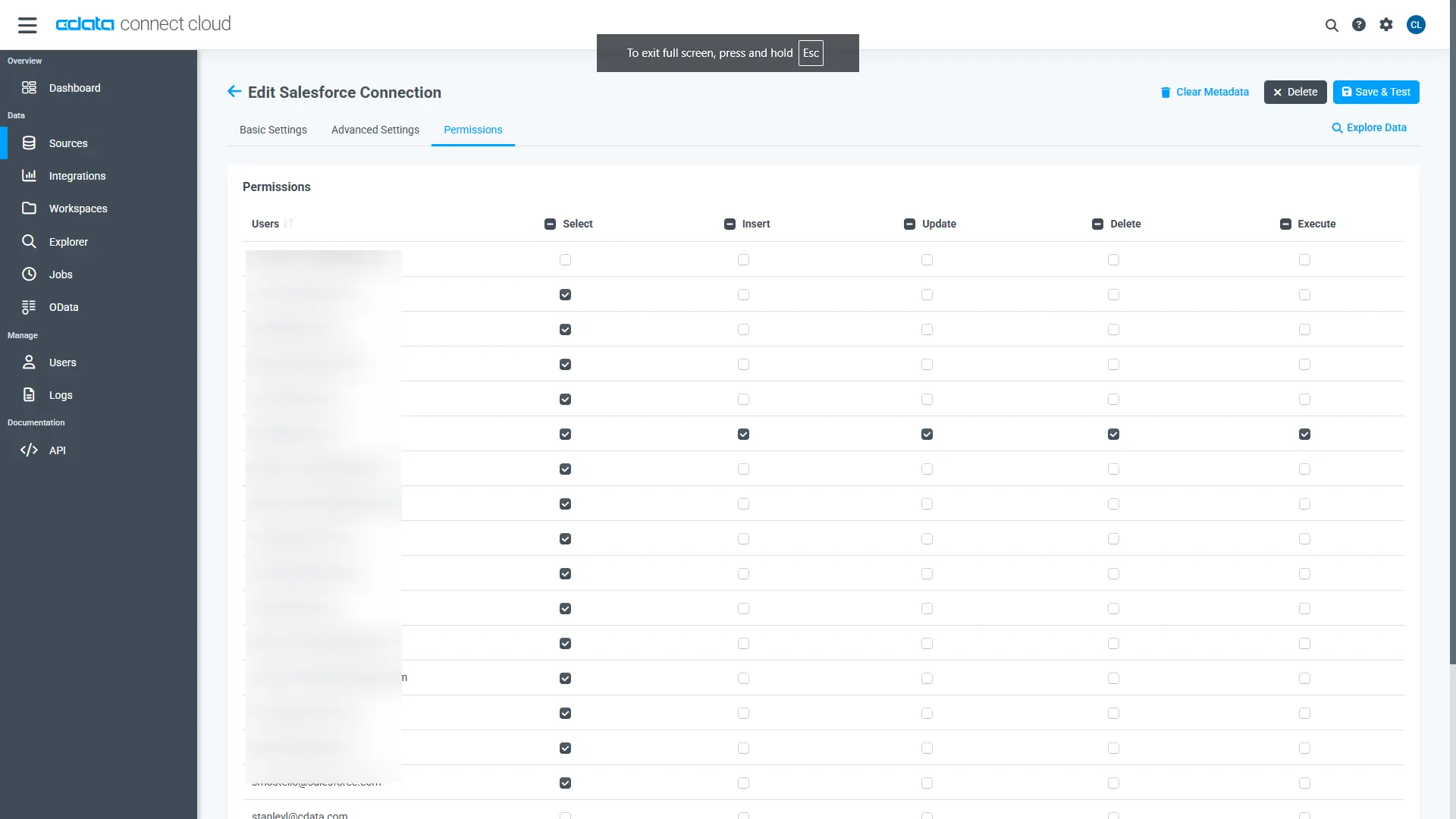
- Navigate to the Permissions tab and update user-based permissions
Add a Personal Access Token
A Personal Access Token (PAT) is used to authenticate the connection to Connect AI from ElevenLabs. It is best practice to create a separate PAT for each integration to maintain granular access control.
- Click the gear icon () at the top right of the Connect AI app to open Settings
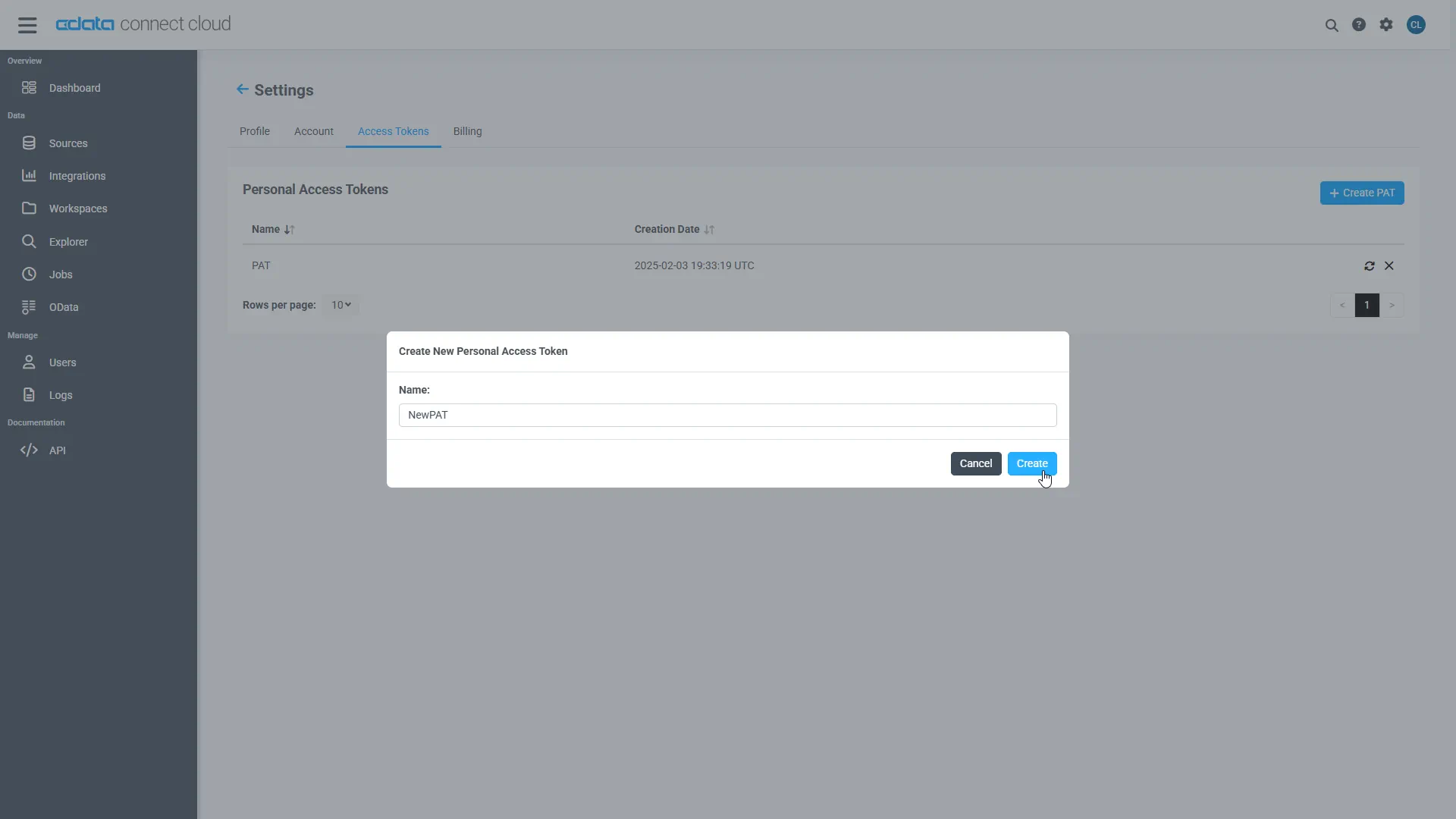
- On the Settings page, go to the Access Tokens section and click Create PAT
- Give the PAT a descriptive name (e.g., "ElevenLabs Voice Agent") and click Create
- Copy the token when displayed and store it securely. It will not be shown again
With the Jira connection configured and a PAT generated, ElevenLabs can now connect to Jira data through Connect AI.
Step 2: Add the Connect AI MCP Server in ElevenLabs
ElevenLabs supports connecting to external MCP servers that use SSE (Server-Sent Events) or HTTP streamable transport. The CData Connect AI Remote MCP Server is compatible with this integration.
-
Log into the ElevenLabs platform and navigate to your agent dashboard
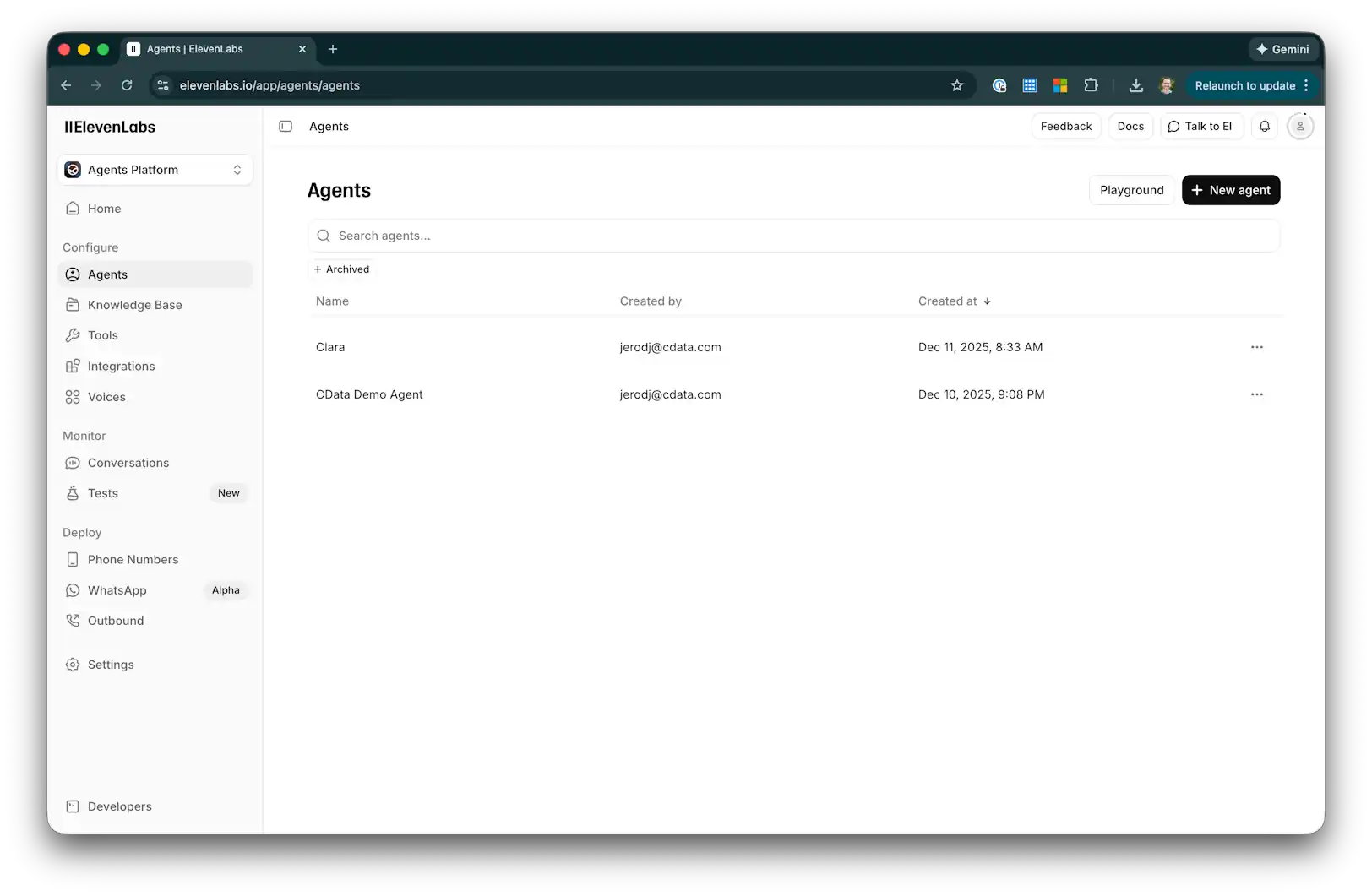
- Go to Integrations and click + Add Integration to access the MCP server integrations section
-
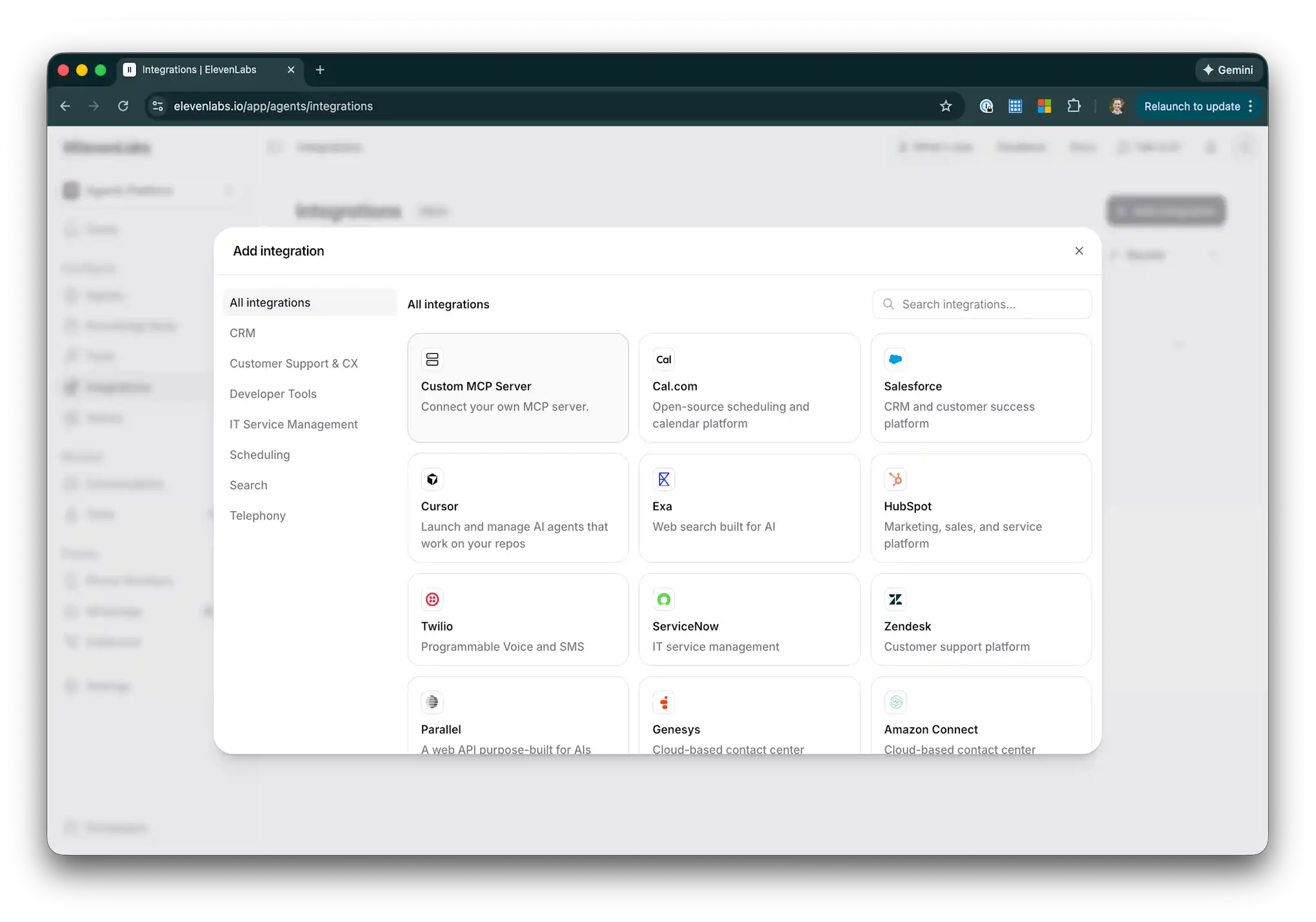
Click on Custom MCP Server to add a new integration
-
Enter the following configuration:
- Name: CData Connect AI
- Description: Access live enterprise data from 350+ sources
- Server URL: https://mcp.cloud.cdata.com/sse
- Secret Token: Leave empty (authentication is handled via headers)
- HTTP Headers: Add a header with key Authorization and value Basic your_email:your_PAT
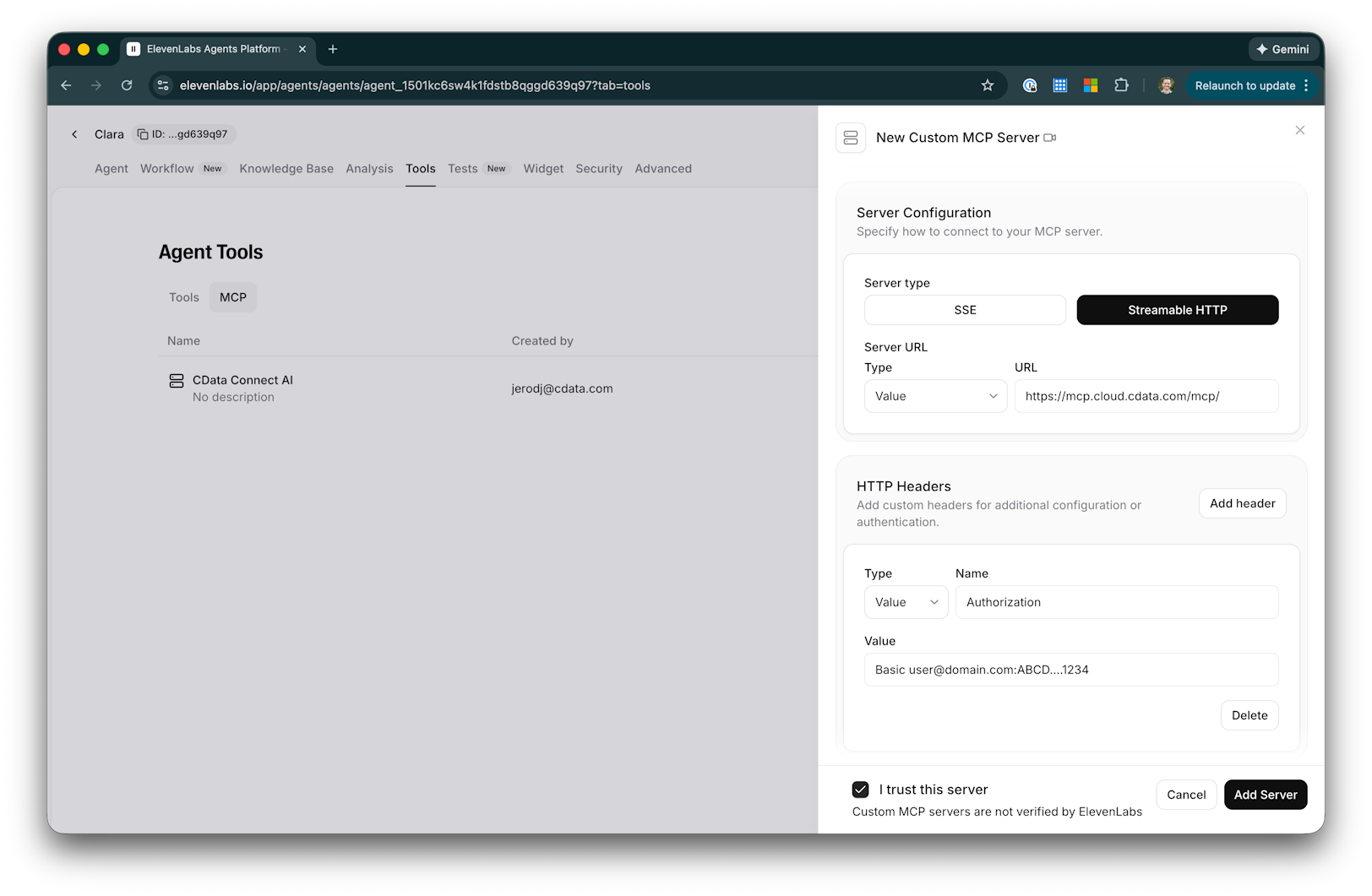
- Replace your_email:your_PAT with your Connect AI login email and the Personal Access Token you created earlier. For example: Basic [email protected]:ABC123...XYZ789
- Click Save to test the connection and retrieve available tools from Connect AI
- The CData Connect AI MCP server is now available to assign to your voice agents
Step 3: Configure your Voice Agent to use Connect AI
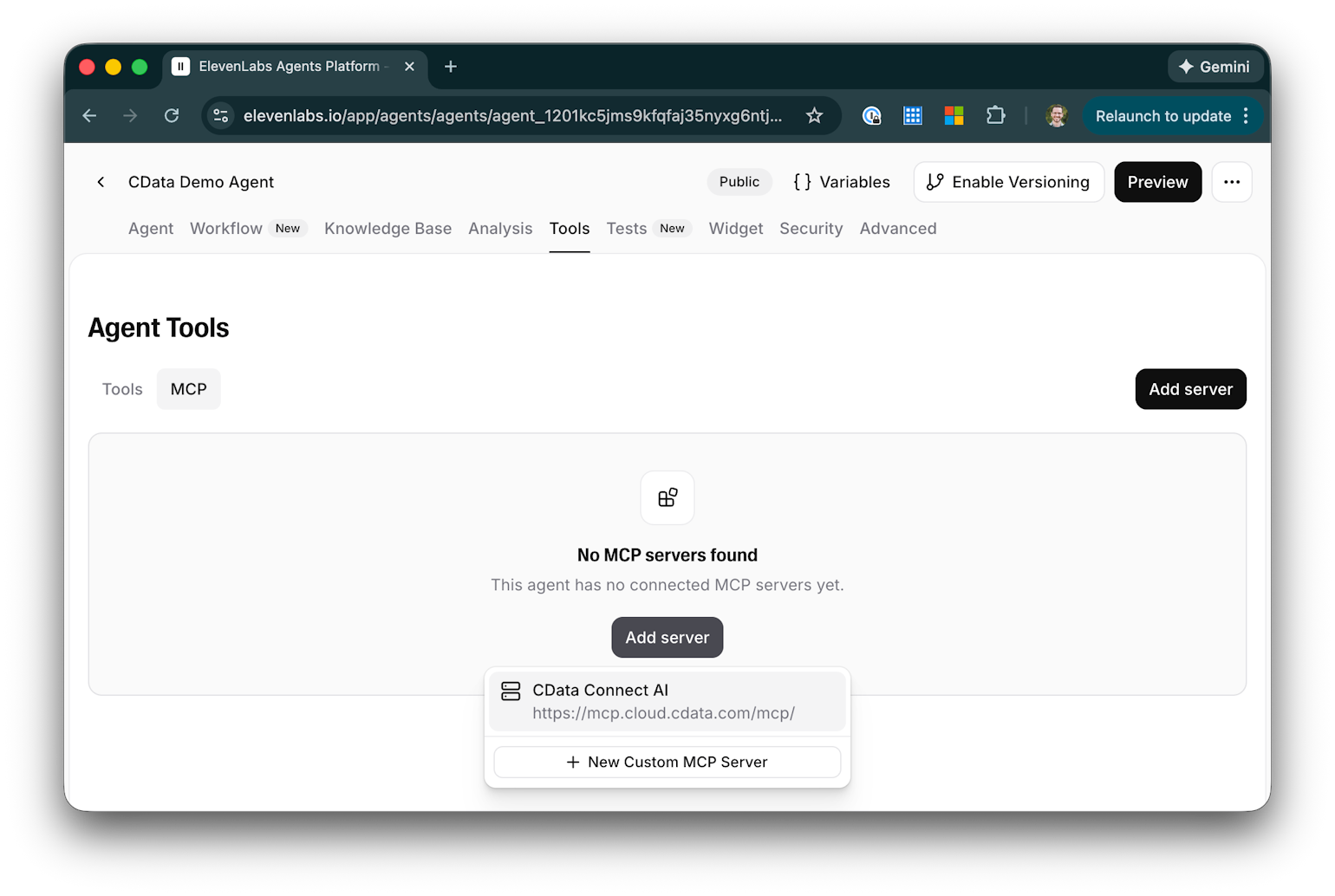
With the MCP server registered, you can now add it to your ElevenLabs voice agents to enable real-time data access during conversations.
- Create a new agent or edit an existing agent in the ElevenLabs dashboard
- In the agent configuration, navigate to the Tools section
-
Add the CData Connect AI MCP server you configured in Step 2
-
Configure the tool approval mode based on your requirements:
- Always Ask: The agent will request permission before each data query (recommended for sensitive data)
- Fine-Grained: Set approval requirements per tool/action
- No Approval: The agent can query data autonomously
- Save your agent configuration
Step 4: Interact with live data through your Voice Agent
Your ElevenLabs voice agent can now access and query live Jira data through the CData Connect AI MCP Server during conversations.
-
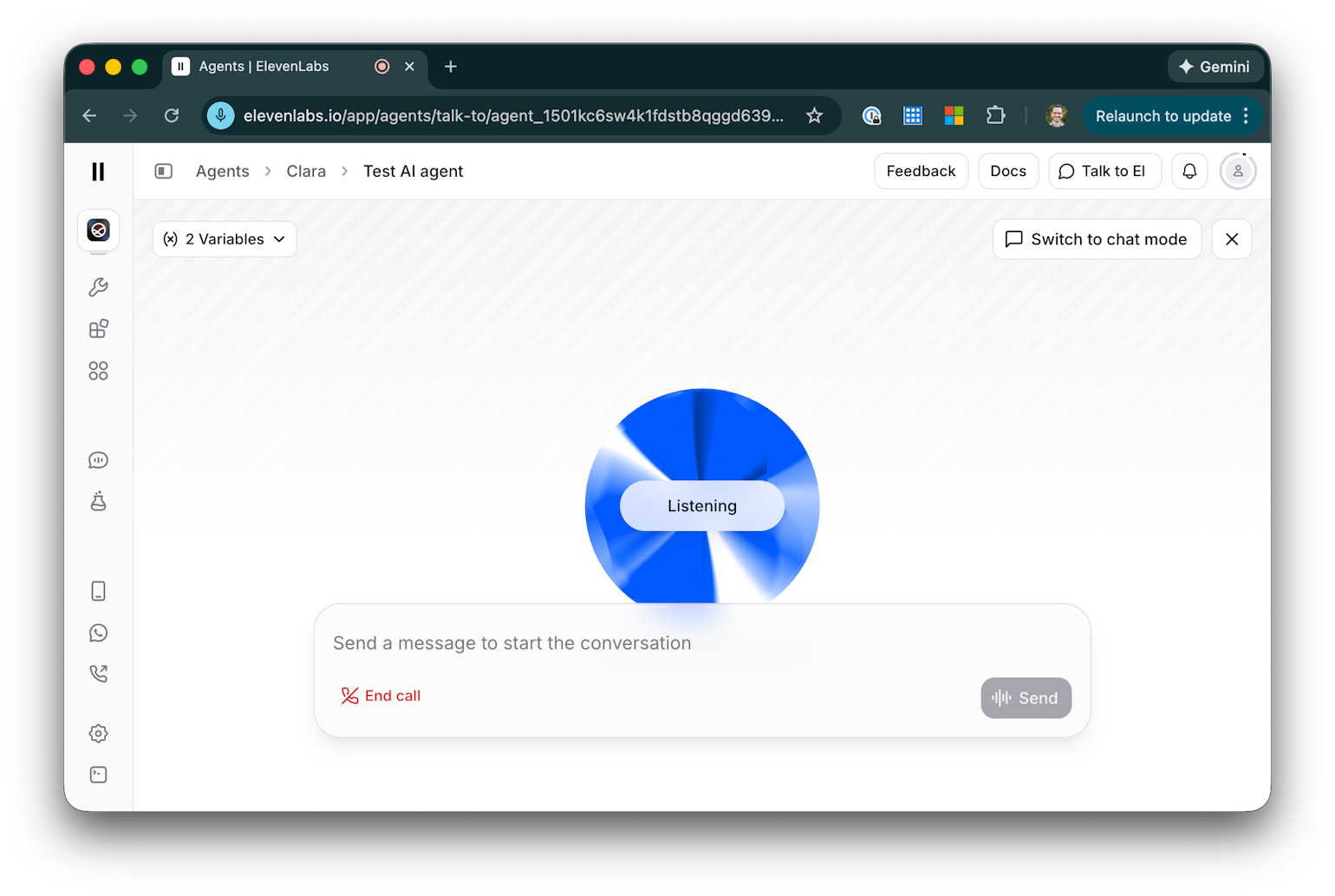
Start a conversation with your voice agent
-
Ask your agent data-related questions such as:
- "What connections are available?"
- "Show me the schemas for Jira"
- "Query recent records from Jira data"
- "Summarize our latest Data"
-
The agent will use the Connect AI MCP tools to retrieve live data and respond conversationally
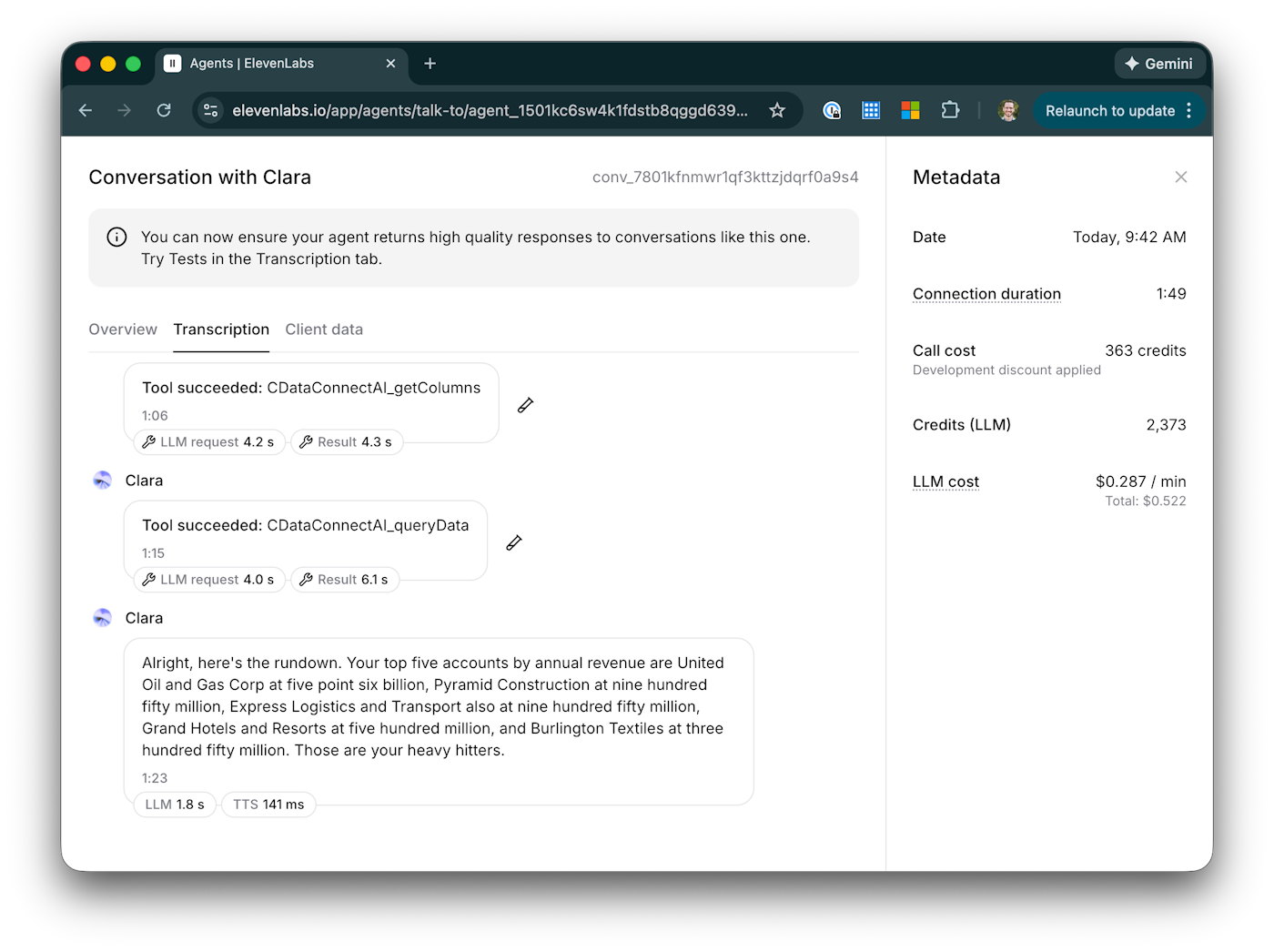
Your ElevenLabs voice agent is now fully configured to access and query live Jira data through the CData Connect AI Remote MCP Server, enabling real-time, data-driven voice interactions for your users.
Get CData Connect AI
To access 350+ SaaS, Big Data, and NoSQL sources through secure, AI-ready interfaces, try CData Connect AI today.