






Visualize Live Lakebase Data in Tableau

Tableau is a visual analytics platform transforming the way businesses use data to solve problems. When paired with the CData Tableau Connector for Lakebase, you can easily get access to live Lakebase data within Tableau. This article shows how to connect to Lakebase in Tableau and build a simple chart.
The CData Tableau Connectors enable high-speed access to live Lakebase data in Tableau. Once you install the connector, you simply authenticate with Lakebase and you can immediately start building responsive, dynamic visualizations and dashboards. By surfacing Lakebase data using native Tableau data types and handling complex filters, aggregations, & other operations automatically, CData Tableau Connectors grant seamless access to Lakebase data.
NOTE: The CData Tableau Connectors require Tableau 2020.3 or higher. If you are using an older version of Tableau, you will need to use the CData JDBC Driver.
Connect to Lakebase in Tableau
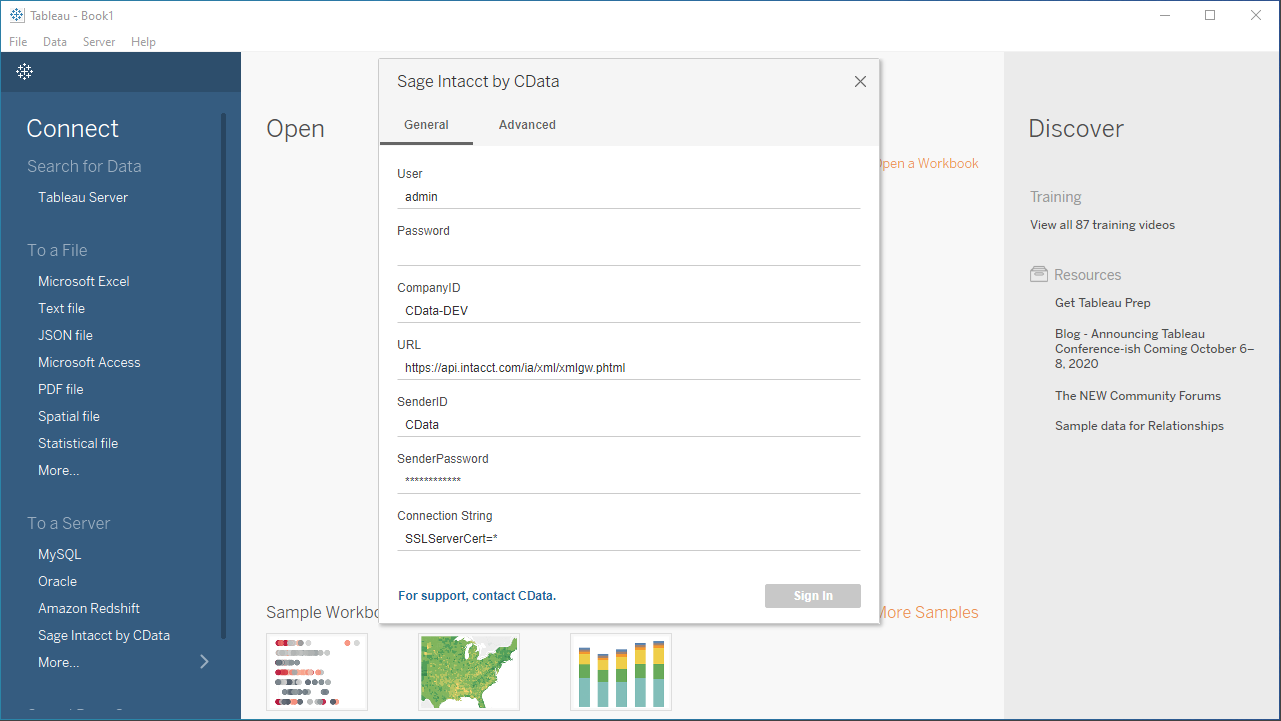
Open Tableau and click More under Connect -> To a Server. Select "Lakebase by CData," then configure the connection and click "Sign In."
To connect to Databricks Lakebase, start by setting the following properties:- DatabricksInstance: The Databricks instance or server hostname, provided in the format instance-abcdef12-3456-7890-abcd-abcdef123456.database.cloud.databricks.com.
- Server: The host name or IP address of the server hosting the Lakebase database.
- Port (optional): The port of the server hosting the Lakebase database, set to 5432 by default.
- Database (optional): The database to connect to after authenticating to the Lakebase Server, set to the authenticating user's default database by default.
OAuth Client Authentication
To authenicate using OAuth client credentials, you need to configure an OAuth client in your service principal. In short, you need to do the following:
- Create and configure a new service principal
- Assign permissions to the service principal
- Create an OAuth secret for the service principal
For more information, refer to the Setting Up OAuthClient Authentication section in the Help documentation.
OAuth PKCE Authentication
To authenticate using the OAuth code type with PKCE (Proof Key for Code Exchange), set the following properties:
- AuthScheme: OAuthPKCE.
- User: The authenticating user's user ID.
For more information, refer to the Help documentation.
Discover Schemas and Query Data
- Select CData from the Database pull-down menu.
- Select Lakebase from the Schema pull-down menu.
- Drag the tables and views you wish to visualize onto the join area. You can include multiple tables.
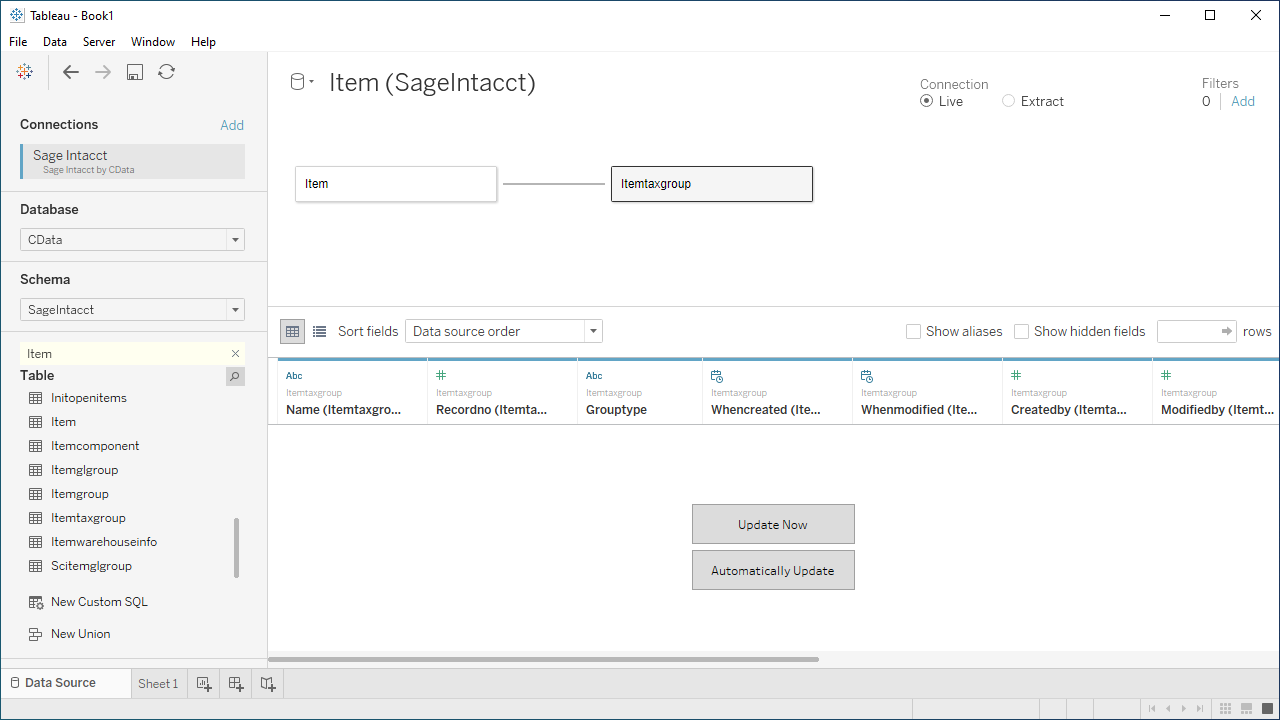
- Select Update Now or Automatically Update. Update Now lets you preview the first 10,000 rows of the data source (or enter the number of rows you want to see in the Rows text box). Automatically Update automatically reflects the changes in the preview area.
- Click the tab for your worksheet. Columns are listed as Dimensions and Measures, depending on the data type. The CData Tableau Connector discovers data types automatically, allowing you to leverage the powerful data processing and visualization features of Tableau.
- Drag a field from the Dimensions or Measures area to Rows or Columns. Tableau creates column or row headers.
- Select one of the chart types from the Show Me tab. Tableau displays the chart type that you selected.
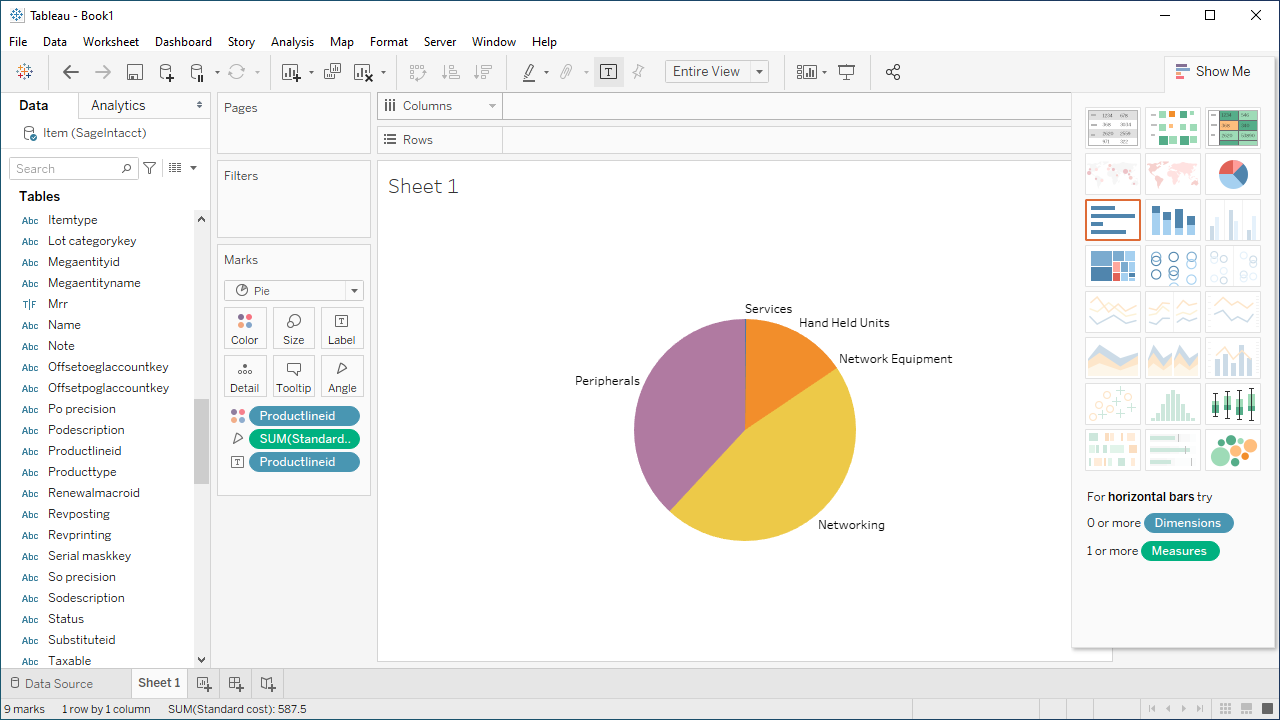
Using the CData Tableau Connector for Lakebase with Tableau, you can easily create robust visualizations and reports on Lakebase data. Download a free, 30-day trial and get started today.
Ready to get started?
Download a free trial of the Lakebase Tableau Connector to get started:
Download NowLearn more:
 Lakebase Tableau Connector
The fastest and easiest way to connect Tableau to Lakebase data. Includes comprehensive high-performance data access, real-time integration, extensive metadata discovery, and robust SQL-92 support.
