




Build AI/ML Models with Live Linear Data using Dataiku

Dataiku is a data science and machine learning platform used for data preparation, analysis, visualization, and AI/ML model deployment, enabling collaborative and efficient data-driven decision-making. When paired with the CData JDBC Driver for Linear, Dataiku enhances data integration, preparation, real-time analysis, and reliable model deployment for Linear data.
With built-in optimized data processing, the CData JDBC Driver offers unmatched performance for interacting with live Linear data. When you issue complex SQL queries to Linear, the driver pushes supported SQL operations, like filters and aggregations, directly to Linear and utilizes the embedded SQL engine to process unsupported operations client-side (often SQL functions and JOIN operations). Its built-in dynamic metadata querying allows you to work with and analyze Linear data using native data types.
This article shows how you can easily integrate to Linear using CData JDBC Driver for Linear in Dataiku DSS (Data Science Studio) platform, allowing you to prepare the data and build custom AI/ML models.
Preparing the Dataiku DSS environment
In this section, we will explore how to set up Dataiku, as previously introduced, with Linear data. Be sure to install Dataiku DSS (On-Prem version) for your preferred operating system, beforehand.
Install the CData JDBC Driver for Linear
First, install the CData JDBC Driver for Linear on the same machine as Dataiku. The JDBC Driver will be installed in the following path:
C:\Program Files\CData\CData JDBC Driver for Linear 20xx\lib\cdata.jdbc.linear.jarConnecting the JDBC Driver in Dataiku DSS
To use the CData JDBC driver in Dataiku, you must create a new SQL database connection and add the JDBC Driver JAR file in the DSS connection settings.
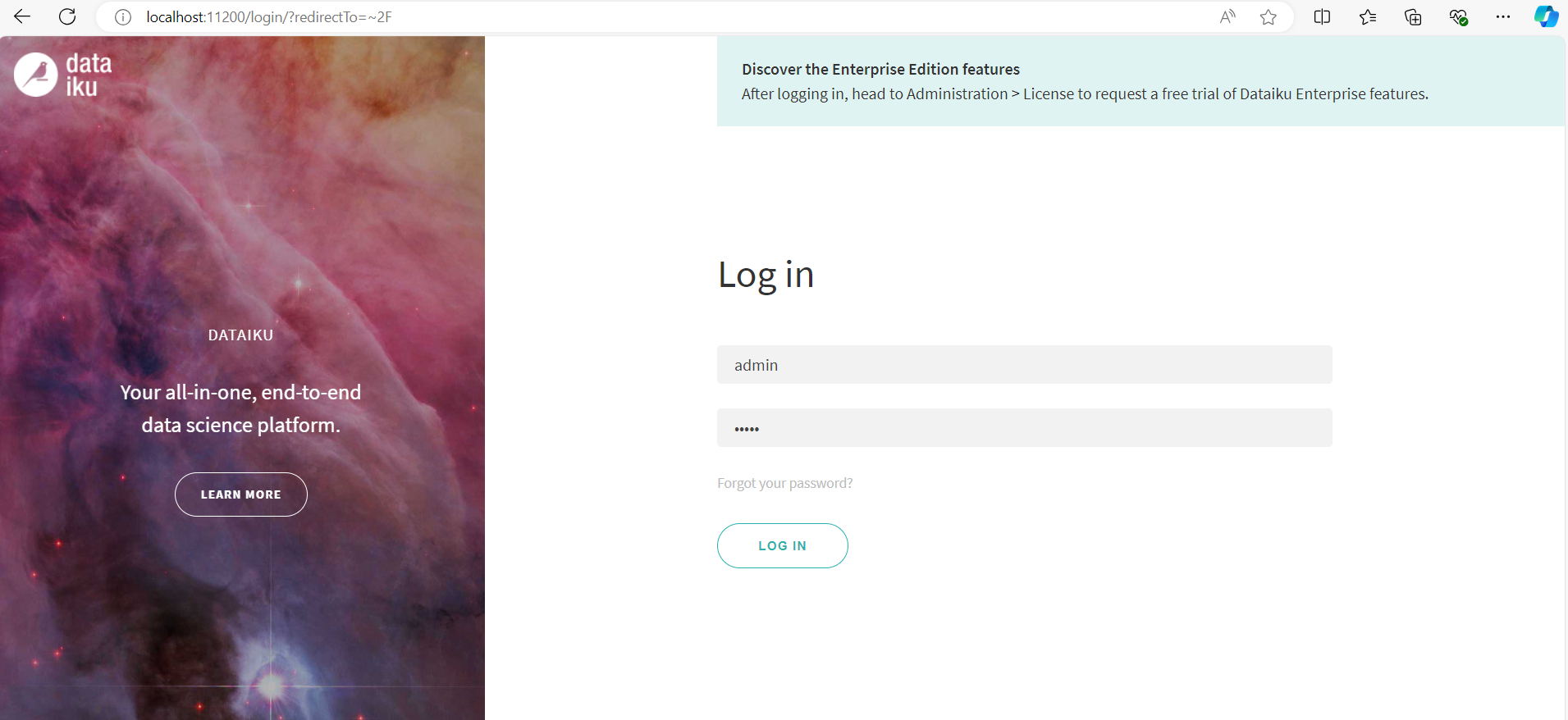
- Log into Dataiku DSS platform. It should open locally in your browser (e.g. localhost:11200)
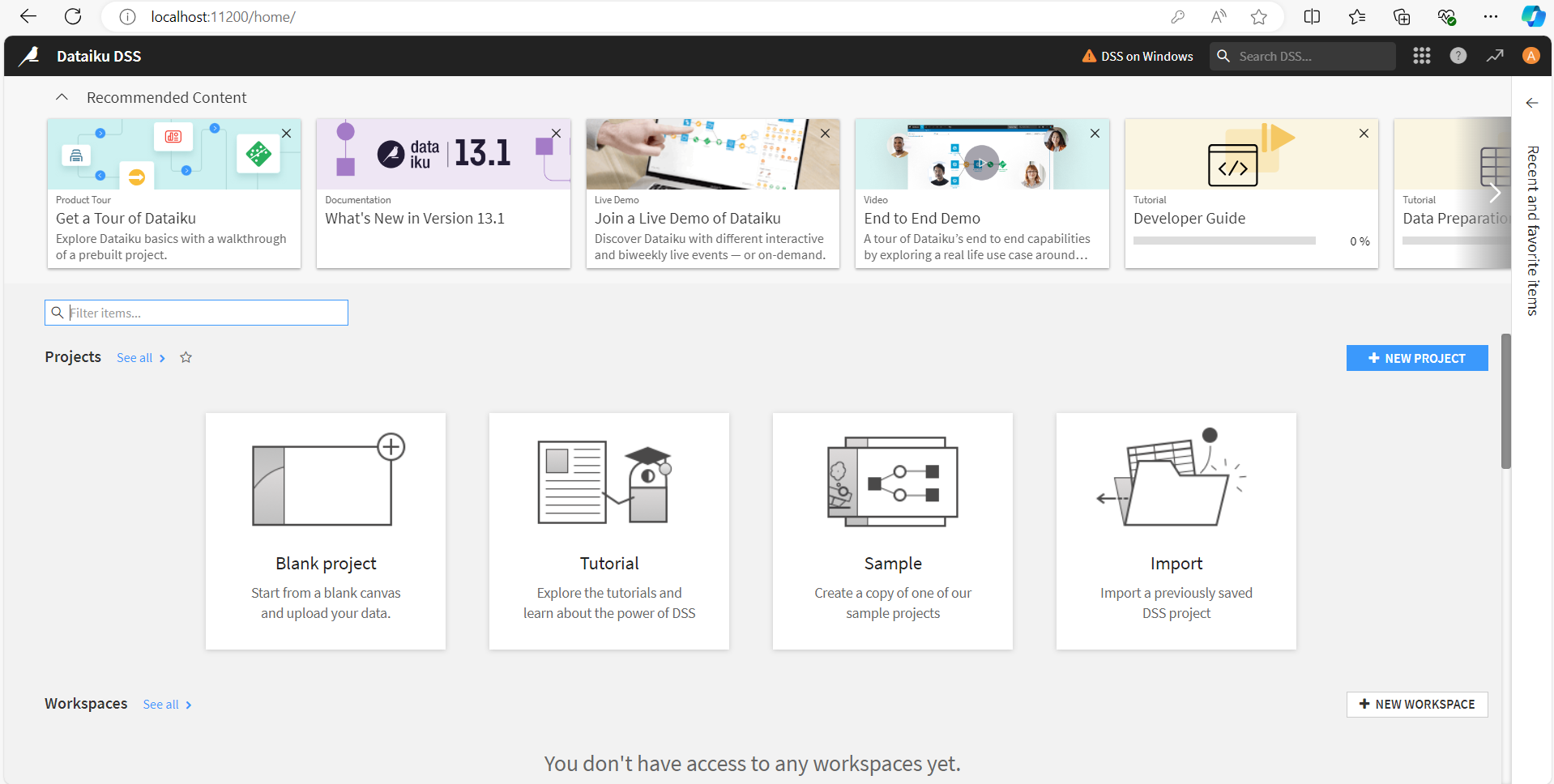
- Click on Navigate to other sections of Dataiku menu on the top right section of the platform and select Administration.
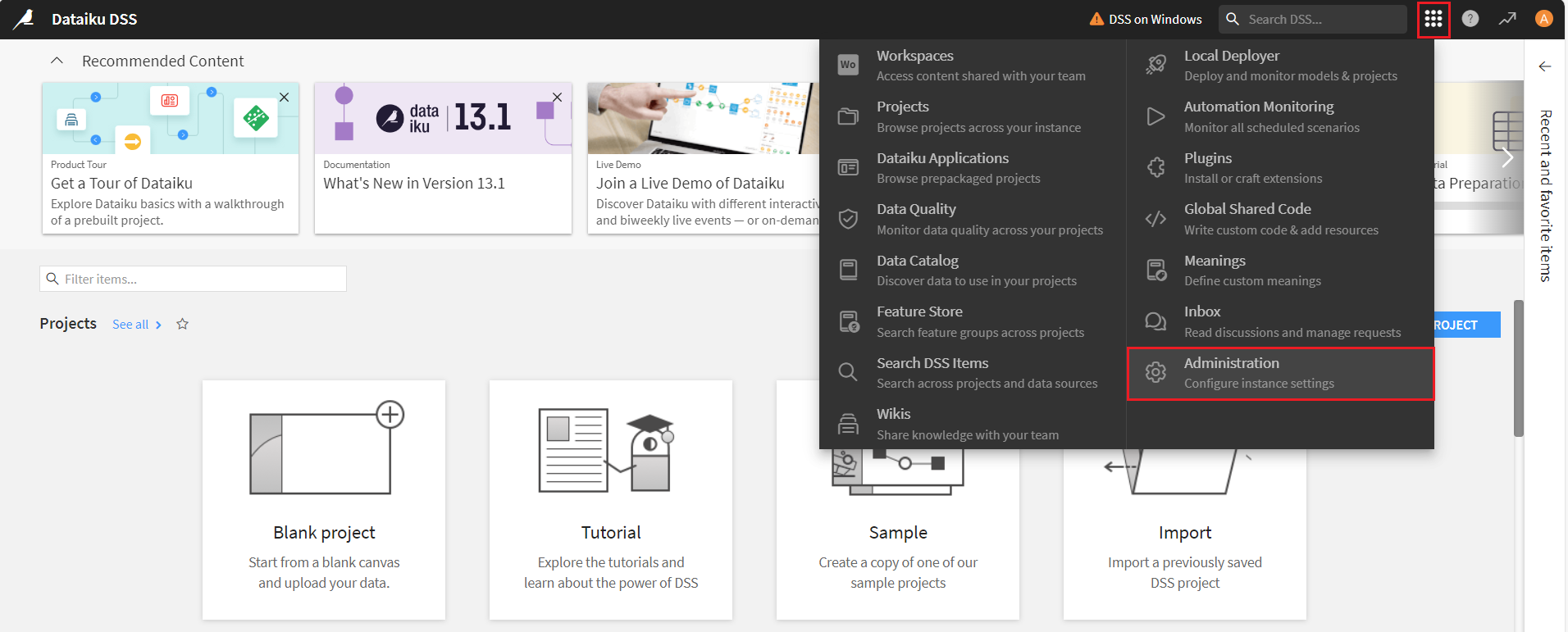
- Select the Connections tab.

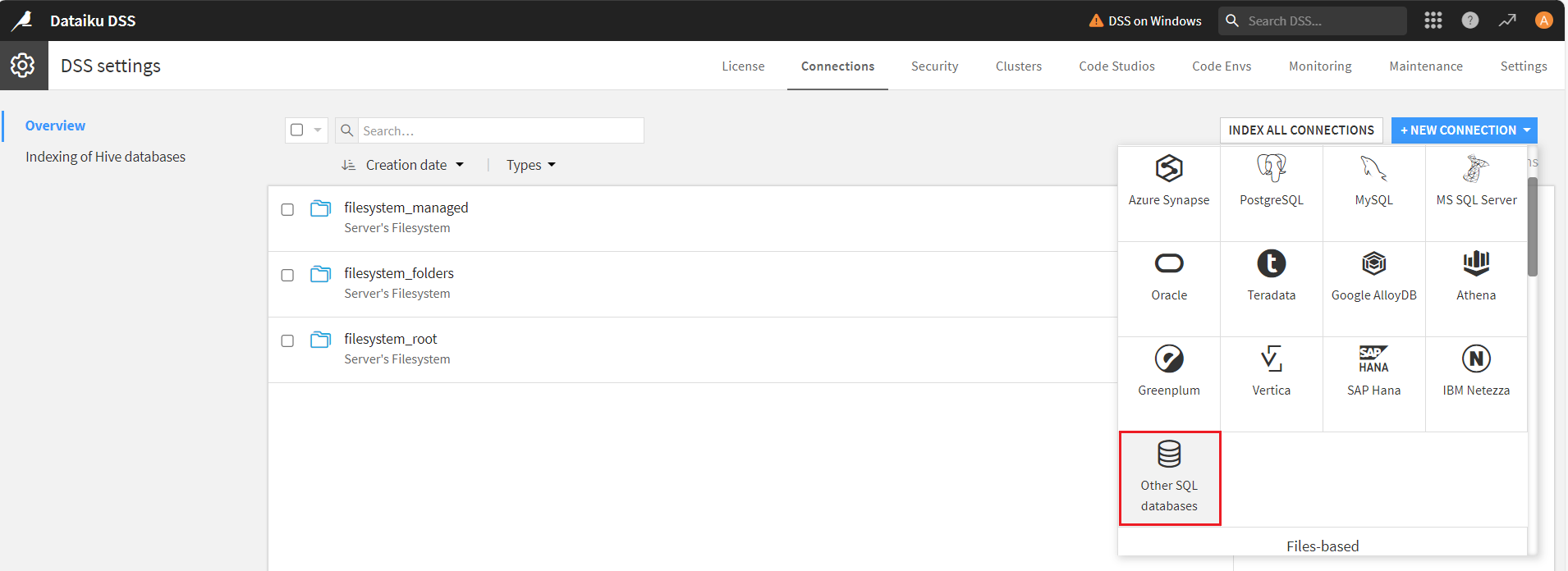
- In Connections, click on New Connections button.
- Now, scroll down and select Other SQL databases.
Generate a JDBC URL for connecting to Linear, beginning with jdbc:linear: followed by a series of semicolon-separated connection string properties.
You can authenticate to Linear with a personal API key or with OAuth 2.0. The API key is the simplest option for connecting with your own Linear account.
Authenticating with an API Key
Set the following connection properties:
- AuthScheme: Set this to APIKey.
- APIKey: A Linear personal API key.
To create a personal API key, log in to Linear, open Settings > Security & access > Personal API keys, select New API key, and create it. Copy the key immediately, because Linear shows it only once.
Authenticating with OAuth
OAuth requires a custom OAuth application registered in Linear (Settings > API > OAuth applications), which provides the OAuthClientId and OAuthClientSecret. Two flows are supported:
- Authorization code: Set AuthScheme to OAuth, InitiateOAuth to GETANDREFRESH, and provide OAuthClientId, OAuthClientSecret, and the CallbackURL defined in your application (e.g., http://localhost:33333). The driver opens Linear in your browser so you can grant access.
- Client credentials: Set AuthScheme to OAuthClient and provide OAuthClientId and OAuthClientSecret. This authenticates the application itself, with no browser interaction, and suits machine-to-machine integrations.
By default, the driver requests the read,write scopes. The driver refreshes the access token automatically when it expires.
Built-in Connection String Designer
For assistance in constructing the JDBC URL, use the connection string designer built into the Linear JDBC Driver. Either double-click the JAR file or execute the jar file from the command-line.
java -jar cdata.jdbc.linear.jarFill in the connection properties and copy the connection string to the clipboard.

A typical JDBC URL is given below:
jdbc:linear:AuthScheme=APIKey;APIKey=myAPIKey;- On the New SQL database (JDBC) connection screen, enter a name in the New connection name field and specify the basic parameters:
- JDBC Driver Class: cdata.jdbc.linear.LinearDriver
- JDBC URL: JDBC connection URL obtained in the previous step
- Driver jars directory: the folder path where the JAR file is installed on your system
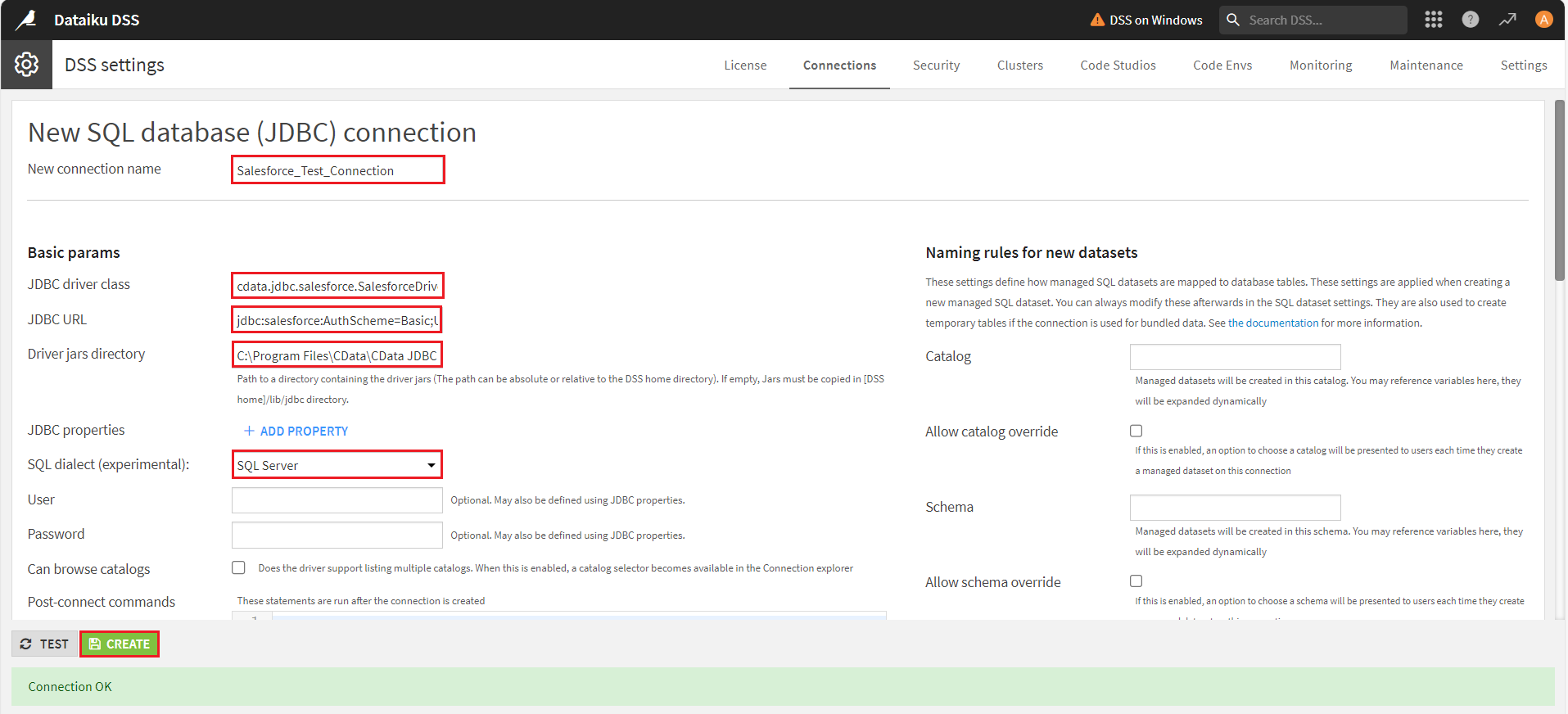
Next, select the SQL dialect of your choice. Here, we have selected 'SQL Server' as the preferred dialect. Click on Create. If the connection is successful, a prompt will display, saying 'Connection OK'.
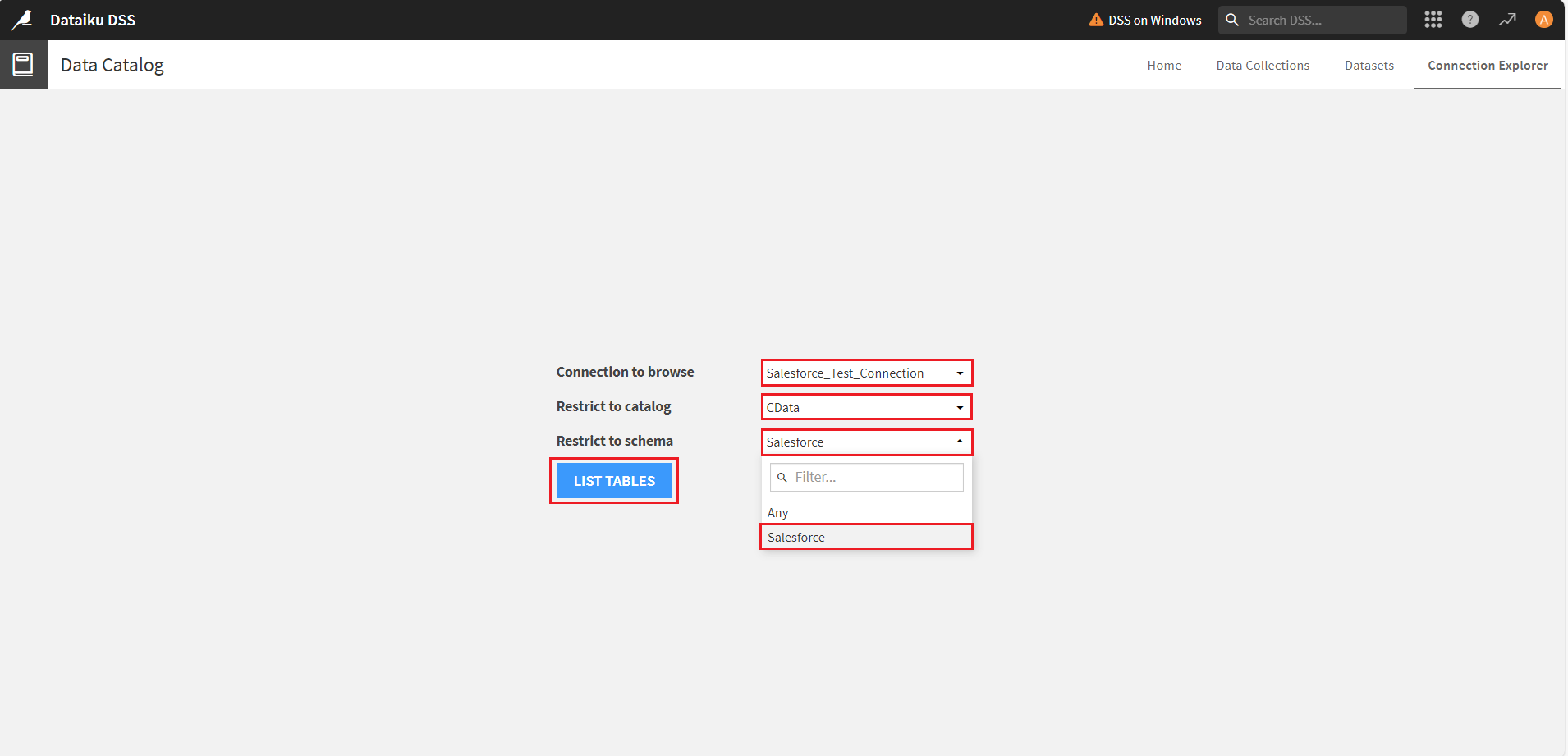
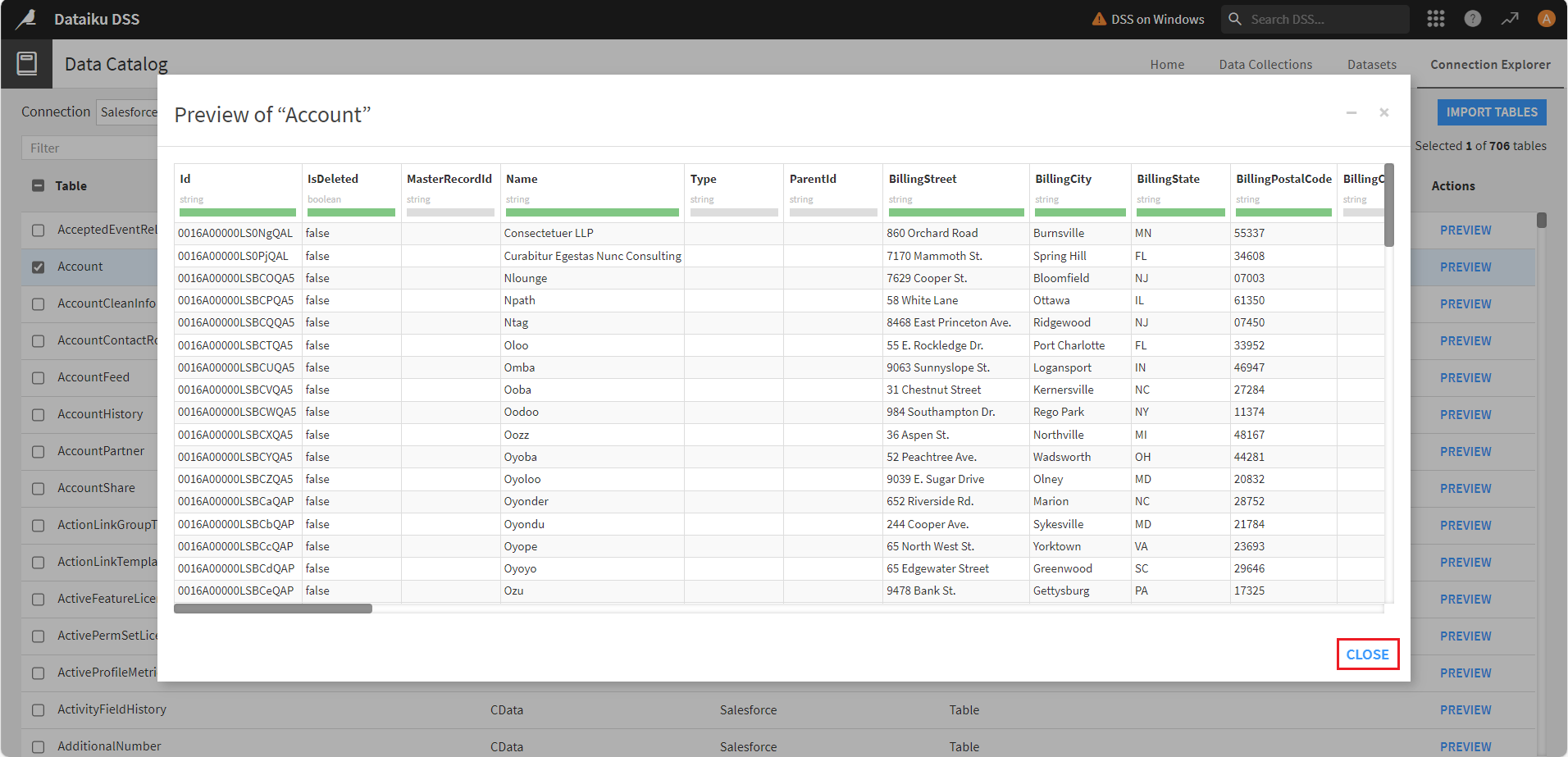
- The Data Catalog window will appear. Select the desired connection, catalog, and schema from the Connection to browse, Restrict to catalog, and Restrict to schema dropdowns, then click on List Tables. The Dataiku platform will list all the required tables.
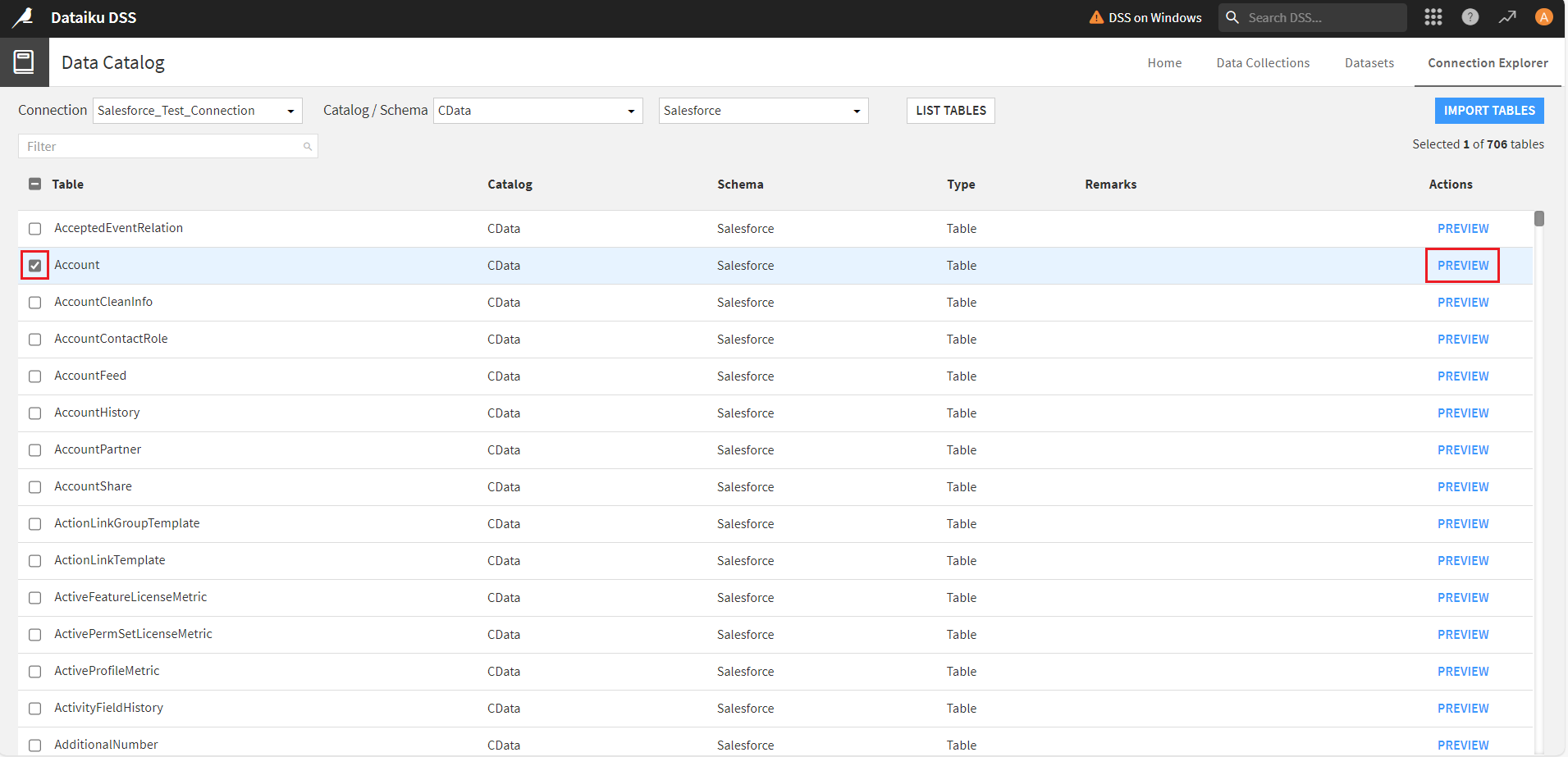
- Select any table from the list and click Preview to view the table data. Click Close to exit the window.
Creating a new project
To prepare data flows, create dashboards, analyze the Linear data, and build AI and ML models in the Dataiku DSS platform, you need to first create a new project.
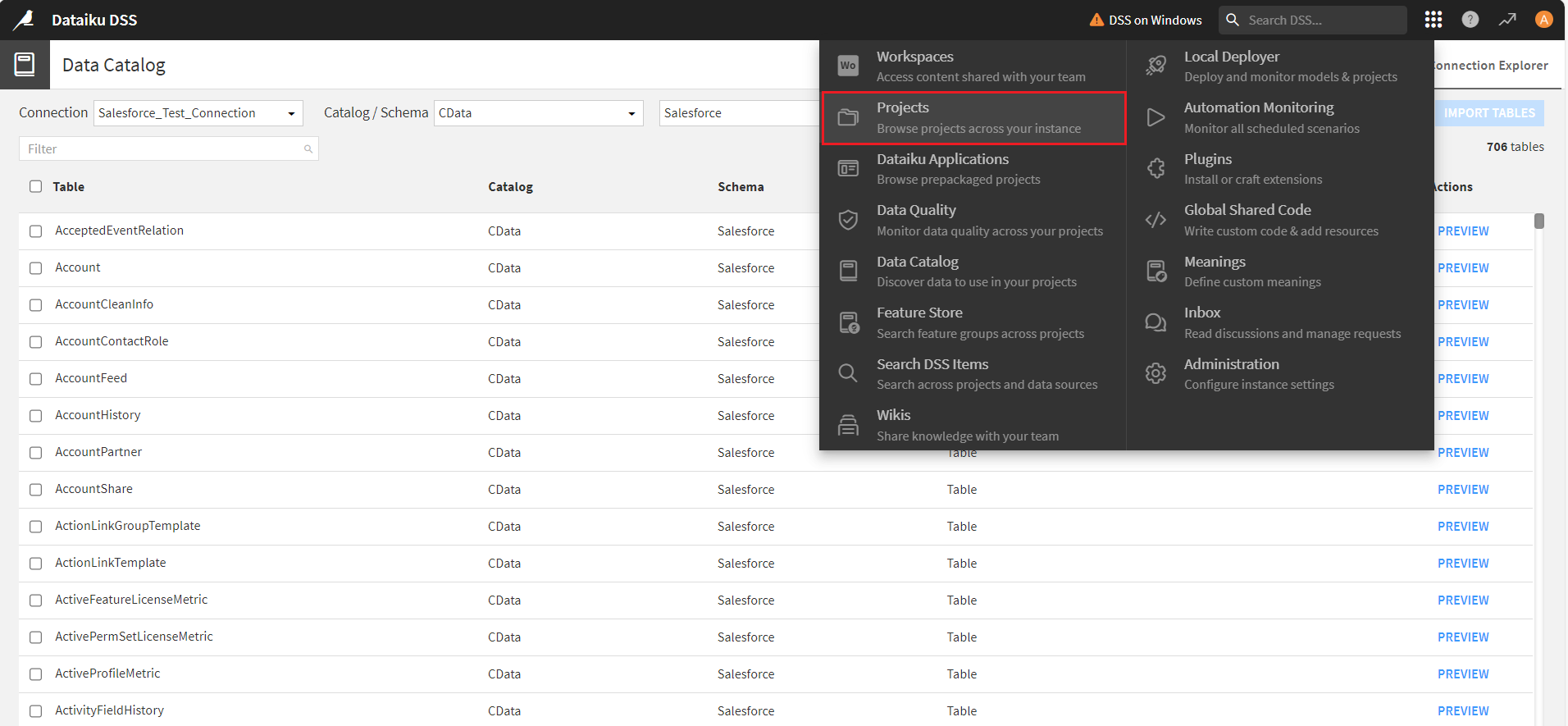
- Select Projects from the Navigate to other sections of Dataiku menu.
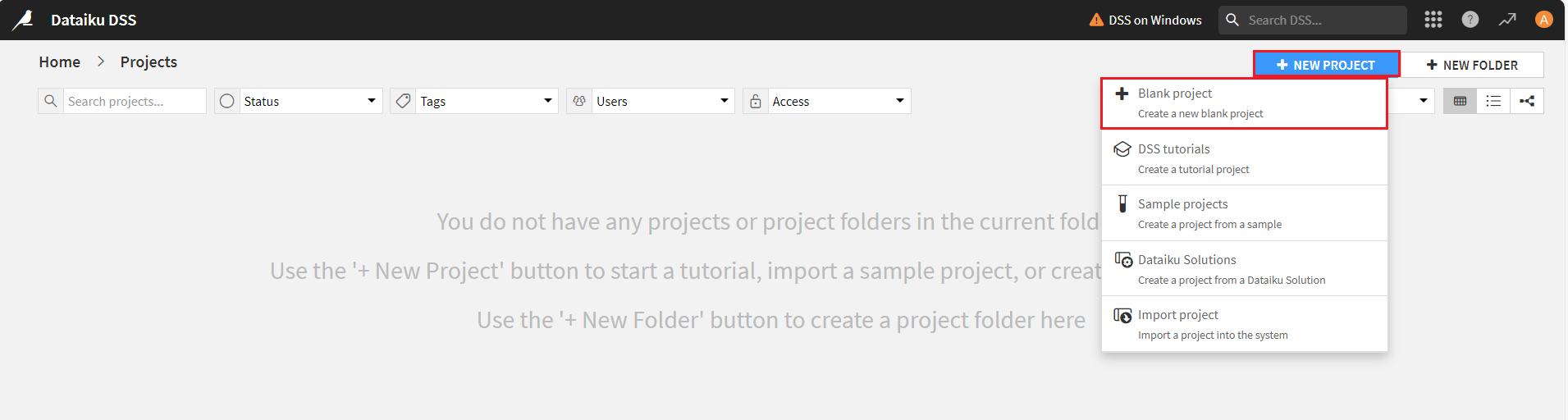
- In the Projects screen, click New Project and select + Blank Project.
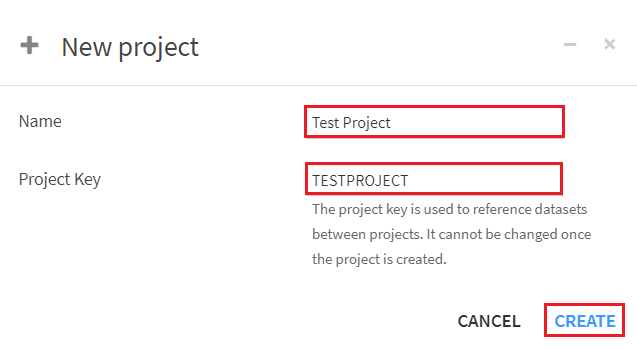
- In the New Project window, assign a Name and Project Key. Click Create. The new project dashboard opens up.
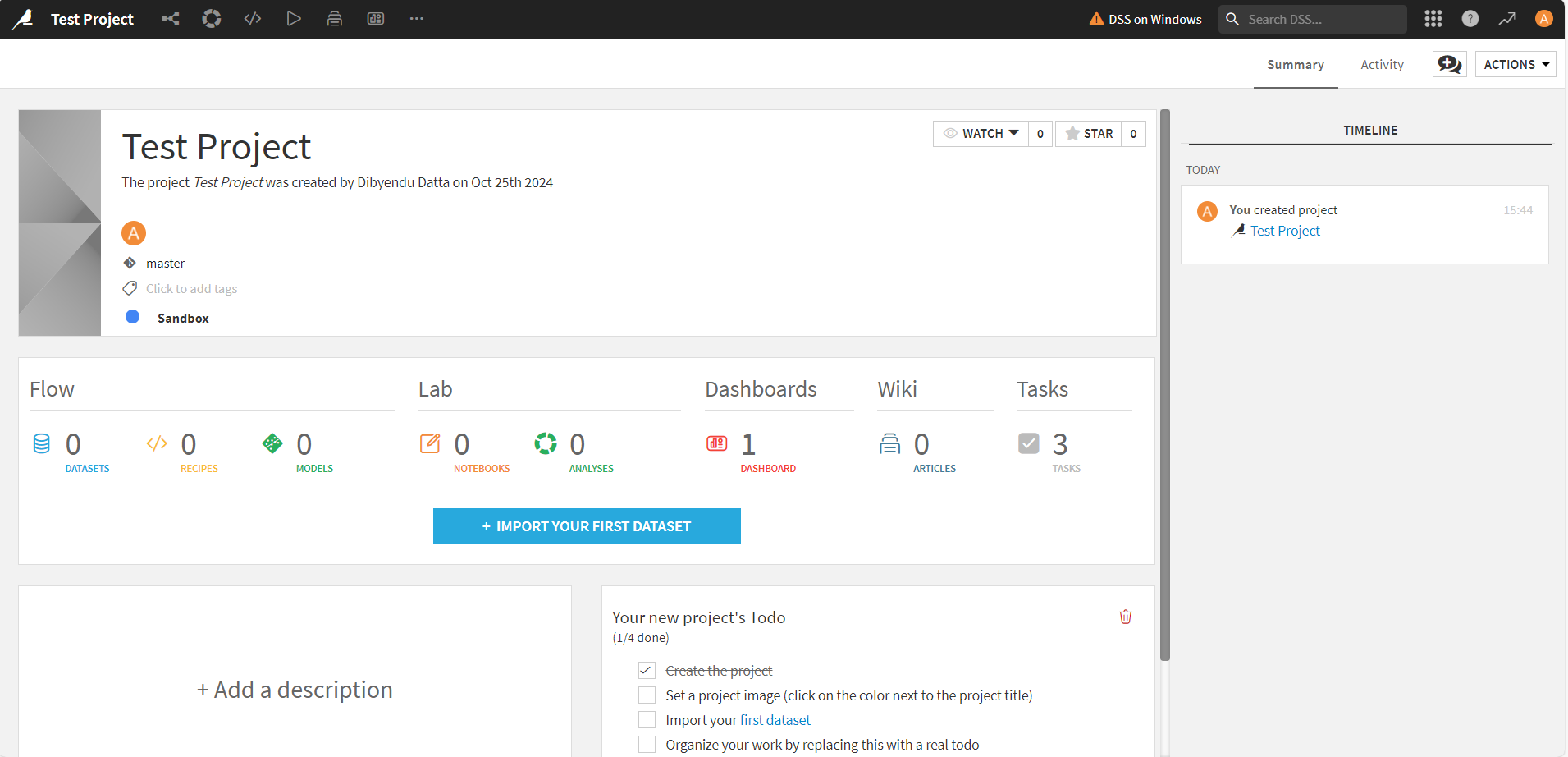
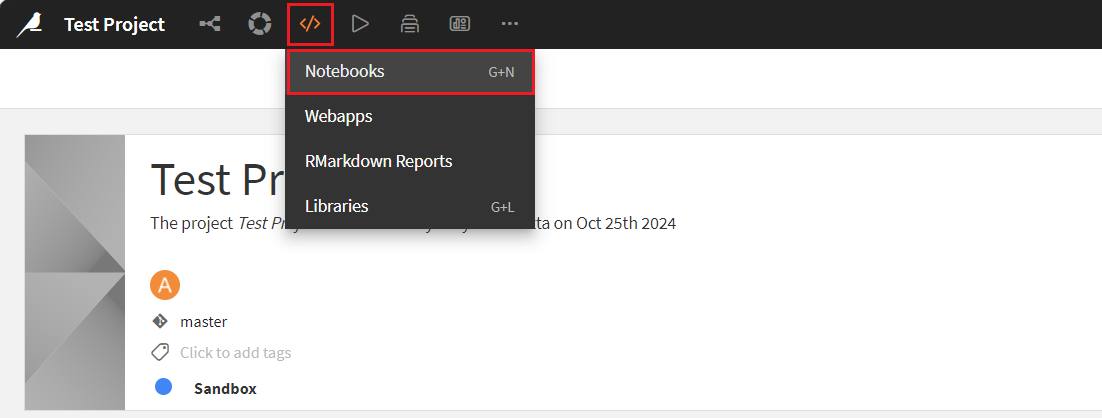
- Select Notebooks from the menu at the top of the project screen.
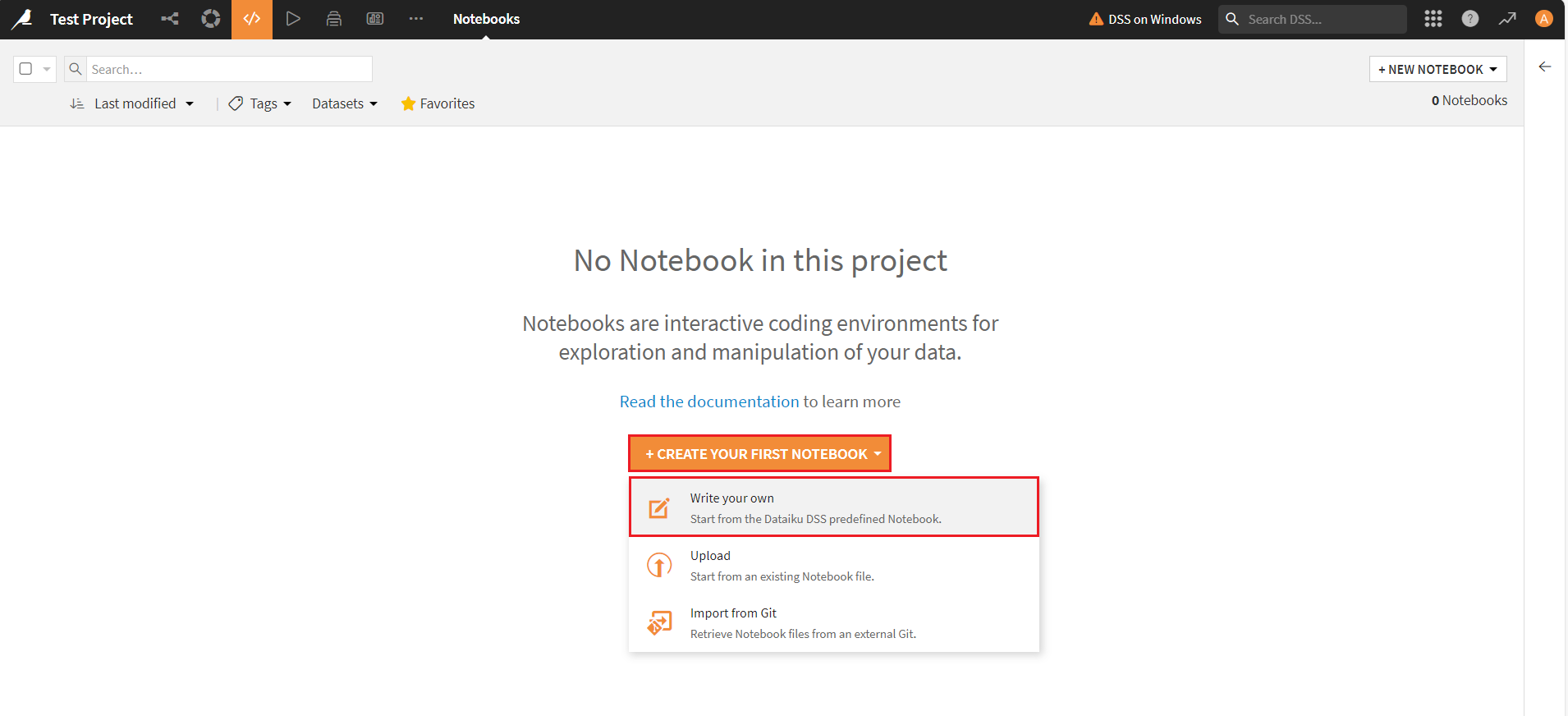
- Click on + Create Your First Notebook dropdown menu and select Write your own option.
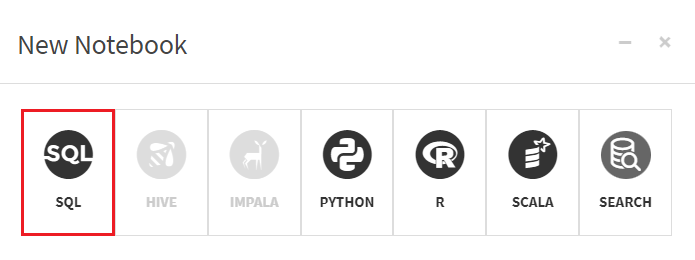
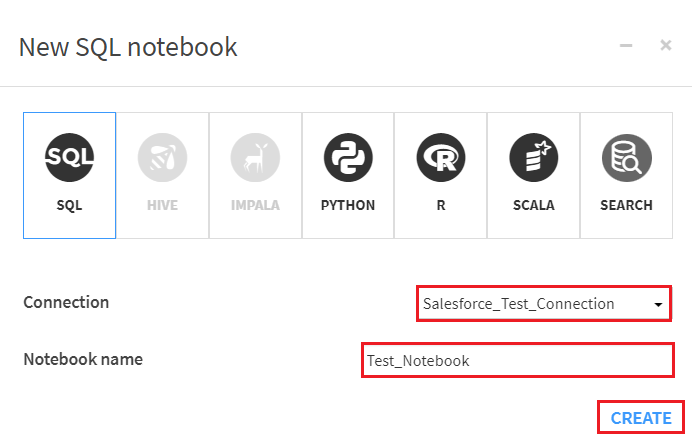
- In the New Notebook window, select SQL.
- Now, select the required connection from the Connection dropdown and enter a name in the Notebook Name field.
Testing the connection
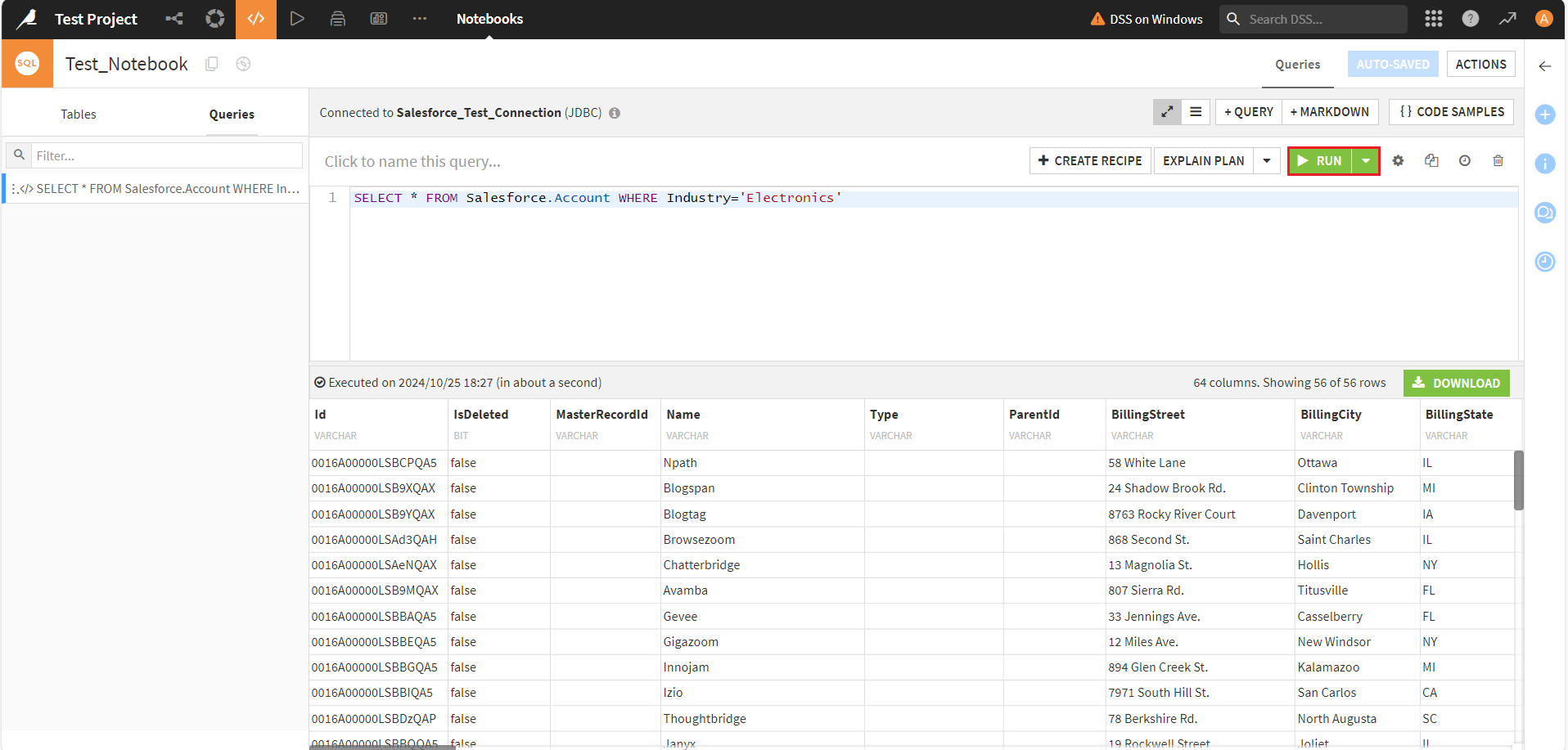
To test the Linear connection and analyze the Linear data, write a query in the query compiler and click Run. The queried/filtered Linear data results will then appear on the screen.
Get Started Today
Download a free, 30-day trial of the CData JDBC Driver for Linear to integrate with Dataiku, and effortlessly build custom AI/ML models from Linear data.
Reach out to our Support Team if you have any questions.
Ready to get started?
Download a free trial of the Linear Driver to get started:
Download NowLearn more:
 Linear JDBC Driver
Rapidly create and deploy powerful Java applications that integrate with Linear data including AgentSession, Comment, Customer, Cycle, Initiative, Integration, Issue, ProjectStatus, Release, Team, User, and more!