






Connecting GenSpark with Odoo Data via CData Connect AI MCP Server

GenSpark is built for developers and enterprise teams who want to create intelligent, conversational AI experiences powered by real-time data. It's flexible tooling and agentic capabilities make it easy to integrate LLMs, automate complex workflows, and build interactive applications that adapt to user intent. However, when these AI interactions require data beyond local context or predefined APIs, many implementations fall back on custom middleware, manual integrations, or scheduled ETL pipelines to sync information into local stores. This introduces unnecessary complexity, increases maintenance overhead, slows response times, and limits the real-time intelligence your GenSpark agents can provide.
CData Connect AI eliminates these barriers by delivering live, secure connectivity to more than 300 enterprise applications, databases, ERPs, and analytics platforms. Through CData Connect AI remote Model Context Protocol (MCP) Server, GenSpark agents can query, read, and act on real-time enterprise data without replication or custom integration code. The result is grounded, accurate responses, faster reasoning, and automated, cross-system decision-making all with stronger governance and fewer moving parts.
This guide outlines the steps required to configure CData Connect AI MCP connectivity, register the MCP Server in GenSpark, and enable your GenSpark agents to work seamlessly with live enterprise data in real time.
About Odoo Data Integration
Accessing and integrating live data from Odoo has never been easier with CData. Customers rely on CData connectivity to:
- Access live data from both Odoo API 8.0+ and Odoo.sh Cloud ERP.
-
Extend the native Odoo features with intelligent handling of many-to-one, one-to-many, and many-to-many data properties. CData's connectivity solutions also intelligently handle complex data properties within Odoo. In addition to columns with simple values like text and dates, there are also columns that contain multiple values on each row. The driver decodes these kinds of values differently, depending upon the type of column the value comes from:
- Many-to-one columns are references to a single row within another model. Within CData solutions, many-to-one columns are represented as integers, whose value is the ID to which they refer in the other model.
- Many-to-many columns are references to many rows within another model. Within CData solutions, many-to-many columns are represented as text containing a comma-separated list of integers. Each value in that list is the ID of a row that is being referenced.
- One-to-many columns are references to many rows within another model - they are similar to many-to-many columns (comma-separated lists of integers), except that each row in the referenced model must belong to only one in the main model.
- Use SQL stored procedures to call server-side RFCs within Odoo.
Users frequently integrate Odoo with analytics tools such as Power BI and Qlik Sense, and leverage our tools to replicate Odoo data to databases or data warehouses.
Getting Started
Prerequisites
Before starting, ensure you have:
- A CData Connect AI account
- Access to GenSpark
- Access to Odoo
Credentials checklist
Ensure you have these credentials ready for the connection:
- USERNAME: Your CData email login
- PAT: Connect AI, go to Settings and click on Access Tokens (copy once)
- MCP_BASE_URL: https://mcp.cloud.cdata.com/mcp
Step 1: Configure Odoo connectivity for GenSpark
Connectivity to Odoo from GenSpark is made possible through CData Connect AI Remote MCP. To interact with Odoo data from GenSpark, we start by creating and configuring a Odoo connection in CData Connect AI.
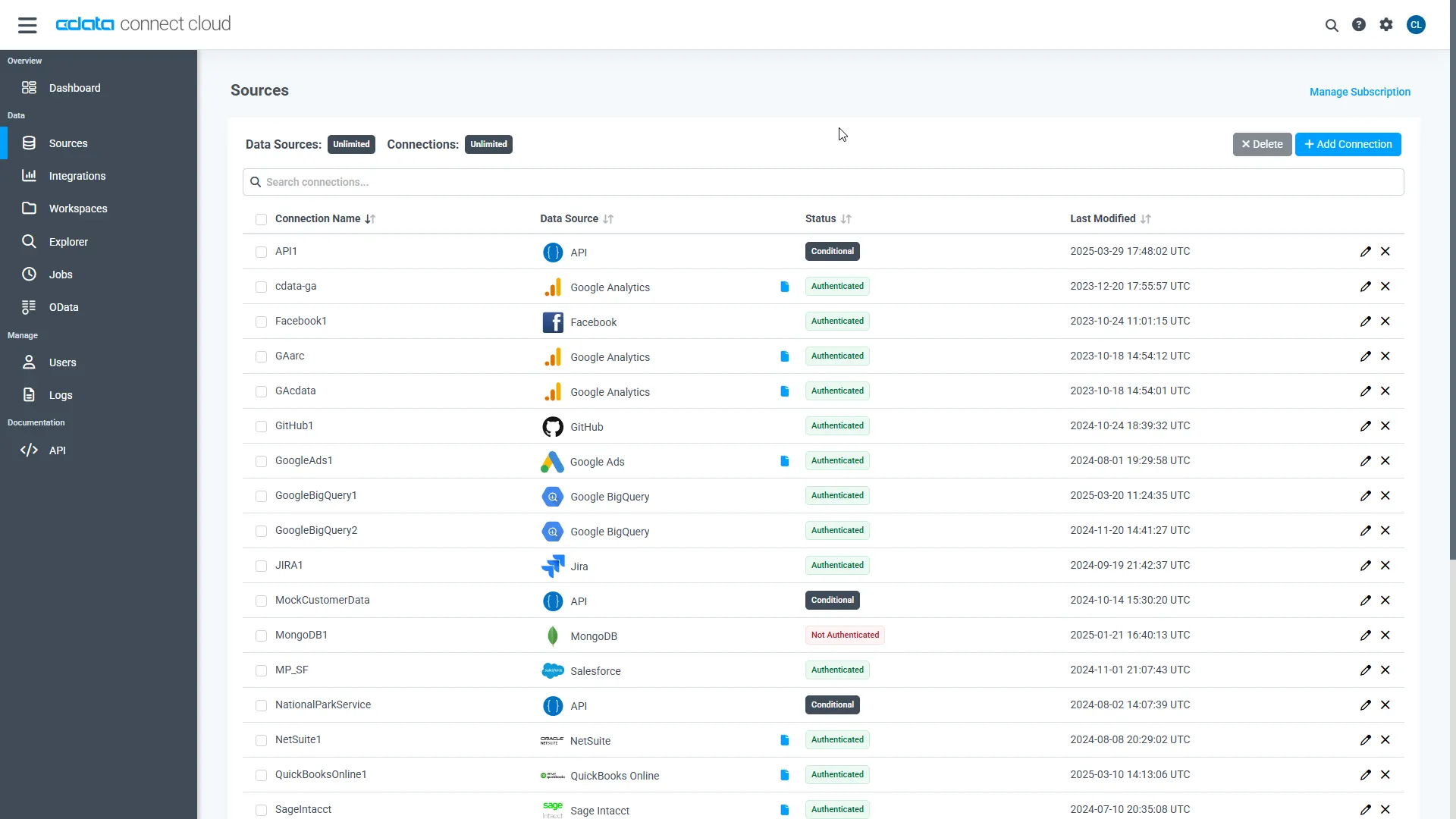
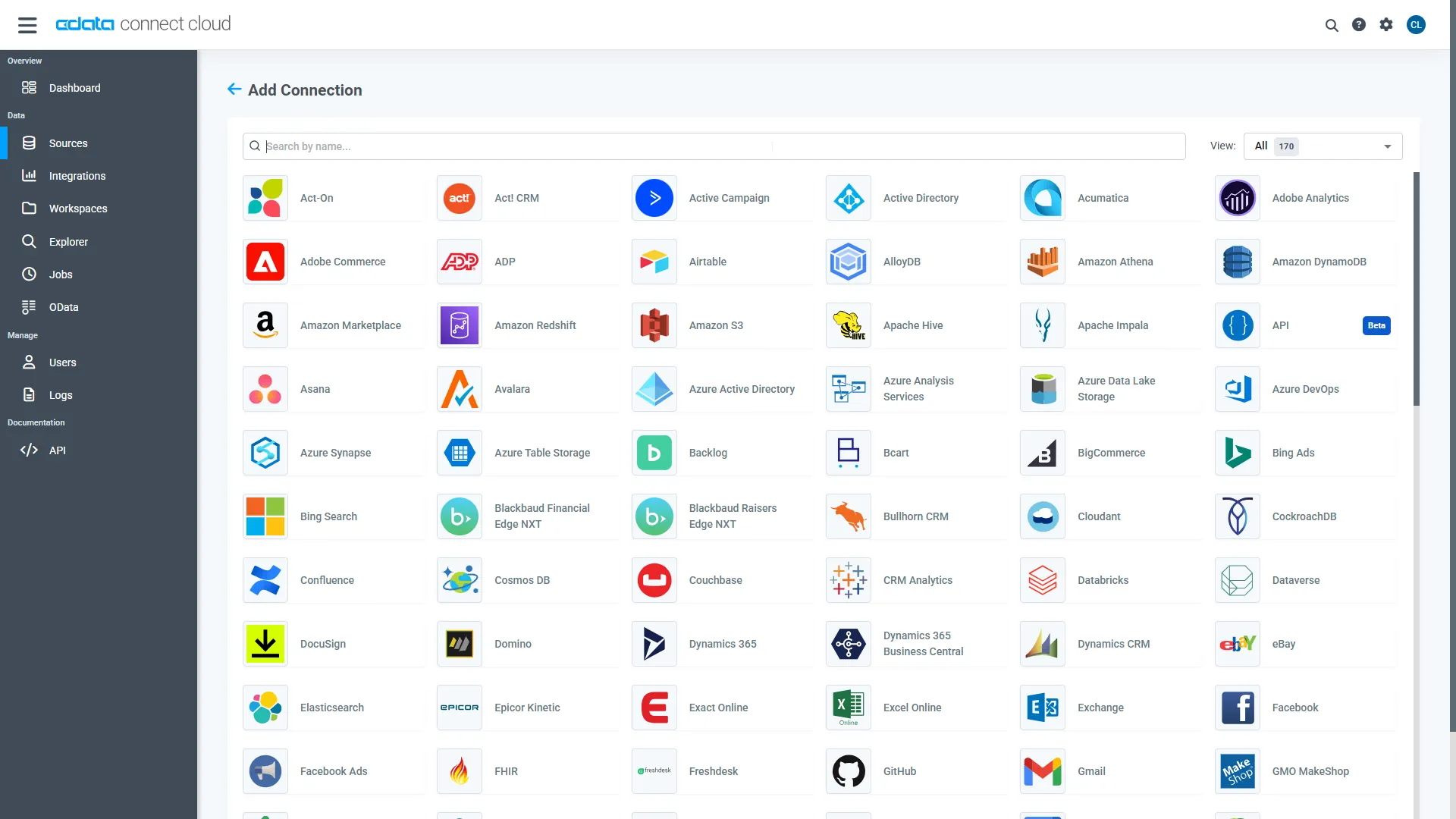
- Log into Connect AI, click Sources, and then click Add Connection
- Select "Odoo" from the Add Connection panel
-
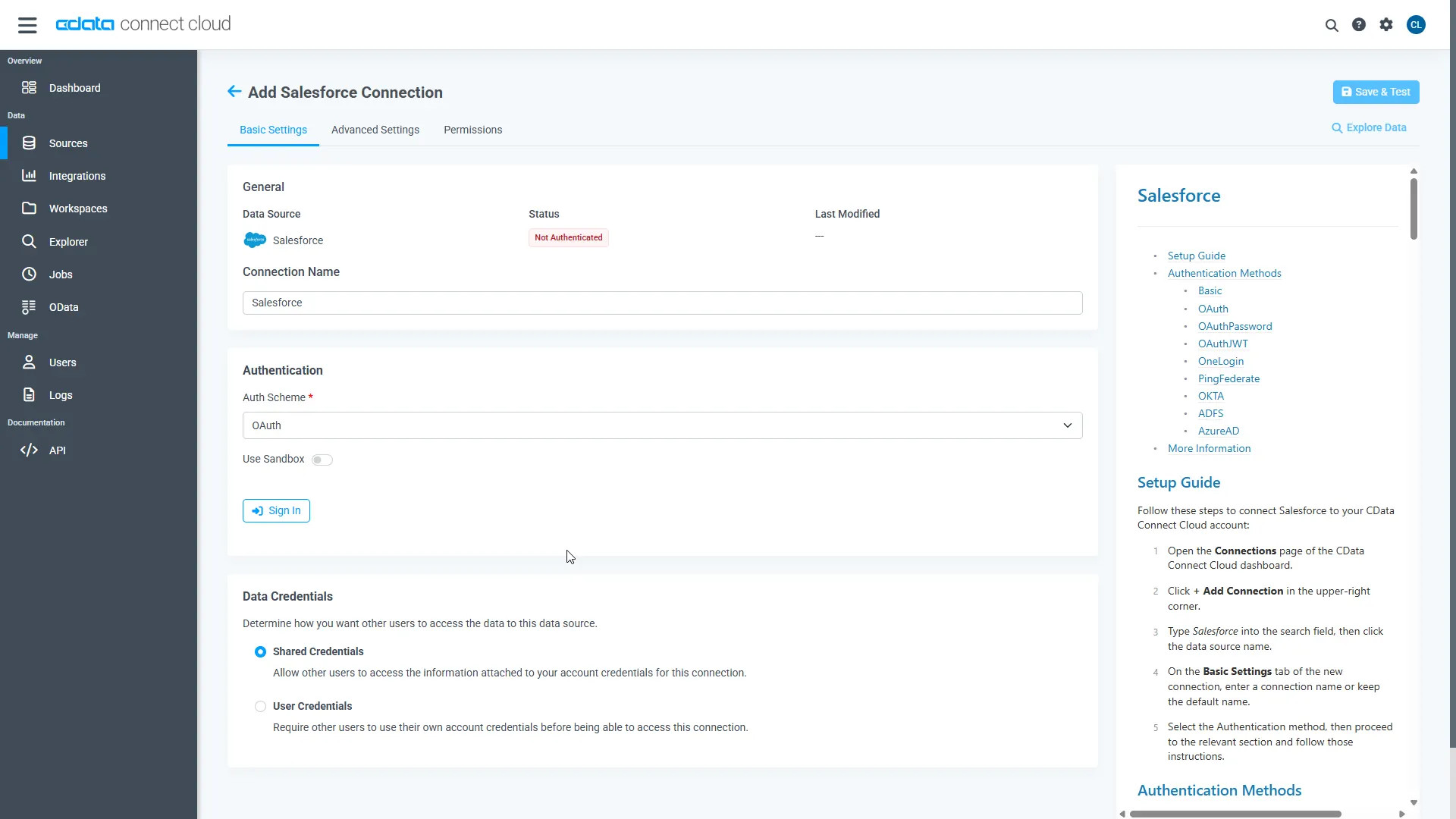
Enter the necessary authentication properties to connect to Odoo.
To connect, set the Url to a valid Odoo site, User and Password to the connection details of the user you are connecting with, and Database to the Odoo database.
- Click Save & Test
-
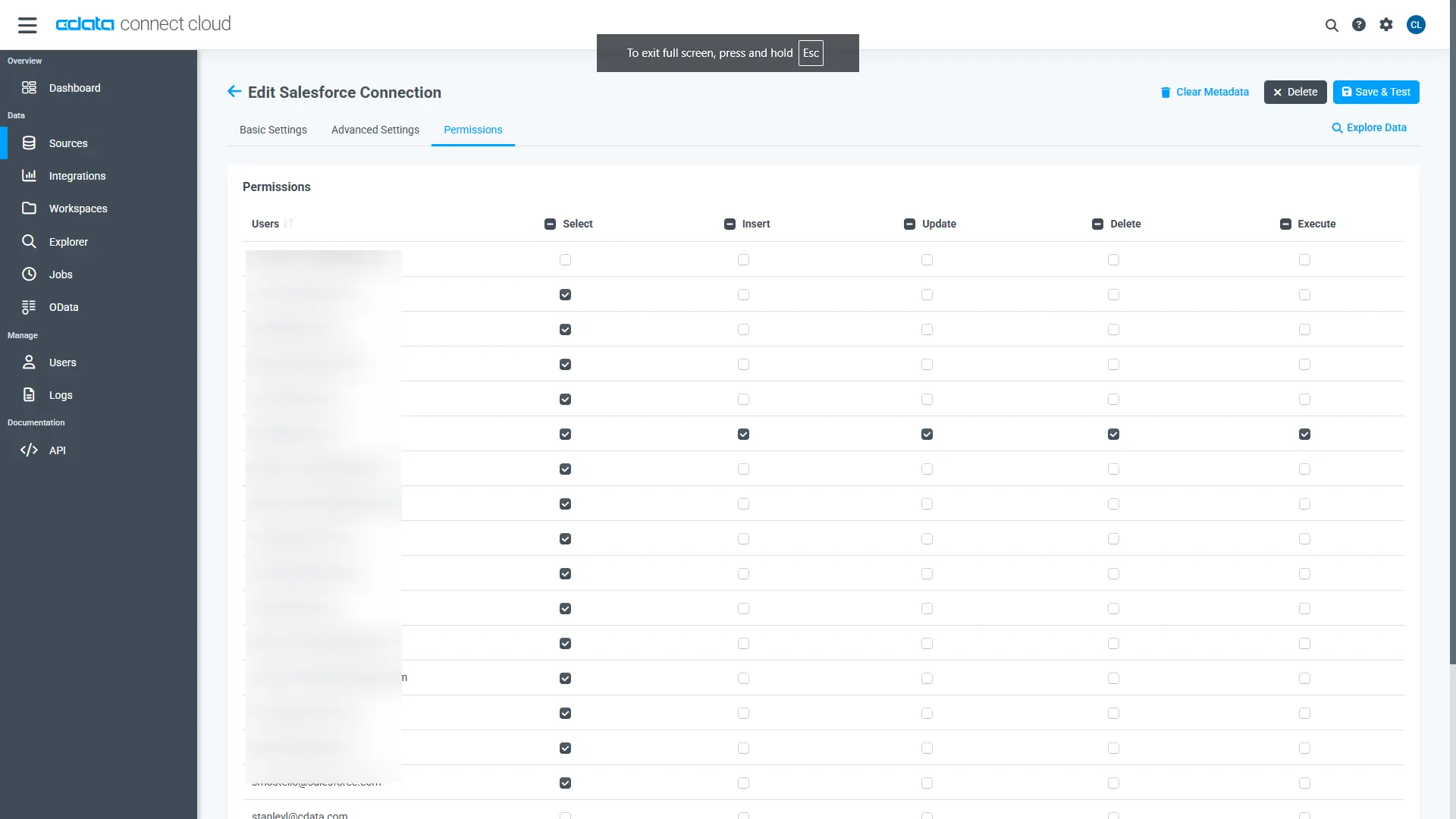
Navigate to the Permissions tab in the Add Odoo Connection page and update the User-based permissions.
Add a Personal Access Token
A Personal Access Token (PAT) is used to authenticate the connection to Connect AI from GenSpark. It is best practice to create a separate PAT for each service to maintain granularity of access.
- Click on the Gear icon () at the top right of the Connect AI app to open the settings page.
- On the Settings page, go to the Access Tokens section and click Create PAT.
-
Give the PAT a name and click Create.
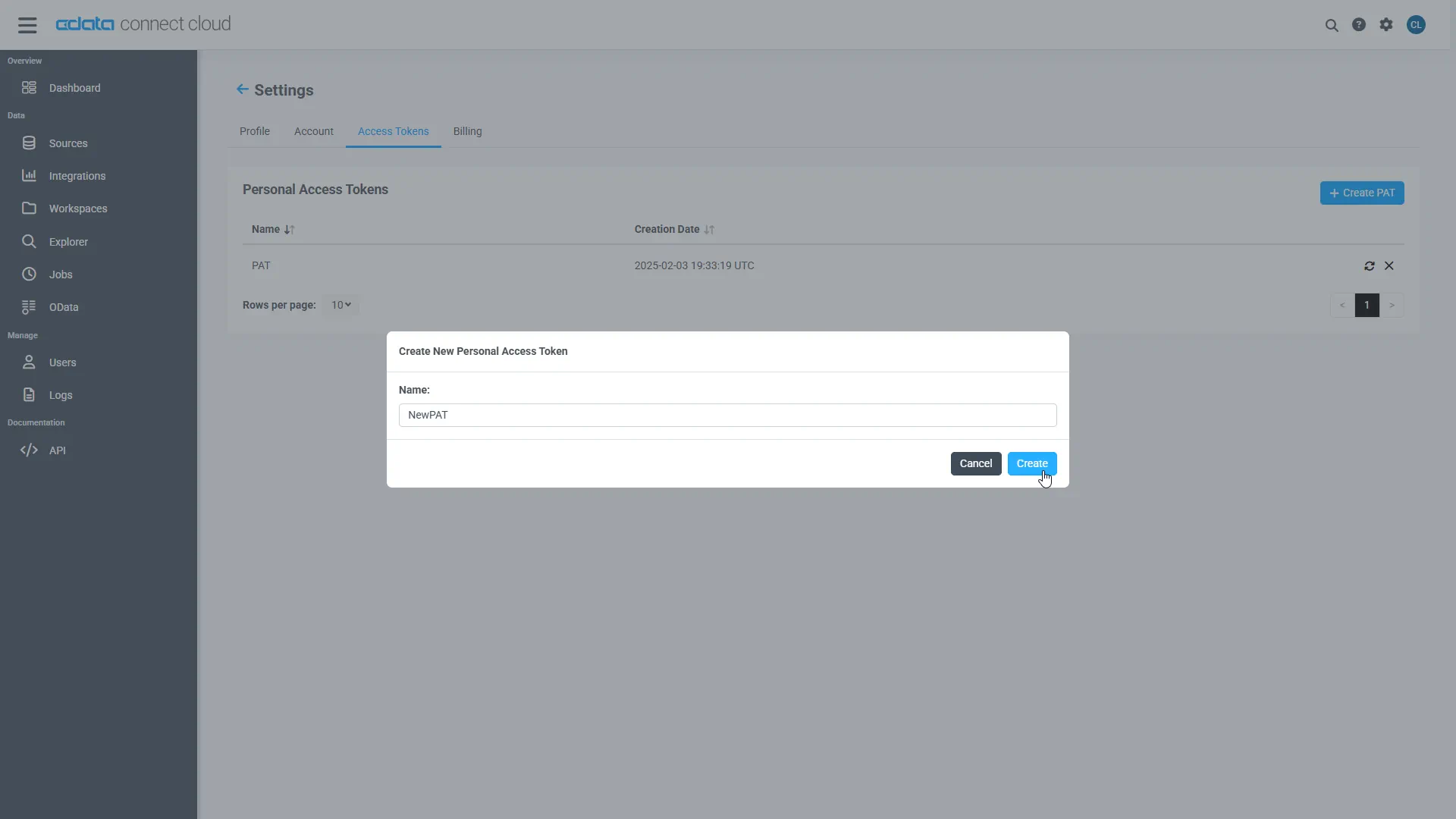
- The personal access token is only visible at creation, so be sure to copy it and store it securely for future use.
With the connection configured and a PAT generated, we are ready to connect to Odoo data from GenSpark.
Step 2: Configure MCP Server in GenSpark
- Log in to GenSpark
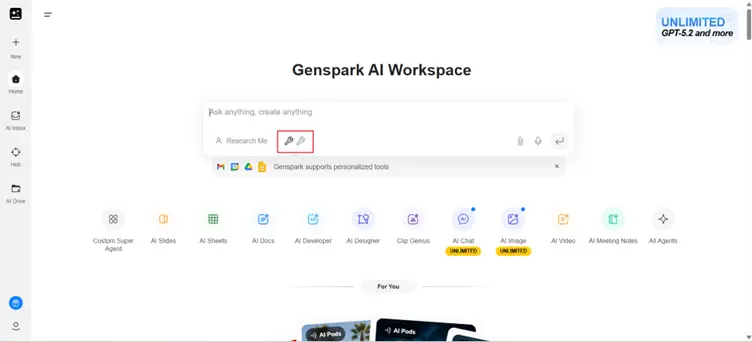
- Below the chat interface, click the Tools icon
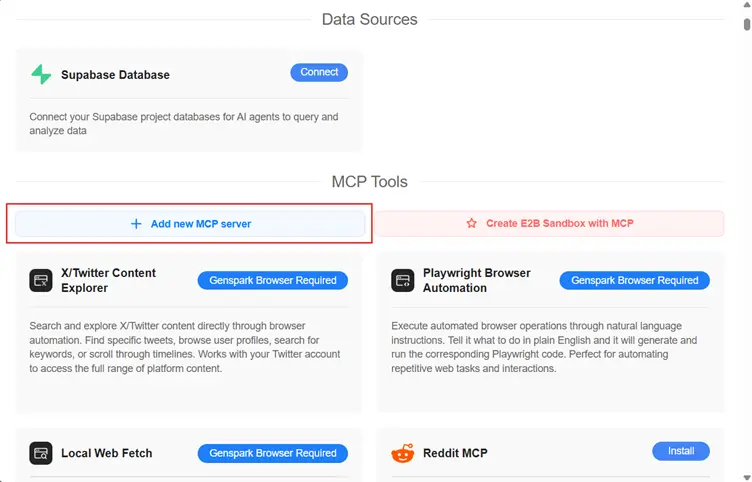
- Select Add new MCP server
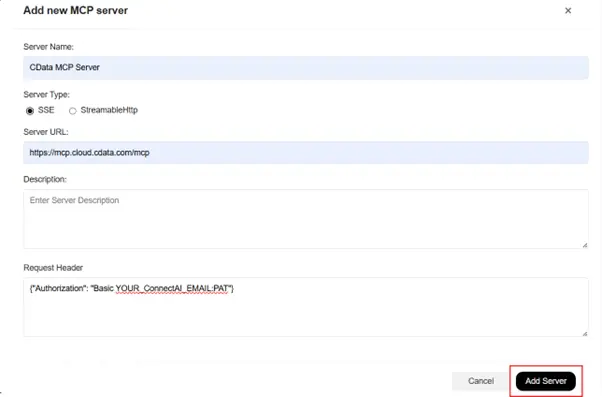
Fill in the server configuration:
NOTE: Use Basic authentication, where you combine your Connect AI email address (e.g. [email protected]) with the PAT you generated earlier (e.g. AbC123...xYz890) with a colon (:) in the Authorization header.
Field Value Name CData MCP Server (or any name you prefer) Server Type SteamableHttp Server URL https://mcp.cloud.cdata.com/mcp Request Header {"Authorization": "Basic [email protected]:AbC123...xYz890"} - Click Add Server
Once added, GenSpark will automatically load all MCP tools exposed through your Connect AI workspace.
Step 3: Query data in GenSpark
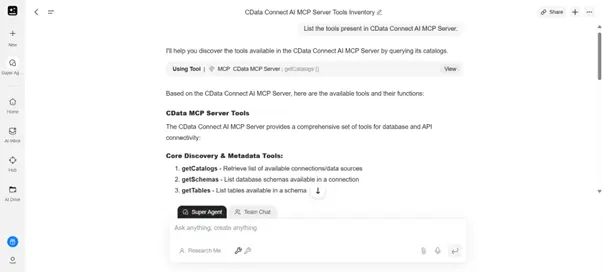
In GenSpark chat interface enter any sample prompt:
List the tools present in CData Connect AI MCP Server.
Build real-time, data-aware agents with GenSpark and CData
GenSpark and CData Connect AI together enable intelligent, AI-driven workflows where agents can securely access live enterprise data and operate with real-time awareness without ETL pipelines, data sync jobs, or custom integration logic. This streamlined approach delivers stronger governance, lower operational overhead, and faster, more grounded responses from your AI tools.
Start your free trial today to see how CData can empower GenSpark with live, secure access to 300+ external systems.
