






Connect to Planio Data from a Connection Pool in JBoss

CData JDBC drivers can be configured in JBoss by following the standard procedure for connection pooling. This article details how to access Planio data from a connection pool in JBoss applications. This article details how to use the JBoss Management Interface to configure the CData JDBC Driver for Planio. You will then access Planio data from a connection pool.
Create a JDBC Data Source for Planio from the Management Console
Follow the steps below to add the driver JAR and define required connection properties.
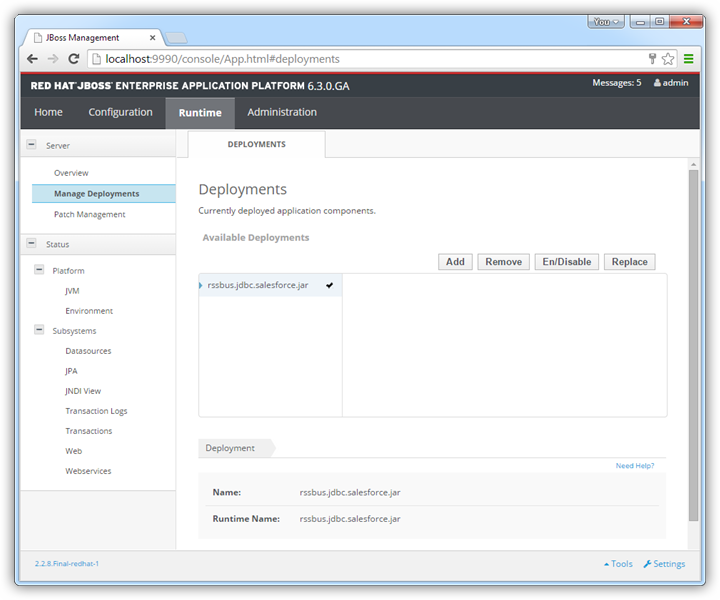
- In the Runtime menu, select the Domain or Server menu, depending on whether you are deploying to a managed domain or to a stand-alone server, and click "Manage deployments" to open the Deployments page.
- Click Add. In the resulting wizard, add the JAR file and license for the driver, located in the lib subfolder of the installation directory. Finish the wizard with the defaults, select the driver, and click Enable.
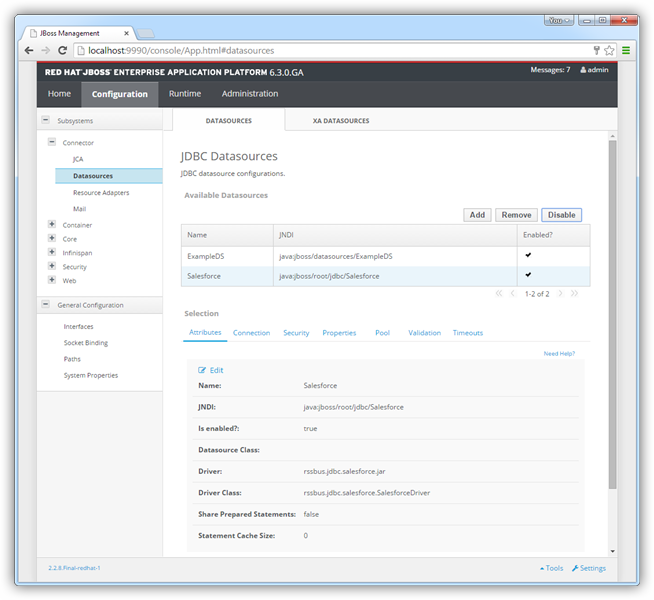
- In the Configuration menu, click Subsystems -> Connector -> Datasources. This opens the JDBC Datasources page.
- Click Add and, in the resulting wizard, enter a name for the driver and the JNDI name. For example:
java:jboss/root/jdbc/API
- Select the driver that you added above.
Enter the JDBC URL and the username and password. The syntax of the JDBC URL is jdbc:api: followed by a semicolon-separated list of connection properties.
Start by setting the Profile connection property to the location of the Planio Profile on disk (e.g. C:\profiles\Planio.apip). Next, set the ProfileSettings connection property to the connection string for Planio (see below).
Planio API Profile Settings
Enable the REST API in Planio Administration Settings, then go to My Account > API Access Key and click Show to reveal your API key. Your subdomain is the prefix of your Planio account URL.
Built-in Connection String Designer
For assistance in constructing the JDBC URL, use the connection string designer built into the Planio JDBC Driver. Either double-click the JAR file or execute the jar file from the command-line.
java -jar cdata.jdbc.api.jar
Fill in the connection properties and copy the connection string to the clipboard.
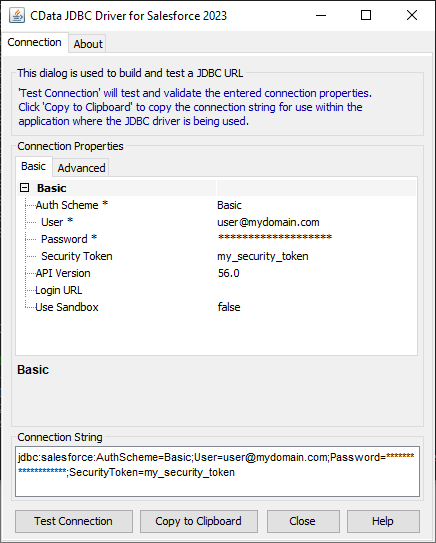
A typical connection string is below:
jdbc:api:Profile=C:\profiles\Planio.apip;ProfileSettings='APIKey=your_api_key;Subdomain=your_subdomain';
- Test the connection and finish the wizard. Select the Planio data source and click Enable.
More JBoss Integration
The steps above show how to configure the driver in a simple connection pooling scenario. For more information, refer to the Data Source Management chapter in the JBoss EAP documentation.