






Analyze Salesforce Data 360 Data in Infragistics Reveal

Reveal is a data visualization solution provided by Infragistics and can be paired with the CData API Server to build dynamic dashboards from live Salesforce Data 360 data. The CData API Server generates an OData API for Salesforce Data 360, which is natively consumable in Reveal. In this article, we walk through connecting to Salesforce Data 360 in API Server and connecting to the API Server from Infragistics Reveal to create a simple dashboard.
Connect to Salesforce Data 360 from API Server
CData API Server uses a straightforward, point-and-click interface to connect to data sources and generate APIs.
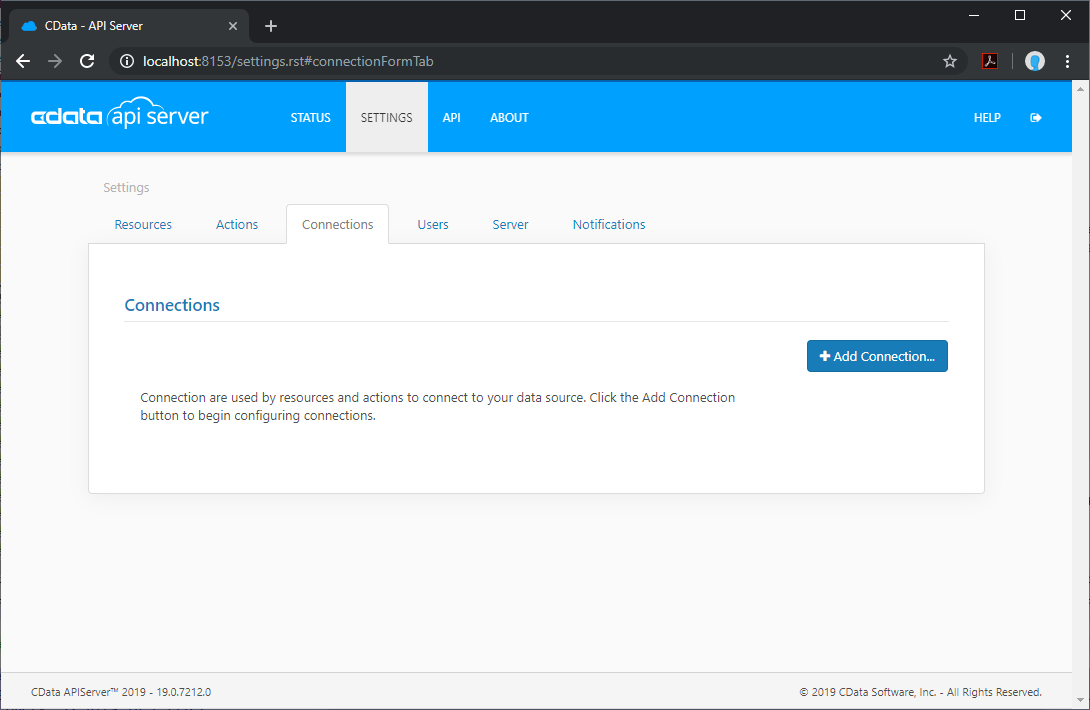
- Open API Server and click Settings -> Connection -> Add Connection
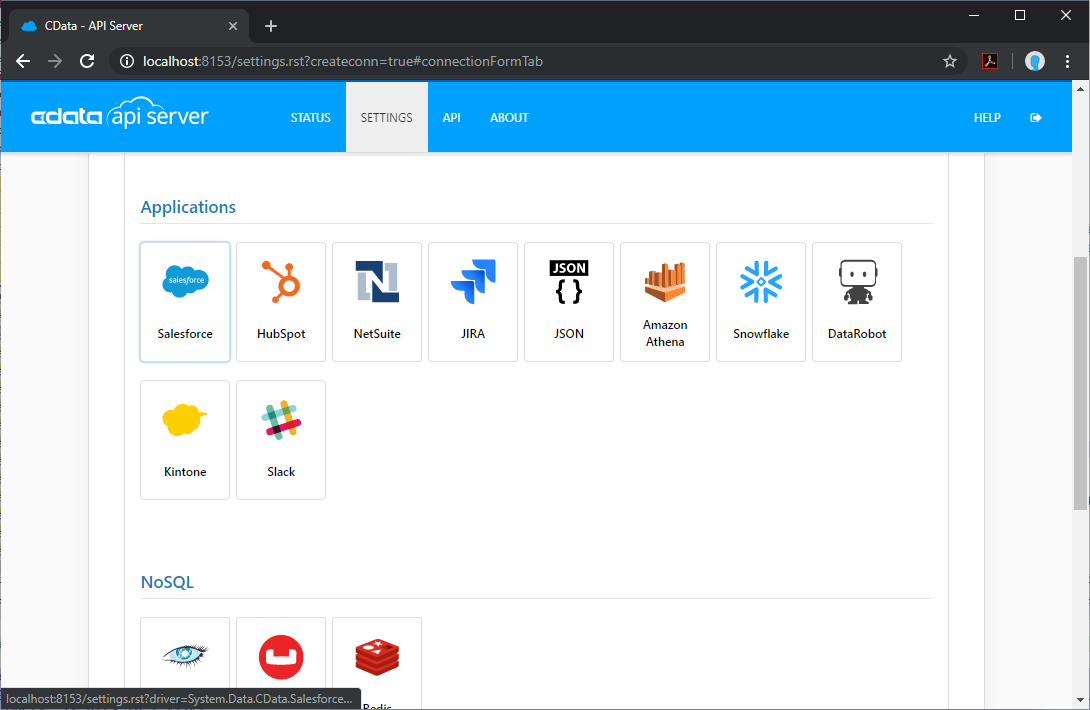
- Select "Salesforce Data 360"
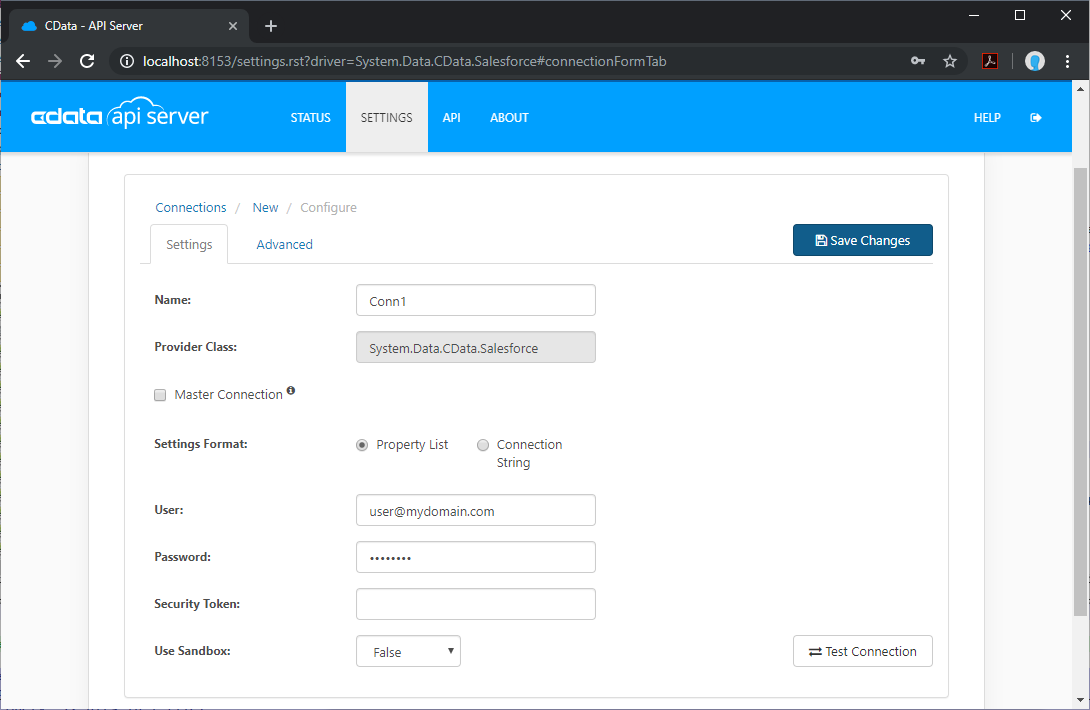
- Enter the necessary authentication properties to connect to Salesforce Data 360.
Salesforce Data 360 supports authentication via the OAuth standard.
OAuth
Set AuthScheme to OAuth.
Desktop Applications
CData provides an embedded OAuth application that simplifies authentication at the desktop.
You can also authenticate from the desktop via a custom OAuth application, which you configure and register at the Salesforce Data 360 console. For further information, see Creating a Custom OAuth App in the Help documentation.
Before you connect, set these properties:
- InitiateOAuth: GETANDREFRESH. You can use InitiateOAuth to avoid repeating the OAuth exchange and manually setting the OAuthAccessToken.
- OAuthClientId (custom applications only): The Client ID assigned when you registered your custom OAuth application.
- OAuthClientSecret (custom applications only): The Client Secret assigned when you registered your custom OAuth application.
When you connect, the driver opens Salesforce Data 360's OAuth endpoint in your default browser. Log in and grant permissions to the application.
The driver then completes the OAuth process as follows:
- Extracts the access token from the callback URL.
- Obtains a new access token when the old one expires.
- Saves OAuth values in OAuthSettingsLocation so that they persist across connections.
For other OAuth methods, including Web Applications and Headless Machines, refer to the Help documentation.
Add Salesforce Data 360 Resource Definitions in API Server
After connecting to Salesforce Data 360, create Resources, which represent API endpoints for Salesforce Data 360 data.
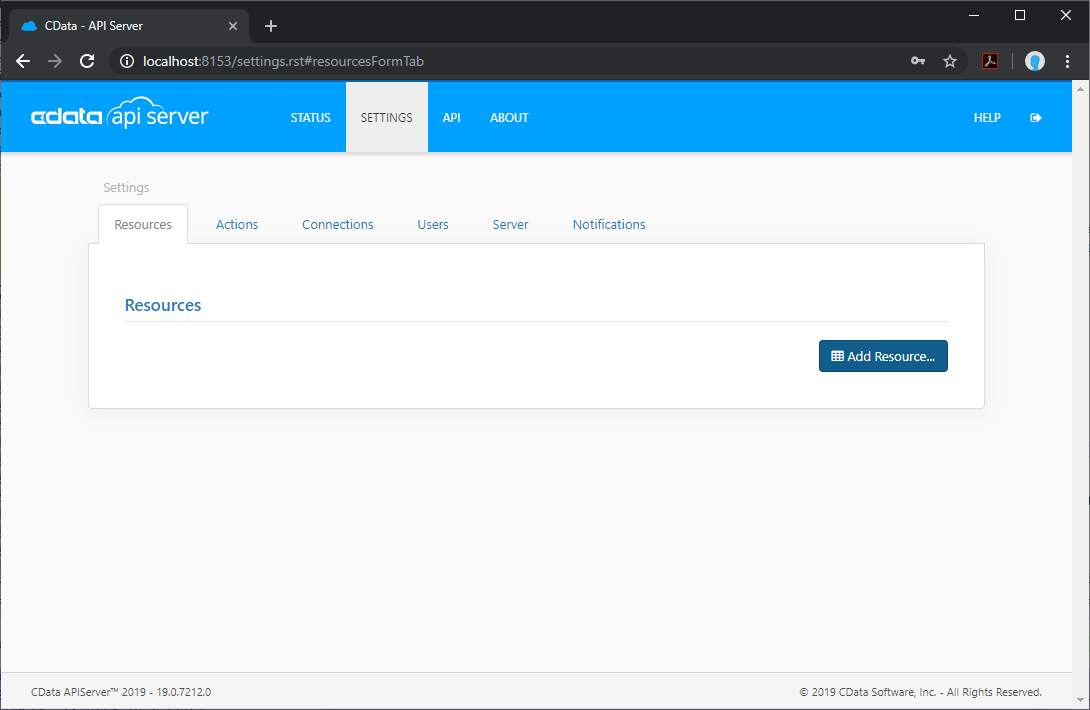
- Click Settings -> Resources -> Add Resource
- Select the Salesforce Data 360 connection
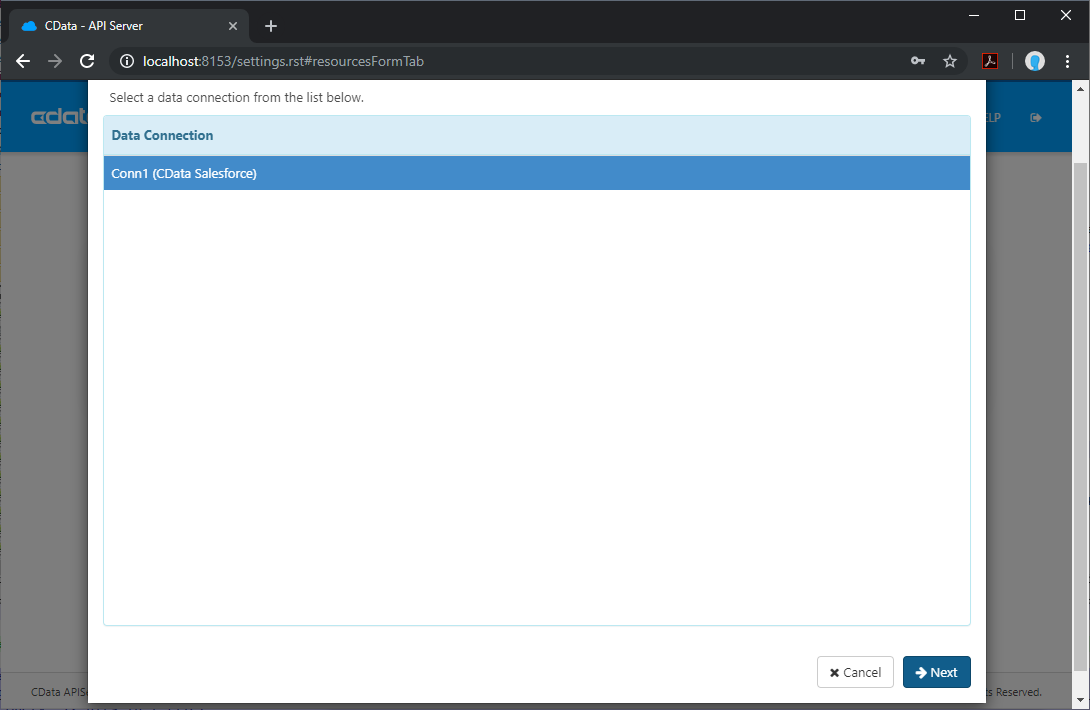
- Select the table you wish to retrieve and click Next
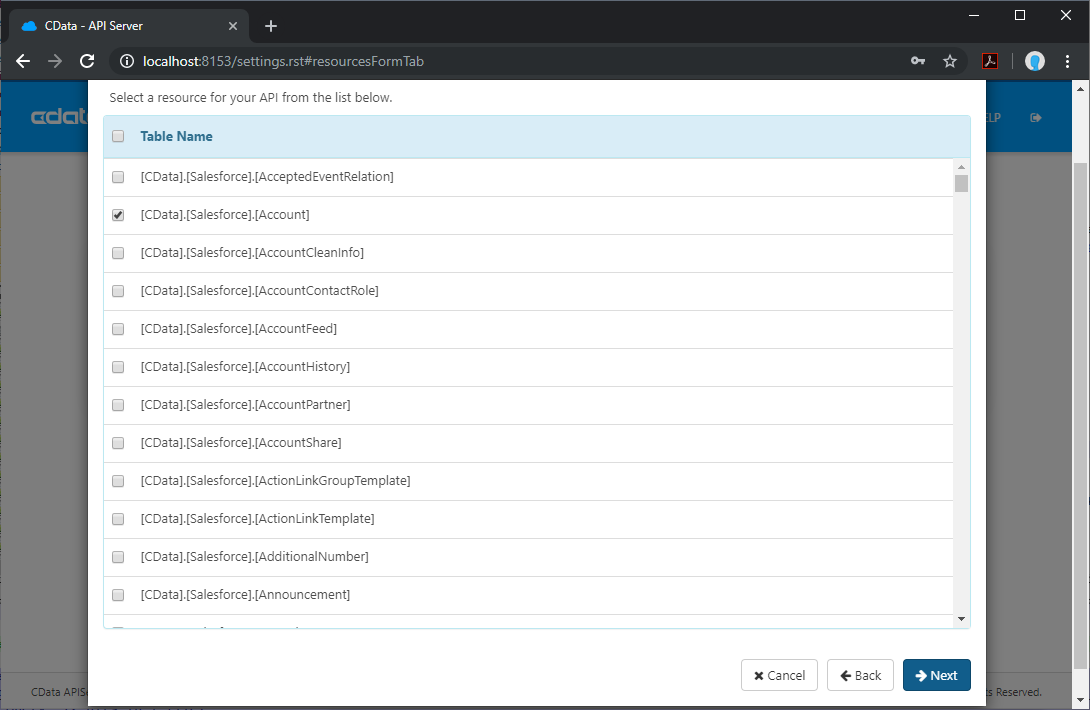
- (Optional) Edit the resource to select specific fields and more
- Save the settings
Add an API Server User
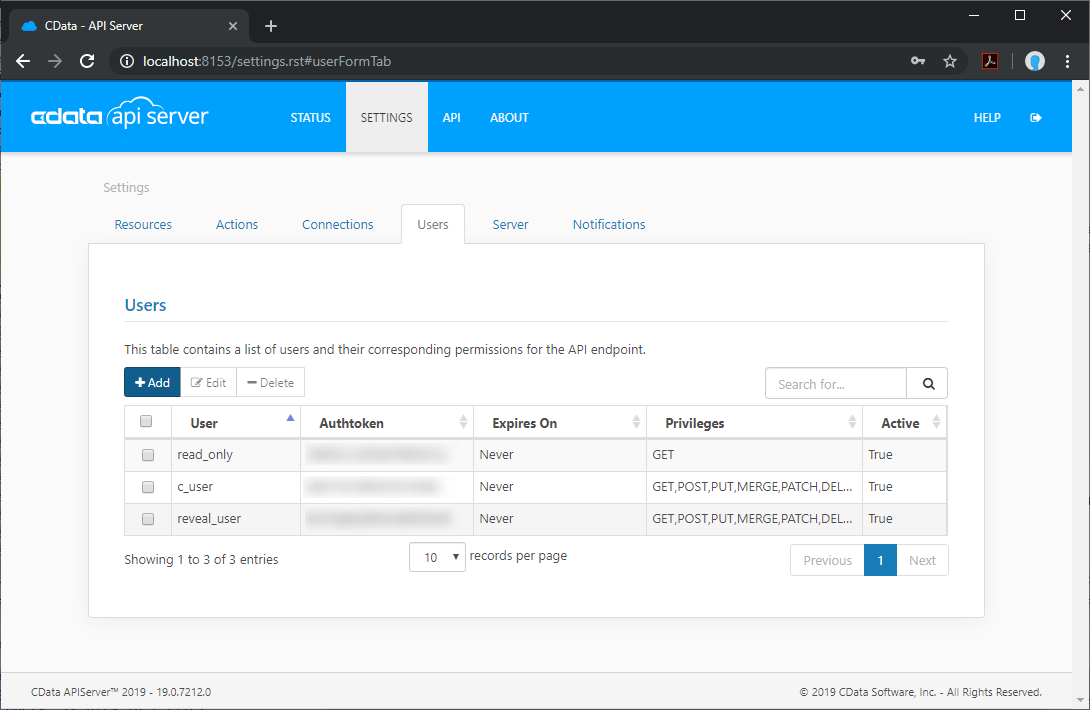
Create a User to connect to Salesforce Data 360 from Reveal through API Server.
- Click Settings -> Users
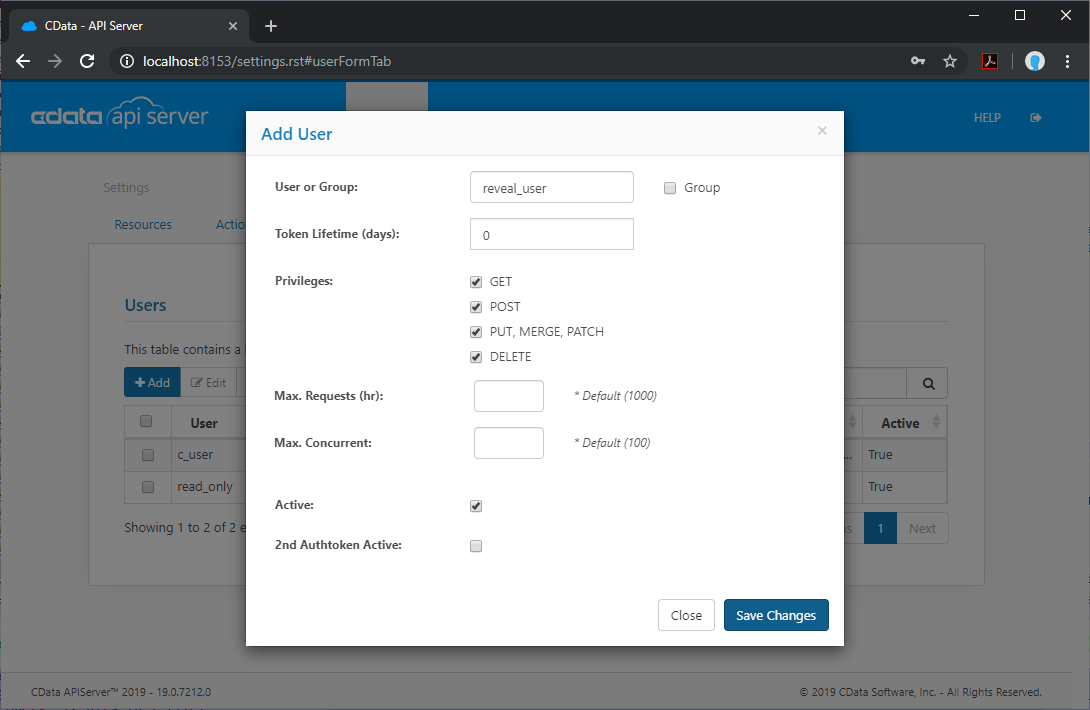
- Click Add
- Configure a User with access to the Salesforce Data 360 Connection and Resource(s)
(Optional) Configure Cross-Origin Resource Sharing (CORS)
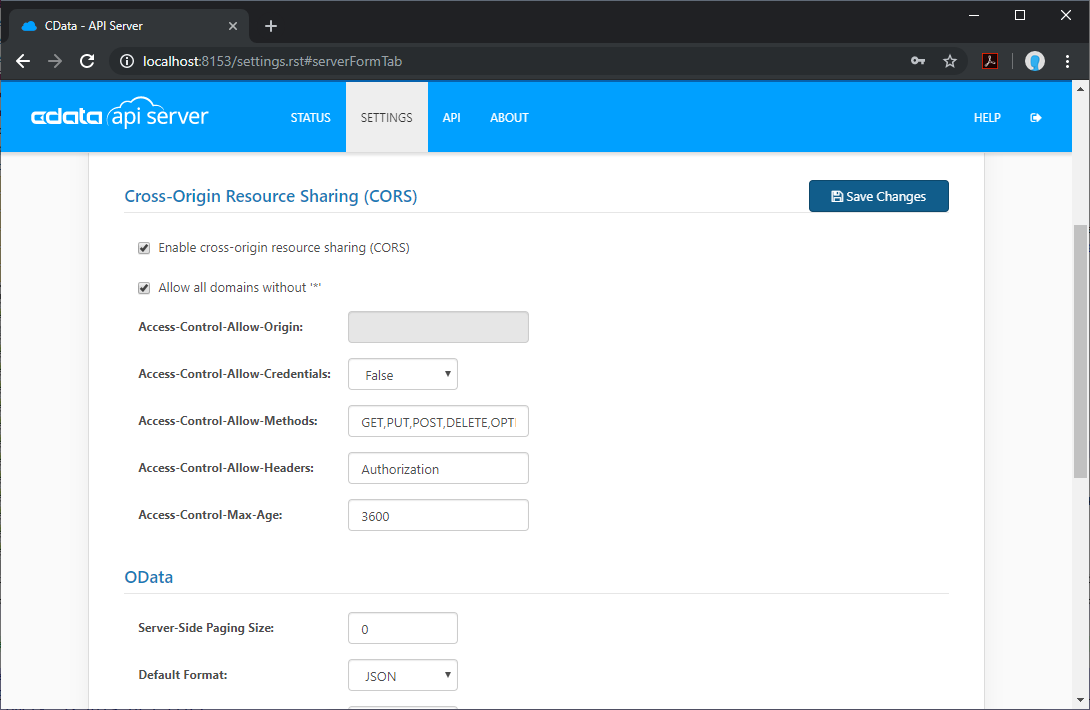
When accessing and connecting to multiple different domains from an application such as Ajax, there is a possibility of violating the limitations of cross-site scripting. In that case, configure the CORS settings in Settings -> Server.
- Enable cross-origin resource sharing (CORS): ON
- Allow all domains without '*': ON
- Access-Control-Allow-Methods: GET, PUT, POST, OPTIONS
- Access-Control-Allow-Headers: Authorization
Save the changes to the settings.
Create a Dashboard in Reveal
With the API Server configured, we can visualize Salesforce Data 360 data in Reveal.
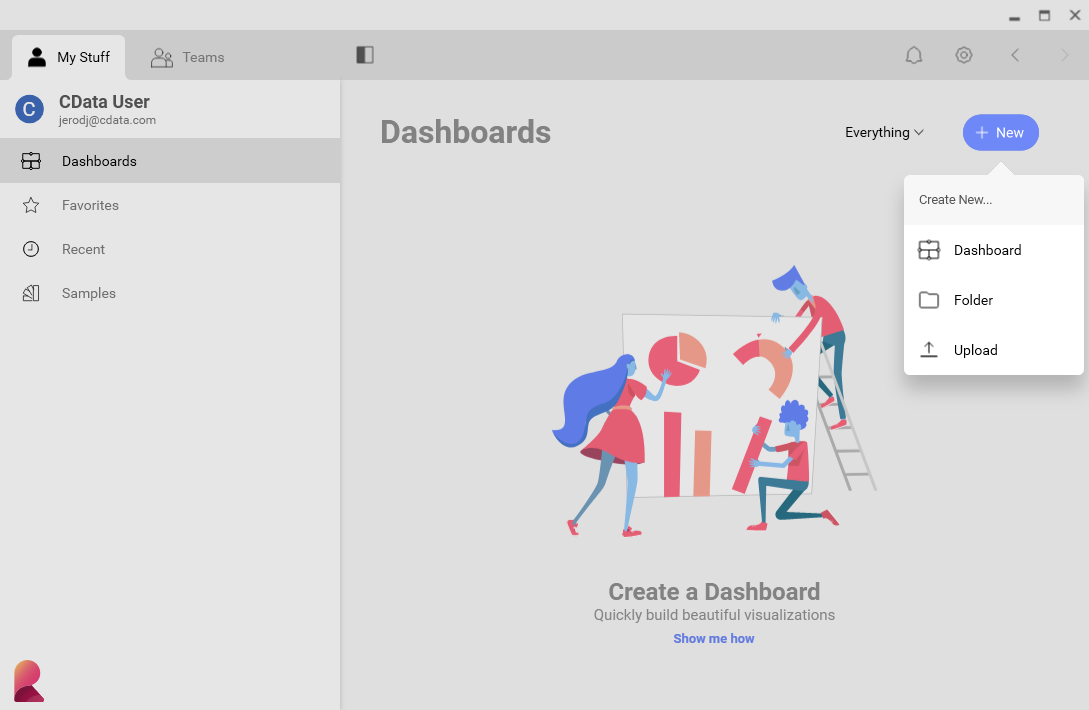
- Log into Reveal and click Dashboards -> New
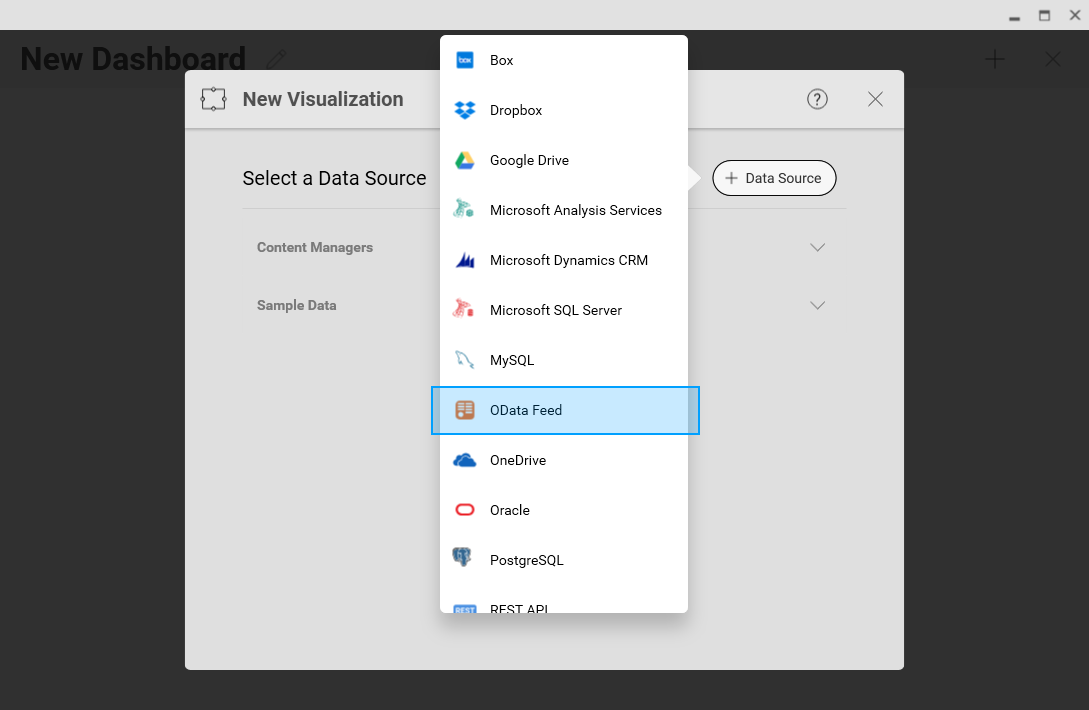
- Click Data Source -> OData Feed
- Specify the API Server API endpoint URL, for example: https://serverurl/api.rsc
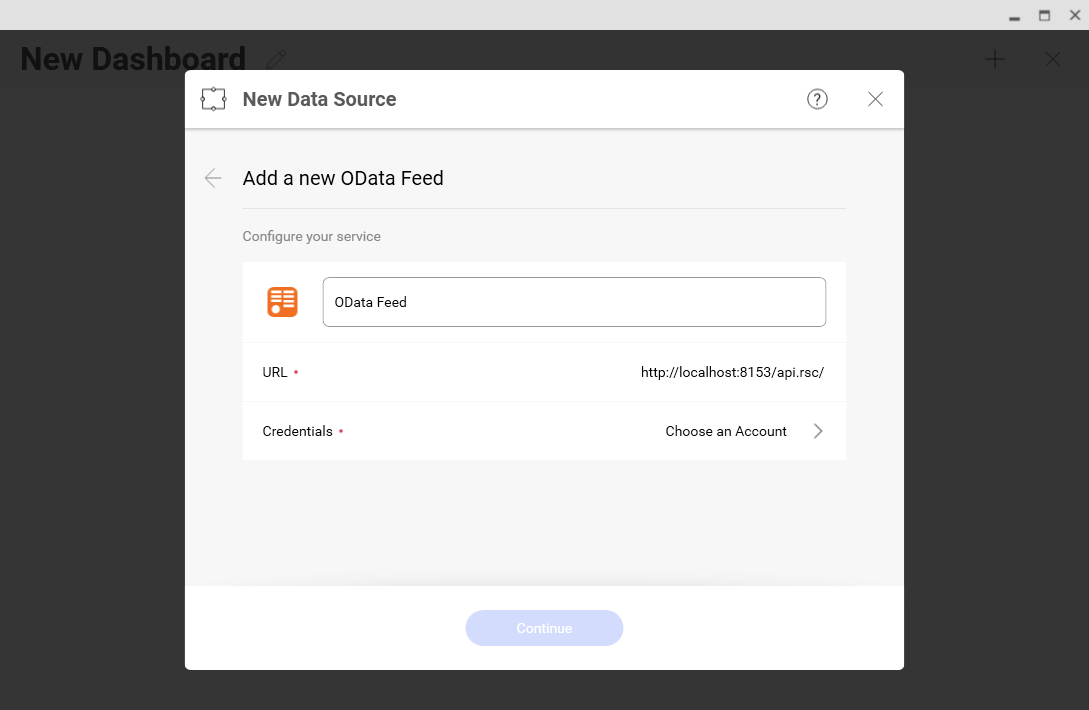
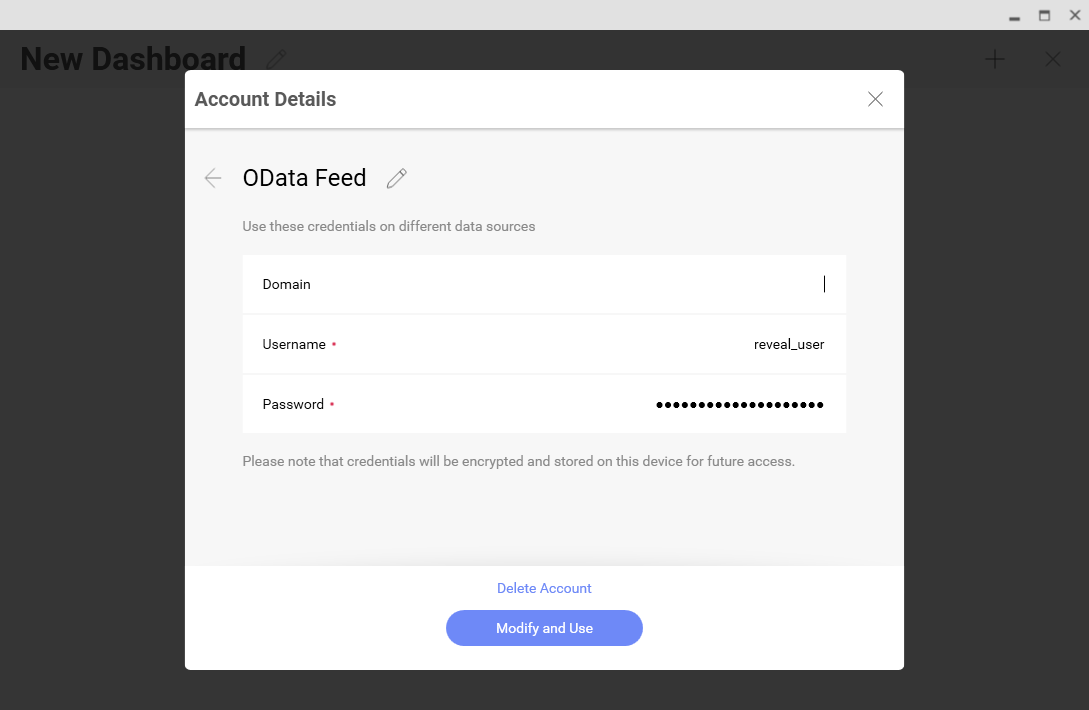
- Select Generic Credentials and specify the API Server username and authentication token
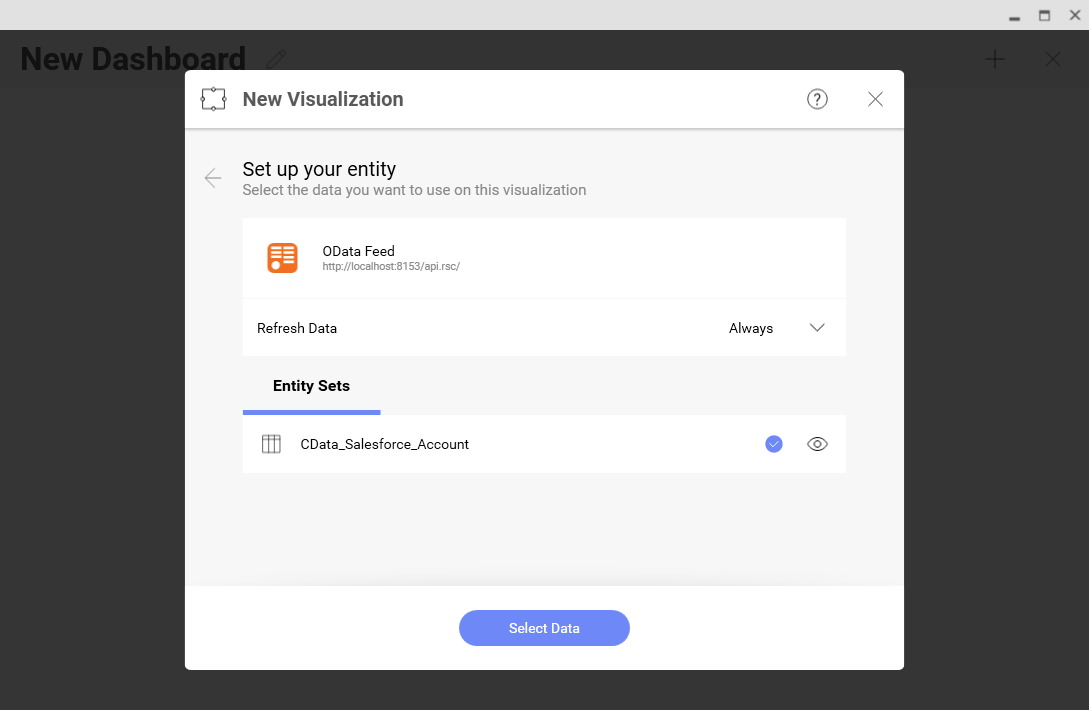
- Select the entity you wish to visualize
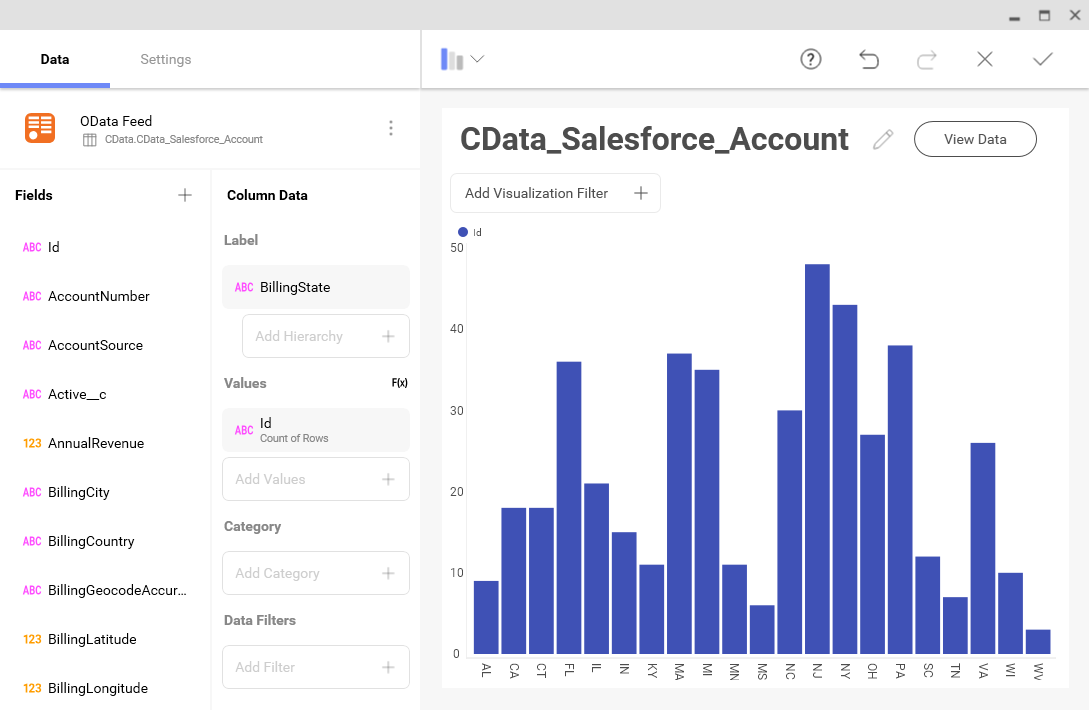
- Select fields and choose a chart type
More Information & Free Trial
At this point, you have created a simple dashboard from live Salesforce Data 360 data. For more information on creating OData feeds from Salesforce Data 360 (and more than 150 other sources), visit the API Server page. Download a free, 30-day trial and start working live Salesforce Data 360 data in tools that consume OData APIs.