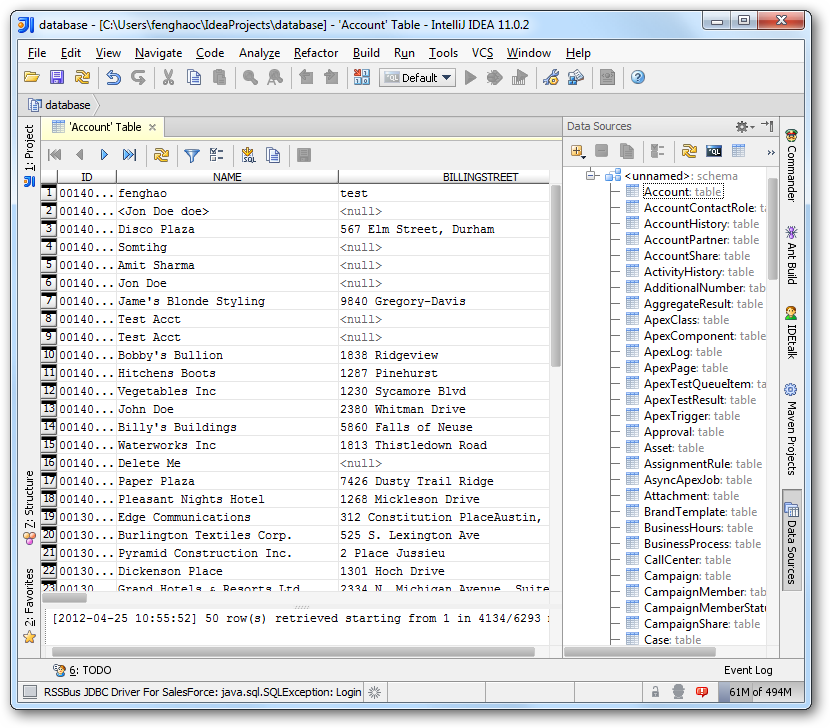
How to connect to Scrapfly Data from IntelliJ

The CData JDBC Driver for Scrapfly enables you to access Scrapfly as a JDBC data source, providing integration with rapid development tools in IDEs. This article shows how to use the data source configuration wizard to connect to Scrapfly data in IntelliJ.
Create a JBDC Data Source for Scrapfly
Follow the steps below to add the driver JAR and define connection properties required to connect to Scrapfly data.
- In the Data Sources window, right-click and then click Add Data Source -> DB Data Source.
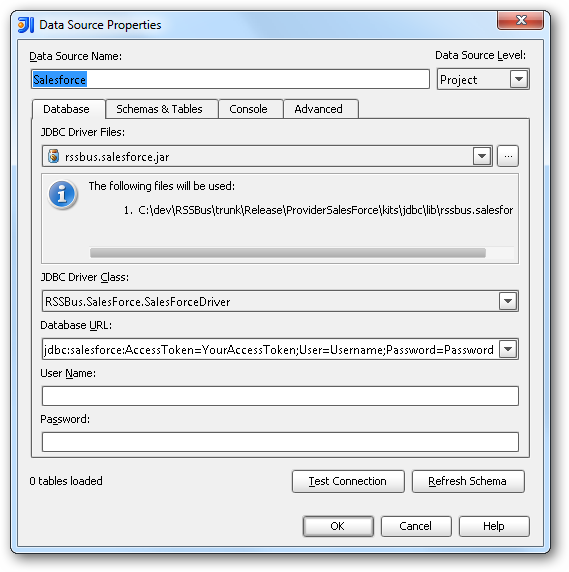
In the Data Source Properties dialog that appears, the following properties are required:
- JDBC Driver Files: Click the button next to this menu to add the JDBC Driver file cdata.jdbc.api.jar, located in the installation directory.
- JDBC Driver Class: In this menu, select cdata.jdbc.api.APIDriver from the list.
Database URL: Enter the connection URL in the JDBC URL property. The URL must start with jdbc:api: and includes connection properties separated with semicolons.
The Scrapfly API uses API Key authentication. The API key is passed as the key query parameter on every request.
Using API Key Authentication
Your Scrapfly API key is required to create a connection. To obtain your API key:
- Log into your Scrapfly account at scrapfly.io.
- Navigate to Dashboard and select API Keys.
- Copy your API key (begins with scp-live- for production or scp-test- for the test environment).
After obtaining your API key, set the following connection properties:
- AuthScheme: Set this to APIKey.
- APIKey: Set this to your Scrapfly API key.
Example connection string:
Profile=C:\profiles\Scrapfly.apip;AuthScheme=APIKey;ProfileSettings='APIKey=your_api_key';
Built-in Connection String Designer
For assistance in constructing the JDBC URL, use the connection string designer built into the Scrapfly JDBC Driver. Either double-click the JAR file or execute the jar file from the command-line.
java -jar cdata.jdbc.api.jar
Fill in the connection properties and copy the connection string to the clipboard.
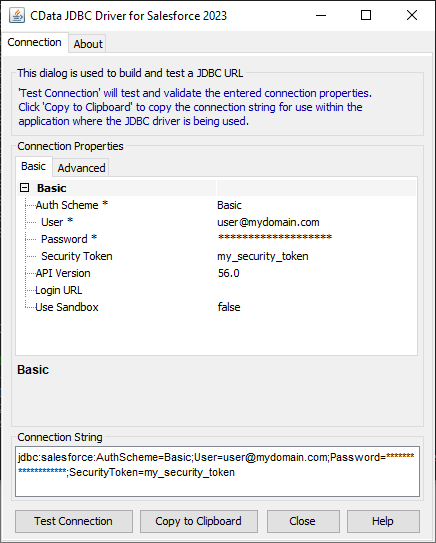
A typical JDBC URL is the following:
jdbc:api:Profile=C:\profiles\Scrapfly.apip;AuthScheme=APIKey;ProfileSettings='APIKey=your_api_key';
Edit and Save Scrapfly Data
To discover schema information, right-click the data source you just created and click Refresh Tables. To query a table, right-click it and then click Open Tables Editor.