






Use the CData JDBC Driver for Short.io in MicroStrategy Web

MicroStrategy is an analytics and mobility platform that enables data-driven innovation. When you pair MicroStrategy with the CData JDBC Driver for Short.io, you gain database-like access to live Short.io data from MicroStrategy, expanding your reporting and analytics capabilities. In this article, we walk through adding Short.io as an external data source in MicroStrategy Web and creating a simple visualization of Short.io data.
The CData JDBC driver offers unmatched performance for interacting with live Short.io data in MicroStrategy due to optimized data processing built into the driver. When you issue complex SQL queries from MicroStrategy to Short.io, the driver pushes supported SQL operations, like filters and aggregations, directly to Short.io and utilizes the embedded SQL engine to process unsupported operations (often SQL functions and JOIN operations) client-side. With built-in dynamic metadata querying, you can visualize and analyze Short.io data using native MicroStrategy data types.
Connect to and Visualize Short.io Data using MicroStrategy Web
You can connect to Short.io in MicroStrategy Web by adding a data source based on the CData JDBC Driver for Short.io.* Before you begin, you will need install the JDBC Driver for Short.io on the machine hosting the MicroStrategy Intelligence Server that your instance of MicroStrategy Web is connected to. Once you have created a data source you can build dynamic visualizations of Short.io data in MicroStrategy Web.
- Open MicroStrategy Web and select your project.
- Click Add External Data, select Databases, and use Select Tables as the Import Option.

- In the Import from Tables wizard, click to add a new Data Source.
- Select Generic in the Database menu and select Generic DBMS in the Version menu.
- Click the link to show the connection string and opt to edit the connection string. In the Driver menu, select MicroStrategy Cassandra ODBC Driver (MicroStrategy requires a certified driver to interface through JDBC, the actual driver will not be used).
- Set the connection string to the following:
JDBC;MSTR_JDBC_JAR_FOLDER=PATH\TO\JAR\;DRIVER=cdata.jdbc.api.APIDriver;URL={jdbc:api:Profile=C:\profiles\ShortIo.apip;AuthScheme=APIKey;ProfileSettings='APIKey=your_api_key';};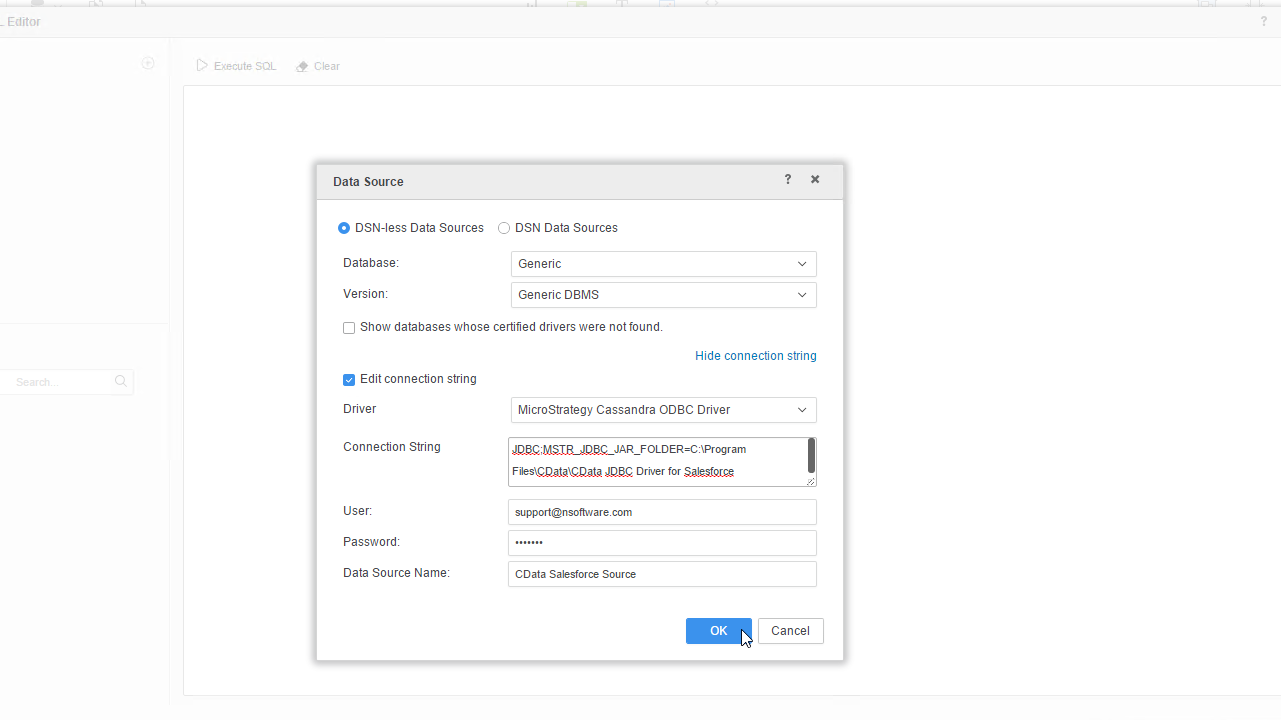
Using API Key Authentication
Short.io uses API Key authentication. To obtain your API key:
- Log in to your Short.io account
- Navigate to Settings > Integrations & API > API
- Click Create API Key and copy your API key
After obtaining the API key, you are ready to connect:
- AuthScheme: Set this to APIKey.
- APIKey: Set this to your Short.io API key obtained from Settings > Integrations & API > API.
Example connection string:
Profile=C:\profiles\ShortIo.apip;AuthScheme=APIKey;ProfileSettings='APIKey=your_api_key';
Available Tables
The Short.io profile provides access to the following tables:
- Domains - Short.io domains associated with the authenticated account
- Links - Short links for a domain
- LinkExpand - Expand a short link by domain and path
- LinksByOriginalUrl - Retrieve multiple short links matching a given original destination URL
- Folders - Link folders within a specific domain
- LinkPermissions - Permission records for a specific link within a domain
- CountryTargeting - Country-based redirect targeting rules for a specific short link
- RegionTargeting - Region-based redirect targeting rules for a specific short link
- Regions - List of available regions/states for a given country code
- DomainStatistics - Aggregated click and traffic statistics for a Short.io domain
- LinkStatistics - Aggregated click and traffic statistics for a specific Short.io link
Built-in Connection String Designer
For assistance in constructing the JDBC URL, use the connection string designer built into the Short.io JDBC Driver. Either double-click the JAR file or execute the jar file from the command-line.
java -jar cdata.jdbc.api.jar
Fill in the connection properties and copy the connection string to the clipboard.
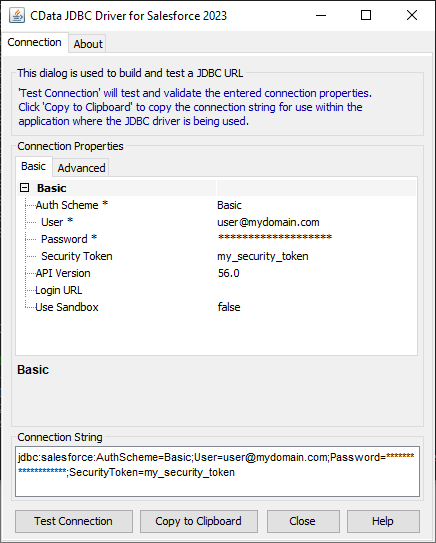
When you configure the JDBC URL, you may also want to set the Max Rows connection property. This will limit the number of rows returned, which is especially helpful for improving performance when designing reports and visualizations.
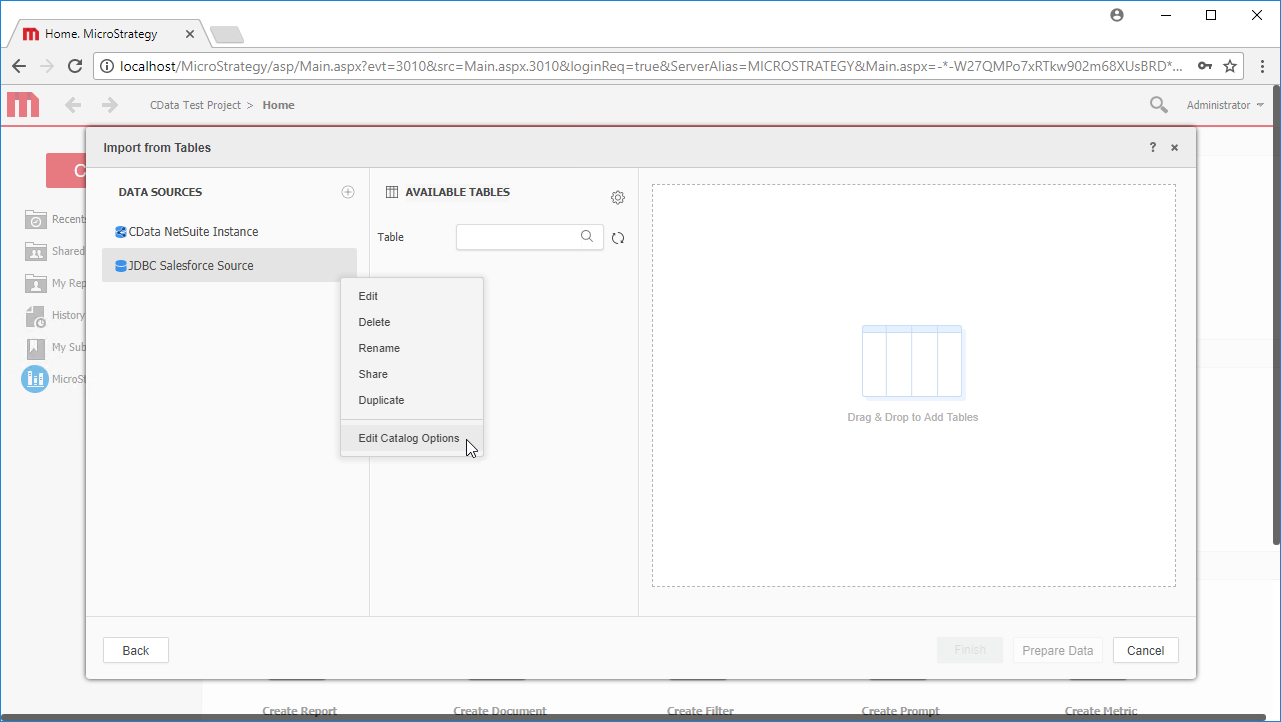
- Right-click on the new data source, and choose Edit catalog options.
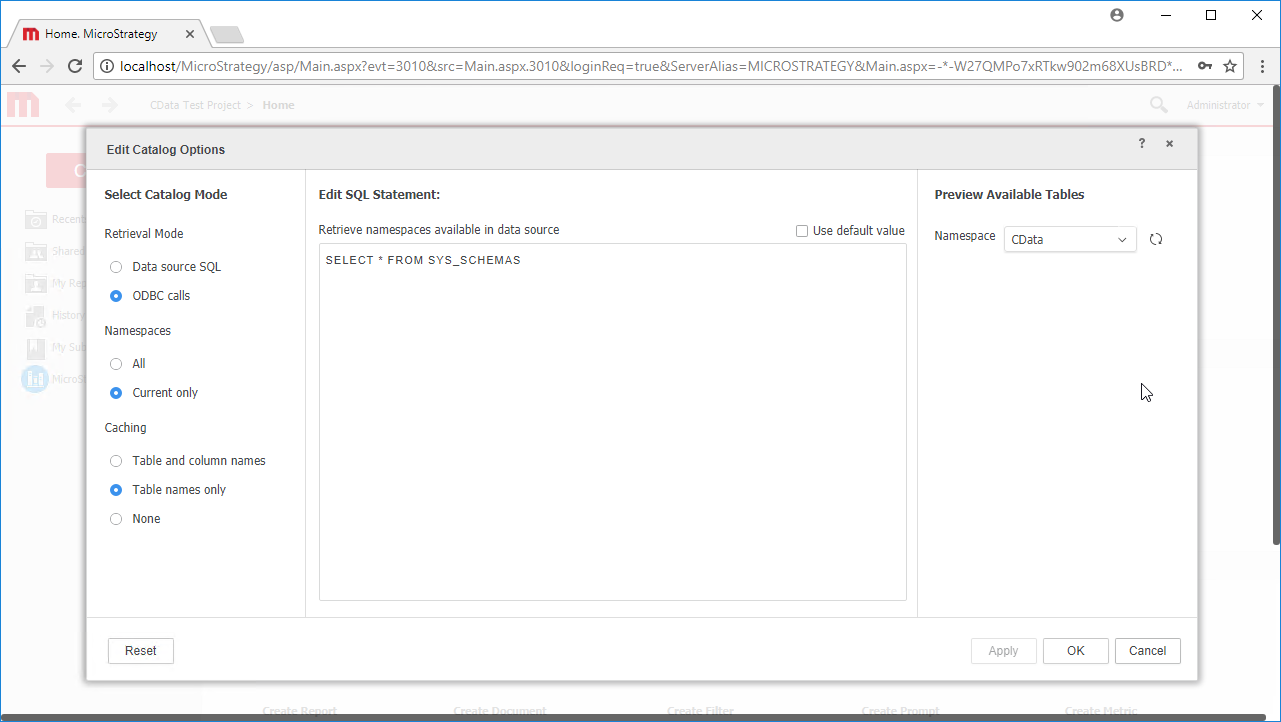
- Edit the SQL Statement to SELECT * FROM SYS_SCHEMAS to read the metadata from the JDBC Driver.
- Select the new data source to view the available tables. You may need to manually click the search icon in the Available Tables section to see the tables.
- Drag tables into the pane to import them.
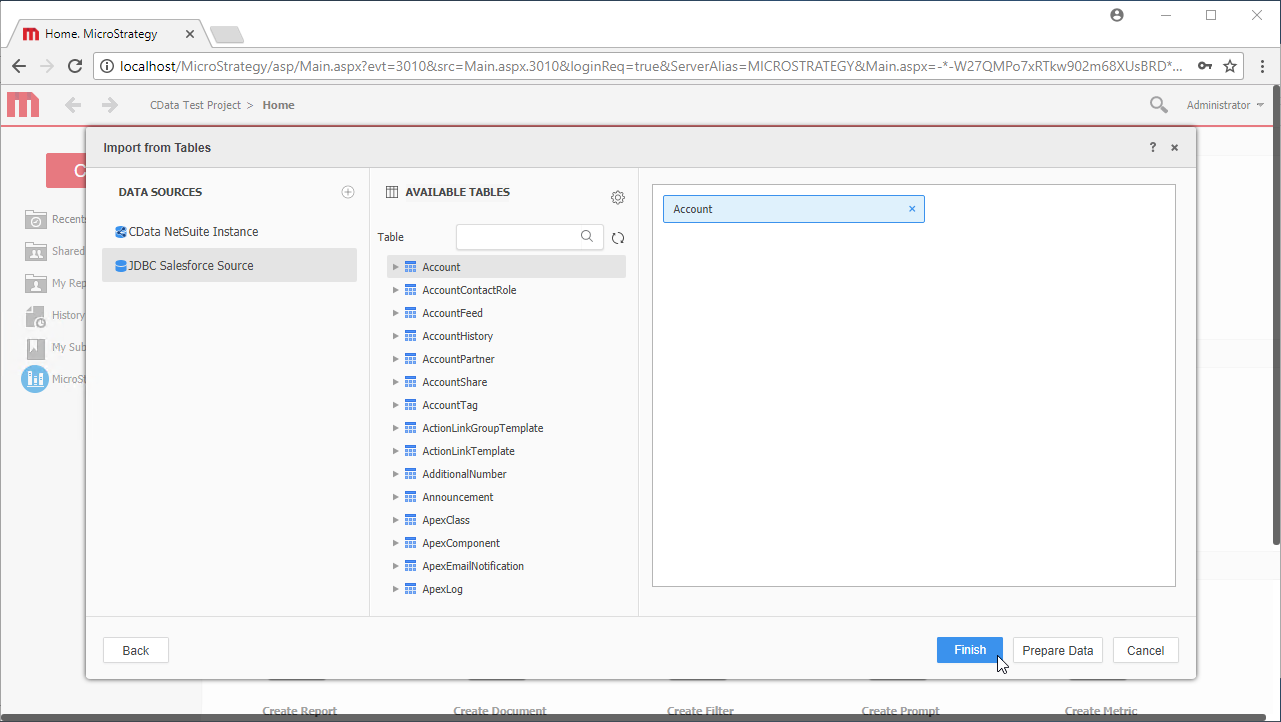 Note: Since we create a live connection, we can import whole tables and utilize the filtering and aggregation features native to the MicroStrategy products to customize our datasets.
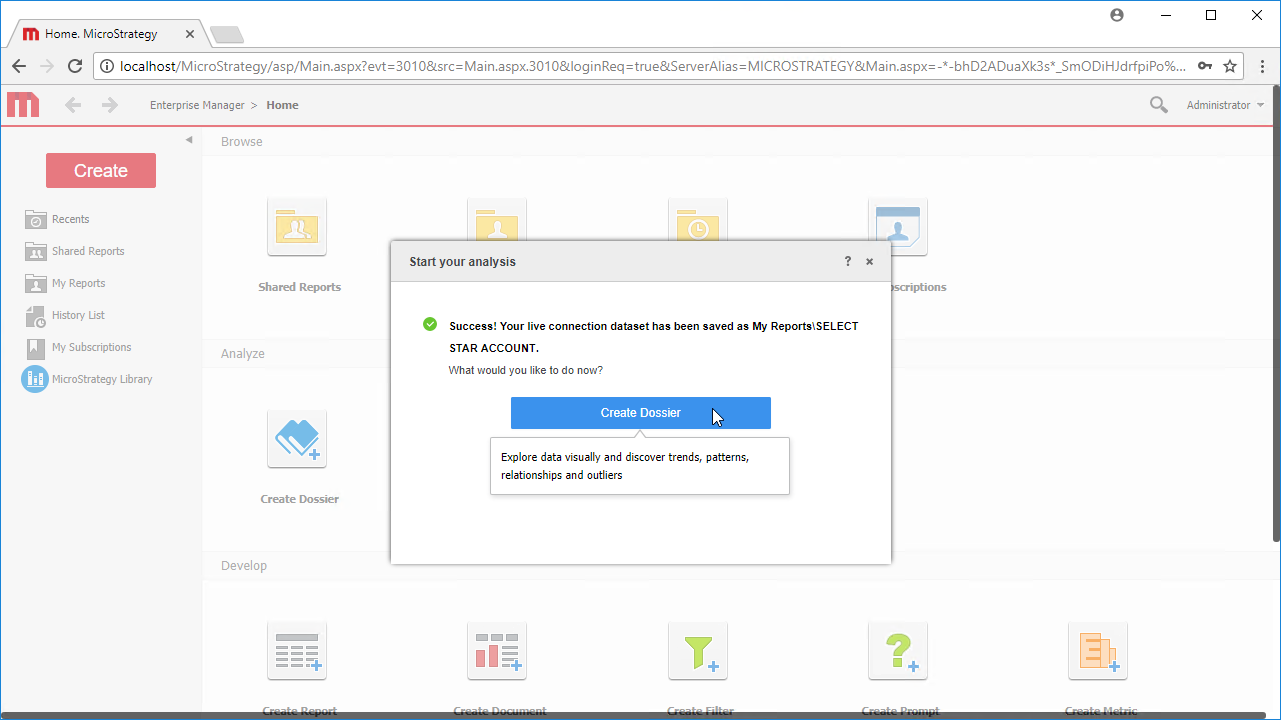
 - Click Finish, choose to the option to connect live, save the query, and choose the option to create a new dossier. Live connections are possible and effective, thanks to high-performance data processing native to CData JDBC drivers.
- Choose a visualization, choose fields to display and apply any filters to create a new visualization of Short.io data. Data types are discovered automatically through dynamic metadata discovery. Where possible, the complex queries generated by the filters and aggregations will be pushed down to Short.io, while any unsupported operations (which can include SQL functions and JOIN operations) will be managed client-side by the CData SQL engine embedded in the driver.
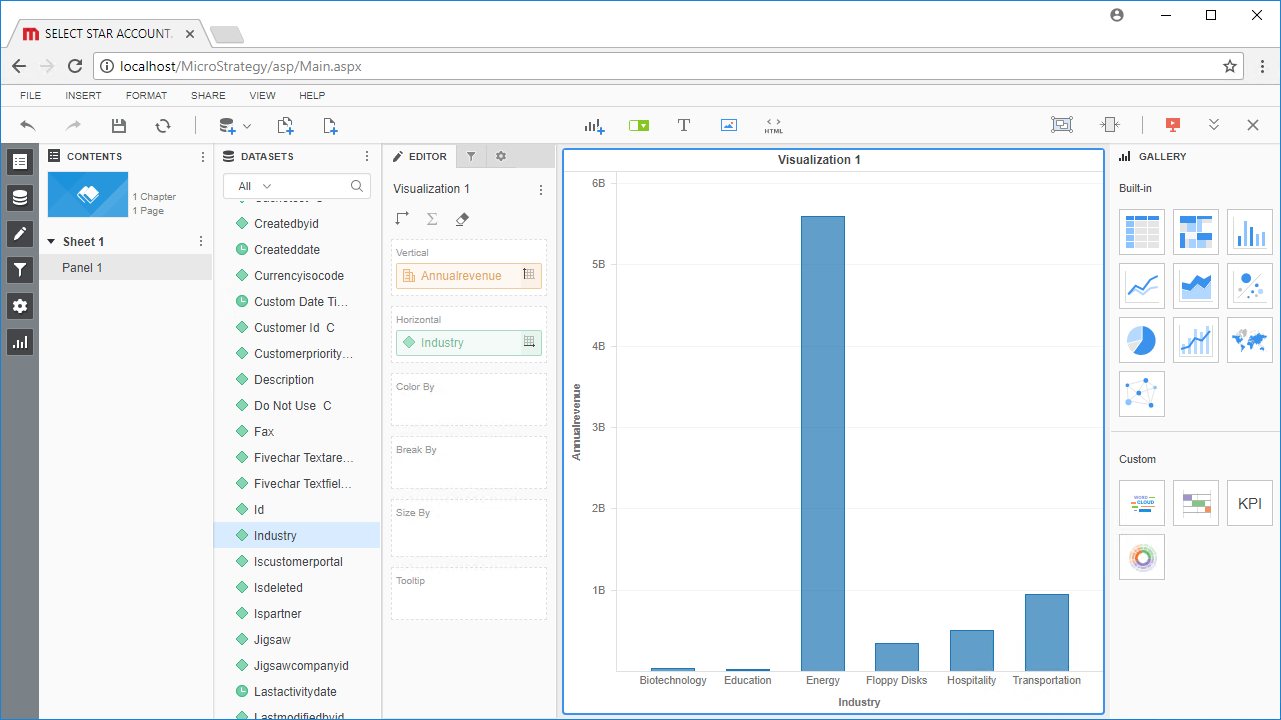
- Once you have finished configuring the dossier, click File -> Save.
Using the CData JDBC Driver for Short.io in MicroStrategy Web, you can easily create robust visualizations and reports on Short.io data. Read our other articles on connecting to Short.io in MicroStrategy and connecting to Short.io in MicroStrategy Desktop for more examples.
Note: Connecting using a JDBC Driver requires a 3- or 4-Tier Architecture.