






Build Short.io-Powered Applications in Claude Code with CData MCP Server

Claude Code is an AI-powered command line tool that enables agentic coding workflows. With support for MCP, Claude Code can connect to local tools and enterprise data sources directly from your terminal, enabling natural language interaction with live systems without switching context.
Model Context Protocol (MCP) is an open standard for connecting LLM clients to external services through structured tool interfaces. MCP servers expose capabilities such as schema discovery and live querying, allowing AI agents to retrieve and reason over real-time data safely and consistently.
The following steps cover installing the CData API Driver for MCP Server, configuring the connection to Short.io, connecting the MCP Server add-on to Claude Code, and querying live Short.io data from within the terminal.
Step 1: Download and install the CData API Driver for MCP Server
- To begin, download the CData API Driver for MCP Server
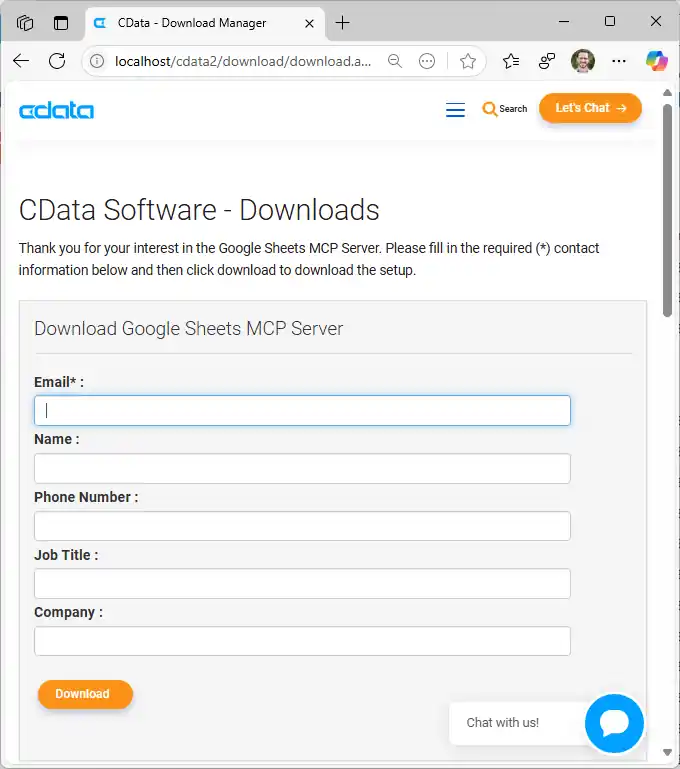
- Find and double-click the installer to begin the installation
- Run the installer and follow the prompts to complete the installation
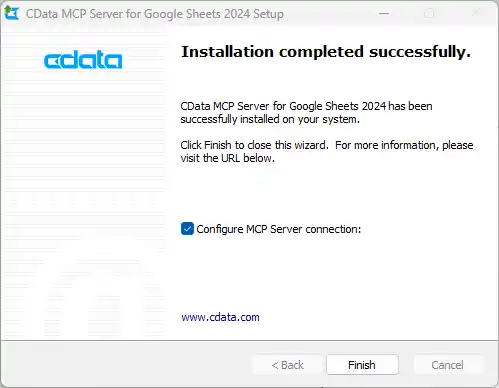
When the installation is complete, you are ready to configure your MCP Server add-on by connecting to Short.io.
Step 2: Configure the connection to Short.io
- After installation, open the CData API Driver for MCP Server configuration wizard
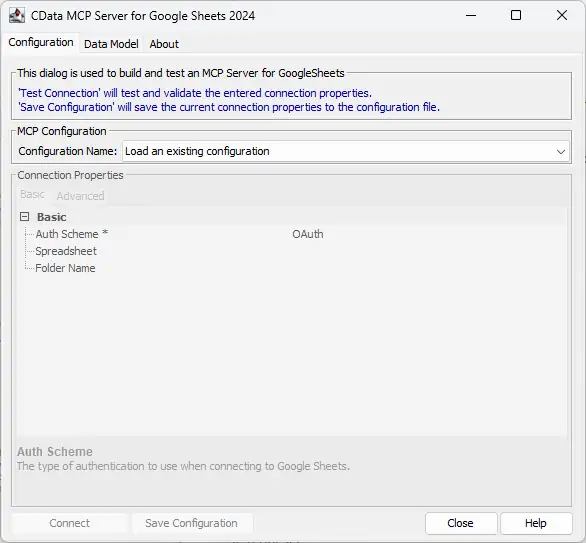
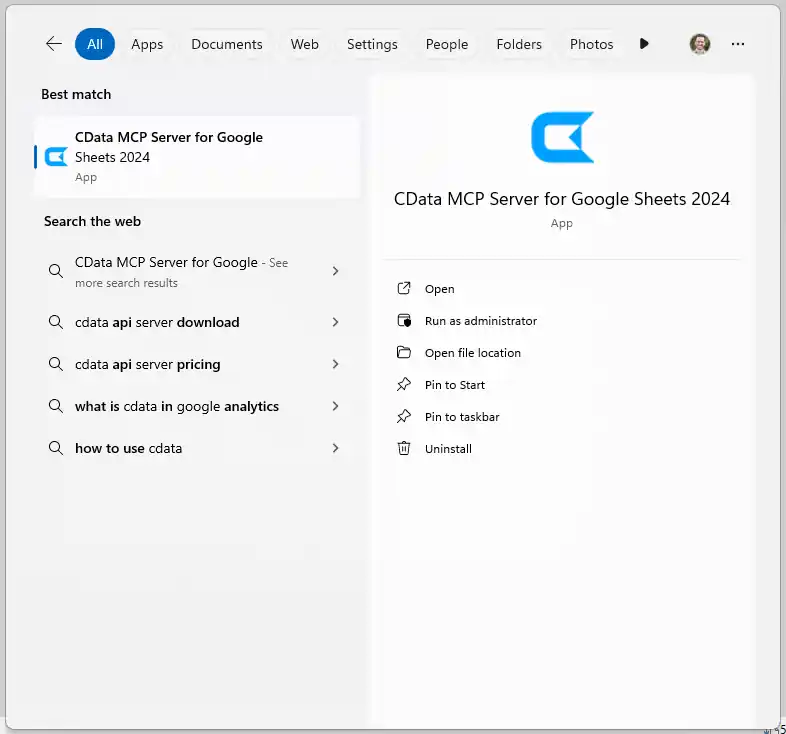
NOTE: If the wizard does not open automatically, search for "CData API Driver for MCP Server" in the Windows search bar and open the application.
- In MCP Configuration > Configuration Name, either select an existing configuration or choose
to create a new one 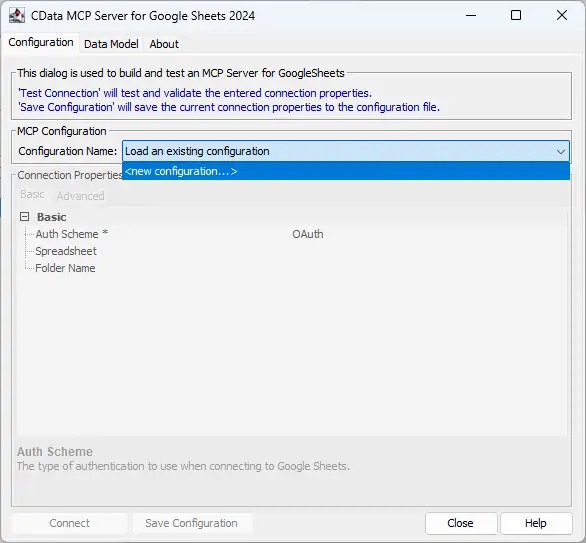
- Name the configuration (e.g. "cdata_api") and click OK
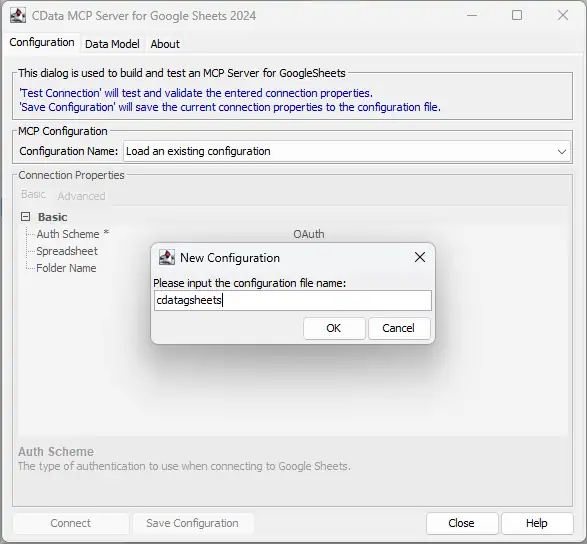
-
Enter the appropriate connection properties in the configuration wizard
Using API Key Authentication
Short.io uses API Key authentication. To obtain your API key:
- Log in to your Short.io account
- Navigate to Settings > Integrations & API > API
- Click Create API Key and copy your API key
After obtaining the API key, you are ready to connect:
- AuthScheme: Set this to APIKey.
- APIKey: Set this to your Short.io API key obtained from Settings > Integrations & API > API.
Example connection string:
Profile=C:\profiles\ShortIo.apip;AuthScheme=APIKey;ProfileSettings='APIKey=your_api_key';
Available Tables
The Short.io profile provides access to the following tables:
- Domains - Short.io domains associated with the authenticated account
- Links - Short links for a domain
- LinkExpand - Expand a short link by domain and path
- LinksByOriginalUrl - Retrieve multiple short links matching a given original destination URL
- Folders - Link folders within a specific domain
- LinkPermissions - Permission records for a specific link within a domain
- CountryTargeting - Country-based redirect targeting rules for a specific short link
- RegionTargeting - Region-based redirect targeting rules for a specific short link
- Regions - List of available regions/states for a given country code
- DomainStatistics - Aggregated click and traffic statistics for a Short.io domain
- LinkStatistics - Aggregated click and traffic statistics for a specific Short.io link
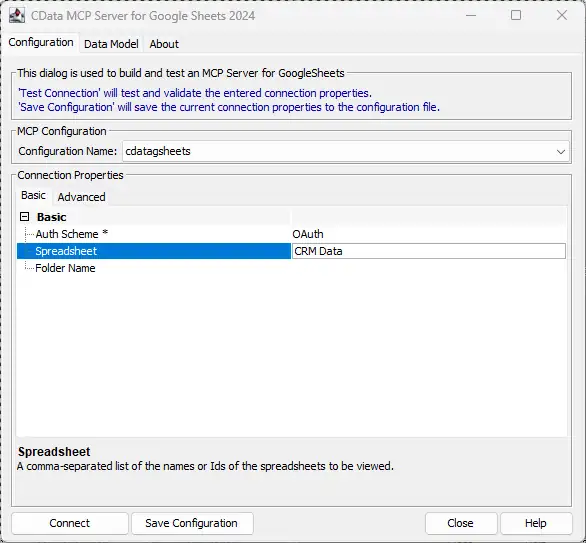
- Click Connect to authenticate with Short.io
- Then, click Save Configuration to save the MCP Server add-on
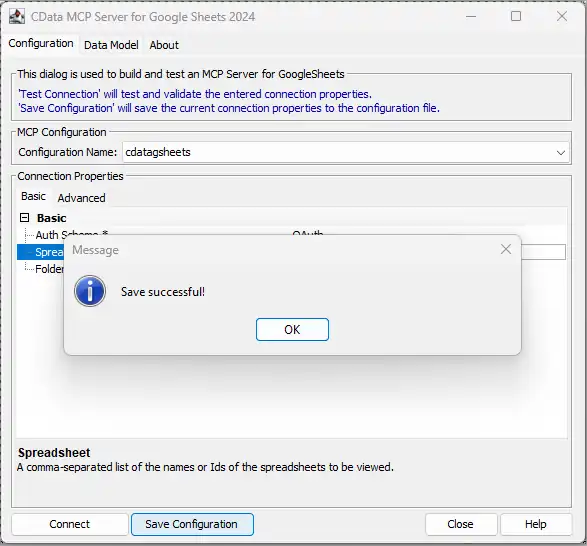
This process creates a .mcp configuration file that Claude Code will reference when launching the MCP Server add-on. Now with your MCP Server add-on configured, you are ready to connect it to Claude Code.
Step 3: Connect the MCP Server add-on to Claude Code
- Install the Claude Code CLI using the terminal
- Open the Claude Code configuration file at ~/.config/claude-code/config.json (or the location shown after initialization)
Option 1: Manually add the MCP configuration
- Open the mcp.json file in your preferred editor
- Add the code shown below
{
"mcpServers" : {
  "cdata_api" : {
    "type" : "stdio",
    "command" : "C:\Program Files\CData\CData API Driver for MCP Server\jre\bin\java.exe",
    "args" : [ "-Dfile.encoding=UTF-8", "-jar", "C:\Program Files\CData\CData API Driver for MCP Server/lib/cdata.mcp.api.jar", "cdata_api" ],
    "env" : {}
  }
}
}
NOTE: The command value should point to your Java 17+ java.exe executable, and the JAR path should point to the installed CData MCP Server add-on .jar file. The final argument must match the MCP configuration name you saved in the CData configuration wizard (e.g. "cdata_api").
Option 2: Copy the MCP configuration from the CData API Driver for MCP Server UI
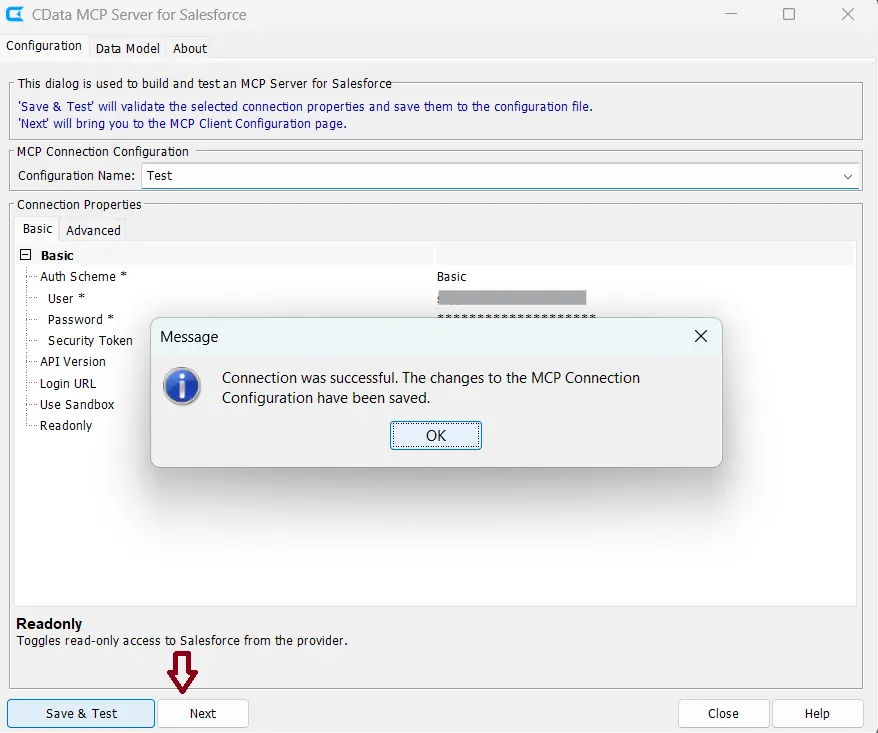
- After saving and testing your connection in the configuration wizard, click Next
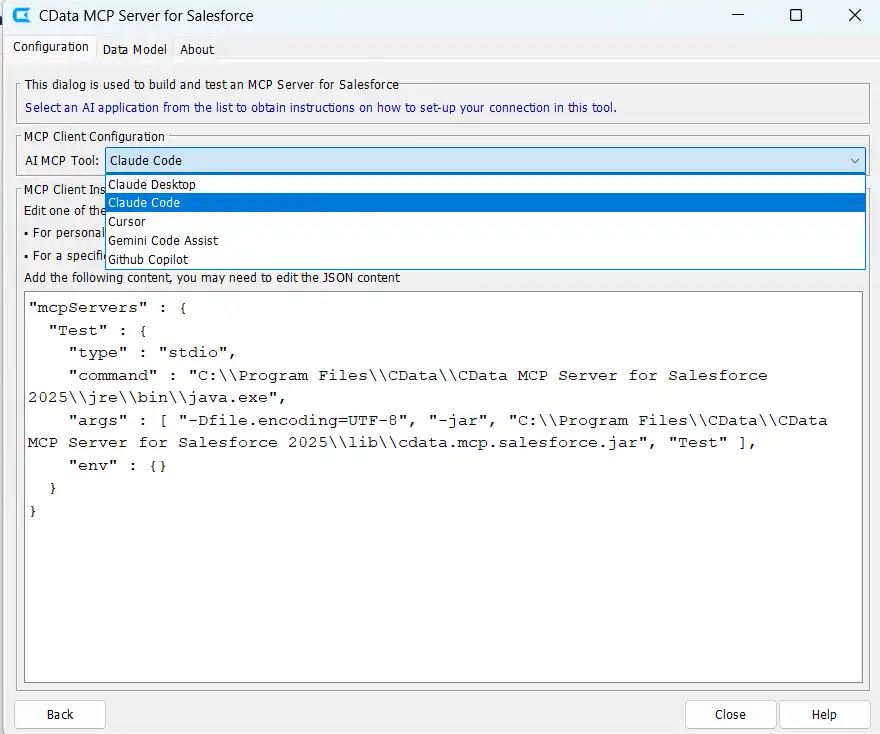
- Select Claude Code from the AI MCP Tool dropdown
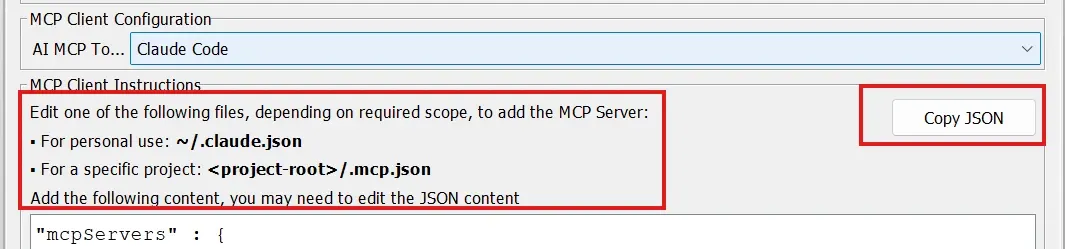
- Click Copy JSON to copy the generated MCP configuration to your clipboard
- Paste the copied JSON into the mcp.json file
Step 4: Verify connection in Claude Code
Claude Code provides tools to verify the connection is active before building.
- Open a terminal and navigate to your project directory. Run the command claude mcp list
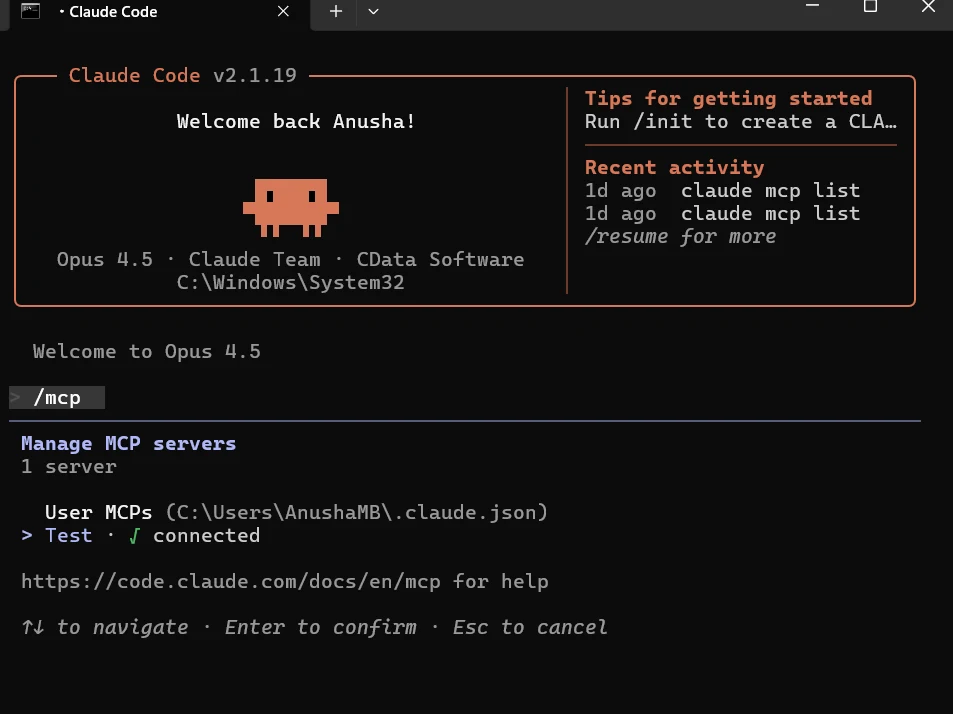
- Check that your configuration name appears with a Connected status
- Start Claude Code by running claude
- Inside the Claude Code session, type /mcp to view active servers

Step 5: Query live Short.io data in Claude Code
With the connection verified, you can now use natural language prompts to query and work with live Short.io data.
- Prompt Claude Code to review the instructions for your MCP connection to ensure it has all the appropriate context when writing code
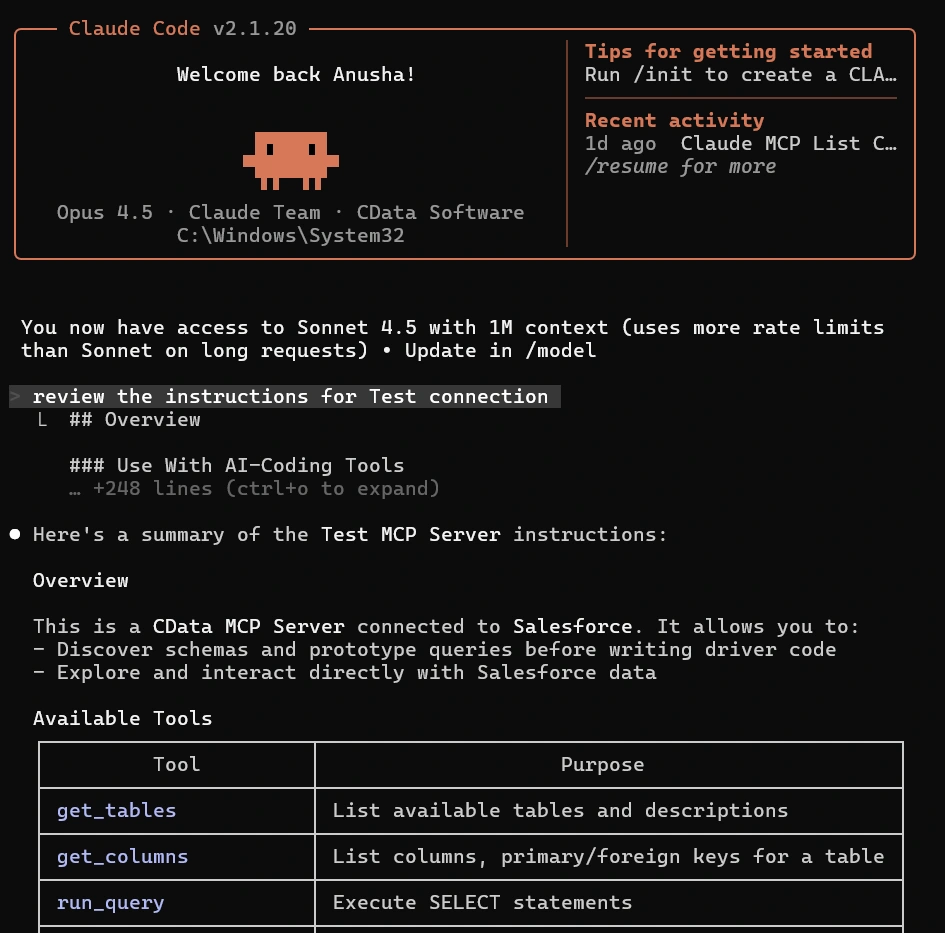
- Start building with natural language prompts! For example:
For my project, data from the Domains is very important. Pull data from the most important columns like and .
Claude Code will use the MCP add-on to connect to Short.io, retrieve the requested data, and provide results directly in your terminal
Build with MCP Server. Deploy with CData Drivers.
Download MCP Server for free and give your AI tools schema-aware access to live Short.io data during development. When you're ready to move to production, CData Short.io Drivers deliver the same SQL-based access with enterprise-grade performance, security, and reliability.
Visit the CData Community to share insights, ask questions, and explore what's possible with MCP-powered AI workflows.
