






How to Seamlessly Import Short.io Data into IBM SPSS Modeler

IBM SPSS Modeler is a powerful data mining and predictive analytics platform that enables organizations to extract valuable insights from their data. By connecting Short.io data data to SPSS Modeler via the CData API Driver for ODBC, you can leverage real-time access for advanced data mining, predictive modeling, and statistical analysis.
This guide takes you through the steps of connecting IBM SPSS Modeler to Short.io data, enabling seamless data import, preparation, and analysis. With the CData API Driver for ODBC, you can unlock the full potential of your Short.io data data within IBM SPSS Modeler for actionable insights.
Overview
Here is an overview of the steps:
- CONFIGURE THE ODBC DRIVER: Set up a connection to Short.io data in the CData API Driver for ODBC by entering the required connection properties.
- SET UP ODBC CONNECTION IN SPSS MODELER: Establish the ODBC connection within IBM SPSS Modeler by selecting the configured DSN.
- IMPORT AND PROCESS DATA: Import the Short.io data data into SPSS Modeler, then review, filter, transform, and prepare the data for predictive analytics and statistical modeling.
Configure the Short.io DSN Using the CData ODBC Driver
To start, configure the DSN (Data Source Name) for Short.io data in your system using the CData ODBC Driver. Download and install a 30-day free trial with all the features from here.
Once installed, launch the ODBC Data Source Administrator:
- On Windows: Search for ODBC Data Source Administrator in the Start menu and open the application.
- On Mac: Open Applications, go to Utilities, and select ODBC Manager.
- On Linux: Use the command line to launch ODBC Data Source Administrator or use unixODBC if installed.
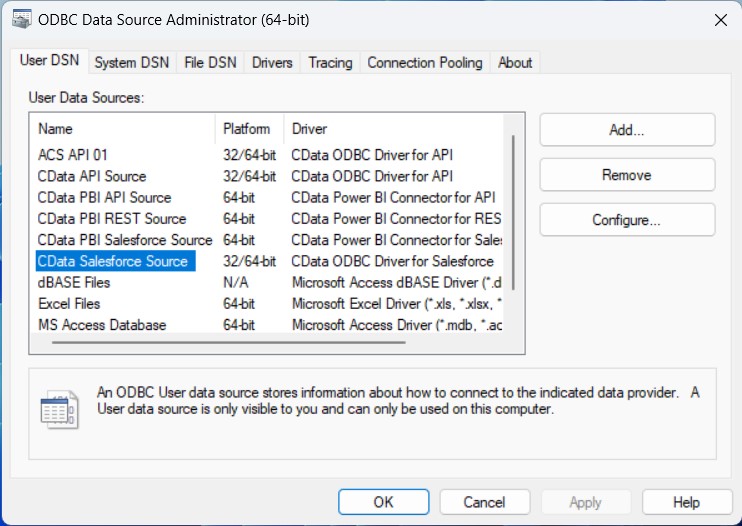
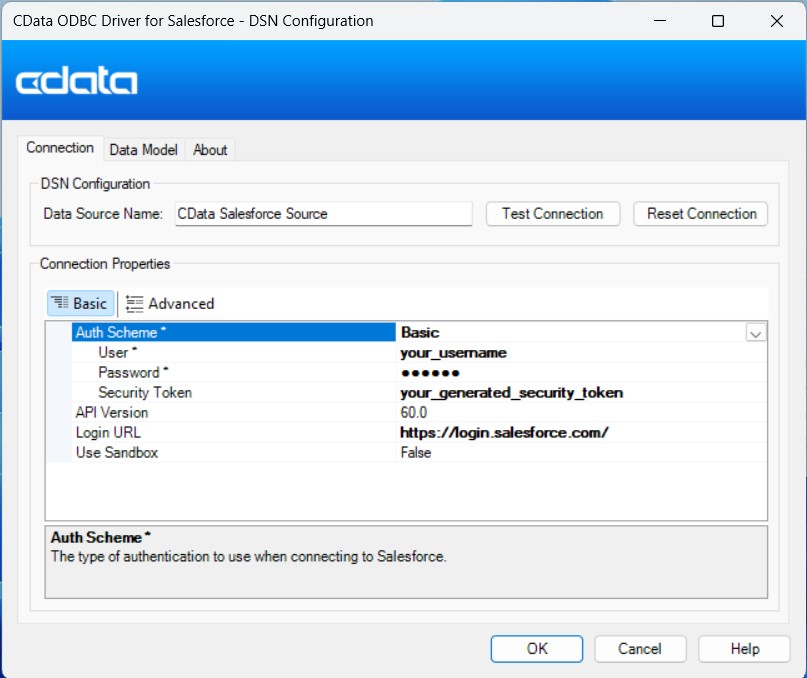
Once launched, double-click on the CData Short.io data Source and enter the required values to establish a connection:
Using API Key Authentication
Short.io uses API Key authentication. To obtain your API key:
- Log in to your Short.io account
- Navigate to Settings > Integrations & API > API
- Click Create API Key and copy your API key
After obtaining the API key, you are ready to connect:
- AuthScheme: Set this to APIKey.
- APIKey: Set this to your Short.io API key obtained from Settings > Integrations & API > API.
Example connection string:
Profile=C:\profiles\ShortIo.apip;AuthScheme=APIKey;ProfileSettings='APIKey=your_api_key';
Available Tables
The Short.io profile provides access to the following tables:
- Domains - Short.io domains associated with the authenticated account
- Links - Short links for a domain
- LinkExpand - Expand a short link by domain and path
- LinksByOriginalUrl - Retrieve multiple short links matching a given original destination URL
- Folders - Link folders within a specific domain
- LinkPermissions - Permission records for a specific link within a domain
- CountryTargeting - Country-based redirect targeting rules for a specific short link
- RegionTargeting - Region-based redirect targeting rules for a specific short link
- Regions - List of available regions/states for a given country code
- DomainStatistics - Aggregated click and traffic statistics for a Short.io domain
- LinkStatistics - Aggregated click and traffic statistics for a specific Short.io link
Setup an ODBC Connection in IBM SPSS Modeler
After configuring the DSN, it's time to connect to it in IBM SPSS Modeler:
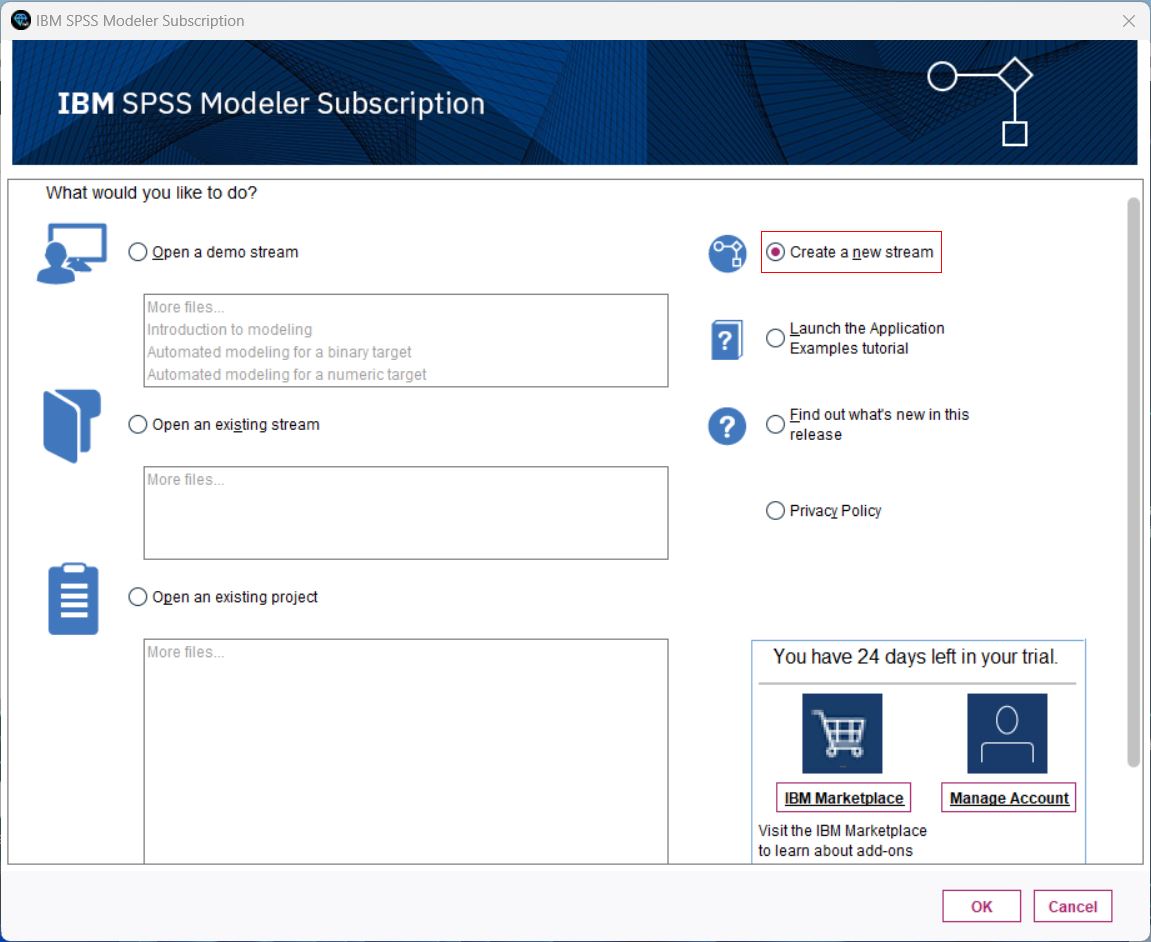
- Launch IBM SPSS Modeler, log in, and create a new stream.
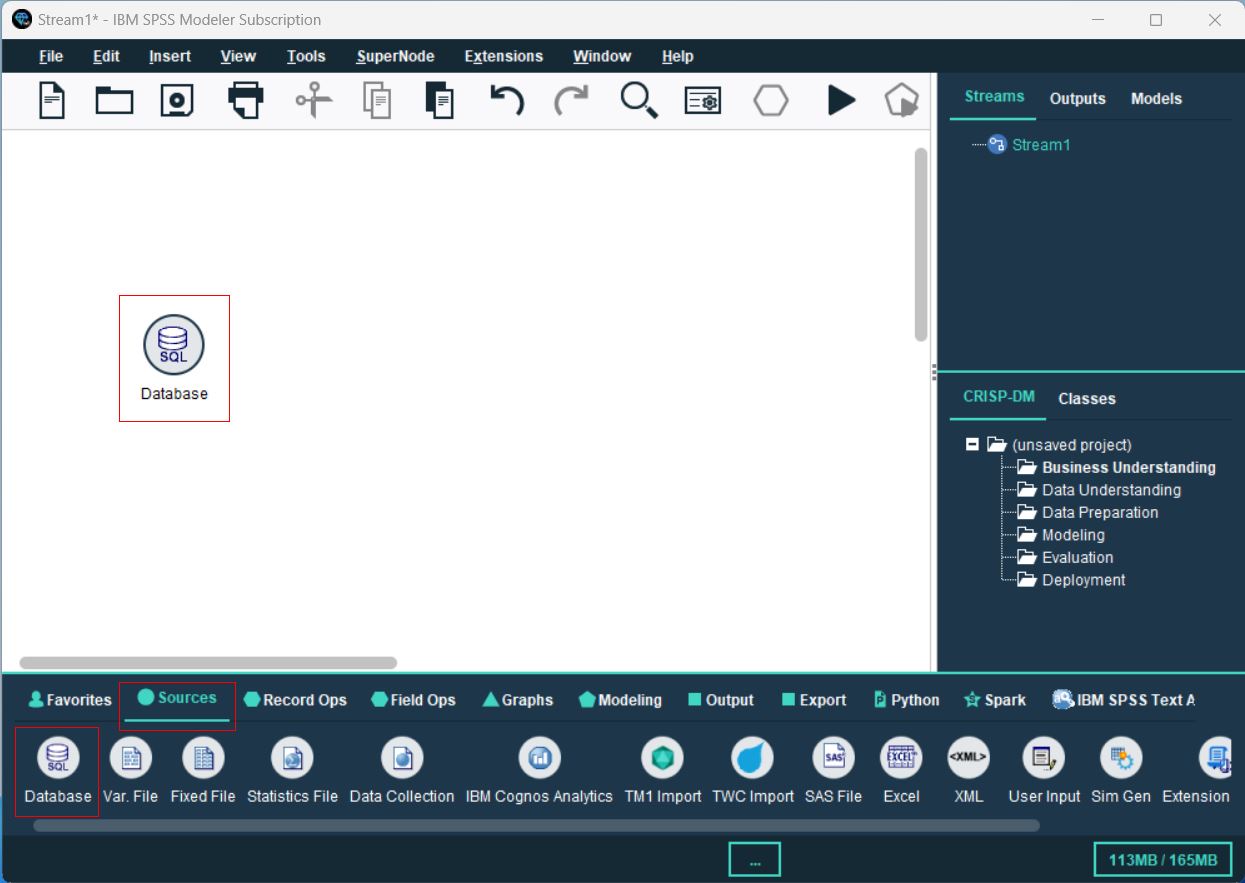
- From the Sources palette, locate the Database node, and drag it onto the canvas.
- Double-click the Database node to open the configuration dialog. Select
, browse to select the configured DSN, then click OK. - In the Database dialog, browse to select the table(s) you’d like to import, preview the data, and click OK to finalize.
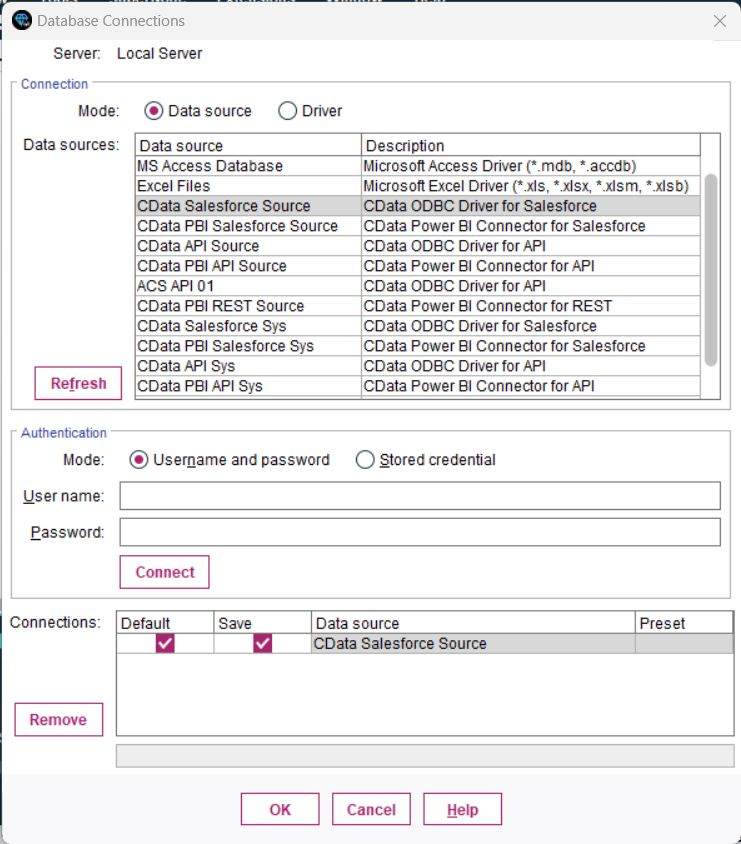
You are now ready to process and analyze the Short.io data data in IBM SPSS Modeler.
Process Data: Filter, Categories, and Model
Once the tables are imported, you can refine, filter, categorize, and model your Short.io data data in SPSS Modeler:
- Filtering: Double-click your Database connection, go to the Filter section, and select/deselect fields to focus on relevant data. This improves processing speed and model accuracy.
- Set Data Types and Roles: Categorize your fields and assign roles to each data type by navigating to the Types section.
- Perform a Basic Analysis: Drag and drop the Analysis node next to your Database node, connect them, and click the Play button to run the stream and analyze the data.
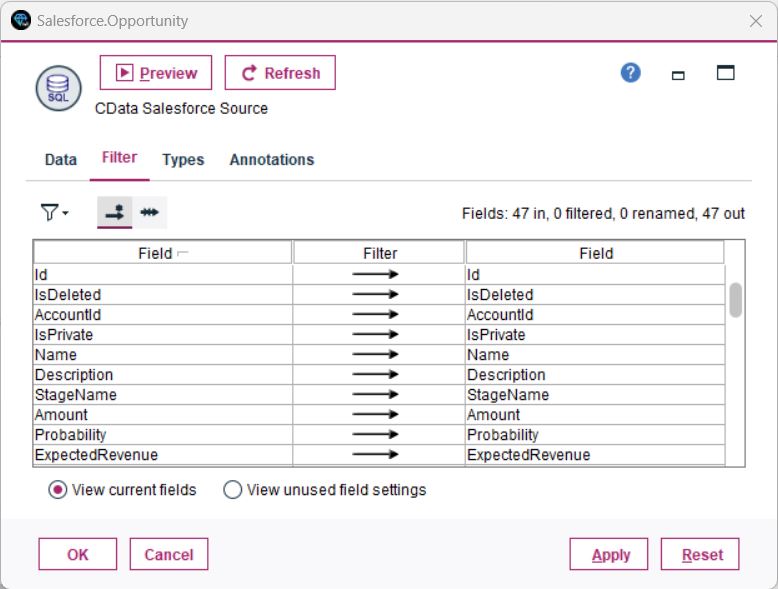
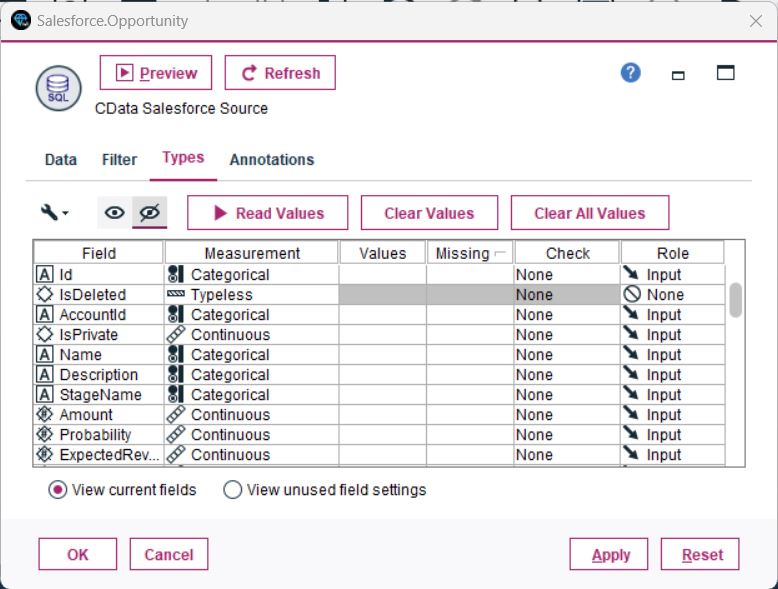
You have now performed a simple analysis, enabling SPSS Modeler to process and display insights from your database.
Unlock the Potential of Your Short.io Data with CData
With the CData API Driver for ODBC, connecting Short.io data data to IBM SPSS Modeler is seamless. Start your free trial today and unlock the full potential of your real-time data for advanced analytics and decision-making.