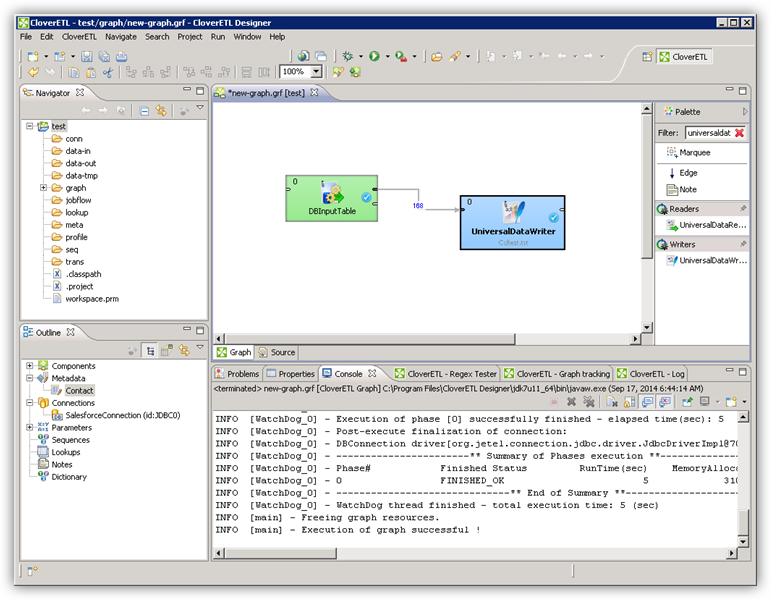
Connect to Vimeo Data in CloverDX (formerly CloverETL)

The CData JDBC Driver for Vimeo enables you to use the data transformation components in CloverDX (formerly CloverETL) to work with Vimeo as sources. In this article, you will use the JDBC Driver for Vimeo to set up a simple transfer into a flat file. The CData JDBC Driver for Vimeo enables you to use the data transformation components in CloverDX (formerly CloverETL) to work with Vimeo as sources. In this article, you will use the JDBC Driver for Vimeo to set up a simple transfer into a flat file.
Connect to Vimeo as a JDBC Data Source
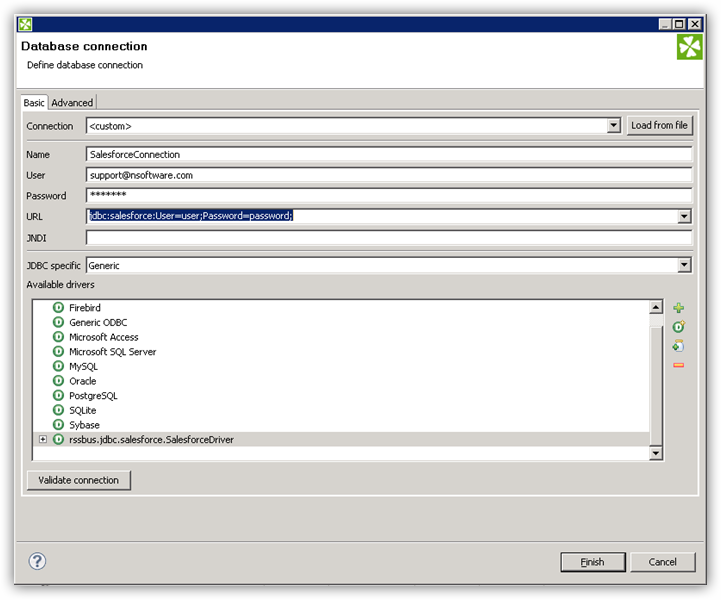
- Create the connection to Vimeo data. In a new CloverDX graph, right-click the Connections node in the Outline pane and click Connections -> Create Connection. The Database Connection wizard is displayed.
- Click the plus icon to load a driver from a JAR. Browse to the lib subfolder of the installation directory and select the cdata.jdbc.api.jar file.
- Enter the JDBC URL.
Vimeo is a professional video hosting platform. The Vimeo API uses personal access tokens (bearer tokens) to enable secure access to video metadata, user information, channels, groups, categories, and related resources.
Using API Key Authentication
To authenticate to the Vimeo API, you will need to provide a personal access token. To obtain your access token:
- Log in to your Vimeo account at https://vimeo.com
- Navigate to https://developer.vimeo.com/apps
- Create a new app or select an existing app
- Under "Personal Access Tokens", click "Generate" to create a new token
- Select the required scopes: public and private for read access
- Copy the generated token
After obtaining your access token, set the following connection properties:
- AuthScheme: Set this to APIKey.
- APIKey: Set this to your Vimeo personal access token.
Example connection string
Profile=C:\profiles\Vimeo.apip;ProfileSettings='APIKey=your_personal_access_token';
Built-in Connection String Designer
For assistance in constructing the JDBC URL, use the connection string designer built into the Vimeo JDBC Driver. Either double-click the JAR file or execute the jar file from the command-line.
java -jar cdata.jdbc.api.jar
Fill in the connection properties and copy the connection string to the clipboard.
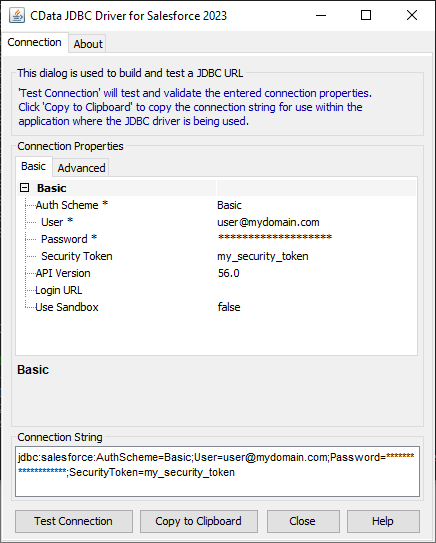
A typical JDBC URL is below:
jdbc:api:Profile=C:\profiles\Vimeo.apip;ProfileSettings='APIKey=your_personal_access_token';
Query Vimeo Data with the DBInputTable Component
- Drag a DBInputTable from the Readers selection of the Palette onto the job flow and double-click it to open the configuration editor.
- In the DB connection property, select the Vimeo JDBC data source from the drop-down menu.
- Enter the SQL query. For example:
SELECT , FROM Videos WHERE UserUri = '/users/12345678'
Write the Output of the Query to a UniversalDataWriter
- Drag a UniversalDataWriter from the Writers selection onto the jobflow.
- Double-click the UniversalDataWriter to open the configuration editor and add a file URL.
- Right-click the DBInputTable and then click Extract Metadata.
- Connect the output port of the DBInputTable to the UniversalDataWriter.
- In the resulting Select Metadata menu for the UniversalDataWriter, choose the Videos table. (You can also open this menu by right-clicking the input port for the UniversalDataWriter.)
- Click Run to write to the file.