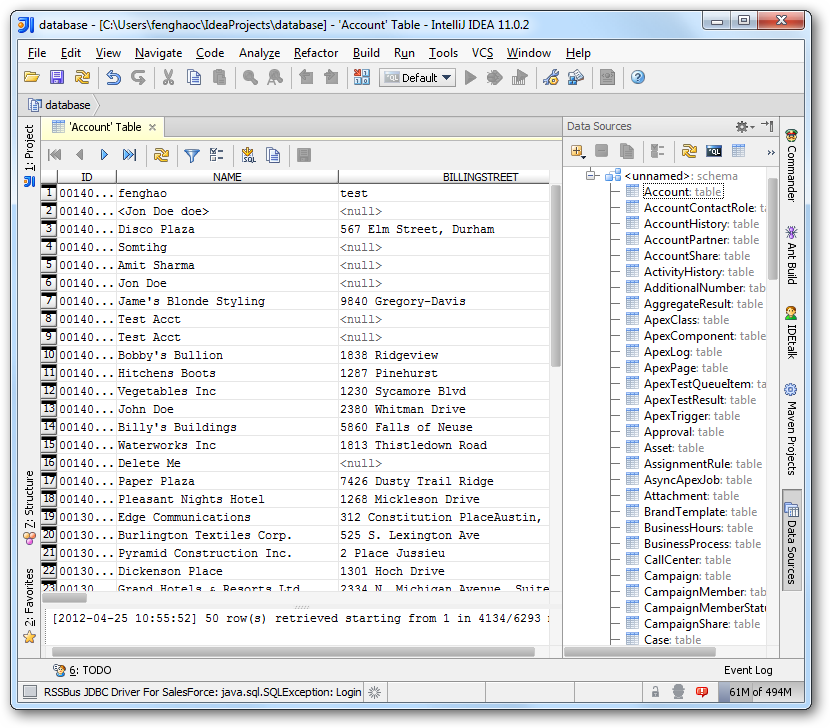
How to connect to Workable Data from IntelliJ

The CData JDBC Driver for Workable enables you to access Workable as a JDBC data source, providing integration with rapid development tools in IDEs. This article shows how to use the data source configuration wizard to connect to Workable data in IntelliJ.
Create a JBDC Data Source for Workable
Follow the steps below to add the driver JAR and define connection properties required to connect to Workable data.
- In the Data Sources window, right-click and then click Add Data Source -> DB Data Source.
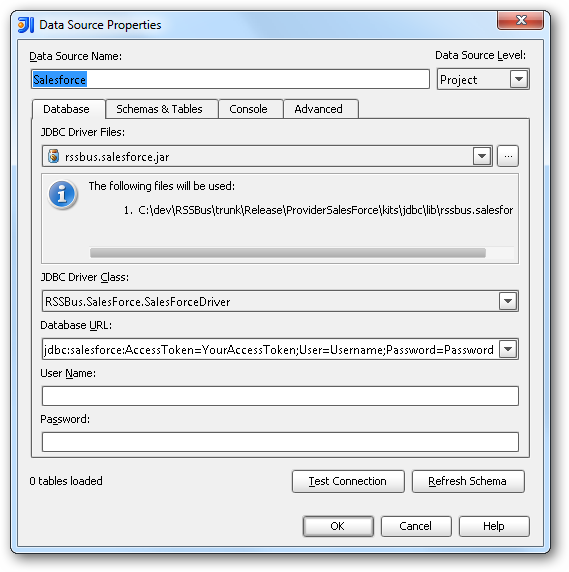
In the Data Source Properties dialog that appears, the following properties are required:
- JDBC Driver Files: Click the button next to this menu to add the JDBC Driver file cdata.jdbc.api.jar, located in the installation directory.
- JDBC Driver Class: In this menu, select cdata.jdbc.api.APIDriver from the list.
Database URL: Enter the connection URL in the JDBC URL property. The URL must start with jdbc:api: and includes connection properties separated with semicolons.
Using API Key Authentication
Workable uses API key authentication to control access to the API. To obtain an API Key:
- Log in to your Workable account.
- Navigate to Settings > Integrations > API Access Tokens.
- Click "Generate API Token".
- Copy the generated token.
After obtaining your API Key, set the following connection properties:
- AuthScheme: Set this to APIKey.
- APIKey: Set this to your Workable API Key.
- Subdomain: Set this to your Workable account subdomain. For example, if your Workable URL is acmeinc.workable.com, then the Subdomain is 'acmeinc'.
Example Connection String
Profile=C:\profiles\Workable.apip;ProfileSettings='AuthScheme=APIKey;APIKey=my_api_key;Subdomain=acmeinc';
Built-in Connection String Designer
For assistance in constructing the JDBC URL, use the connection string designer built into the Workable JDBC Driver. Either double-click the JAR file or execute the jar file from the command-line.
java -jar cdata.jdbc.api.jar
Fill in the connection properties and copy the connection string to the clipboard.
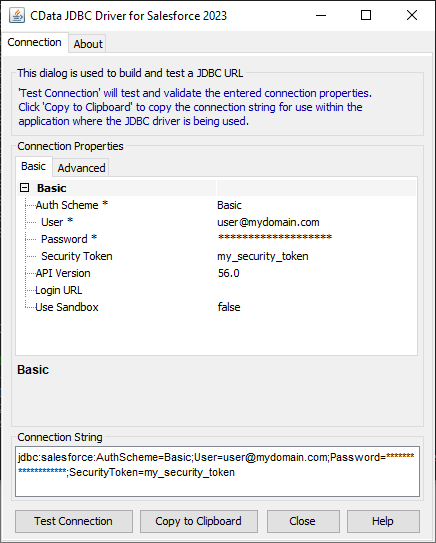
A typical JDBC URL is the following:
jdbc:api:Profile=C:\profiles\Workable.apip;ProfileSettings='AuthScheme=APIKey;APIKey=my_api_key;Subdomain=acmeinc';
Edit and Save Workable Data
To discover schema information, right-click the data source you just created and click Refresh Tables. To query a table, right-click it and then click Open Tables Editor.