




Process & Analyze Yotpo Data in Databricks (AWS)

Databricks is a cloud-based service that provides data processing capabilities through Apache Spark. When paired with the CData JDBC Driver, customers can use Databricks to perform data engineering and data science on live Yotpo data. This article explains how to host the CData JDBC Driver in AWS, as well as connect to and process live Yotpo data in Databricks.
With built-in optimized data processing, the CData JDBC Driver offers unmatched performance for interacting with live Yotpo data. When you issue complex SQL queries to Yotpo, the driver pushes supported SQL operations, like filters and aggregations, directly to Yotpo and utilizes the embedded SQL engine to process unsupported operations client-side (often SQL functions and JOIN operations). Its built-in dynamic metadata querying allows you to work with and analyze Yotpo data using native data types.
Install the CData JDBC Driver in Databricks
To work with live Yotpo data in Databricks, install the driver on your Databricks cluster.
- Navigate to your Databricks administration screen and select the target cluster.
- On the Libraries tab, click "Install New."
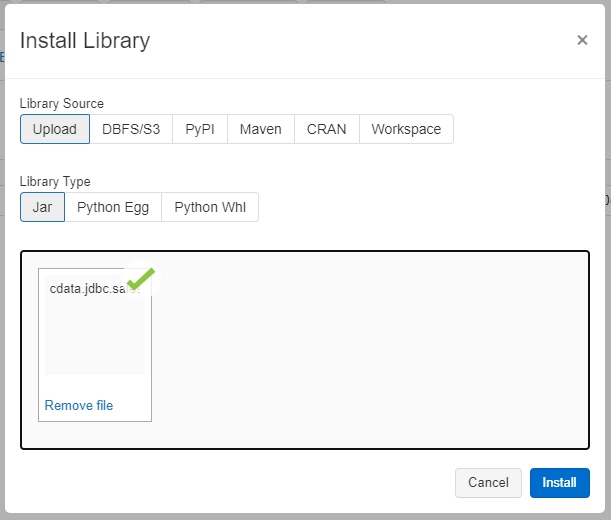
- Select "Upload" as the Library Source and "Jar" as the Library Type.
- Upload the JDBC JAR file (cdata.jdbc.api.jar) from the installation location (typically C:\Program Files\CData\CData API Driver for JDBC\lib).
Access Yotpo Data in your Notebook: Python
With the JAR file installed, we are ready to work with live Yotpo data in Databricks. Start by creating a new notebook in your workspace. Name the notebook, select Python as the language (though Scala is available as well), and choose the cluster where you installed the JDBC driver. When the notebook launches, we can configure the connection, query Yotpo, and create a basic report.
Configure the Connection to Yotpo
Connect to Yotpo by referencing the JDBC Driver class and constructing a connection string to use in the JDBC URL. Additionally, you will need to set the RTK property in the JDBC URL (unless you are using a Beta driver). You can view the licensing file included in the installation for information on how to set this property.
Step 1: Connection Information
driver = "cdata.jdbc.api.APIDriver"
url = "jdbc:api:RTK=5246...;Profile=C:\profiles\Yotpo.apip;AuthScheme=OAuthClient;InitiateOAuth=GETANDREFRESH;OAuthClientId=your_app_key;OAuthClientSecret=your_app_secret;"
Built-in Connection String Designer
For assistance in constructing the JDBC URL, use the connection string designer built into the Yotpo JDBC Driver. Either double-click the JAR file or execute the jar file from the command-line.
java -jar cdata.jdbc.api.jar
Fill in the connection properties and copy the connection string to the clipboard.
Start by setting the Profile connection property to the location of the Yotpo Profile on disk (e.g. C:\profiles\Yotpo.apip). Next, set the ProfileSettings connection property to the connection string for Yotpo (see below).
Yotpo API Profile Settings
To authenticate to Yotpo, you can use the OAuth 2.0 client credentials flow with your Yotpo AppKey and AppSecret.
To use the Yotpo API, you need a Yotpo store account with an AppKey and AppSecret. You can find these credentials in the Yotpo dashboard under Account Settings > Store.
After setting the following connection properties, you are ready to connect:
- AuthScheme: Set this to OAuthClient.
- InitiateOAuth: Set this to GETANDREFRESH. You can use InitiateOAuth to manage the process to obtain the OAuthAccessToken.
- OAuthClientId: Set this to your Yotpo AppKey.
- OAuthClientSecret: Set this to your Yotpo AppSecret.

Load Yotpo Data
Once you configure the connection, you can load Yotpo data as a dataframe using the CData JDBC Driver and the connection information.
Step 2: Reading the data
remote_table = spark.read.format ( "jdbc" ) \
	.option ( "driver" , driver) \
	.option ( "url" , url) \
	.option ( "dbtable" , "ProductBottomLine") \
	.load ()
Display Yotpo Data
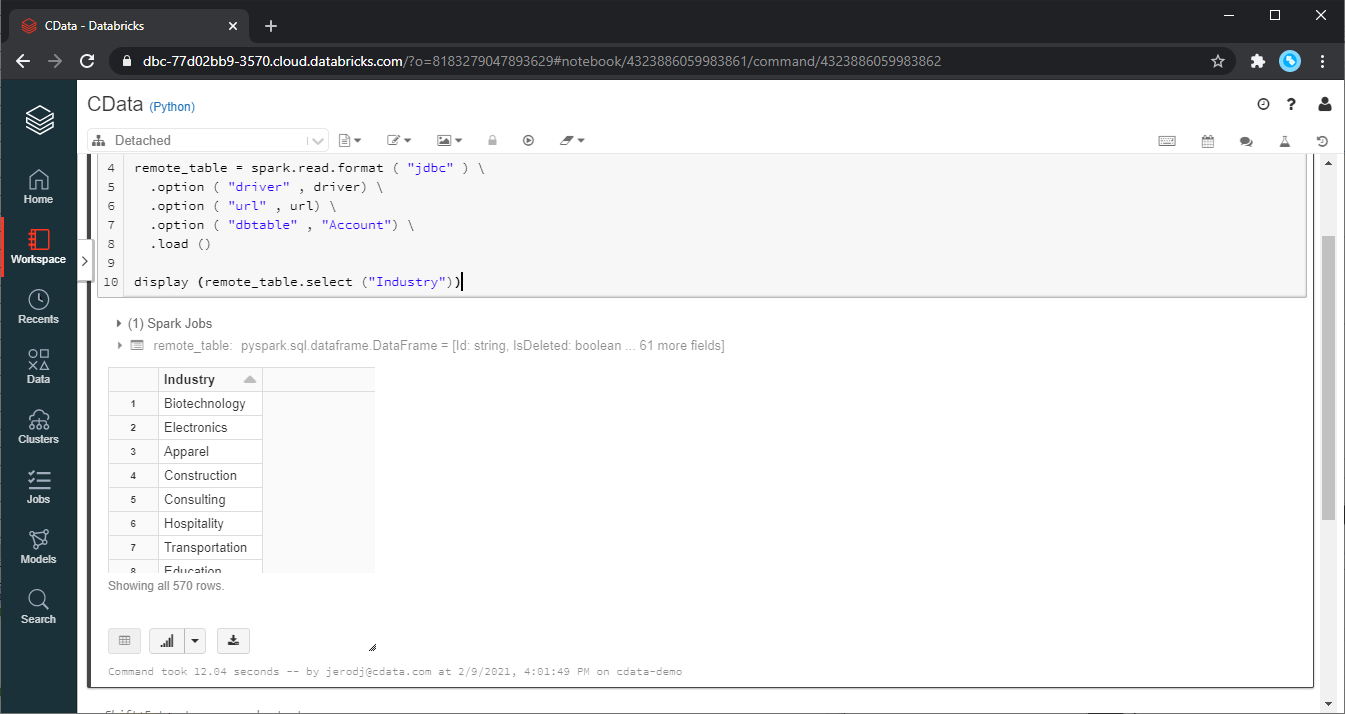
Check the loaded Yotpo data by calling the display function.
Step 3: Checking the result
display (remote_table.select ("TotalReview"))
Analyze Yotpo Data in Databricks
If you want to process data with Databricks SparkSQL, register the loaded data as a Temp View.
Step 4: Create a view or table
remote_table.createOrReplaceTempView ( "SAMPLE_VIEW" )
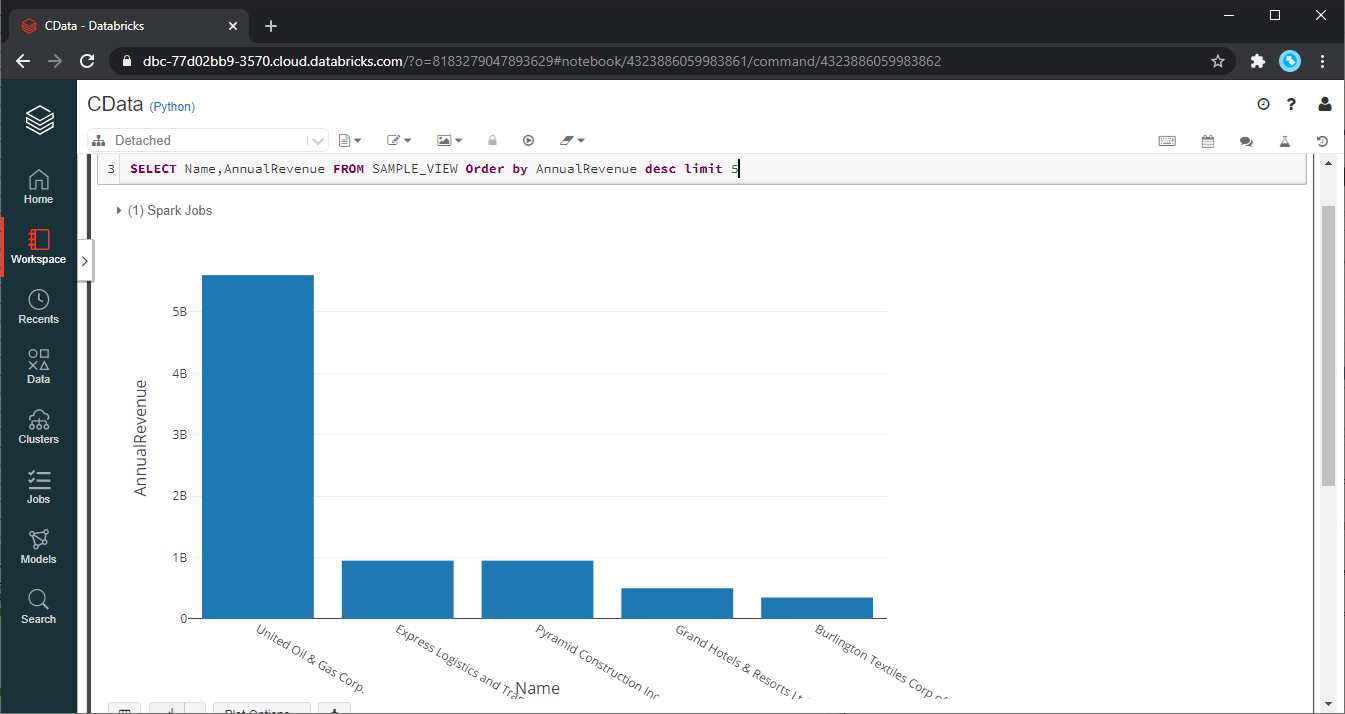
With the Temp View created, you can use SparkSQL to retrieve the Yotpo data for reporting, visualization, and analysis.
% sql

SELECT TotalReview, AverageScore FROM SAMPLE_VIEW ORDER BY AverageScore DESC LIMIT 5
The data from Yotpo is only available in the target notebook. If you want to use it with other users, save it as a table.
remote_table.write.format ( "parquet" ) .saveAsTable ( "SAMPLE_TABLE" )
Download a free, 30-day trial of the CData API Driver for JDBC and start working with your live Yotpo data in Databricks. Reach out to our Support Team if you have any questions.