




How to Visualize Yotpo Data in Python with pandas

The rich ecosystem of Python modules lets you get to work quickly and integrate your systems more effectively. With the CData API Driver for Python, the pandas & Matplotlib modules, and the SQLAlchemy toolkit, you can build Yotpo-connected Python applications and scripts for visualizing Yotpo data. This article shows how to use the pandas, SQLAlchemy, and Matplotlib built-in functions to connect to Yotpo data, execute queries, and visualize the results.
With built-in optimized data processing, the CData Python Connector offers unmatched performance for interacting with live Yotpo data in Python. When you issue complex SQL queries from Yotpo, the driver pushes supported SQL operations, like filters and aggregations, directly to Yotpo and utilizes the embedded SQL engine to process unsupported operations client-side (often SQL functions and JOIN operations).
Connecting to Yotpo Data
Connecting to Yotpo data looks just like connecting to any relational data source. Create a connection string using the required connection properties. For this article, you will pass the connection string as a parameter to the create_engine function.
Start by setting the Profile connection property to the location of the Yotpo Profile on disk (e.g. C:\profiles\Yotpo.apip). Next, set the ProfileSettings connection property to the connection string for Yotpo (see below).
Yotpo API Profile Settings
To authenticate to Yotpo, you can use the OAuth 2.0 client credentials flow with your Yotpo AppKey and AppSecret.
To use the Yotpo API, you need a Yotpo store account with an AppKey and AppSecret. You can find these credentials in the Yotpo dashboard under Account Settings > Store.
After setting the following connection properties, you are ready to connect:
- AuthScheme: Set this to OAuthClient.
- InitiateOAuth: Set this to GETANDREFRESH. You can use InitiateOAuth to manage the process to obtain the OAuthAccessToken.
- OAuthClientId: Set this to your Yotpo AppKey.
- OAuthClientSecret: Set this to your Yotpo AppSecret.
Follow the procedure below to install the required modules and start accessing Yotpo through Python objects.
Install Required Modules
Use the pip utility to install the pandas & Matplotlib modules and the SQLAlchemy toolkit:
pip install pandas
pip install matplotlib
pip install sqlalchemy
Be sure to import the module with the following:
import pandas
import matplotlib.pyplot as plt
from sqlalchemy import create_engine
Visualize Yotpo Data in Python
You can now connect with a connection string. Use the create_engine function to create an Engine for working with Yotpo data.
engine = create_engine("api:///?Profile=C:\profiles\Yotpo.apip&AuthScheme=OAuthClient&InitiateOAuth=GETANDREFRESH&OAuthClientId=your_app_key&OAuthClientSecret=your_app_secret")
Execute SQL to Yotpo
Use the read_sql function from pandas to execute any SQL statement and store the resultset in a DataFrame.
df = pandas.read_sql("SELECT TotalReview, AverageScore FROM ProductBottomLine WHERE ExternalProductId = 'my-product-sku'", engine)
Visualize Yotpo Data
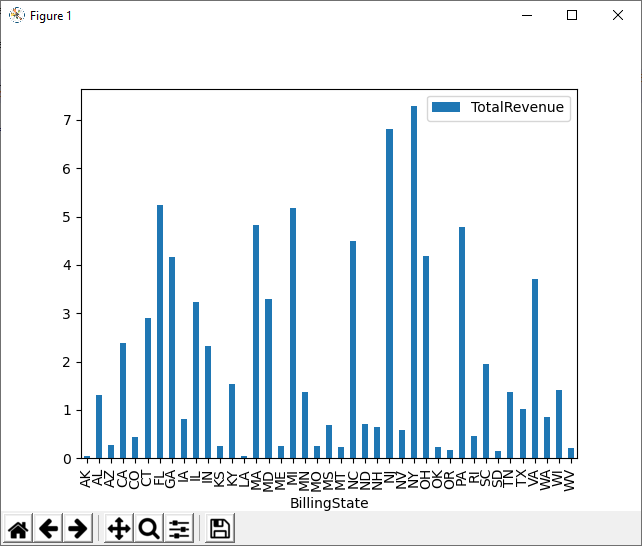
With the query results stored in a DataFrame, use the plot function to build a chart to display the Yotpo data. The show method displays the chart in a new window.
df.plot(kind="bar", x="TotalReview", y="AverageScore")
plt.show()
Free Trial & More Information
Download a free, 30-day trial of the CData API Driver for Python to start building Python apps and scripts with connectivity to Yotpo data. Reach out to our Support Team if you have any questions.
Full Source Code
import pandas
import matplotlib.pyplot as plt
from sqlalchemy import create_engin

engine = create_engine("api:///?Profile=C:\profiles\Yotpo.apip&AuthScheme=OAuthClient&InitiateOAuth=GETANDREFRESH&OAuthClientId=your_app_key&OAuthClientSecret=your_app_secret")
df = pandas.read_sql("SELECT TotalReview, AverageScore FROM ProductBottomLine WHERE ExternalProductId = 'my-product-sku'", engine)

df.plot(kind="bar", x="TotalReview", y="AverageScore")
plt.show()