






An Airflow task that reads SAP will run on a worker you probably don't own the network rules for, against a system whose logon values live with the Basis team. The DAG itself is about twenty lines. What holds the project up is the SAP Java Connector files, a handful of logon values and a decision about which transport you're allowed to use. This runbook covers those first, then gives you a small DAG to prove the path works before you schedule anything. The route is the CData JDBC Driver for SAP, which Airflow calls through its JDBC provider and JdbcHook.
What to request, and from whom
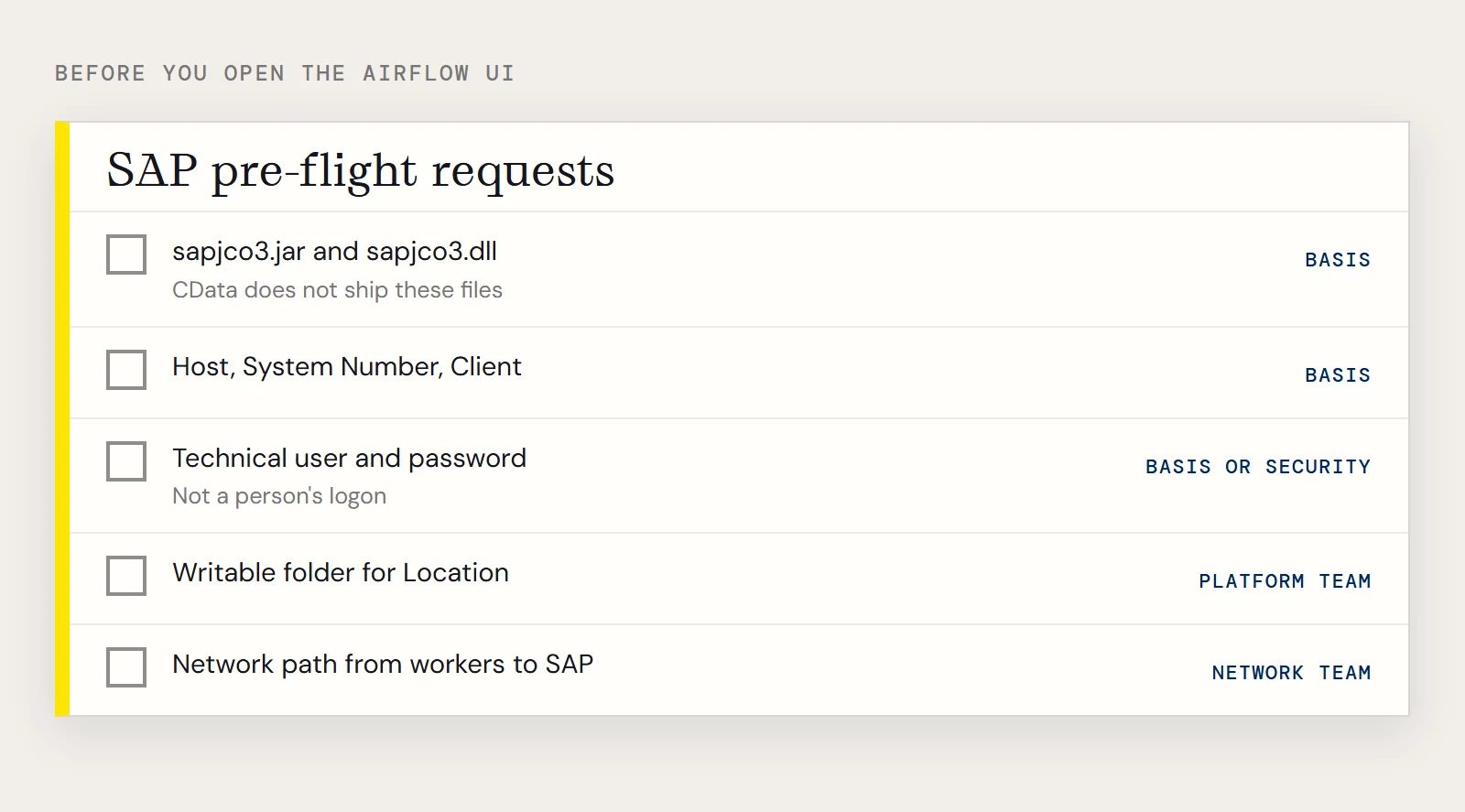
Collect these before you open the Airflow UI. Each one has caused a failed first run for someone.
| Ask | Who has it | Why you need it |
|---|---|---|
| sapjco3.jar and sapjco3.dll | SAP support site, via your Basis team | The JDBC driver connects through SAP JCo, and CData does not ship these files |
| Host, System Number, Client | Basis | The three values that identify the system and the client (a 3-digit number) |
| A user and password for the job | Basis or security | The job needs a technical user, so don't schedule it under a person's logon |
| A writable folder for the Location property | Airflow platform team | The driver writes table schemas there, so the account running the worker needs read and write access |
| Network path from the Airflow workers to SAP | Network team | Workers, not your laptop, make the call |
| SOAP access enabled, plus an RFCUrl | Basis | Only if the JCo route is not available to you |
The guide to obtaining the connection properties walks through where each value sits in SAP Logon. If you use load balancing, it also lists the extra values (System Id, Message Server, Group) you'd ask for.
Choose the transport the driver will use
For the JDBC driver, the SAP connection guide says to set ConnectionType to JCo. The vendor's generic example string for this pattern shows ConnectionType=Classic, which belongs to the Windows ODBC and ADO.NET editions and relies on librfc32.dll. If your Airflow workers run Linux containers, expect to use JCo or SOAP.
Install the two JCo files in the directory the hosting application expects. For Airflow that means the worker environment, next to the driver jar, and it has to be done on every worker image, including ones you haven't tested on.
The connection
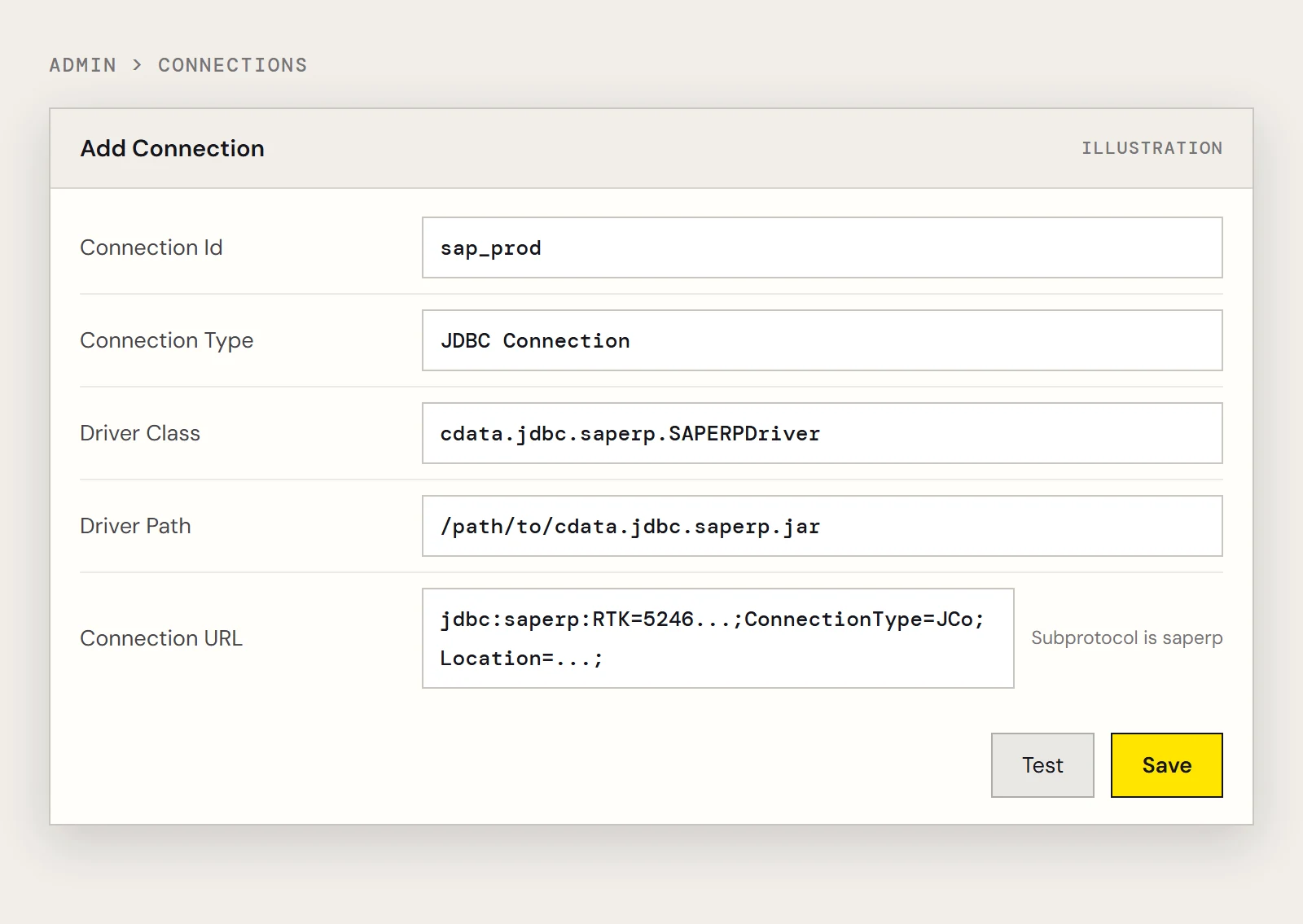
Build the URL with the designer (java -jar cdata.jdbc.saperp.jar) and compare it with the shape below. Note the class name and the saperp subprotocol, which differ from the product name.
jdbc:saperp:RTK=5246...;Host=sap.mydomain.com;User=EXT90033;Password=xxx;Client=800;System Number=09;ConnectionType=JCo;Location=C:/mysapschemafolder;The driver class is cdata.jdbc.saperp.SAPERPDriver. In Admin > Connections, create a JDBC Connection with an id like sap_prod and point the driver path at the jar. Newer Airflow JDBC provider releases move the driver class and path into the Extra JSON and gate them behind provider settings, so check which form your version shows.
Run a smoke test before you schedule
Prove the connection from a one-task DAG with no schedule. Trigger it by hand and read the task log.
from datetime import datetime
from airflow.decorators import dag, task
from airflow.providers.jdbc.hooks.jdbc import JdbcHook
@dag(dag_id="sap_smoke_test", schedule=None, start_date=datetime(2026, 11, 1), catchup=False)
def sap_smoke_test():
    @task()
    def read_mara():
        hook = JdbcHook(jdbc_conn_id="sap_prod")
        df = hook.get_pandas_df("SELECT MANDT, MBRSH FROM MARA WHERE ERNAM = 'BEHRMANN'")
        print(df.head())
        return len(df)
    read_mara()
sap_smoke_test()
MARA is the material master table, ERNAM is the creator and BEHRMANN is the sample value from CData's own example, so swap in a creator that exists in your client. Filtering on a column keeps the first run small, which matters on a production system.
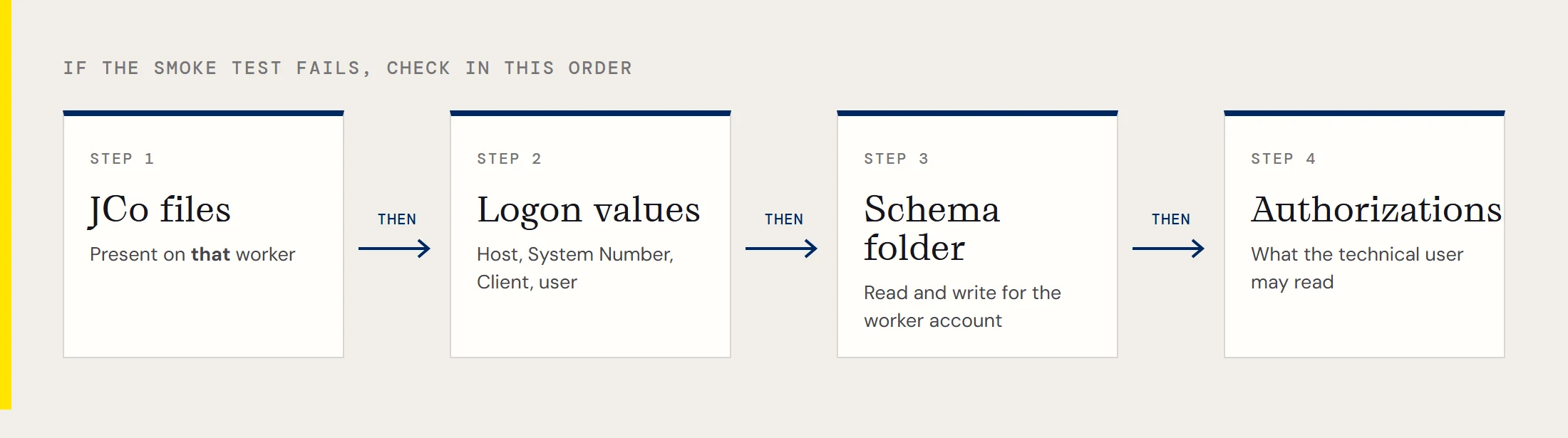
If the task fails, check in this order: JCo files present on that worker, then logon values, then the schema folder permissions, then SAP-side authorizations for the table. A missing authorization showing up as an error is the usual SAP behaviour, but ask your Basis contact what the technical user is allowed to read.
Notes that age with the driver
Recent driver release notes include a few SAP items worth knowing about when you pin versions. A ClearJCoCacheOnClose property controls whether the JCo repository cache is cleared when a connection closes, and it defaults to False. A JCOSerializationFormat property exists for the JCo connection type and addresses I/O errors caused by invalid data. The BatchSize property was removed. If your SAP ABAP release is 750 or 751, CData also published a Z_CUSTOM_READ_TABLE_750 script for reading tables through a custom function; the custom read table entry explains when it applies.
Ready to run the smoke test? Download the CData JDBC Driver for SAP and start a free trial.
Ready to get started?
Download a free trial of the SAP ERP Driver to get started:
Download NowLearn more:
 SAP ERP JDBC Driver
Straightforward SAP ERP integration. Now accessing SAP RFC's from any JDBC client is as easy as querying a database.