






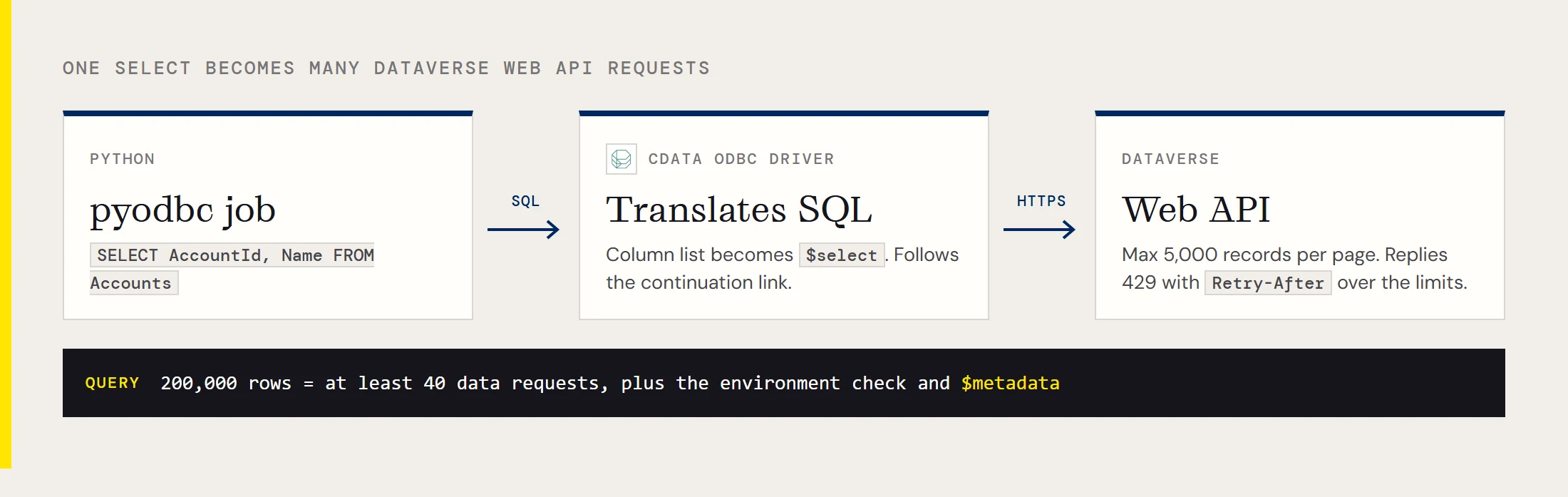
When a Python job reads Dataverse through ODBC and runs slowly, the cause is rarely the Python. The CData ODBC Driver for Microsoft Dataverse turns each SQL statement into calls to the Dataverse Web API, so how fast the job runs depends on how many calls it makes and how Dataverse feels about them. This guide covers setup briefly, then moves on to measuring and reducing that traffic.
A baseline connection to measure against
Install unixODBC and the driver on the Linux host (dpkg -i or rpm -i as root), edit cdata.odbc.cds.ini in /opt/cdata/cdata-odbc-driver-for-cds/lib so it contains DriverManagerEncoding = UTF-16 under [Driver], and run pip install pyodbc. Then define the data source in /etc/odbc.ini or $HOME/.odbc.ini:
[CData CDS Source]
Driver = CData ODBC Driver for Microsoft Dataverse
Description = My Description
OrganizationUrl = https://myaccount.crm.dynamics.com/
InitiateOAuth = GETANDREFRESH
OrganizationUrl is the environment you connect to, and InitiateOAuth set to GETANDREFRESH lets the driver refresh the token instead of repeating the OAuth exchange. Add Tenant only if you authenticate to a tenant other than your default. The first connection opens the Dataverse OAuth page in a browser, so on a headless server complete that step on a machine with a browser or ask your Dataverse admin which non-interactive sign-in options your environment allows. CData's overview lists Microsoft Entra ID, managed identity and service principal with a secret or certificate among the supported authentication methods.
Time one query and count what it returns
Start with a measurement so you can tell whether a change helps:
import time
import pyodbc
cnxn = pyodbc.connect('DSN=CData CDS Source')
cursor = cnxn.cursor()
start = time.perf_counter()
cursor.execute("SELECT AccountId, Name FROM Accounts")
rows = cursor.fetchall()
elapsed = time.perf_counter() - start
print(len(rows), "rows in", round(elapsed, 1), "seconds")
Run it a few times, because the first call in a session can include extra work. CData's testing of the driver with an HTTP capture proxy showed that even SELECT accountid, Name FROM Accounts produced several Web API requests: one to validate the environment URL, one to fetch $metadata for the schema cache, and then the data request itself with $select=accountid,name. The metadata call doesn't repeat once the schema is cached. A script that opens a fresh connection for every small query pays that overhead each time, while one long-lived connection pays it once.
Why the numbers add up quickly
Dataverse returns at most 5,000 records per page for reads, and the driver follows the continuation link until it has everything. A table with 200,000 rows therefore means at least 40 data requests for a single SELECT. Dataverse also enforces service protection limits on a five-minute sliding window: roughly 6,000 requests per user per web server, 20 minutes of combined execution time, and a cap on concurrent requests, typically 52 or more. Breaking a limit returns HTTP 429 with a Retry-After header, and the driver honors that header and retries after the wait. A job that hits 429 slows down instead of failing, which is easy to mistake for a slow network. Separately, each licensed user has a daily request allocation, and non-interactive application users draw from a shared tenant pool. CData's article on Dataverse API limits has the current figures from Microsoft.
Changes that reduce requests
Apply these in order, measuring after each.
- Name columns instead of using SELECT *. The driver translates your column list into $select, so a narrow list asks Dataverse for less.
- Filter in the SQL WHERE clause, not in pandas or a Python loop, using a parameter for the value: WHERE Name = ?. Fewer rows means fewer pages.
- Reuse one connection for the life of the job, as described above, so the environment check and metadata work happen once.
- Stream large results with fetchmany(5000) in a loop instead of fetchall(), so memory stays flat while the driver pages.
- Cache reference data that rarely changes, such as lookup tables, in your own process or enable caching in the driver. CData's guidance says caching can sharply reduce Dataverse reads for repeated queries.
- Keep throughput steady. Microsoft recommends raising request rates gradually, and bursts are what trigger throttling.
cursor.execute("SELECT AccountId, Name FROM Accounts WHERE Name = ?", 'MyAccount')
while True:
    batch = cursor.fetchmany(5000)
    if not batch:
        break
    for row in batch:
        print(row.AccountId, row.Name)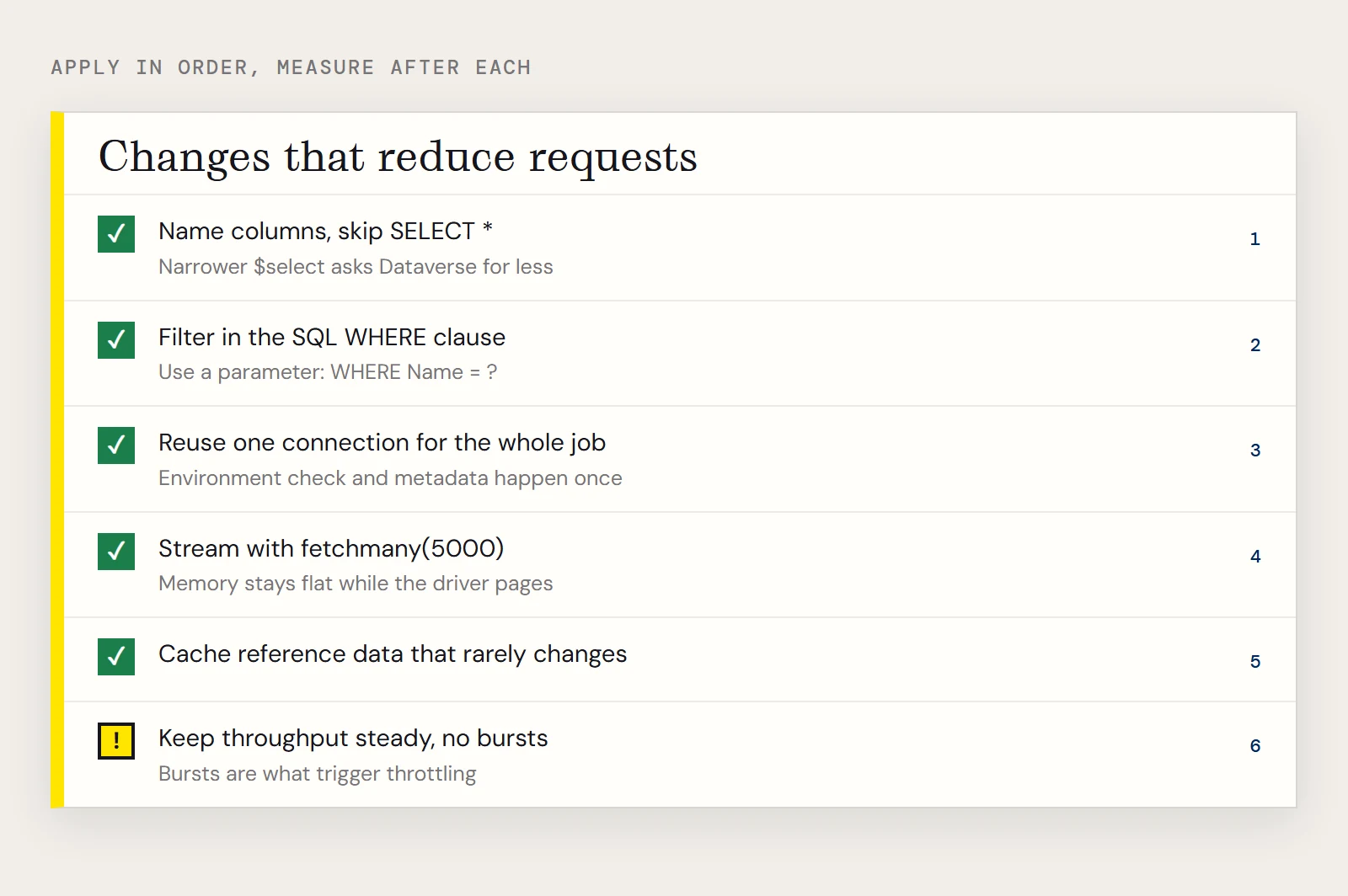
Check the server's view
To see tenant-level consumption, the Power Platform Admin Center shows API call statistics under Manage, then Dataverse. For per-user detail, the Web API response headers x-ms-ratelimit-burst-remaining-requests and x-ms-ratelimit-time-remaining-requests report how much of the five-minute window remains. CData captured them by routing the driver through Fiddler using the ProxyAutoDetect, ProxyServer and ProxyPort properties. That's a good way to confirm a change really cut the call count.
When live queries are the wrong tool
Reporting jobs that read the same large tables every night use up request allocation on data that barely changed. CData's guidance for that case is to replicate Dataverse into a database or warehouse with CData Sync and let analytics read the copy, keeping live Python queries for the narrow lookups that need current data.
Want to try it on your own system? Download a free trial of the ODBC Driver for Microsoft Dataverse and run these snippets today.
Ready to get started?
Download a free trial of the Microsoft Dataverse ODBC Driver to get started:
Download NowLearn more:
 Microsoft Dataverse ODBC Driver
The Microsoft Dataverse ODBC Driver is a powerful tool that allows you to connect with live data from Microsoft Dataverse, directly from any applications that support ODBC connectivity.
Access Microsoft Dataverse data like you would a database - read, write, and update Microsoft Dataverse Accounts, Entities, etc. through a standard ODBC Driver interface.