






Reading Jira from a PowerShell script brings up the same few questions:
How do I read Jira issues in PowerShell?
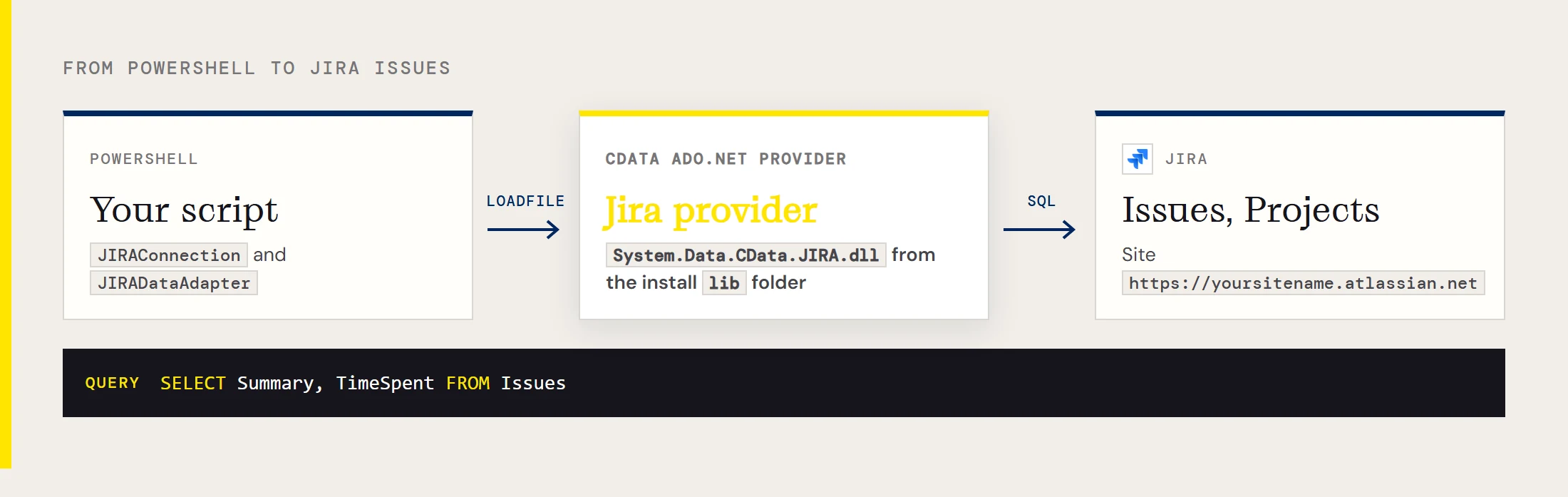
Load the provider's assembly, open a JIRAConnection, and fill a DataTable from a SQL query. With the CData ADO.NET Provider for Jira installed, it looks like this:
[Reflection.Assembly]::LoadFile("C:\Program Files\CData\CData ADO.NET Provider for Jira\lib\System.Data.CData.JIRA.dll")
$conn = New-Object System.Data.CData.JIRA.JIRAConnection("User=admin;Password=123abc;Url=https://yoursitename.atlassian.net;")
$conn.Open()
$sql = "SELECT Summary, TimeSpent FROM Issues"
$da  = New-Object System.Data.CData.JIRA.JIRADataAdapter($sql, $conn)
$dt  = New-Object System.Data.DataTable
[void]$da.Fill($dt)
$dt.Rows | foreach { Write-Host $_.summary $_.timespent }
Watch the capitalization: the classes are JIRAConnection and JIRADataAdapter, and the assembly is System.Data.CData.JIRA.dll.
Where is the provider installed, and why won't the assembly load?
The default folder is C:\Program Files\CData\CData ADO.NET Provider for Jira\lib. If PowerShell reports that it could not load the file or assembly System.Data.CData.JIRA, the path in your LoadFile call doesn't match the machine, so open that lib folder and copy the real path.
What credentials does the connection need?
A User, a Password and your site's Url, such as https://yoursitename.atlassian.net. You can swap the password for an APIToken:
User=admin;APIToken=your-token;Url=https://yoursitename.atlassian.net;CData's overview also lists OAuth, personal access tokens, Crowd or Okta SSO and LDAP for organizations that need them.
Which tables and columns can I query?
The examples use Issues with Summary, TimeSpent, ReporterDisplayName and ProjectId, and Projects with Id and LeadName. The driver also exposes groups and workflows. For the full list of tables and their columns, check the driver's documentation.
How do I filter issues by reporter?
Add the condition to the WHERE clause, the same way you would in any SQL database:
SELECT Summary, TimeSpent FROM Issues WHERE ReporterDisplayName = 'Bob'Can I join issues to projects?
Yes, in one statement. This lists each issue next to its project's lead:
SELECT Projects.LeadName, Issues.Summary
FROM Projects, Issues
WHERE Projects.Id = Issues.ProjectId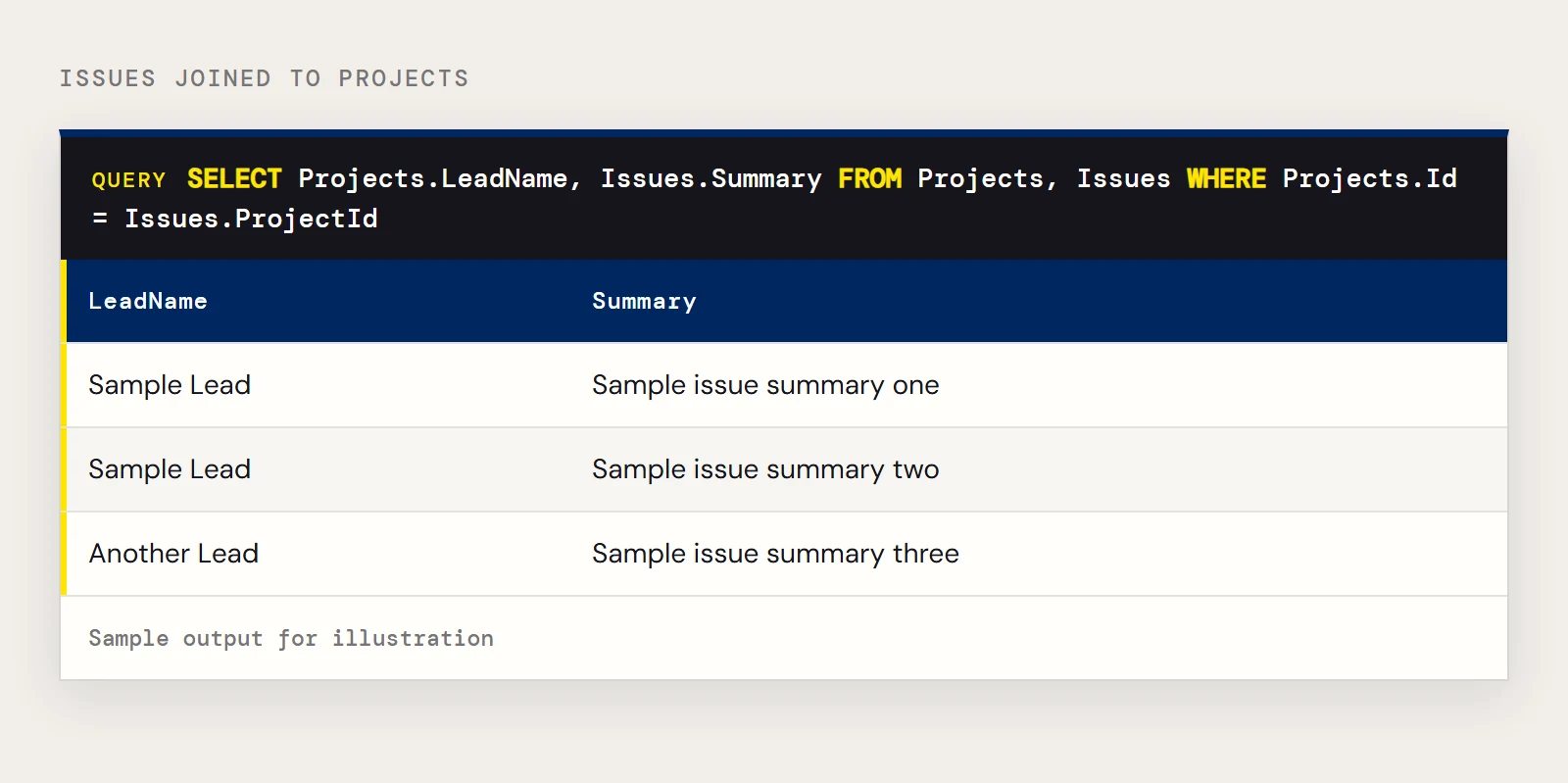
Why is TimeSpent empty?
Probably because no time was logged on those issues. If you expect values, check whether time tracking is enabled in Jira, since that is a Jira setting and not something the provider controls.
Can I update or close issues from PowerShell?
The walkthrough for this provider reads data only. For actions, the driver exposes SQL stored procedures for things like changing an issue's status, creating custom fields and uploading or downloading attachments. Check the driver's help for the procedure names and parameters.
Can I run this on a schedule?
Yes, since it's a plain PowerShell script. Keep the credentials in a place the scheduled account can read, such as environment variables, instead of in the file, and run the script from Windows Task Scheduler with powershell.exe -NoProfile -File. Prefer an API token over a password so you can revoke it without changing the account.
Can I save the results to a file?
Yes. The DataTable pipes into the usual cmdlets, so $dt | Select-Object Summary, TimeSpent | Export-Csv issues.csv -NoTypeInformation writes a CSV.
Want to try these queries on your own Jira site? Download a free trial of the ADO.NET Provider for Jira.
Ready to get started?
Download a free trial of the Jira Data Provider to get started:
Download NowLearn more:
 Jira ADO.NET Provider
Rapidly create and deploy powerful .NET applications that integrate with Jira data including Projects, Groups, Workflows, and more!