






Airflow can get ServiceNow data several ways, and the right one depends more on your pipeline than on ServiceNow. If a DAG needs a few fields from a table once a day, a plain HTTP task may be enough. If the people writing the DAGs think in SQL, or the same tables feed several jobs, the trade-offs shift.
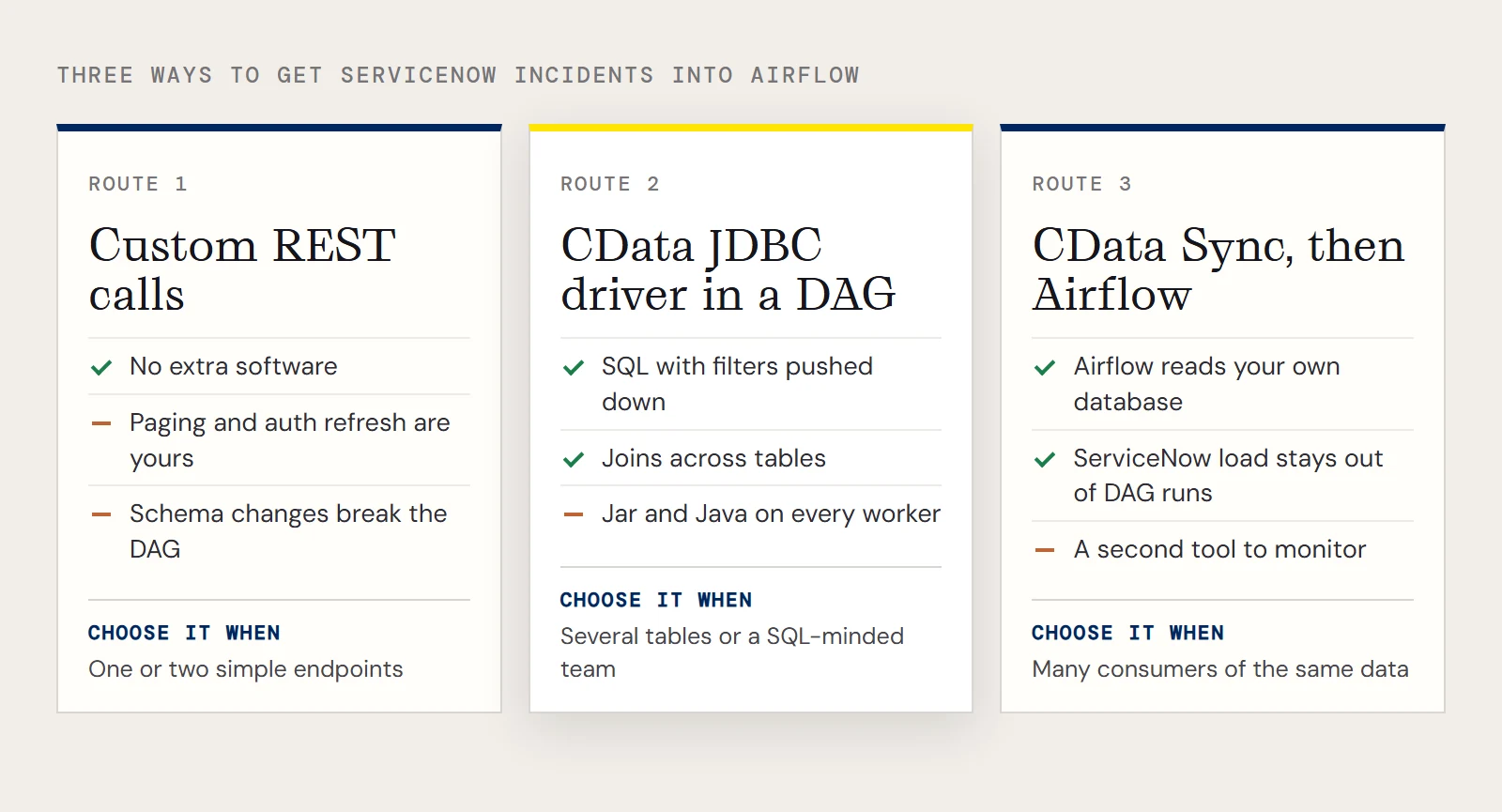
JDBC, REST or Sync: how they differ
| Custom REST calls | CData JDBC driver in a DAG | CData Sync, then Airflow | |
|---|---|---|---|
| How it works | Your code calls the ServiceNow REST API (for example with Airflow's HTTP tooling) and handles paging and field mapping | JdbcHook runs SQL against a driver that talks to ServiceNow and returns a DataFrame | Sync replicates ServiceNow tables into a database or warehouse on its own schedule; DAGs read from there |
| Query language | Whatever you write in Python | SQL, with supported filters pushed to ServiceNow and the rest handled by the driver | SQL against your own database |
| Moving parts in Airflow | Code you maintain | A provider package, a jar on each worker, a connection | A database connection only |
| Best when | One or two simple endpoints | Several tables, joins, or SQL-minded teams | Many consumers, or you want ServiceNow load kept out of your DAG runs |
| Watch for | Pagination, auth refresh and schema changes are yours to handle | Jar and Java setup on workers; OAuth setup | A second tool to run and monitor |
None of these is wrong. Direct REST calls cost nothing extra and make sense for a narrow need. The JDBC route pays off once a second table or a join appears, and CData Sync fits when several jobs read the same data. The rest of this page covers the JDBC option.
Authenticate with the CData JDBC driver
The CData JDBC Driver for ServiceNow uses OAuth 2.0. You register an OAuth app in ServiceNow to get an OAuthClientId and OAuthClientSecret, then supply a Username and Password as well. The vendor example looks like this, with a placeholder instance host:
jdbc:servicenow:RTK=5246...;OAuthClientId=MyOAuthClientId;OAuthClientSecret=MyOAuthClientSecret;Username=MyUsername;Password=MyPassword;URL=https://myinstance12345.service-now.com;InitiateOAuth=GETANDREFRESH;The class is cdata.jdbc.servicenow.ServiceNowDriver. Two changes in recent driver releases matter if you copy older text. The Instance property mentioned in earlier instructions was removed, so the instance goes in URL. And AuthScheme=Auto is no longer supported; the driver throws if you set it. The same notes add an AzureAD option for AuthScheme. For a quick test without OAuth, CData's connection templates include a Basic form with AuthScheme=Basic, User, Password, URL and InitiateOAuth=OFF. In Airflow, add a JDBC Connection under Admin > Connections with the URL, the class and the jar path. Newer provider releases put the URL in Host and the driver settings in Extra behind two provider settings, so match the form you see.
A DAG that reads incidents
The example table in CData's data is incident, with sys_id and priority columns and a category column to filter on.
from datetime import datetime
from airflow.decorators import dag, task
from airflow.providers.jdbc.hooks.jdbc import JdbcHook
@dag(dag_id="servicenow_incidents", schedule="@hourly", start_date=datetime(2026, 11, 1), catchup=False)
def servicenow_incidents():
    @task()
    def pull():
        hook = JdbcHook(jdbc_conn_id="servicenow_jdbc")
        df = hook.get_pandas_df("SELECT sys_id, priority FROM incident WHERE category = 'request'")
        df.to_csv("/tmp/incidents.csv", index=False)
        return len(df)
    pull()
servicenow_incidents()
Let exceptions propagate. The vendor's sample catches and prints them, which leaves a green task and no output.
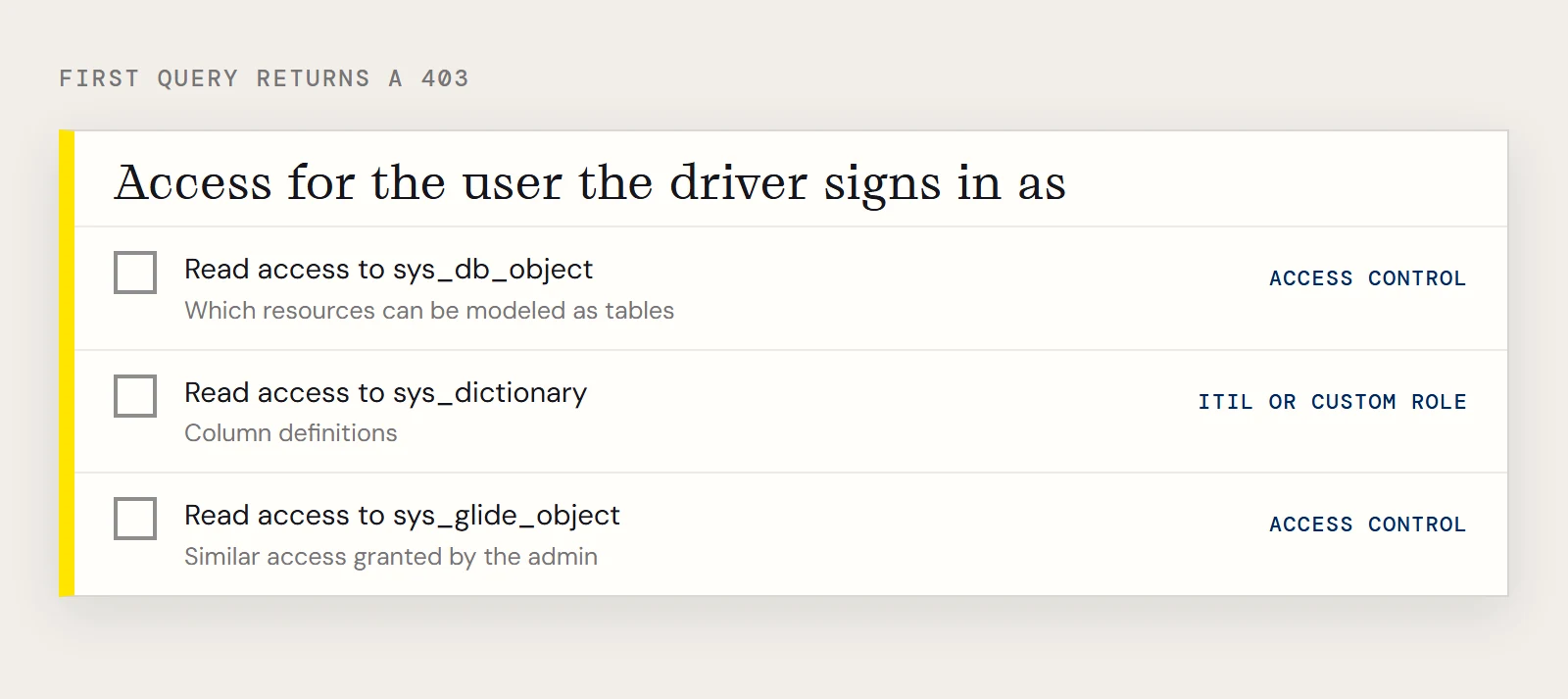
If the first query returns a 403
On first use the driver reads ServiceNow's metadata, and a user without the right access gets a 403 Forbidden from the REST API. CData's guide names three tables involved: sys_db_object (which resources can be modeled as tables), sys_dictionary (column definitions) and sys_glide_object. The admin typically needs read access to sys_db_object through an access control and the itil role, the personalize_dictionary role or a custom read-only role for sys_dictionary, and similar access for sys_glide_object, all granted to the user the driver signs in as.
If you want to try the JDBC route, you can download the CData JDBC Driver for ServiceNow with a free trial.
Ready to get started?
Download a free trial of the ServiceNow Driver to get started:
Download NowLearn more:
 ServiceNow JDBC Driver
Rapidly create and deploy powerful Java applications that integrate with ServiceNow data including Schedules, Timelines, Questions, Syslogs, and more!