






If your Spring Boot service needs to read a SharePoint list, you have more than one way to do it, and the right one depends on how much of SharePoint's plumbing you want to own. This guide compares the three common options and then goes through the JDBC route in detail.
Three ways to read a SharePoint list from Spring Boot
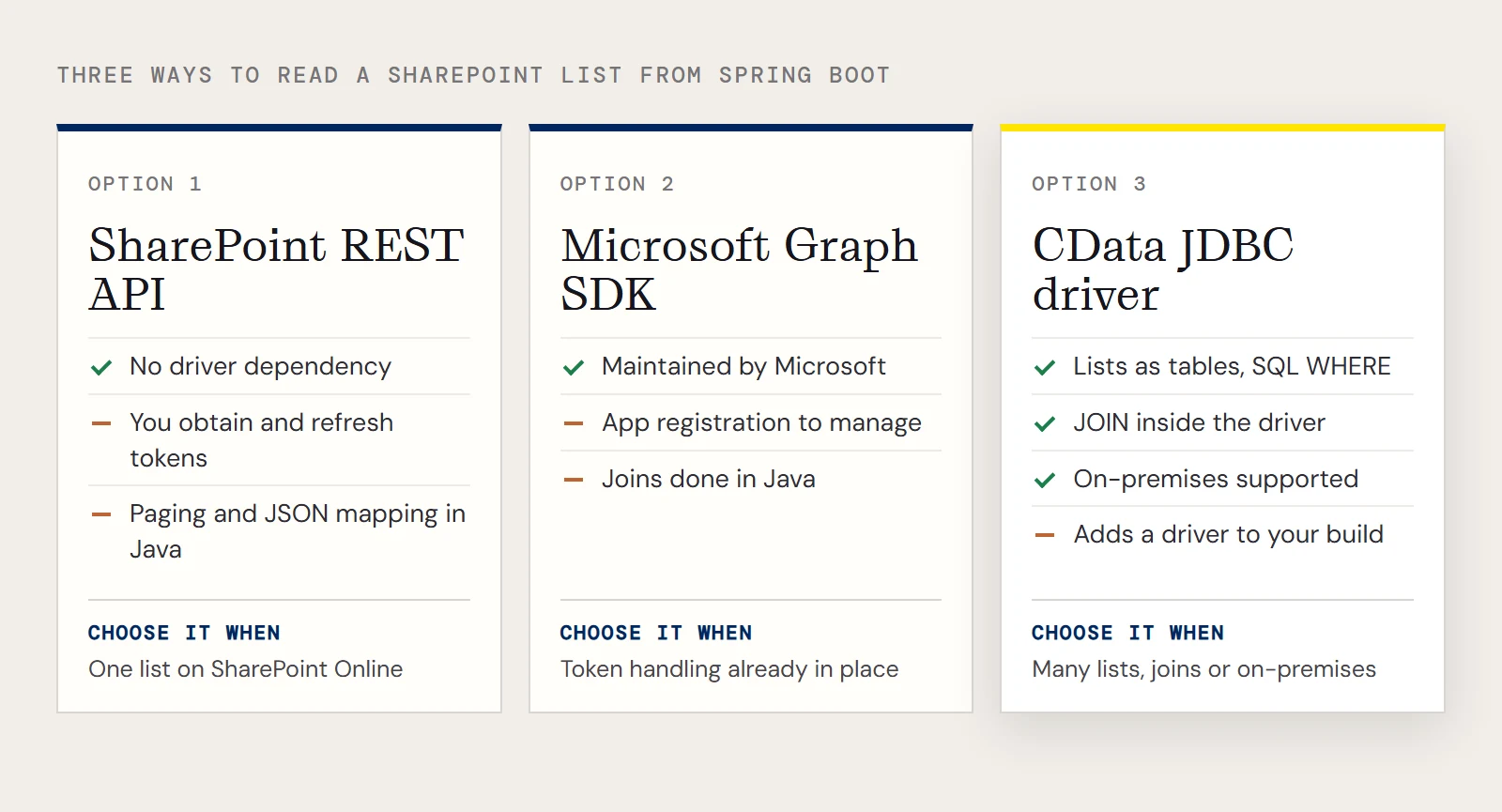
| SharePoint REST API | Microsoft Graph SDK | CData JDBC driver | |
|---|---|---|---|
| How you call it | HTTP requests with RestTemplate or WebClient | Microsoft's Java SDK | SQL through JdbcTemplate |
| Authentication | You obtain and refresh tokens yourself | You register an app and manage its credentials | Connection properties on the JDBC URL |
| Filtering | OData-style query options in the URL | Query options on the request | A WHERE clause |
| Joining lists with other data | Do it in Java | Do it in Java | JOIN in SQL, within the driver |
| On-premises SharePoint | Available on the server you host | Aimed at SharePoint Online | Supported, with NTLM or other on-premises credentials |
| Code you write | Request building, paging and JSON mapping | Request building and model handling | A query and a row mapper |
The first two are built and maintained by Microsoft, cost nothing extra and work fine for a service that reads one list from SharePoint Online and already has token handling in place. They get more laborious as the number of lists grows, since every list has its own fields to map and every call has its own paging to handle. The JDBC route fits when you want to treat lists as tables, join them to each other or to other data, or reach an on-premises server. It also adds a driver dependency to your build, which the other two don't. The details of Microsoft's two options are general knowledge, so confirm them against Microsoft's documentation for your version.
What the CData driver exposes
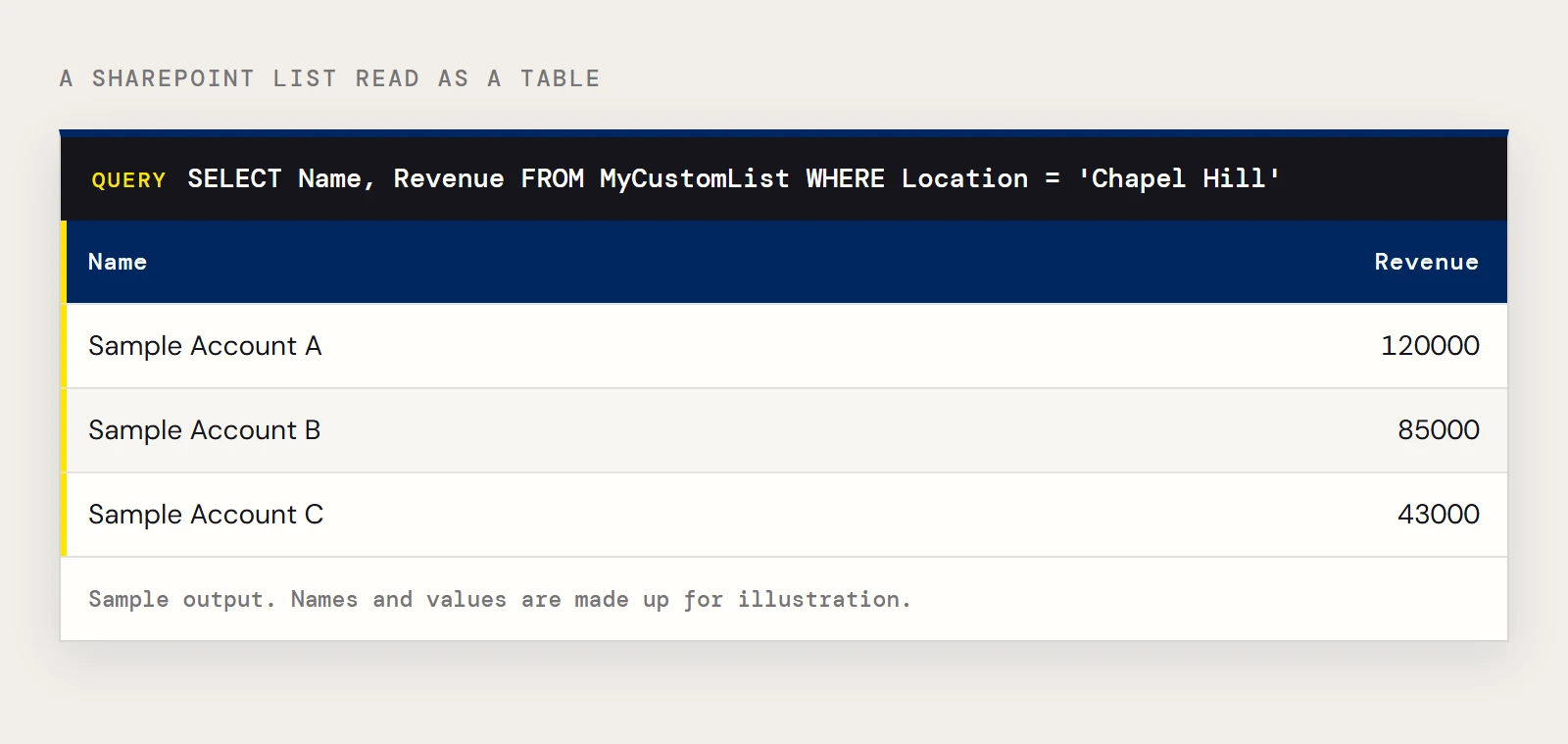
The CData JDBC Driver for SharePoint models SharePoint lists, including custom lists, as tables you can read and write. It works with SharePoint Online and with on-premises versions that support the SOAP API, back to Windows SharePoint Services 3.0 and SharePoint Server 2007. It also handles hidden and lookup columns, and it exposes entities such as Users and Documents as tables. A list called MyCustomList with a Name column, a Revenue column and a Location column becomes this query:
SELECT Name, Revenue
FROM MyCustomList
WHERE Location = ?
Configure the connection
Install the driver jar into Maven (group org.cdata.connectors, artifact cdata-sharepoint-connector), then set the datasource. Point URL at the base site or at a sub-site, and the driver exposes the lists defined there. For SharePoint on-premises, User and Password must be valid SharePoint credentials.
spring.datasource.driver-class-name=cdata.jdbc.sharepoint.SharePointDriver
spring.datasource.url=jdbc:sharepoint:User=myuseraccount;Password=mypassword;AuthScheme=NTLM;URL=http://sharepointserver/mysite;SharePointEdition=SharePointOnPremise;
For SharePoint Online, set SharePointEdition to SHAREPOINTONLINE along with the user credentials. If your organization signs in through Okta, the connection takes UseSSO=True and SSODomain in addition to the user, password and URL. The product page lists several other schemes, including Azure AD, ADFS, OAuth and NTLM, and the Getting Started chapter of the driver help covers each one. You can also run java -jar cdata.jdbc.sharepoint.jar to open the connection string designer.
Query a list from a Spring service
Use a NamedParameterJdbcTemplate if you like named parameters, or the plain JdbcTemplate with a ?. A small service looks like this:
@Service
public class AccountLookup {
    private final JdbcTemplate jdbc;
    public AccountLookup(JdbcTemplate jdbc) {
        this.jdbc = jdbc;
    }
    public List<Map<String, Object>> byLocation(String location) {
        return jdbc.queryForList(
            "SELECT Name, Revenue FROM MyCustomList WHERE Location = ?", location);
    }
}
Call byLocation("Chapel Hill") from a controller or a scheduled job. Because the driver pushes supported filters to SharePoint and runs the rest of the SQL itself, the same WHERE and JOIN habits you use against any database carry over.
If the SharePoint datasource won't start
- If no lists appear, check URL. It must be the base site or the sub-site that contains the list.
- If sign-in fails against SharePoint Online, confirm SharePointEdition is SHAREPOINTONLINE and that the credentials match that edition.
- If the app can't find the driver class, check that the jar was installed to Maven with the same artifact id and version that pom.xml uses.
Ready to get started?
Download a free trial of the SharePoint Driver to get started:
Download NowLearn more:
 SharePoint JDBC Driver
Provides Java developers with the power to easily connect their Web, Desktop, and Mobile applications to data in SharePoint Server Lists, Contacts, Calendar, Links, Tasks, and more!