






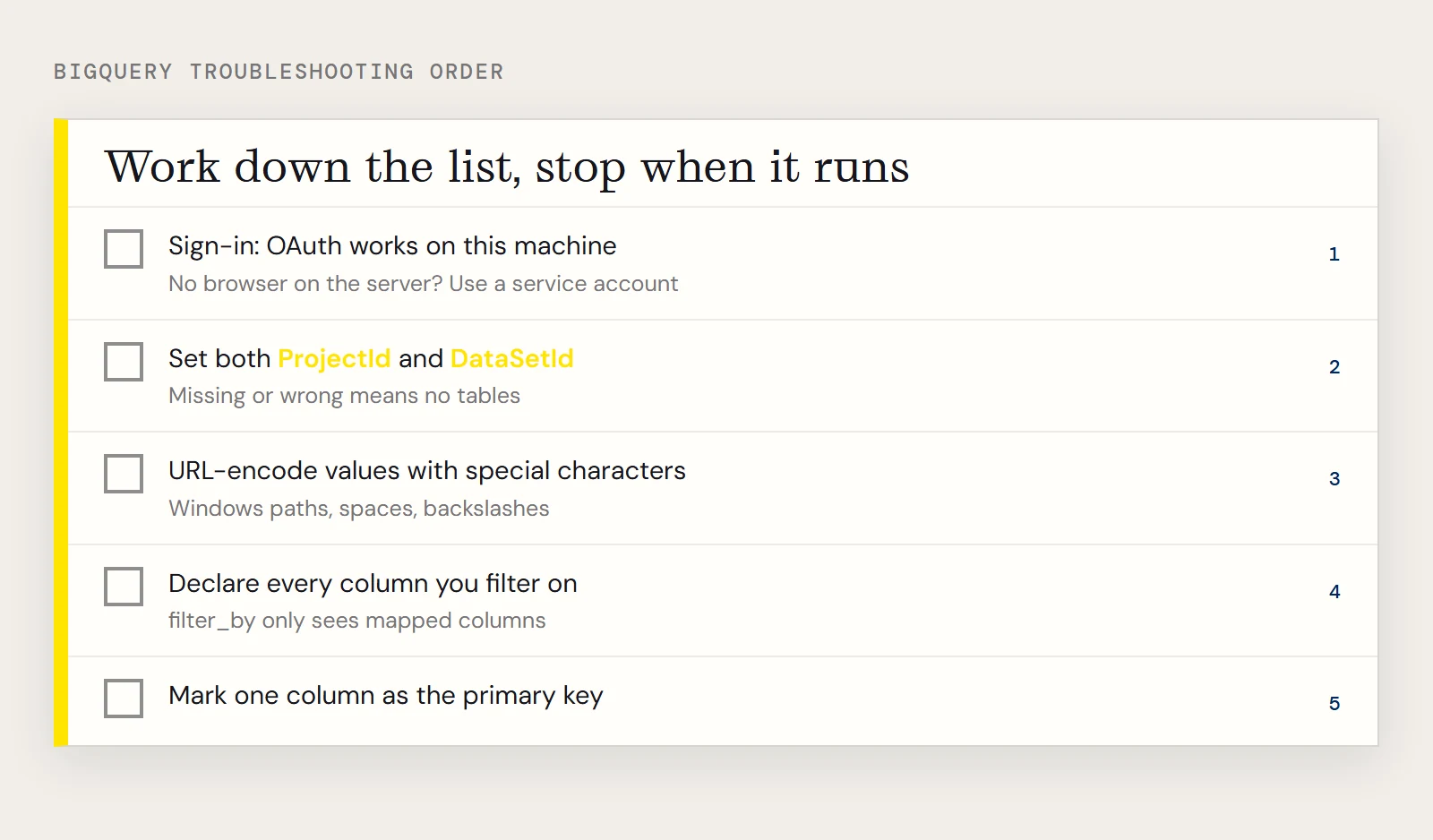
When a SQLAlchemy script that is supposed to read BigQuery fails, the cause is almost always one of five things, and they show up in a predictable order: sign-in first, then which project and dataset, then the connection URL, then your mapped class. Work down the list and stop when the script runs.
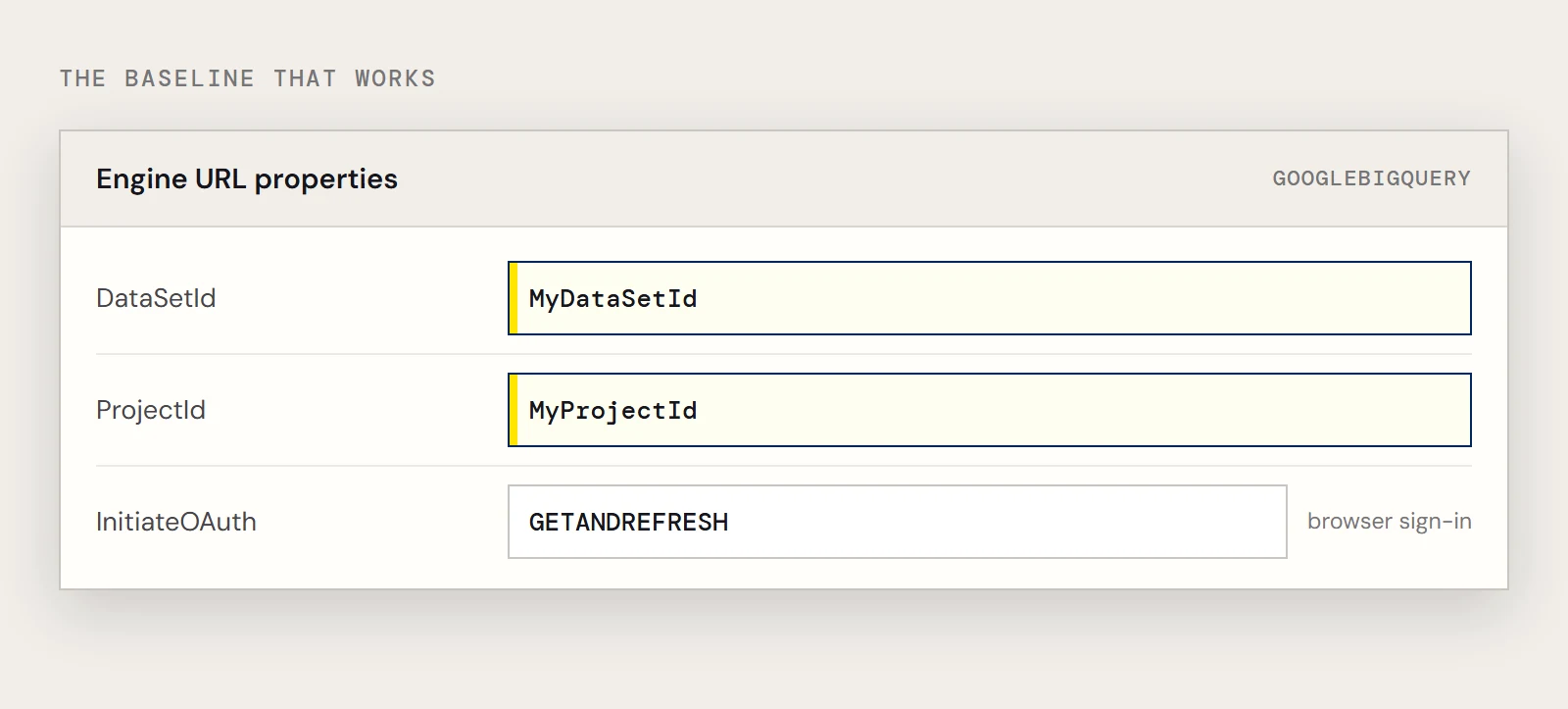
This guide is for the CData Python Connector for BigQuery, whose SQLAlchemy dialect name is googlebigquery. The working baseline is at the end, so you can compare it with what you have.
The script stalls or fails before any query runs
Authentication is the likely culprit. BigQuery access goes through Google's OAuth standard, and the example engine string asks the connector to handle it with InitiateOAuth=GETANDREFRESH. That kind of flow normally ends in a browser sign-in, which is fine on a laptop and a dead end on a server with no browser. You have two ways out. For a service account, register an application to obtain the OAuth JWT values and use those instead of a user sign-in. If you would rather keep user credentials, complete the sign-in once on a machine that has a browser and let the unattended machine reuse the saved settings. CData's BigQuery connection string for its JDBC driver does this with InitiateOAuth=REFRESH and OAuthSettingsLocation, so those are the properties to look up in the Python connector's help. Either way, the connector can use its embedded OAuth credentials or an OAuth app you register yourself.
You connect, but no tables appear
Set both ProjectId and DataSetId in addition to the OAuth values. Without them the connector has no idea which project's dataset to expose, so an empty or surprising table list usually means one of the two is missing, misspelled, or pointing at the wrong project.
googlebigquery:///?DataSetId=MyDataSetId&ProjectId=MyProjectId&InitiateOAuth=GETANDREFRESHThe URL looks right but behaves oddly
The engine string is a URL, so properties are separated with &, and any value with special characters has to be URL-encoded. SQLAlchemy's own documentation says as much. A settings path on Windows is a typical offender, since backslashes and spaces both need care.
from urllib.parse import quote_plus
settings = quote_plus(r"C:\keys\bigquery oauth.txt")
url = f"googlebigquery:///?DataSetId=MyDataSetId&ProjectId=MyProjectId&InitiateOAuth=REFRESH&OAuthSettingsLocation={settings}"
SQLAlchemy complains about a column or the primary key
Two different mapping errors get confused with connection errors. If filter_by(ShipCity="New York") fails, the class you mapped has no ShipCity attribute, because filter_by only sees columns you declared. If the mapper refuses to build the class at all, no column is marked as a primary key, and SQLAlchemy requires one. For the Orders table in CData's example data, a class that satisfies both looks like this:
from sqlalchemy import create_engine, String, Column
from sqlalchemy.ext.declarative import declarative_base
from sqlalchemy.orm import sessionmaker
base = declarative_base()
class Orders(base):
    __tablename__ = "Orders"
    OrderName = Column(String, primary_key=True)
    Freight = Column(String)
    ShipCity = Column(String)
A column that is not actually unique makes a poor primary key for real work, so pick the table's true identifier when you know it.
The query runs but returns far more than you wanted
This is a query problem, so the connection is fine. Map only the columns you need, query those columns instead of the whole object, and filter with filter_by so the condition is part of the statement. The connector sends supported filters to BigQuery and handles the remaining operations itself, so a narrow query gives it less to do on either side.
The BigQuery setup that works
With the class above and a successful sign-in, this should print rows:
engine = create_engine("googlebigquery:///?DataSetId=MyDataSetId&ProjectId=MyProjectId&InitiateOAuth=GETANDREFRESH")
session = sessionmaker(bind=engine)()
for order in session.query(Orders).filter_by(ShipCity="New York"):
    print(order.OrderName, order.Freight)
If it does, the connection is fine, and anything left to fix is in the query itself. If it does not, go back to the first heading and recheck the sign-in method for the machine the script actually runs on.
If you do not have the connector yet, you can download the CData Python Connector for BigQuery and try it free.
Ready to get started?
Download a Community License of the Google BigQuery Connector to get started:
Download NowLearn more:
 Google BigQuery Python Connector
Python Connector Libraries for BigQuery Data Connectivity. Integrate BigQuery with popular Python tools like Pandas, SQLAlchemy, Dash & petl.