At FabCon Europe most attendees are in the same position when it comes to their AI Agents: business definitions and cross-system relationships sit in Power BI semantic models, essential data an agent needs lives in systems outside their Fabric ecosystem, and the context that explains what the numbers mean sits in documents or people’s heads across the org. That context living outside of the Fabric and Microsoft ecosystem needs a way to centralize, so that agents don't answer differently depending on where and how they have access to it.
The CData Connect AI Gateway, which was released the same week as FabCon Europe, works alongside Fabric and Power BI to address these problems from one access point by grounding every request in company context and governing every prompt down to the record. CData had the opportunity to demo part of the release on stage at FabCon Europe in Barcelona, and we’ll walk through how to build what we showed in this post.
What’s in the Connect AI Gateway release
The Connect AI Gateway sits on top of CData’s connectivity layer, which is hundreds of CData-built, schema-aware connectors, each carrying the data models, relationships, authentication models, and operations of the system it reaches. The release builds on top of this in layers:
LLM Gateway: A centrally managed proxy that routes LLM traffic to external providers through a single unified endpoint. Register your LLM providers, set routing rules, and route all your requests through the Connect AI Gateway.
MCP Gateway. The Model Context Protocol (MCP) Gateway registers all MCP tools behind one governed URL and manages every tool call. Hundreds of CData-built MCP connectors are available, and you can register 3rd-party MCP Servers to be managed under the same platform.
Context Engine. One open, editable context layer combines system context, semantic definitions (import the models you already maintain in tools such as dbt, Snowflake, and Power BI), and company knowledge from how your users work with agents.
Controls and security. Every request is attached to the individual user and their own permissions in each source before anything runs. Role-based and attribute-based access controls set policies on what can be fetched, and everything is recorded for audit.
Virtual Data Layer. Agents get live read and write access to hundreds of sources through one relational interface, including on-premises systems. A single layer joins live data across your systems, caches what needs speed, and shapes it into business views that AI can trust.
How the Context Engine works
One of the harder parts of setting up AI Agents is getting them to understand your data, your systems, and how your business operates. The Context Engine in the Connect AI Gateway keeps everything an agent needs to know in one open graph that any model can read.
The graph holds four kinds of context:
System context: every system's schemas, objects, and relationships, carried by the connectors and known on day one.
Data model: curated live datasets, joins, aggregates, and lineage that span sources, modeled once and virtualized over live data.
Semantic definitions: import the semantic models you already maintain in tools such as Snowflake, dbt, and Power BI, or create official metric definitions and business terminology in an AI-guided process.
Company knowledge: expert judgment and team know-how, imported from documents and captured as people work with agents, then reviewed and approved once into shared context.
Agents retrieve this context with the search_context MCP tool that Connect AI exposes. Ask your agent, "Which accounts are at risk this quarter?" and the search_context tool returns the matching concept, the account health score definition and SQL language, plus the linked sources that the score draws on, such as support tickets and product usage. Before any live data is fetched, the agent understands what is needed, where to get it, and how to fetch it in the most efficient way possible.
The context engine also improves with every use. When a user corrects an agent or a pattern is recognized, the engine links that intent to the query that worked and proposes an update to the context concept that was behind it. Because the graph lives in Connect AI rather than in any one model, you can swap models and every agent keeps what it learned. In CData benchmark conditions, a multi-source query dropped from 22 tool calls to one and from 183,541 tokens to 4,427.
What CData demoed at FabCon Europe
Matthias Korn, Manager of Technical Solutions at CData, presented the demo and started with a Power BI report in Fabric, a common starting point for most attendees at the show. The semantic model that is the backbone of that report can be imported directly into the Context Engine of Connect AI, or you can generate that context from the live connections as Matthias shows in the demo. From there an account health toolkit is built out, a virtual schema governs what data it reaches, and a Copilot Studio agent calls the toolkit.
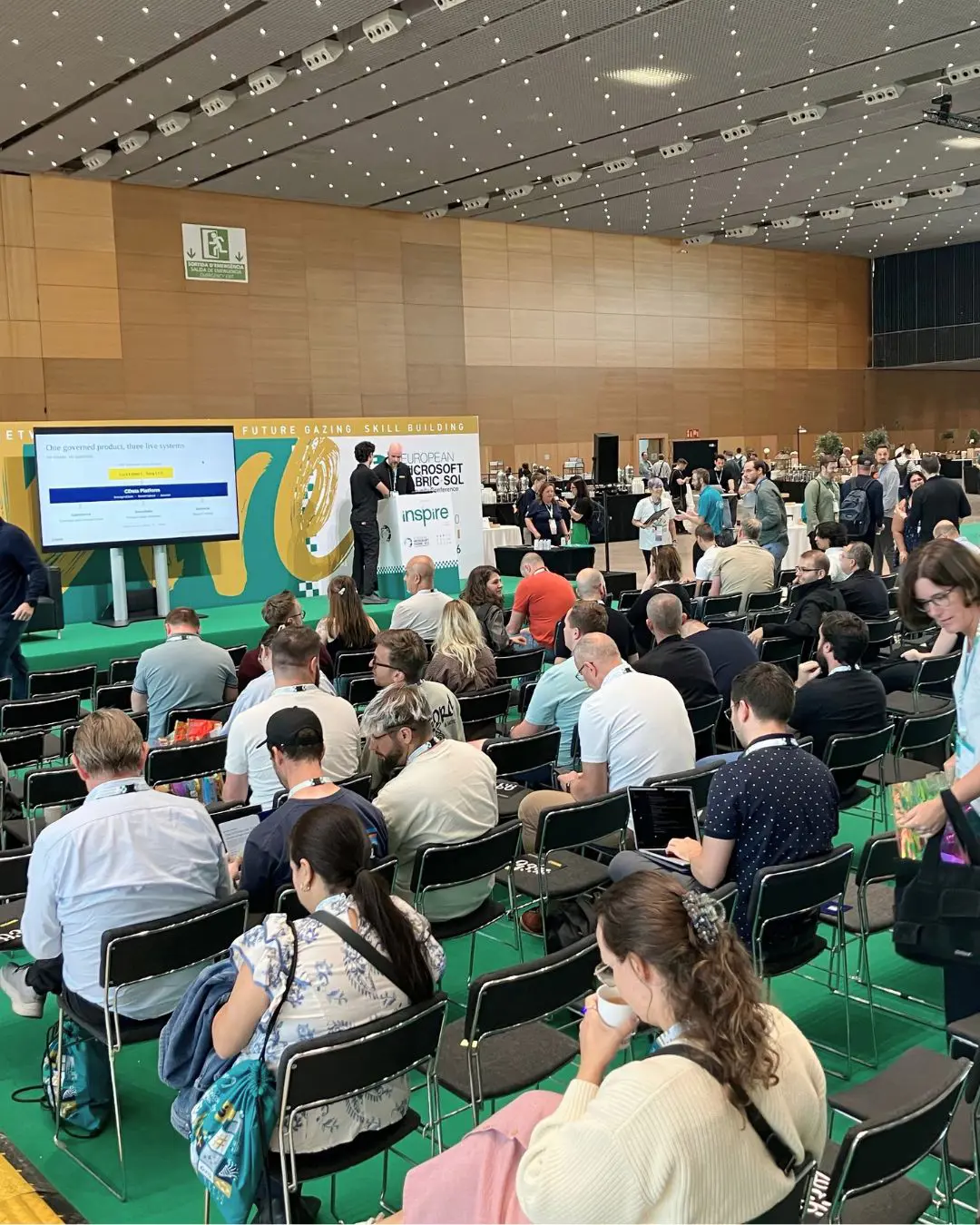
Here’s how you can build the same agent yourself, and you can sign up for the Connect AI Gateway early access program to try it:
Build the account health agent
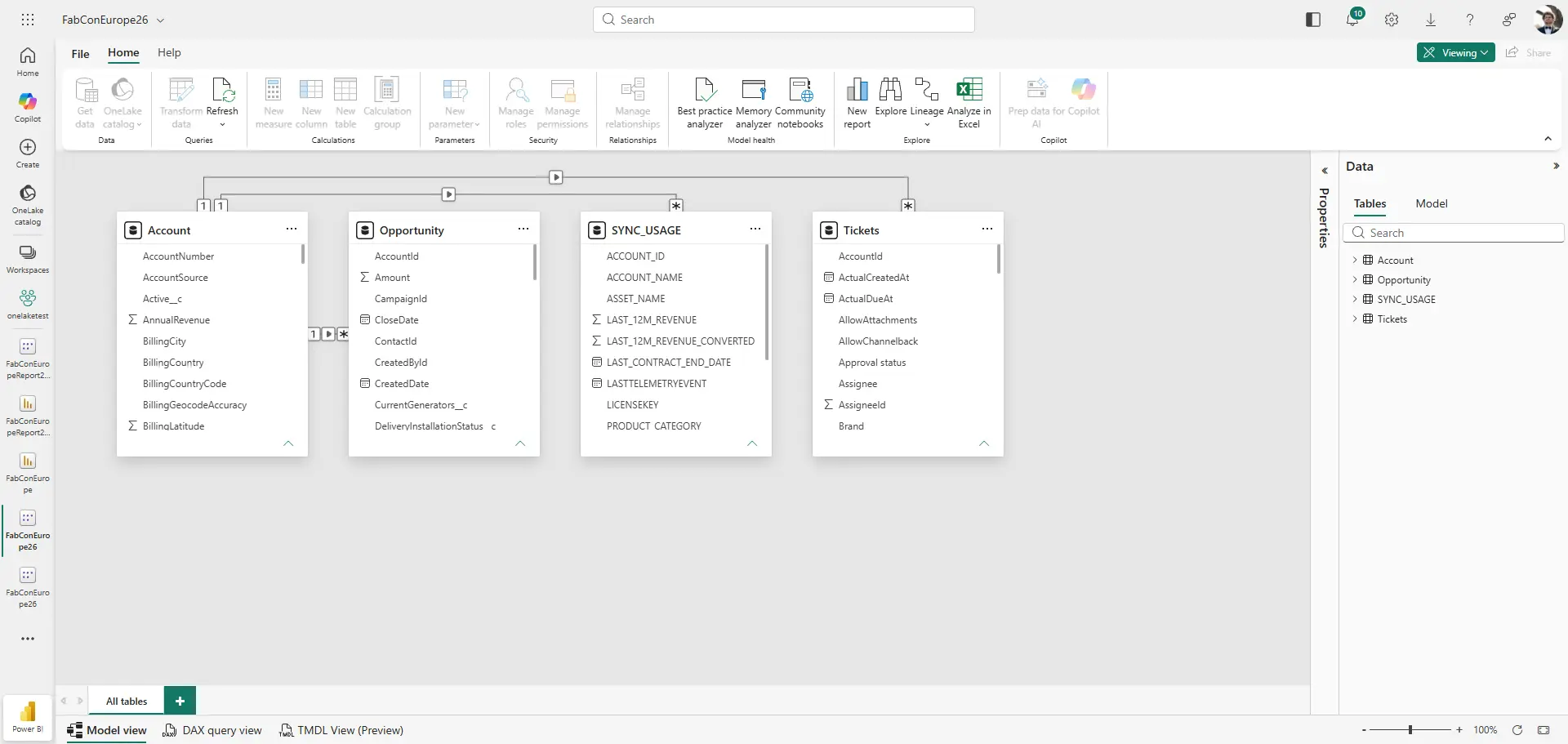
1. Start with what you have. If your team already has a Power BI report on a semantic model, you can export the model in pbix format and ingest it into Connect AI, which reads the definitions inside it:

2. Run the Context Engine. The engine scans the connections and builds the context graph. After completion, you can check that the definitions and relationships match, and you can add global context definitions for how your team talks about accounts:

3. Govern access. Put the connections in their own workspace and grant access only to the people who need it. Connect AI audit and query logs record who made each call, what was queried, when, and what came back:

4. Build the toolkit. Create a custom MCP toolkit scoped to one job, account health. Add a tool that returns an account’s health score and what’s driving it, a few tools that returns current state (open cases, renewal date, last touch), and a write-back tool that creates a Salesforce task for the account rep. The toolkit doesn’t expose every Salesforce object to the model, only what this agent needs:
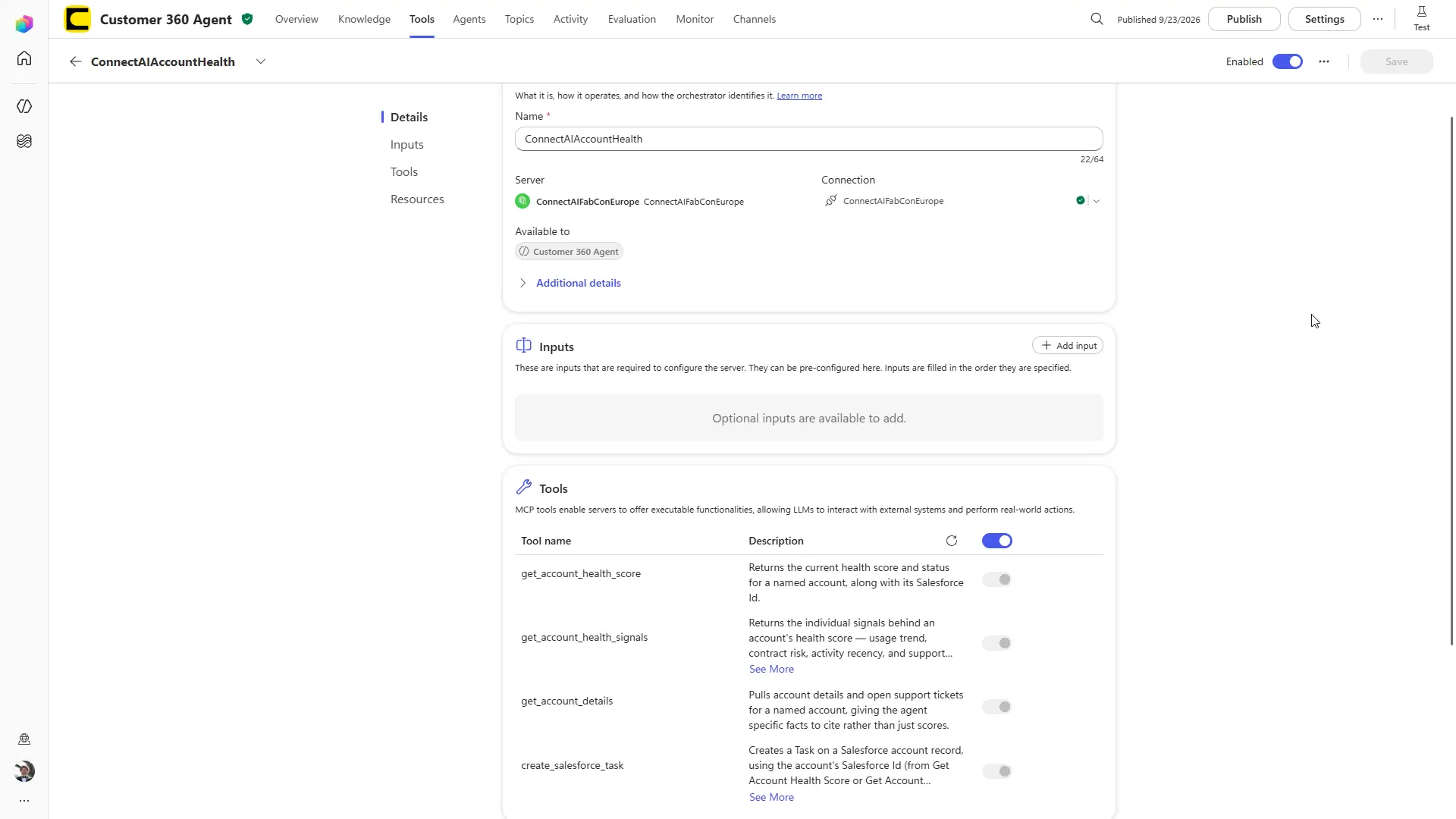
5. Point the agent at the toolkit. In Copilot Studio, create an agent and add the toolkit’s MCP endpoint as a tool for the agent:

6. Test with three asks. Each ask exercises a different part of the path:
Recognition: “What’s Silver State Banking’s current health score and churn risk?” The agent calls the health score tool.
Diagnosis: “Why is Silver State Banking flagged as at risk? What’s happening across support and usage?” The agent pulls open cases, renewal date, and last touch.
Action: “Create a task in Salesforce for the account team to follow up with Silver State Banking this week.” The agent calls the write-back tool and a task lands in Salesforce for the account owner.
Start building context-aware agents with the Connect AI Gateway
The Connect AI Gateway release gives agents live context, scoped tools, and an audit trail without replicating your data first. The early access program for the Connect AI Gateway is open now.
To build your own account health agent, start with CData Connect AI.
Frequently asked questions
What is the CData Connect AI Gateway?
The CData Connect AI Gateway is a single control point between AI tools and enterprise systems. It combines an LLM Gateway, an MCP Gateway, controls and security, a Context Engine, and a Virtual Data Layer, so every request is governed and grounded in company context before it reaches a model. It’s available through an early access program that began September 29, 2026.
What does the Context Engine do?
The Context Engine builds an open graph of business context, with one markdown file per concept holding its schemas, joins, and business logic. It combines system context, semantic definitions, and company knowledge. Agents use the search_context tool to ask what a term means and get back only the context the question needs.
What is an MCP toolkit?
An MCP toolkit bundles a small set of scoped tools behind one MCP endpoint. In the FabCon Europe demo, the account health toolkit gave an agent tools to read account health data and create tasks in Salesforce, without exposing every Salesforce object to the model.
Can I use my existing Power BI semantic model?
Yes. You can export a semantic model from Snowflake, dbt, or in pbix format and ingest it into Connect AI, which reads the definitions inside it. The FabCon Europe demo skipped the export and built context straight from live connections.
How does the Connect AI Gateway keep agent access governed?
Every request resolves to the individual caller and their own permissions in each source before anything runs. Policy covers models, tools, and data through role-based and attribute-based access, workspaces, and when-then rules down to rows and columns, and every prompt, actor, and result is recorded for audit.





