





Claude Compliance ADO.NET Provider
SQL-based Access to Claude Compliance through ADO.NET for your custom .NET applications and SSAS.



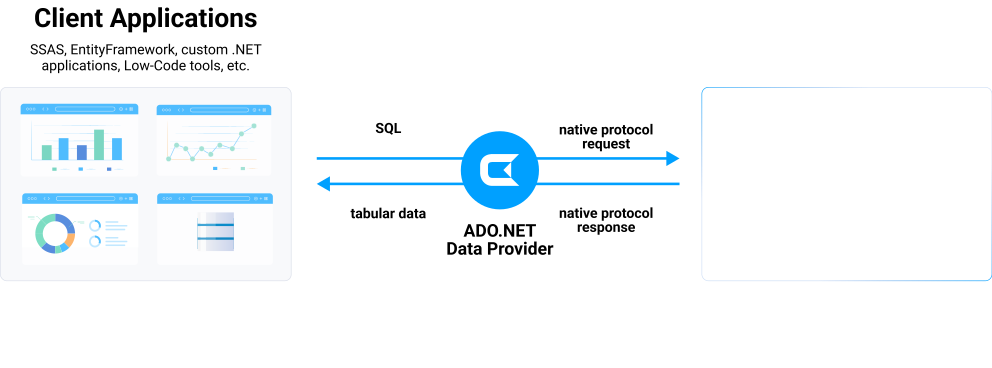
The Claude Compliance ADO.NET Data Provider enables user to easily connect to Claude Compliance data from .NET applications. Rapidly create and deploy powerful .NET applications that integrate with Claude Compliance data including Activities, Chats, ChatMessages, CodeArtifacts, ComplianceRoles, Organizations, OrganizationUsers, Projects, and more!
Start a 30-day free trial today
See what you can do with Claude Compliance ADO.NET provider

Use Claude Compliance from SQL Server Analysis Service (SSAS) multi-dimensional cubes. Keep your analytical data modeling and access to any source including cloud and on-premises.
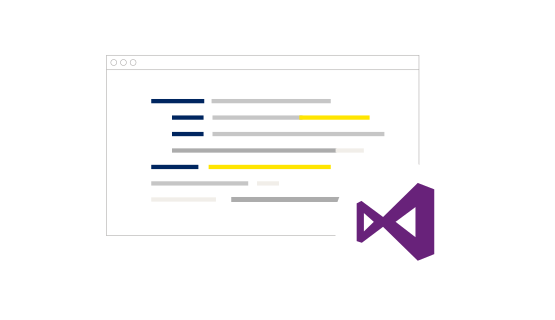
The Claude Compliance ADO.NET Provider allows developers to build applications that connect to Claude Compliance using familiar SQL and Entity Framework. Integrate Claude Compliance to your mission -critical applications or create easy side-by-side applications.
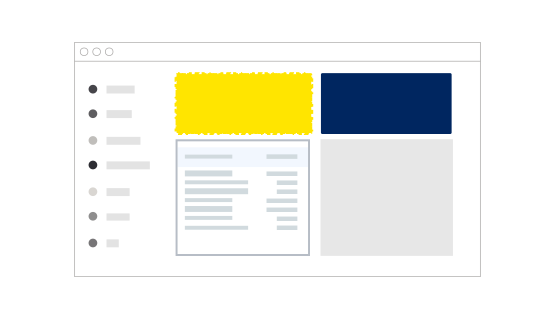
You can connect from ADO.NET compliant low-code development tools:
You can connect Claude Compliance from .NET-based reporting and analytics tools:
Standard ADO.NET access to ClaudeCompliance
The Claude Compliance ADO.NET Provider offers the most natural way to access Claude Compliance data from any .NET application. Simply use Claude Compliance Data Provider objects to connect and access data just as you would access any traditional database. You will be able to use the Claude Compliance Data Provider through Visual Studio Server Explorer, in code through familiar classes, and in data controls like DataGridView, GridView, DataSet, etc.
The CData ADO.NET Provider for Claude Compliance hides the complexity of accessing data and provides additional powerful security features, smart caching, batching, socket management, and more.
Working with DataAdapters, DataSets, DataTables, etc.
The Claude Compliance Data Provider has the same ADO.NET architecture as the native .NET data providers for SQL Server and OLEDB, including: ClaudeComplianceConnection, ClaudeComplianceCommand, ClaudeComplianceDataAdapter, ClaudeComplianceDataReader, ClaudeComplianceDataSource, ClaudeComplianceParameter, etc. Because of this you can now access Claude Compliance data in an easy, familiar way.
For example:
using (ClaudeComplianceConnection conn = new ClaudeComplianceConnection("...")) {
	string select = "SELECT * FROM Activities";
	ClaudeComplianceCommand cmd = new ClaudeComplianceCommand(select, conn);
	ClaudeComplianceDataAdapter adapter = new ClaudeComplianceDataAdapter(cmd);
	using (adapter) {
		DataTable table = new DataTable();
		adapter.Fill(table);
		...
	}
}
ADO.NET Provider performance
With traditional approaches to remote access, performance bottlenecks can spell disaster for applications. Regardless if an application is created for internal use, a commercial project, web, or mobile application, slow performance can rapidly lead to project failure. Accessing data from any remote source has the potential to create these problems. Common issues include:
- Network Connections - Slow network connections and latency issues are common in mobile applications.
- Service Delays - Delays due to service interruptions, resulting in server hardware or software updates.
- Large Data - Intentional or unintentional requests for large amounts of data.
- Disconnects - Complete loss of network connectivity.
The CData ADO.NET Provider for Claude Compliance solves these issues by supporting powerful smart caching technology that can greatly improve the performance and dramatically reduce application bottlenecks.
Smart Caching
Smart caching is a configurable option that works by storing queried data into a local database. Enabling smart caching creates a persistent local cache database that contains a replica of data retrieved from the remote source. The cache database is small, lightweight, blazing-fast, and it can be shared by multiple connections as persistent storage.
Caching with our ADO.NET Providers is highly configurable, including options for:
- Auto Cache - Maintain an automatic local cache of data on all requests. The provider will automatically load data into the cache database each time you execute a SELECT query. Each row returned by the query will be inserted or updated as necessary into the corresponding table in the cache database.
- Explicit Cache - Cache only on demand. Developers decide exactly what data gets stored in the cache and when it is updated. Explicit caching provides full control over the cache contents by using explicit execution of CACHE statements.
- No Cache - All requests access only live data and no local cache file is created.
This powerful caching functionality increases application performance and allows applications to disconnect and continue limited functioning without writing code for additional local storage and/or data serialization/deserialization.
More information about ADO.NET Provider caching and best caching practices is available in the included help files.
Visual Studio integration & Server Explorer
Working with the new Claude Compliance ADO.NET Provider is easy. As a fully-managed .NET Data Provider, the Claude Compliance Data Provider integrates seamlessly with the Visual Studio development environment as well as any .NET application.
As an ADO.NET Data Provider, Claude Compliance ADO.NET Provider can be used to access and explore Claude Compliance data directly from the Visual Studio Server Explorer.
It's easy. As a standard ADO.NET adapter, developers can connect the Server Explorer to Claude Compliance ADO.NET Provider just like connecting to any standard database.
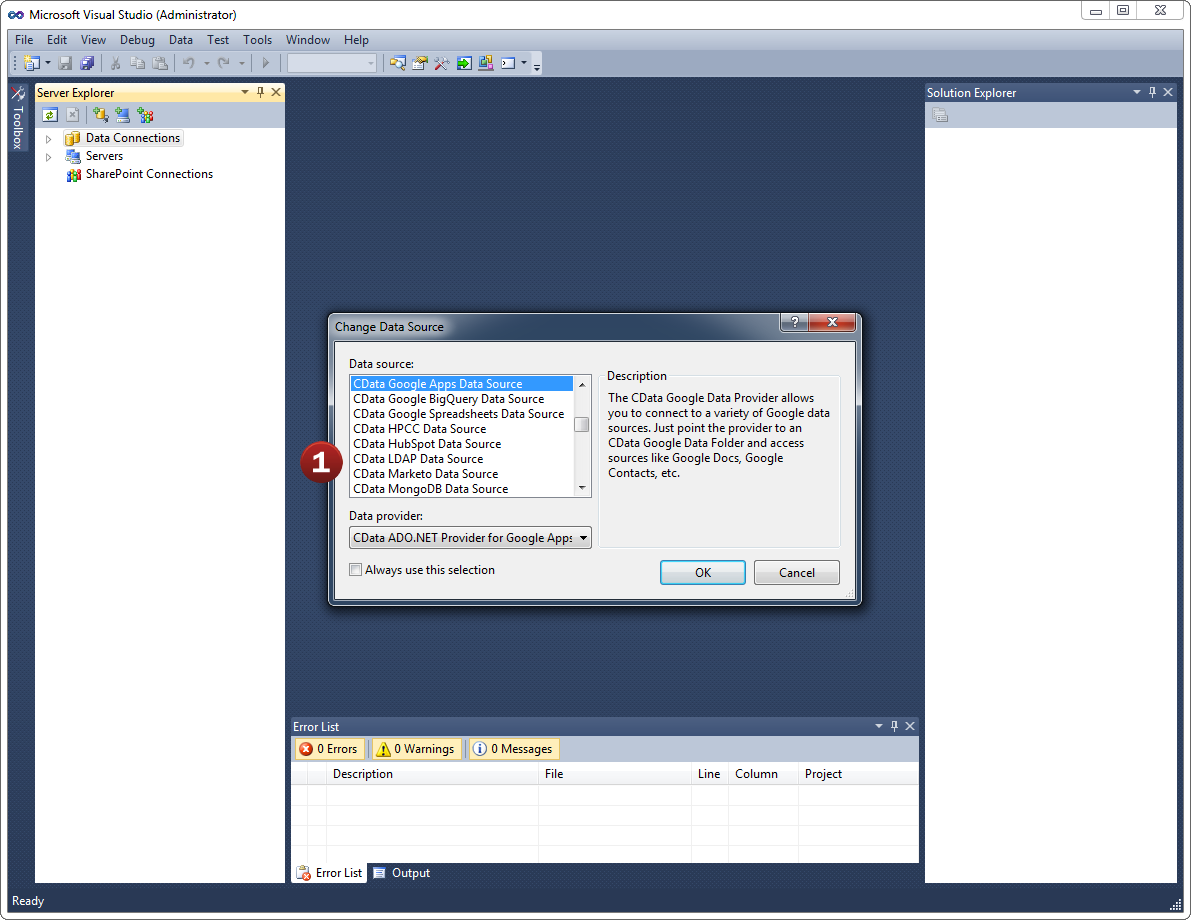
- Add a new Data Connection from the Server Explorer and select the Claude Compliance Data Source
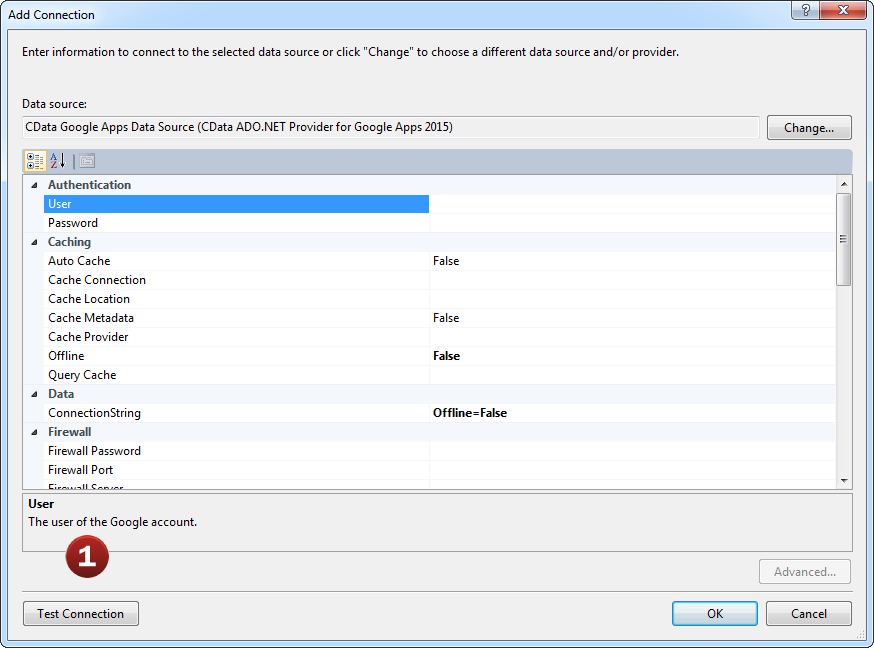
- Configure the basic connection properties to access your Claude Compliance account data.
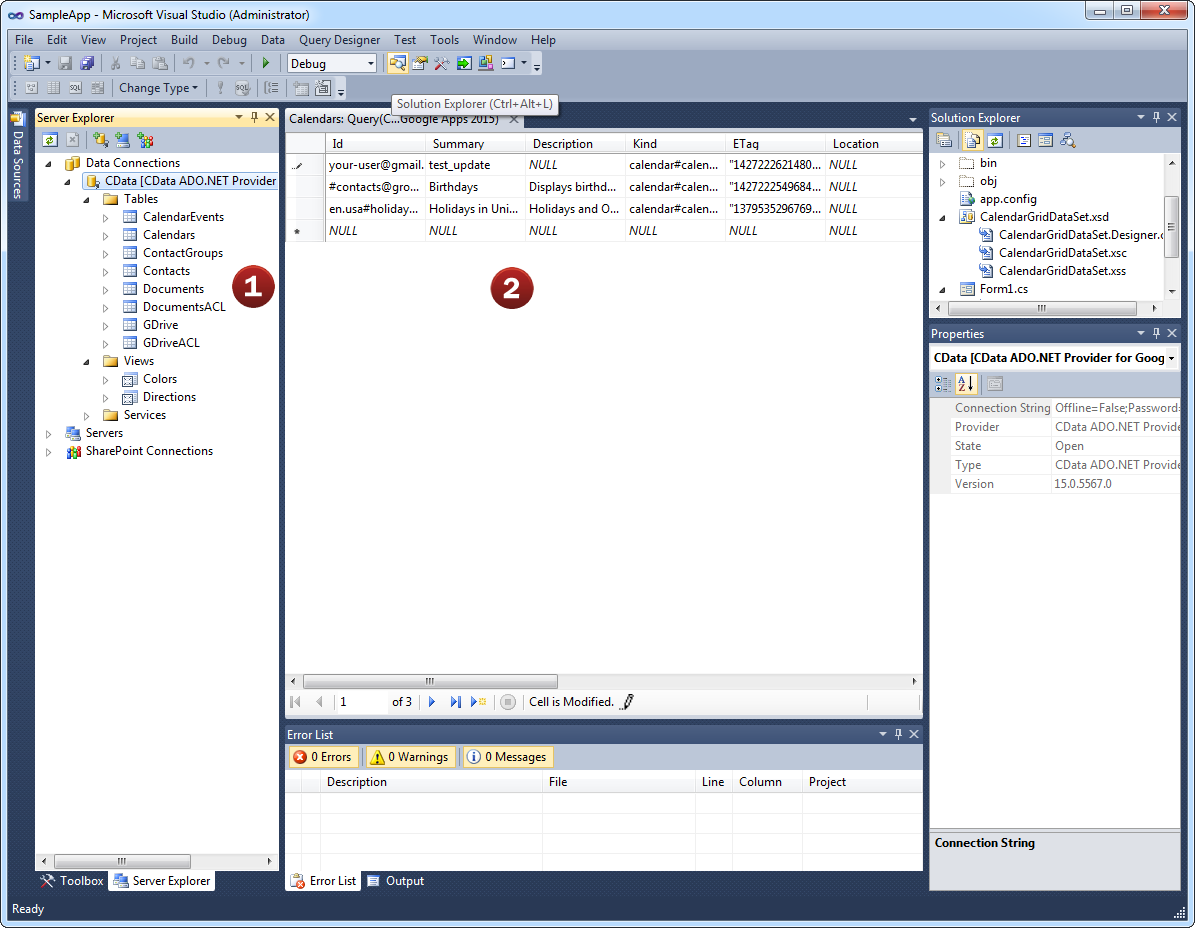
Explore all of the data available! Claude Compliance ADO.NET Provider makes it easy to access live Claude Compliance data from Visual Studio.
- After configuring the connection, explore the feeds, views, and services provided by the Claude Compliance Data Source.
- These constructs return live Claude Compliance data that developers can work with directly from within Visual Studio!
Developer integration: databind to Claude Compliance
Connecting Web, Desktop, and Mobile .NET applications with Claude Compliance is just like working with SQL Server. It is even possible to integrate Claude Compliance ADO.NET Provider into applications without writing code.
Developers are free to access the Claude Compliance ADO.NET Provider in whatever way they like best. Either visually through the Visual Studio Winforms or Webforms designers, or directly through code.
- Developers can connect the Claude Compliance Data Source directly to form components by configuring the object's smart
tags.
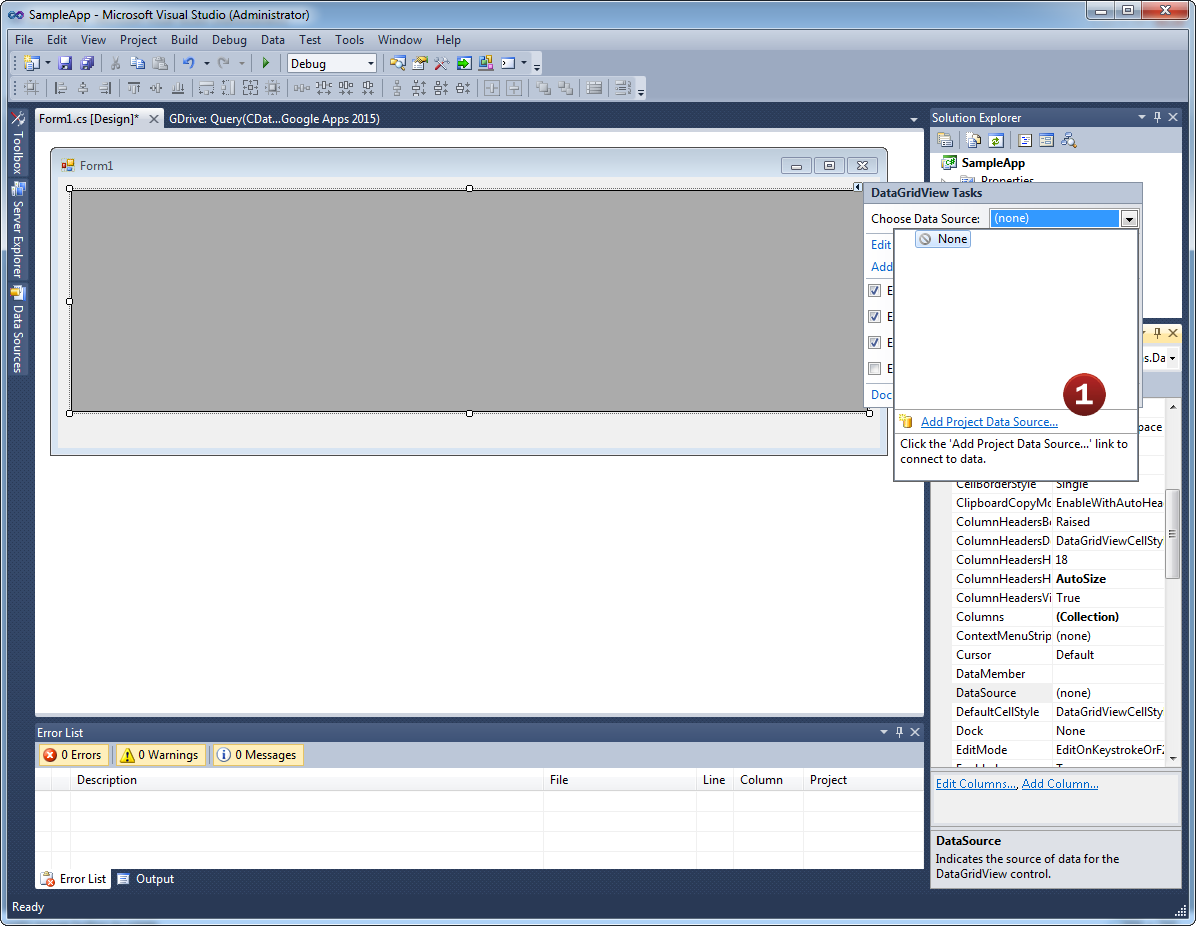
- Add a new Data Connection from the Server Explorer and select the Claude Compliance Data Source. Then, select the
feed, view, or services you would like to connect the object to.
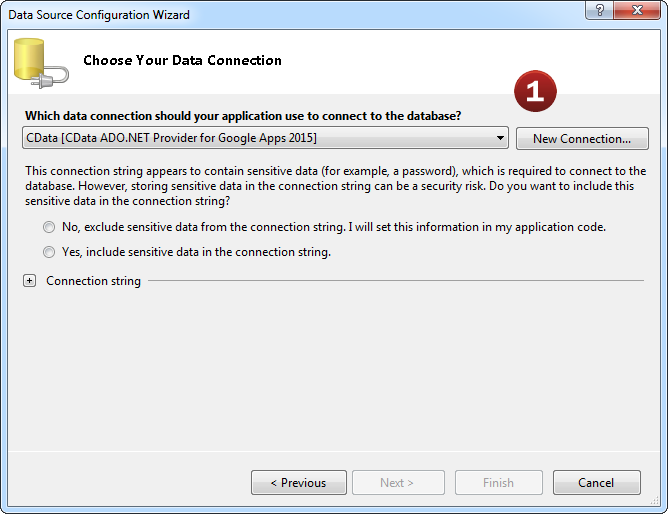
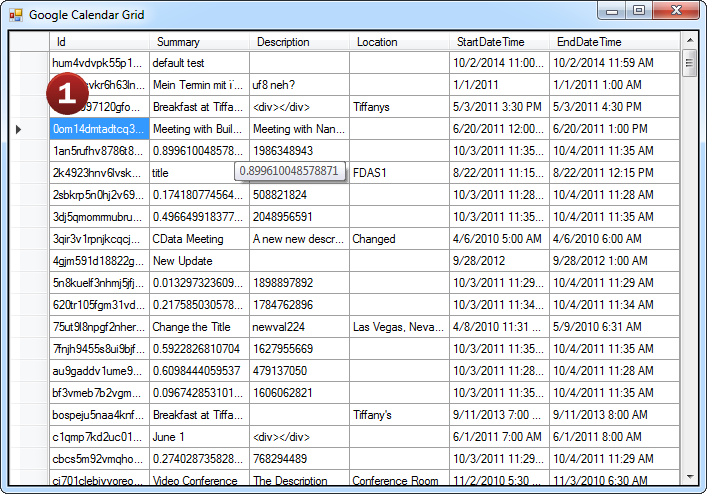
Done! It's just like connecting to SQL Server.
- Once the object is bound to the data source, applications can easily interact with Claude Compliance data with full
read/write (CRUD) support.
AI-assisted development with CData CLI
Build Claude Compliance integrations faster with AI that understands your schema
Schema-aware AI
CData CLI gives AI coding tools access to your Claude Compliance schema. No more guessing table names or column types—AI sees the same metadata in your ADO.NET Drivers.
Your AI Knows SQL
How to find table names, column names, and how to generate SQL syntax are things that AI knows well from millions of training data. No need for customization, no hallucinations. Your AI acts like a domain specialist to Claude Compliance.
More Accurate, More Token-Efficient
With CData CLI's queryable schema detection and highly efficient queries with filters, aggregation, joins with correct pushdown, your AI will achieve more accuracy with less token usage.
Popular ADO Videos:

Download the Claude Compliance ADO.NET driver today!
Do you want to learn more about how you can use CData to connect Tableau with real-time data from anywhere? Contact us below, and let's talk.