





ShipStation ODBC Driver
SQL-based access to ShipStation through ODBC for seamless integration with BI, ETL, and reporting with just a few clicks.



The ShipStation ODBC Driver is a powerful tool that allows you to connect with live data from ShipStation, directly from any applications that support ODBC connectivity. Access ShipStation data like you would a database - read ShipStation Marketplaces, Orders, Products, Items, etc. through a standard ODBC Driver interface.
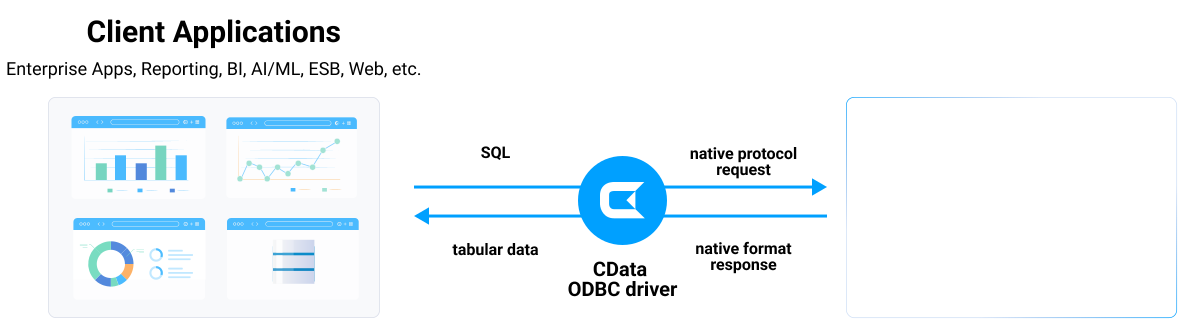
See what you can do with ShipStation ODBC Driver
Server
Connect to ShipStation from SQL Server as Linked-Server. You can query ShipStation from familiar Transact-SQL without need of setting up another application.

Integrate ShipStation to your system through popular ETL / EAI tools such as Informatica PowerCenter. Standard SQL and Stored Procedures enable fast delivery of your integration projects.

Connect ShipStation from any ODBC compatible tools:
Desktop
Your familiar tools can connect to ShipStation using CData ODBC.
- Power Query
- DBeaver
- and more
ShipStation ODBC Connectivity Features
- Fully compatible with the ShipStation API
- Use SQL Stored Procedures to perform actions like creating labels, adding tags, assigning users, and more
- Powerful metadata querying enables SQL-like access to non-database sources
- Push down query optimization pushes SQL operations down to the server whenever possible, increasing performance
- Client-side query execution engine, supports SQL-92 operations that are not available server-side
- Connect to live ShipStation data, for real-time data access with the ShipStation ADO.NET Provider
- Full support for data aggregation and complex JOINs in SQL queries
- Secure connectivity through modern cryptography, including TLS 1.2, SHA-256, ECC, etc.
- Seamless integration with leading BI, reporting, and ETL tools and with custom applications via the ShipStation Connector.
Target Service, API
The driver connects to ShipStation API. Shipping management platform.
Schema, Data Model
Models ShipStation objects as tables. Order and shipment focused.
Key Objects
Orders, Shipments, Products, and Customers. Shipping platform data.
Operations
CRUD operations on orders. Shipment creation. Label generation.
Authentication
API key and secret authentication. Store connection required.
Start a 30-day free trial today
Robust ODBC access to ShipStation
Full-featured and consistent SQL access to any supported data source through ODBC
Connect to ShipStation—empower every team

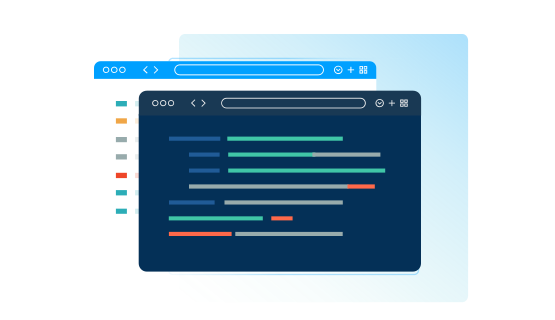

AI-assisted development with CData CLI
Build ShipStation integrations faster with AI that understands your schema
Schema-aware AI
CData CLI gives AI coding tools access to your ShipStation schema. No more guessing table names or column types—AI sees the same metadata in your ODBC Drivers.
Your AI Knows SQL
How to find table names, column names, and how to generate SQL syntax are things that AI knows well from millions of training data. No need for customization, no hallucinations. Your AI acts like a domain specialist to ShipStation.
More Accurate, More Token-Efficient
With CData CLI's queryable schema detection and highly efficient queries with filters, aggregation, joins with correct pushdown, your AI will achieve more accuracy with less token usage.
FAQs
Frequently asked ShipStation ODBC driver questions
Learn more about ShipStation ODBC drivers for data and analytics integration
- Does ShipStation support ODBC?
- Is there an ODBC driver for ShipStation?
- How do I connect to ShipStation via ODBC?
- Where can I download an ODBC driver for ShipStation?
- How do I install an ODBC driver for ShipStation?
- Is the ShipStation ODBC driver 32-bit or 64-bit?
- Does pyODBC work with ShipStation?
- Does the ODBC connector support ARM64 devices?

Download the ShipStation ODBC Driver today!
Get the latest ShipStation ODBC Drivers for Windows, Linux, and macOS. Install in minutes and connect your ShipStation data to Power BI, Tableau, and more.