




Excel Add-In for Suadeo
Connect to live Suadeo from Excel
The Suadeo Excel Add-In is a powerful tool that allows you to connect with live Suadeo data, directly from Microsoft Excel. Use Excel to read Suadeo. Perfect for mass imports / exports, data cleansing & de-duplication, Excel based data analysis, and more!
Install the Add-In, configure your Suadeo connection, and go!



Your Suadeo data, your way!
The Excel Add-In for Suadeo provides the easiest way to connect with Suadeo data. Users simply supply their credentials via the connection wizard to create a connection and can immediately begin working with live Suadeo tables of data. The Excel Add-In is completely self-contained; no additional software installation is required.
Access Suadeo data directly from Excel
Direct Access
Direct access to live Suadeo Data from Excel
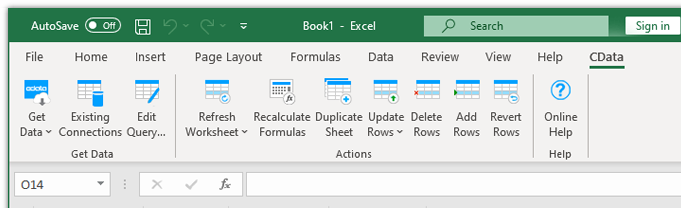
The Excel Add-In for Suadeo is integrated with the Excel toolbar and ribbon, providing direct access to live data with a single click.
Setup
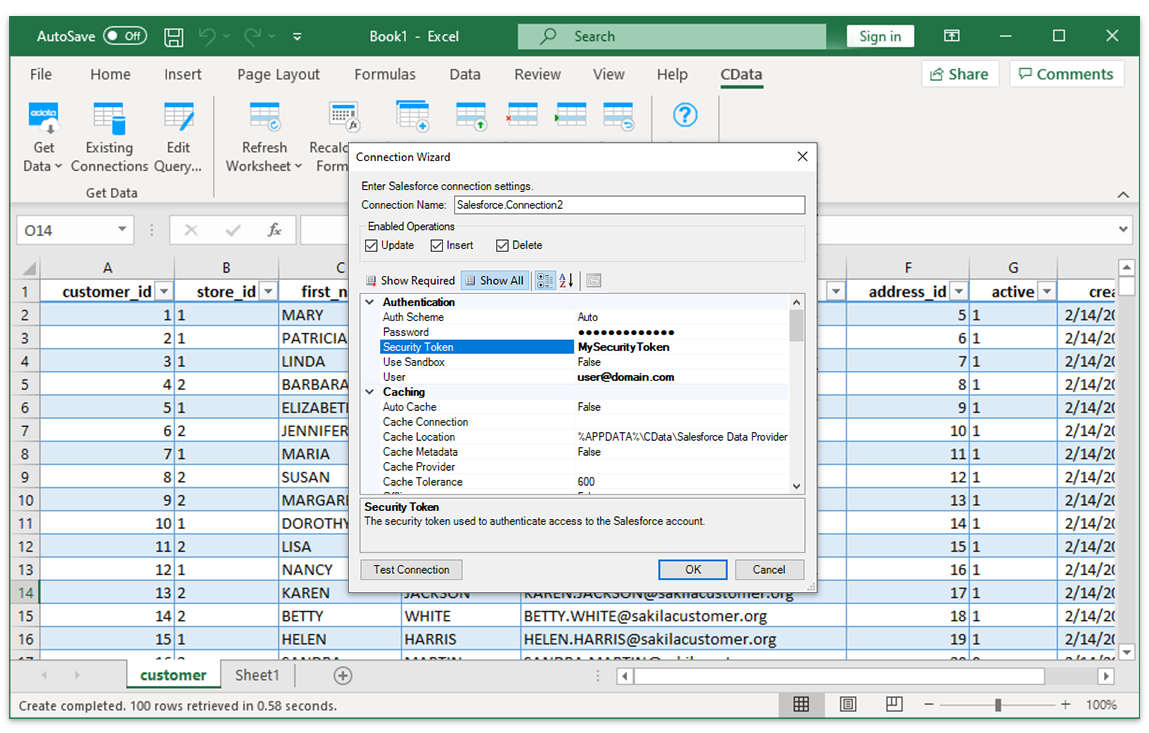
Easy-to-use, straightforward configuration
- Install the Add-In
- Login with user & password
- Select tables
Installing the CData Suadeo Excel Add-In creates a dedicated toolbar in Excel, giving users instant access to Suadeo data for faster data analysis and reporting. From the Excel toolbar, users can select any of the installed CData Add-Ins to configure a connection.
Data Selection
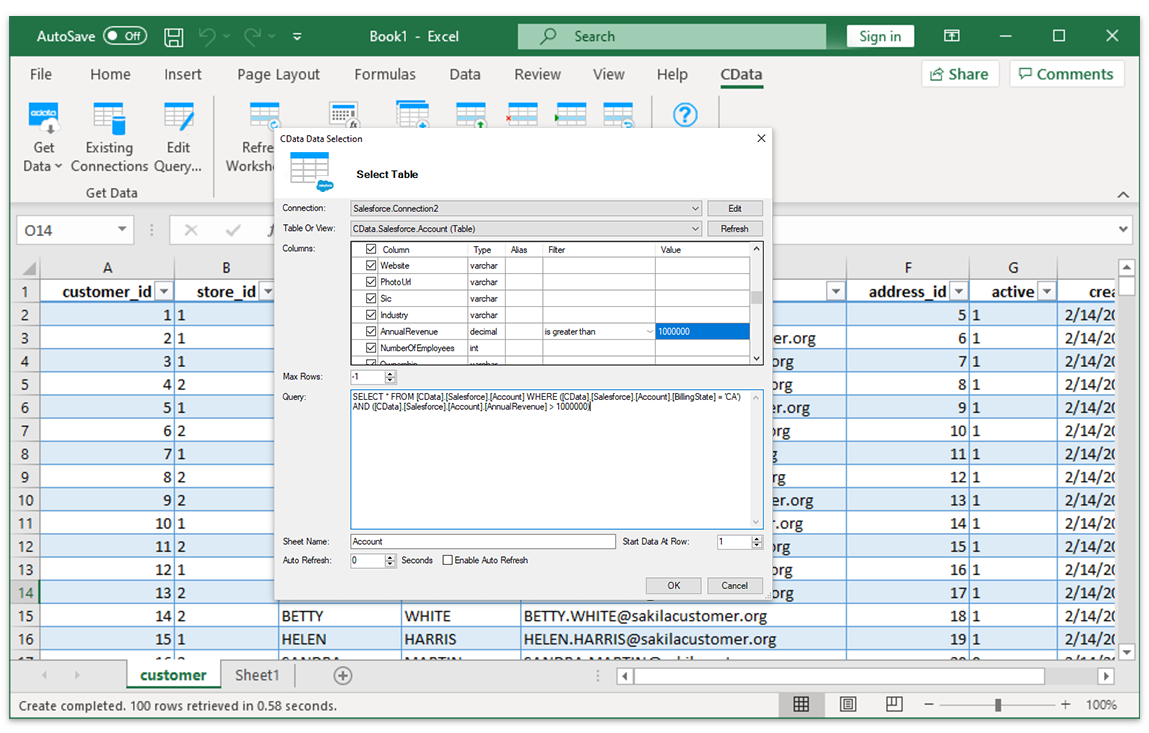
Select tables and columns
Once the data connection is configured, just specify the table and the Excel Add-In will populate a new Excel sheet with live Suadeo Data.
Data Analysis
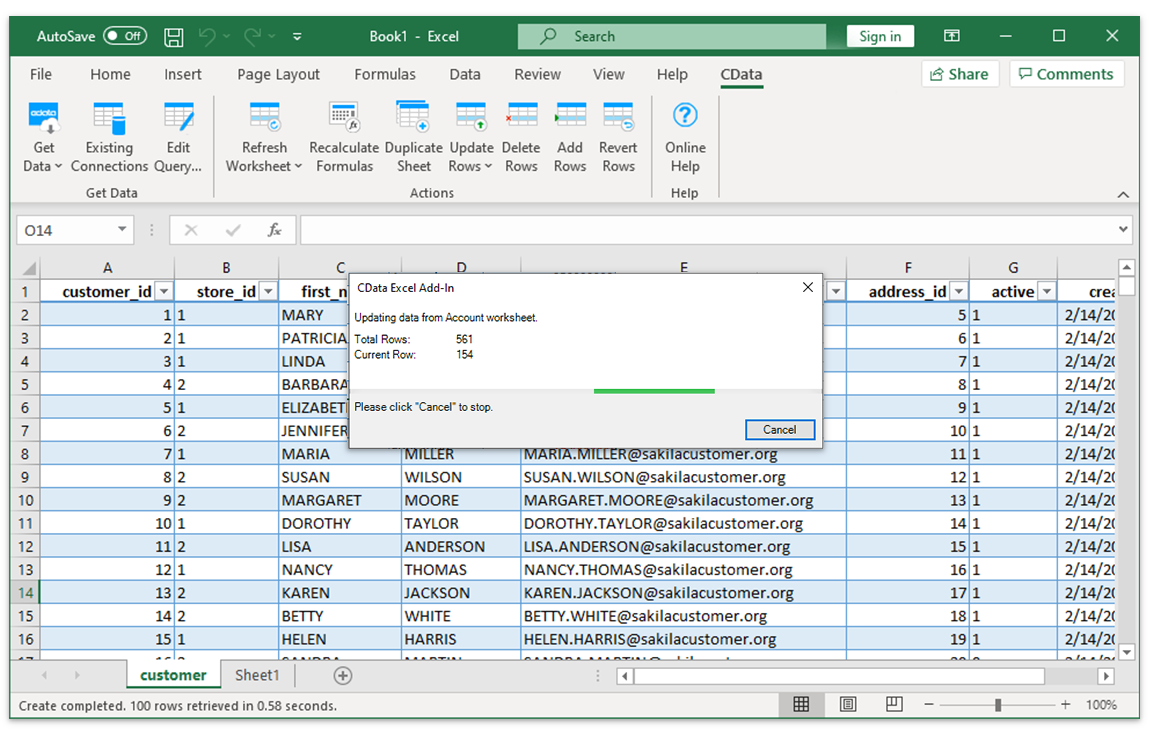
Suadeo Data with the full power of Excel
Perfect for mass imports, data cleansing & de-duplication, Excel-based data analysis, and more!
- Quickly export and backup data.
- Operate on data with Charts and Pivot Tables.
FAQs
Frequent Suadeo Excel connectivity questions
Common questions about integrating Suadeo with Microsoft Excel.
Popular Excel Videos:

Download the Suadeo Excel Add-In
Building custom dashboards & reports that connect with live Suadeo data has never been easier. Download the CData Excel Add-In for Suadeo now, and get connected.