






How to Retrieve More Than 5000 Records in CData SharePoint Drivers
Microsoft SharePoint is a collaboration platform that enables organizations to store, manage and share documents and list-based data across teams. However, when a list or library grows large, you may encounter a built-in limitation such as attempts to retrieve or display more than 5,000 items in a single view can be blocked by SharePoint’s list view threshold.
CData provides a suite of drivers that allow applications to access SharePoint data in a database like fashion, enabling smooth connectivity and integration even when working with large datasets that exceed typical view limits.
Overview
When retrieving data from SharePoint Online using CData SharePoint Drivers, users may encounter the error:

This operation cannot be performed because it exceeds the list view threshold.
This occurs because SharePoint Online enforces a limit of 5000 records per query commonly known as the 5000 SharePoint List Problem.
This article explains why this limit exists, how it affects data retrieval, and provides solutions and workarounds for both SOAP and REST schemas when using CData SharePoint Drivers.
Connect SharePoint in the CData driver
Download the latest CData SharePoint Connector and configure the connection properties as shown below (for JDBC Driver):
- URL: Specifies the base URL of the Microsoft SharePoint site to connect to. This URL serves as the starting point for all API calls.
- SharePoint Edition: Specifies the Microsoft SharePoint edition to connect to (Online or On-Premises).
- Auth Scheme: Specifies the authentication scheme used to connect to Microsoft SharePoint. (Use Azure AD for REST or Basic for SOAP.)
- Initiate OAuth: Manages the process for obtaining or refreshing OAuth access tokens to maintain secure user access.
- Schema: Specifies the schema type the provider uses for connecting to Microsoft SharePoint (SOAP or REST).
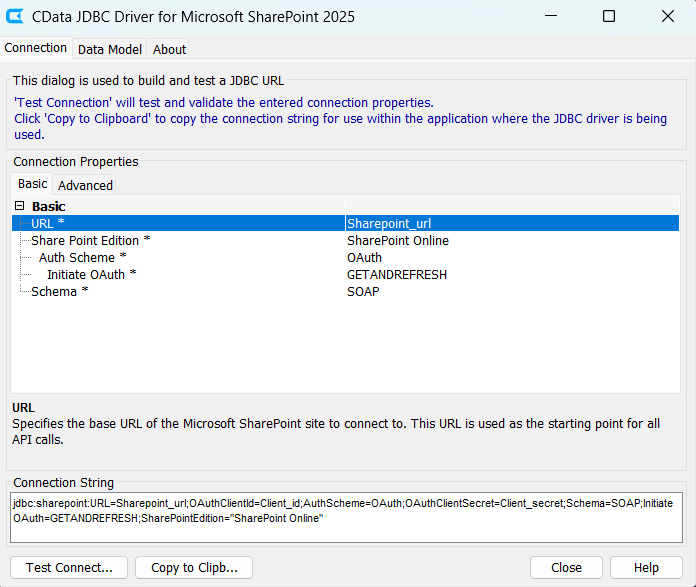
Note: The CData Driver UI supports retrieving up to 500 records directly. For larger datasets, users can connect to the driver from an external SQL-based tool (e.g., DBeaver, DBVisualizer, or Power BI) using the connection string to query SharePoint data.
Connect external IDE to SharePoint driver
-
Create a new driver configuration and set:
- Driver Name
- Class Name
- URL Template: jdbc:sharepoint
- Click OK to save
- Next, select New Database Connection and configure the connection string based on the schema (SOAP or REST) set earlier
- Click Test Connection. Once successful, click Finish
Both REST and SOAP based SharePoint tables should now be visible in IDE’s database explorer.
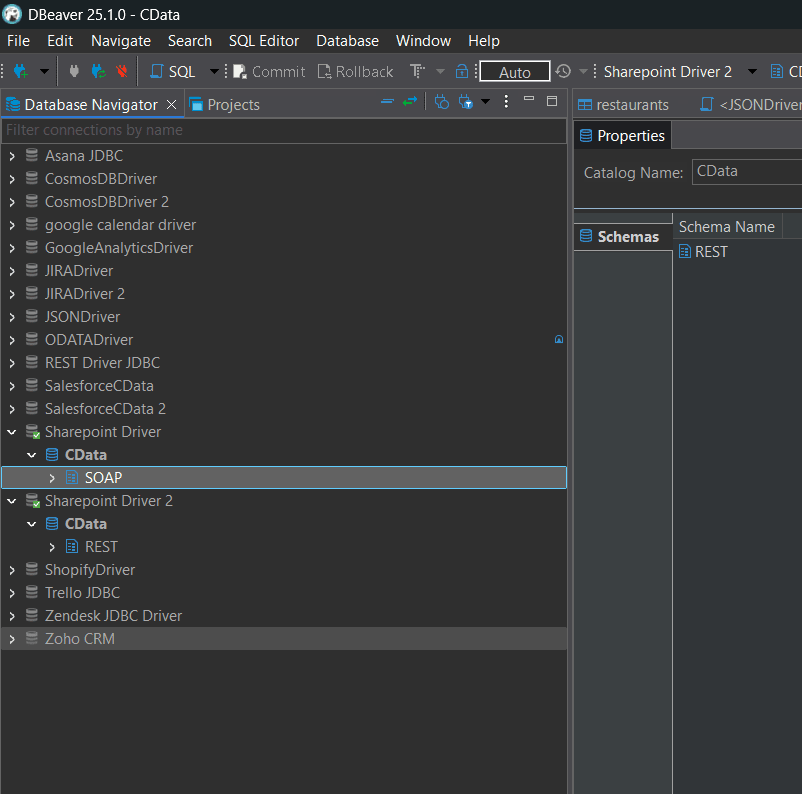
Run the following query on a SharePoint table that contains more than 5,000 records:
SELECT * FROM Table_name;
When executed, you may receive an error message stating: "This operation cannot be performed because it exceeds the list view threshold." To resolve this, the workaround differs between SOAP and REST schemas.
SOAP Schema
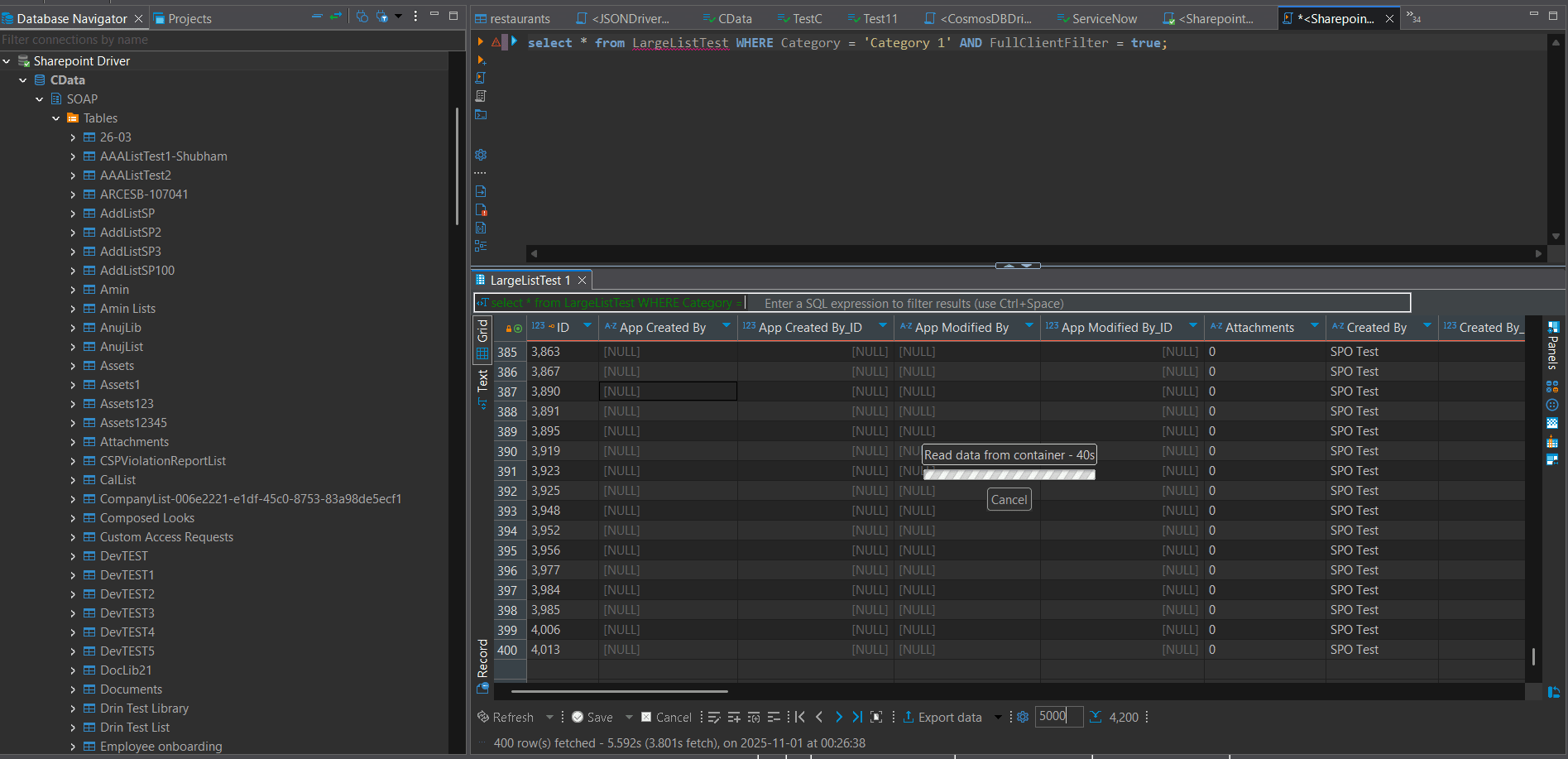
When querying large SharePoint document libraries or lists using the SOAP schema, the driver may raise the list view threshold error if the result set exceeds 5,000 records. To bypass this, user can enable client-side filtering with the FullClientFilter property.
Document Library
SELECT * FROM Table_name WHERE FullClientFilter = true;
You can also combine this property with other filters:
SELECT * FROM Table_name WHERE [Column_name]= 'Value' AND FullClientFilter = true;
List
Lists can typically retrieve more than 5,000 records without any filter, for example:
SELECT * FROM Table_name;
However, when user applies a filter on columns other than the ID, such as:
SELECT * FROM Table_name WHERE [Column_name] = 'Value';
SharePoint will return the following error:
"The attempted operation is prohibited because it exceeds the list view threshold."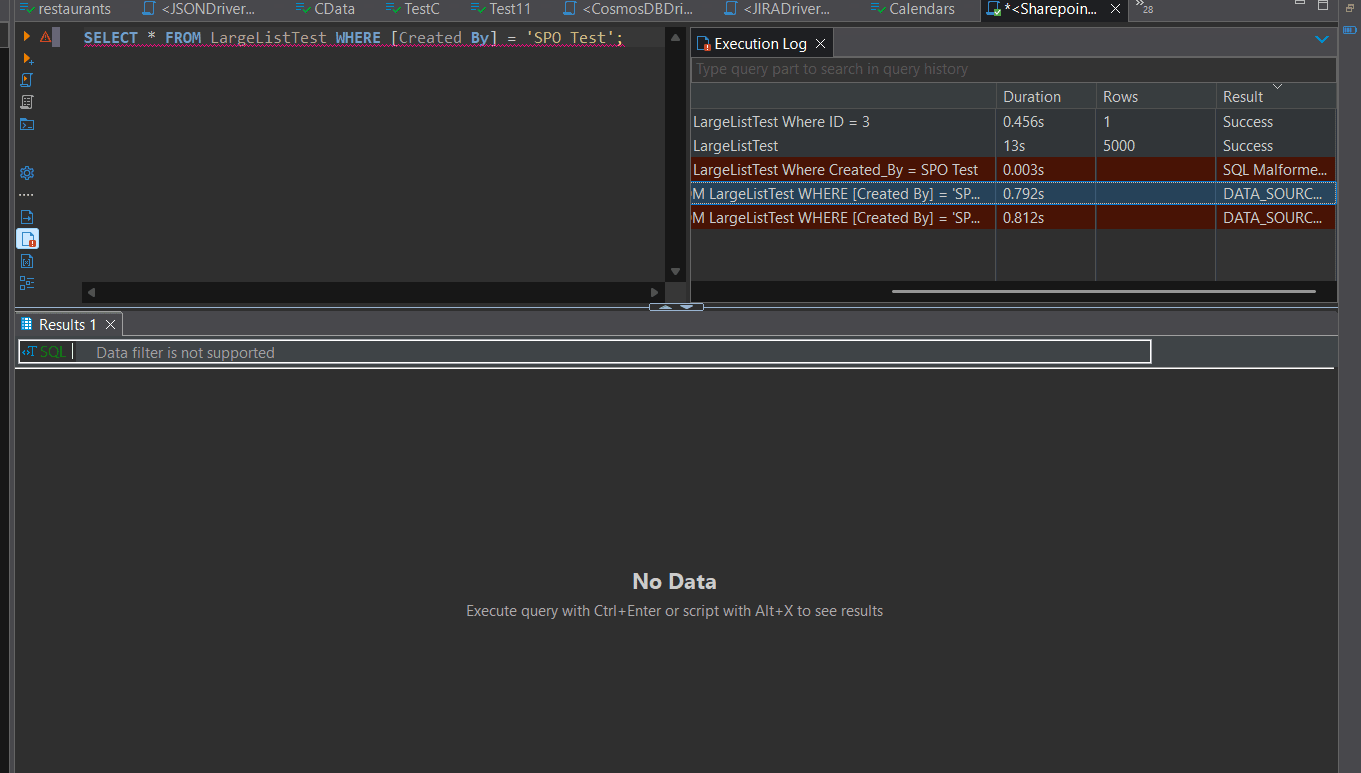
To retrieve more than 5,000 records even with additional filters, enable the following connection property:
other:FullClientFilter=True
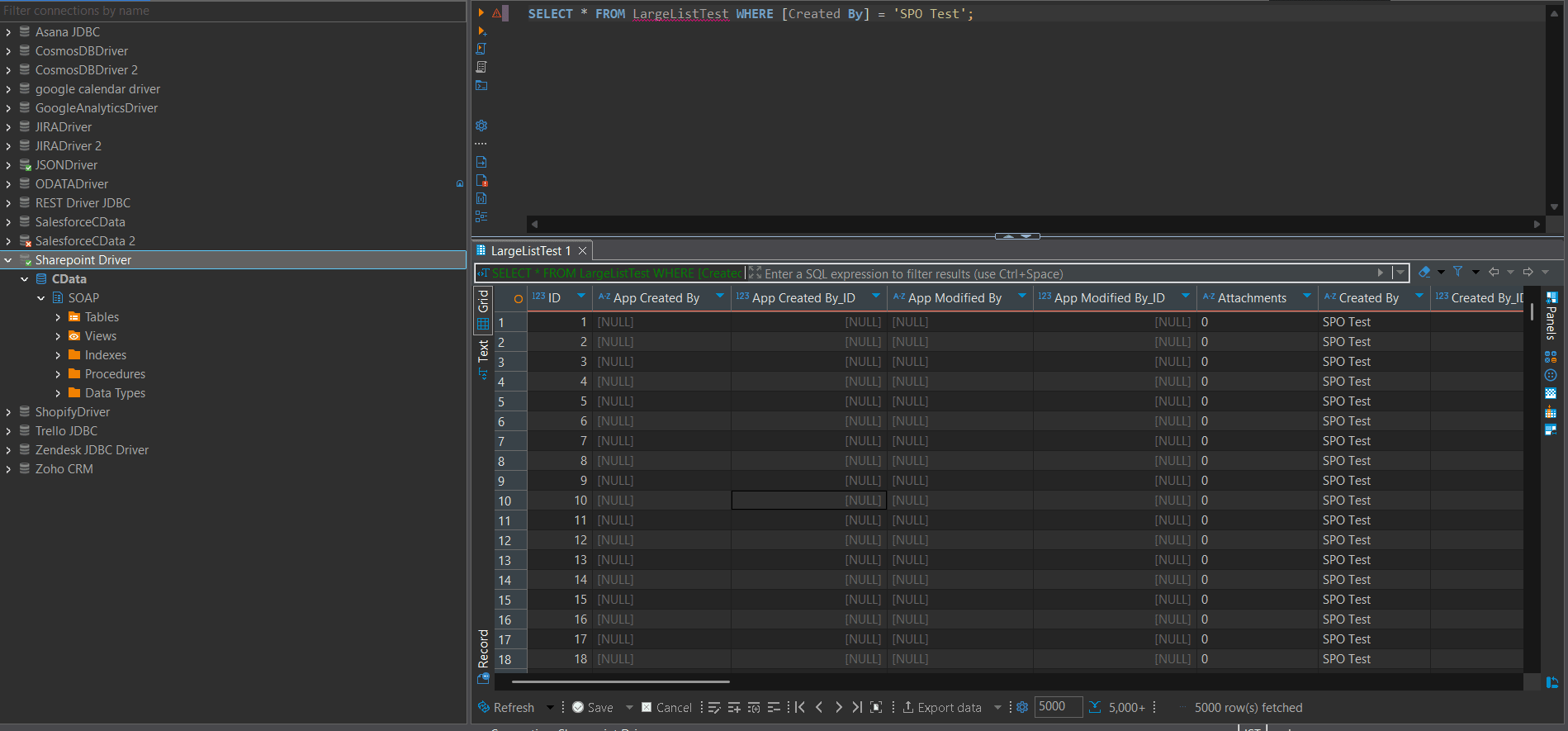
Then execute the query with the filter applied:
SELECT * FROM Table_name WHERE [Column_name] = 'Value' AND FullClientFilter = true;
This instructs the driver to retrieve the full dataset first and apply the filter locally, allowing you to access more than 5,000 records successfully.
REST Schema
In older versions of the CData SharePoint driver, querying large SharePoint lists containing more than 5,000 records using the REST API often produced misleading results. Queries such as:
SELECT * FROM TableName WHERE ColumnName = 'Value';
would execute successfully but return empty or NULL results because SharePoint REST silently blocked filtered queries beyond the threshold instead of raising an explicit error.
Improved Behavior in Recent Versions
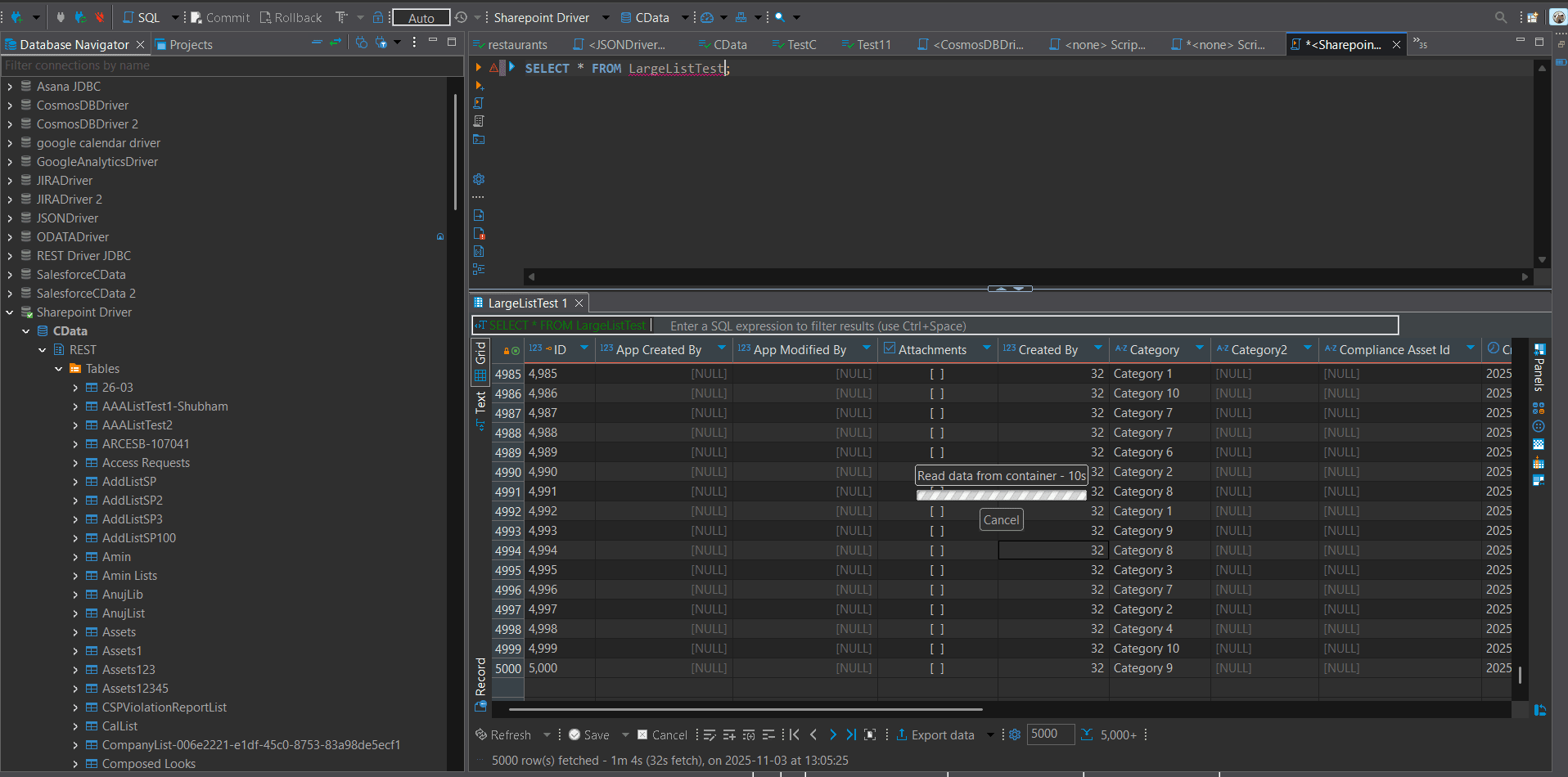
With recent updates to the CData SharePoint drivers, this behavior has been significantly improved. The REST schema now automatically handles SharePoint’s 5,000 item threshold by implementing internal pagination.
Filter Limitations
While automatic pagination removes the 5,000-record limit for unfiltered queries, filtered queries (those using a WHERE clause on non-indexed or non-ID columns) may still trigger SharePoint’s threshold behavior:
"The attempted operation is prohibited because it exceeds the list view threshold enforced by the administrator."
To address this, enable the connection property DisableFilterLimit=True. This setting allows the driver to retrieve the complete dataset first and apply filters locally on the client side.
(with DisableFilterLimit=True)
SELECT * FROM LargeListTest;
Filtering on non-indexed column may still hit the threshold
SELECT * FROM LargeListTest WHERE AuthorId = 11;
When DisableFilterLimit is enabled, the driver performs client-side filtering, ensuring accurate results even when retrieving more than 5,000 records.
Simplified SharePoint Connectivity with CData
Now you know how to overcome SharePoint’s 5,000-item limit using the CData SharePoint Drivers with features like FullClientFilter, DisableFilterLimit, and built-in pagination.
CData makes it easy to connect and integrate Microsoft SharePoint with real-time access through standard interfaces. Download a free 30-day trial to get started.
