






Connect to Adobe Experience Manager Data from PowerBuilder via ODBC

The CData ODBC Driver for Adobe Experience Manager can be used from any platform or development technology that supports ODBC, including PowerBuilder. This article shows how to connect to Adobe Experience Manager data and execute queries from the Database Painter and controls such as the DataWindow.
Connect to Adobe Experience Manager as an ODBC Data Source
If you have not already, first specify connection properties in an ODBC DSN (data source name). This is the last step of the driver installation. You can use the Microsoft ODBC Data Source Administrator to create and configure ODBC DSNs.
The driver connects to Adobe Experience Manager (AEM) instances that expose the JCR repository over WebDAV. It supports both on-premises AEM and AEM as a Cloud Service deployments.
To establish a connection, set the following properties:
- URL: The WebDAV-enabled JCR server URL.
- AEM as a Cloud Service: https://author-pXXXXX-eXXXXX.adobeaemcloud.com/crx/server
- Local development: http://localhost:4502/crx/server
- User: Your AEM username.
- Password: Your AEM password.
Note: Tables are dynamically generated based on the JCR repository structure. Ensure that the configured user has sufficient permissions to access the required content paths in the AEM repository.
Create a Profile for the ODBC Driver for Adobe Experience Manager
Follow the steps below to use the Database Painter tool to create a database profile based on an ODBC DSN (data source name) for Adobe Experience Manager. In the Database Painter, you can use wizards and the UI to work with Adobe Experience Manager data.
- In PowerBuilder, click Tools -> Database Painter.
- In the Objects window in the Database Painter, right-click the ODBC node and click New Profile.
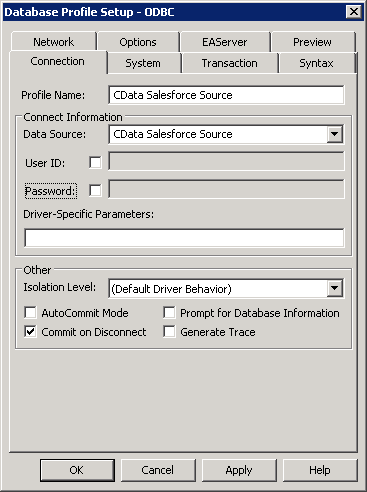
- On the Connection tab, enter a name for the profile and select the Adobe Experience Manager DSN in the Data Source menu.
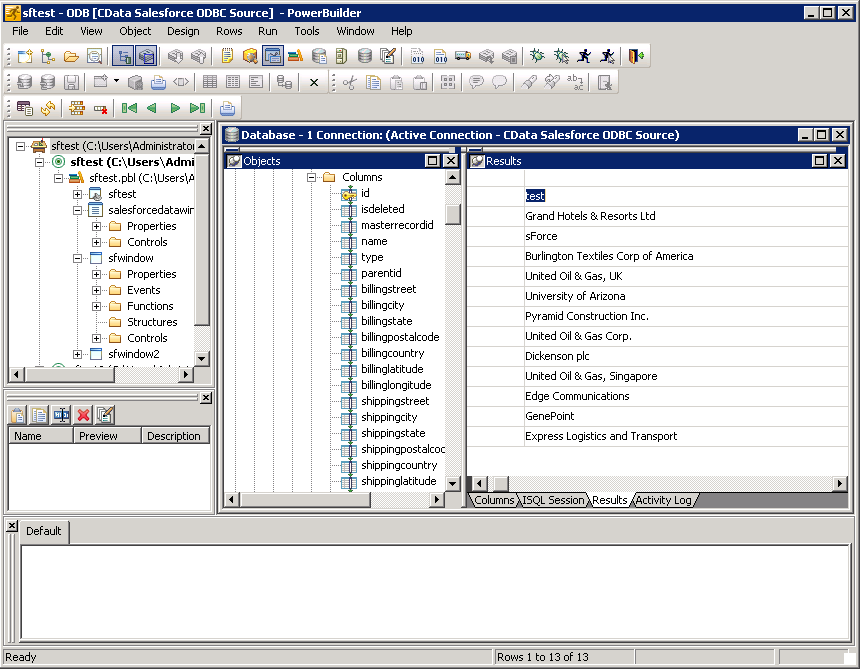
- To view and modify a table, right-click a table and then click Edit Data -> Grid.
Using Adobe Experience Manager Data with PowerBuilder Controls
You can use standard PowerBuilder objects to connect to ODBC data sources and execute queries. The following example shows how to retrieve Adobe Experience Manager data into a DataWindow. You can add the following code to the open method:
SQLCA.DBMS = "ODBC"
SQLCA.DBParm = "ConnectString='DSN=CData AdobeExperienceManager Source'"
CONNECT USING SQLCA;
dw_content.SetTransObject(SQLCA);
dw_content.Retrieve();
Ready to get started?
Download a free trial of the Adobe Experience Manager ODBC Driver to get started:
Download NowLearn more:
 Adobe Experience Manager ODBC Driver
The Adobe Experience Manager ODBC Driver is a powerful tool that allows you to connect with live data from Adobe Experience Manager, directly from any applications that support ODBC connectivity.
Access Adobe Experience Manager data like you would a database - read, write, and update Adobe Experience Manager 0, etc. through a standard ODBC Driver interface.
