




Provide OData Services of Claude Compliance Data from a WCF Application

The CData ADO.NET Provider for Claude Compliance enables you to rapidly develop service-oriented applications using the Windows Communication Foundation (WCF) framework, providing Claude Compliance data data to OData consumers. This article guides you through creating an entity data model for connectivity and a WCF Data Service to expose OData services. You can then consume the feed with various OData clients, such as Power Pivot or applications using the CData ADO.NET Provider for OData.
Create the OData Service
Follow the steps below to create a WCF service application that will provide connectivity to Claude Compliance data via OData.
- Open Visual Studio and create a new project. Select the WCF Service Application template.
- Delete the autogenerated IService.cs and Service1.svc.
- Install Entity Framework 6:
Use the Package Manager Console in Visual Studio to install the latest version of Entity Framework. Run the following command to download and install Entity Framework automatically:
Install-Package EntityFramework - Register the Entity Framework provider:
- Add the following provider entry in the "providers" section of your App.config or Web.config file. This section should already exist if the Entity Framework installation was successful.
<configuration> ... <entityFramework> <providers> ... <provider invariantName="System.Data.CData.ClaudeCompliance" type="System.Data.CData.ClaudeCompliance.ClaudeComplianceProviderServices, System.Data.CData.ClaudeCompliance.Entities.EF6" /> </providers> </entityFramework> </configuration> - Add a reference to System.Data.CData.ClaudeCompliance.Entities.dll, located in lib/4.0 in the installation directory.
- Build the project to complete the setup for using EF6.
- Add the following provider entry in the "providers" section of your App.config or Web.config file. This section should already exist if the Entity Framework installation was successful.
- Click Project -> Add New Item -> ADO.NET Entity Data Model.
- In the Entity Data Model wizard that is displayed, select the 'EF Designer from Database' option.
- In the resulting Choose Your Connection dialog, click New Connection.
In the Connection properties dialog, select the CData Claude Compliance Data Source and enter the necessary credentials.
A typical connection string is below:
APIKey=your_compliance_access_key;The driver connects to Claude Compliance using a Compliance Access Key, the only supported authentication method. Set the following connection property:
- APIKey: The Compliance Access Key you created.
Creating a Compliance Access Key
- Enable the Compliance API for your organization.
- Sign in to claude.ai as a primary owner or organization owner and open Organization settings > API > Keys.
- Select Create Key and assign only the scopes your integration needs:
- read:compliance_activities for Activities and the typed activity views.
- read:compliance_org_data for organizations, roles, groups, and settings.
- read:compliance_user_data for users, chats, files, projects, and downloads.
- delete:compliance_user_data for the explicit Delete stored procedures.
- Create the key and copy it when it appears. The key starts with sk-ant-api01- and is shown only once.
Optionally, set OrganizationUUID to limit organization-scoped views (such as OrganizationUsers and ComplianceRoles) to a single linked organization. If it is left empty, those views default to the first available organization and do not include data from all linked organizations.
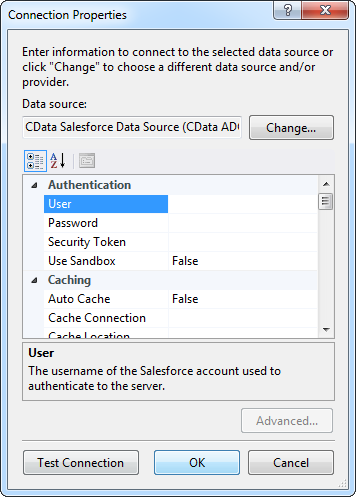
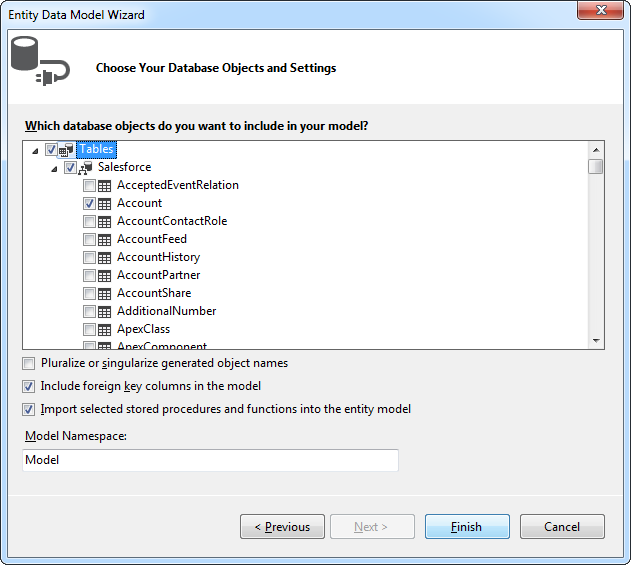
- Select Claude Compliance tables and views that you want OData clients to access.
- Click Project -> Add New Item -> WCF Data Service.
Specify the data source class and configure access to the new WCF Data Service. In the example below, the Access Rule for the entities is set to All. This means that any user will be able to read and modify data.
using System; using System.Collections.Generic; using System.Data.Services; using System.Data.Services.Common; using System.Linq; using System.ServiceModel.Web; using System.Web; namespace ClaudeComplianceService{ public class ClaudeComplianceDataService : DataService<ClaudeComplianceEntities> { public static void InitializeService(DataServiceConfiguration config) { config.SetEntitySetAccessRule("*", EntitySetRights.All); config.DataServiceBehavior.MaxProtocolVersion = DataServiceProtocolVersion.V3; } } }-
Run the project. Applications that support OData can now access the Salesforce data and reflect any changes. You can access the feed in your browser. The feed will resemble the following:

Consume the OData Service from Power Pivot
You can now use the service from any OData client; for example, Excel Power Pivot.
- Open Excel and click on the Power Pivot Window button.
- A new pop-up will appear. Select the option From Data Feeds.
- In the resulting Table Import Wizard, enter the OData URL. For example, http://localhost:12449/ClaudeComplianceDataService.svc/.
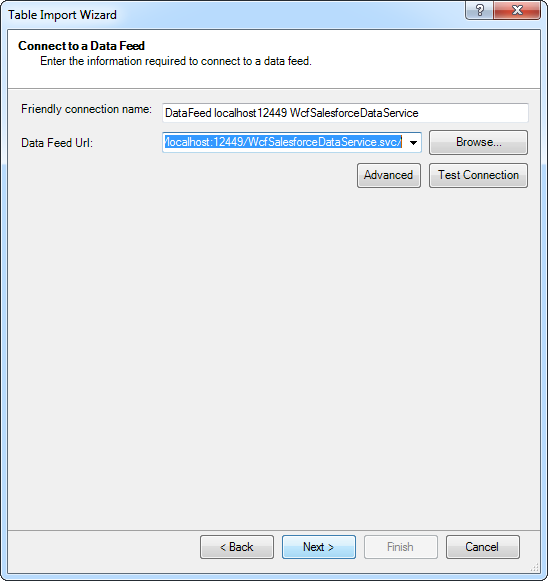
- After connecting to the OData service, click the Next button at the bottom of the window.
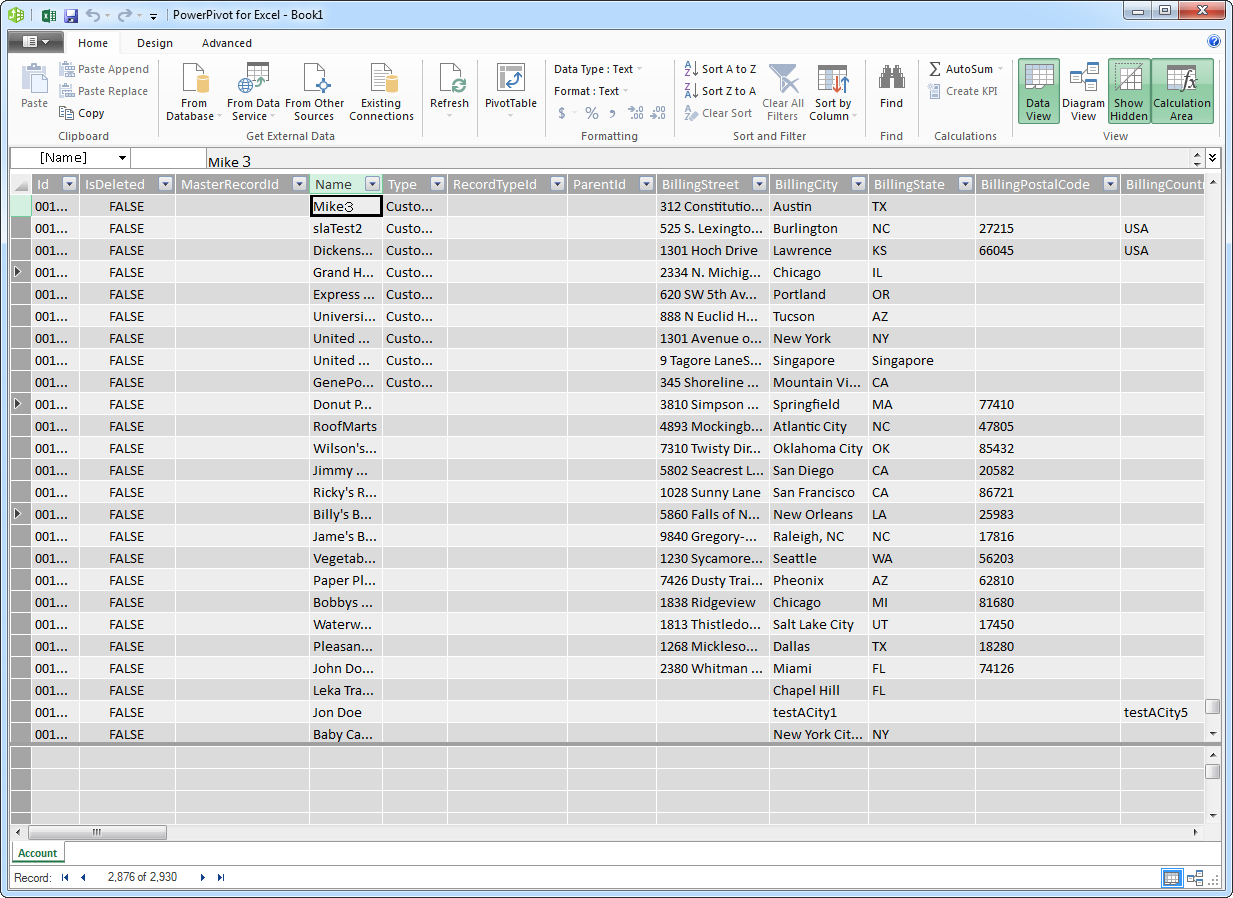
- A table listing of the available tables will appear in the next window of the wizard. Select which tables you want to import and click Finish.
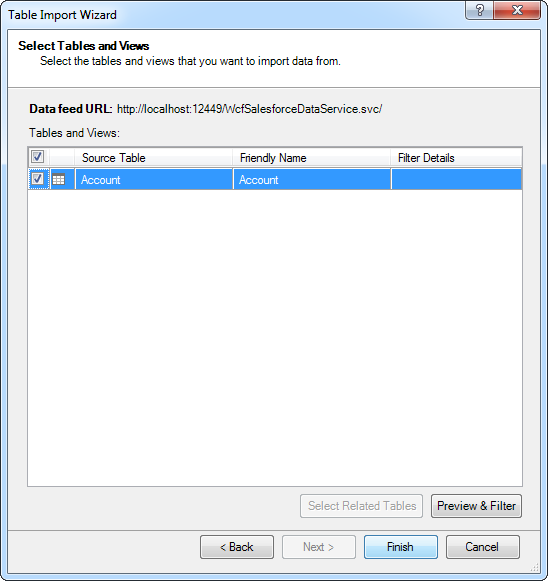
- Click Close to import the data in Power Pivot.
Ready to get started?
Download a free trial of the Claude Compliance Data Provider to get started:
Download NowLearn more:
 Claude Compliance ADO.NET Provider
Rapidly create and deploy powerful .NET applications that integrate with Claude Compliance data including Activities, Chats, ChatMessages, CodeArtifacts, ComplianceRoles, Organizations, OrganizationUsers, Projects, and more!