






Connect to Freshservice Data from PowerBuilder via ODBC

The CData ODBC Driver for Freshservice can be used from any platform or development technology that supports ODBC, including PowerBuilder. This article shows how to connect to Freshservice data and execute queries from the Database Painter and controls such as the DataWindow.
Connect to Freshservice as an ODBC Data Source
If you have not already, first specify connection properties in an ODBC DSN (data source name). This is the last step of the driver installation. You can use the Microsoft ODBC Data Source Administrator to create and configure ODBC DSNs.
Start by setting the Profile connection property to the location of the Freshservice Profile on disk (e.g. C:\profiles\Freshservice.apip). Next, set the ProfileSettings connection property to the connection string for Freshservice (see below).
Freshservice API Profile Settings
Obtain your API Key from Profile Settings in the top-right corner of Freshservice. Your Domain is the subdomain from your account URL.
Create a Profile for the ODBC Driver for Freshservice
Follow the steps below to use the Database Painter tool to create a database profile based on an ODBC DSN (data source name) for Freshservice. In the Database Painter, you can use wizards and the UI to work with Freshservice data.
- In PowerBuilder, click Tools -> Database Painter.
- In the Objects window in the Database Painter, right-click the ODBC node and click New Profile.
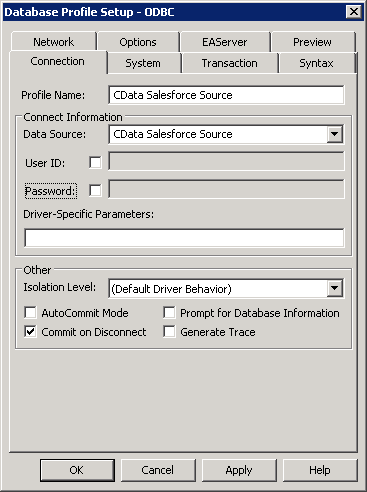
- On the Connection tab, enter a name for the profile and select the Freshservice DSN in the Data Source menu.
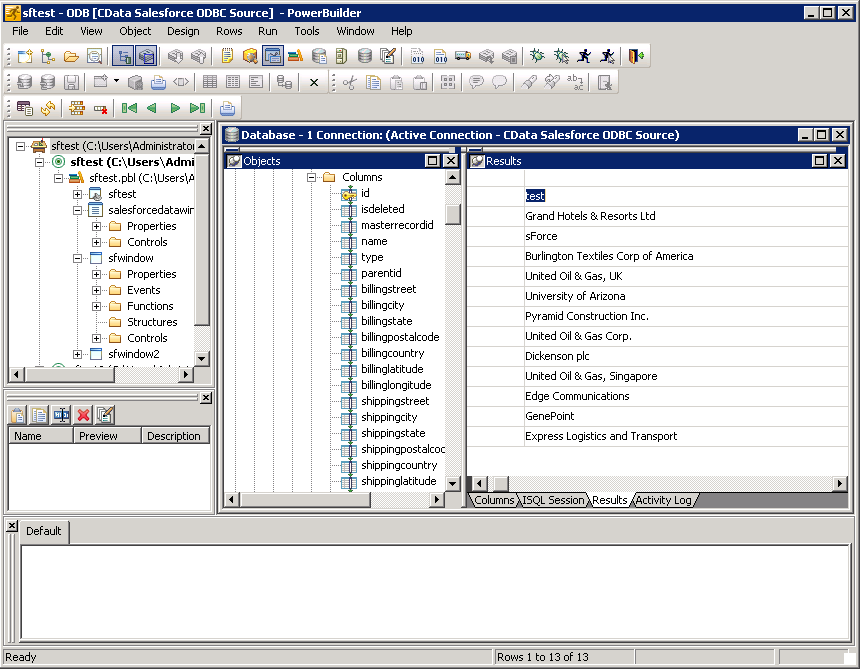
- To view and modify a table, right-click a table and then click Edit Data -> Grid.
Using Freshservice Data with PowerBuilder Controls
You can use standard PowerBuilder objects to connect to ODBC data sources and execute queries. The following example shows how to retrieve Freshservice data into a DataWindow. You can add the following code to the open method:
SQLCA.DBMS = "ODBC"
SQLCA.DBParm = "ConnectString='DSN=CData API Source'"
CONNECT USING SQLCA;
dw_agentgroups.SetTransObject(SQLCA);
dw_agentgroups.Retrieve();