Qualaroo Reporting and Star Schemas in OBIEE

The CData ODBC Driver for Qualaroo is a standard database driver that can integrate real-time access to Qualaroo data into your data warehouse or directly into your reporting tool. This article shows how to bypass the data warehouse and import operational Qualaroo data into Oracle Business Intelligence Enterprise Edition (OBIEE).
See the knowledge base for ODBC integrations with ETL tools like Informatica PowerCenter. For an ETL solution into Oracle Warehouse Builder, use the driver with the Oracle ODBC Gateway to Access Qualaroo Data as a Remote Oracle Database.
Connect to Qualaroo as an ODBC Data Source
If you have not already, first specify connection properties in an ODBC DSN (data source name). This is the last step of the driver installation. You can use the Microsoft ODBC Data Source Administrator to create and configure ODBC DSNs.
Qualaroo uses HTTP Basic Authentication to control access to the API. You will need your API Key and API Secret, which can be found under Account Details > Reporting API in the Qualaroo dashboard.
Using Basic Authentication
After setting the following connection properties, you are ready to connect:
- AuthScheme: Set this to Basic.
- User: Set this to your Qualaroo API Key.
- Password: Set this to your Qualaroo API Secret.
Example connection string:
Profile=C:\profiles\Qualaroo.apip;AuthScheme=Basic;User=your_api_key;Password=your_api_secret;
When you configure the DSN, you may also want to set the Max Rows connection property. This will limit the number of rows returned, which is especially helpful for improving performance when designing reports and visualizations.
Import Qualaroo Metadata
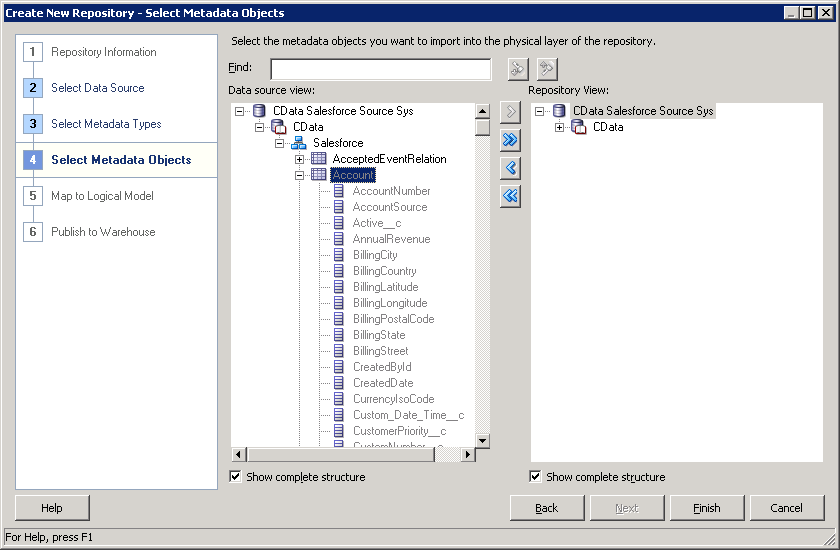
Follow the steps below to use the OBIEE Client Tools to import Qualaroo metadata into an OBIEE repository. You can then integrate Qualaroo data into your business models.
Open the Administration Tool and click File -> New Repository.
- In the Connection Type menu, select ODBC 3.5 and select the CData DSN.
- Select the metadata types you want to import under the Relational Sources option and then select Qualaroo tables.