




Stream Sage X3 Cloud Data into Apache Kafka Topics

Apache Kafka is an open-source stream processing platform that is primarily used for building real-time data pipelines and event-driven applications. When paired with the CData JDBC Driver for Sage X3 Cloud, Kafka can work with live Sage X3 Cloud data. This article describes how to connect, access and stream Sage X3 Cloud data into Apache Kafka Topics and to start Confluent Control Center to help users secure, manage, and monitor the Sage X3 Cloud data received using Kafka infrastructure in the Confluent Platform.
With built-in optimized data processing, the CData JDBC Driver offers unmatched performance for interacting with live Sage X3 Cloud data. When you issue complex SQL queries to Sage X3 Cloud, the driver pushes supported SQL operations, like filters and aggregations, directly to Sage X3 Cloud and utilizes the embedded SQL engine to process unsupported operations client-side (often SQL functions and JOIN operations). Its built-in dynamic metadata querying allows you to work with and analyze Sage X3 Cloud data using native data types.
Prerequisites
Before connecting the CData JDBC Driver for streaming Sage X3 Cloud data in Apache Kafka Topics, install and configure the following in the client Linux-based system.
- Confluent Platform for Apache Kafka
- Confluent Hub CLI Installation
- Self-Managed Kafka JDBC Source Connector for Confluent Platform
Define a New JDBC Connection to Sage X3 Cloud data
- Download CData JDBC Driver for Sage X3 Cloud on a Linux-based system
- Follow the given instructions to create a new directory extract all the driver contents into it:
- Create a new directory named Sage X3 Cloud
mkdir SageX3Cloud - Move the downloaded driver file (.zip) into this new directory
mv SageX3CloudJDBCDriver.zip SageX3Cloud/ - Unzip the CData SageX3CloudJDBCDriver contents into this new directory
unzip SageX3CloudJDBCDriver.zip
- Create a new directory named Sage X3 Cloud
- Open the Sage X3 Cloud directory and navigate to the lib folder
ls cd lib/ - Copy the contents of the lib folder of the CData JDBC Driver for Sage X3 Cloud into the lib folder of Kafka Connect JDBC. Check the Kafka Connect JDBC folder contents to confirm that the cdata.jdbc.sagex3cloud.jar file is successfully copied into the lib folder
cp -r /path/to/CData JDBC Driver for Sage X3 Cloud/lib/* /usr/share/confluent-hub-components/confluentinc-kafka-connect-jdbc/lib/ cd /usr/share/confluent-hub-components/confluentinc-kafka-connect-jdbc/lib/ - Install the CData Sage X3 Cloud JDBC driver license using the given command, followed by your Name and Email ID
java -jar cdata.jdbc.sagex3cloud.jar -l - Enter the product key or "TRIAL" (In the scenarios of license expiry, please contact our CData Support team)
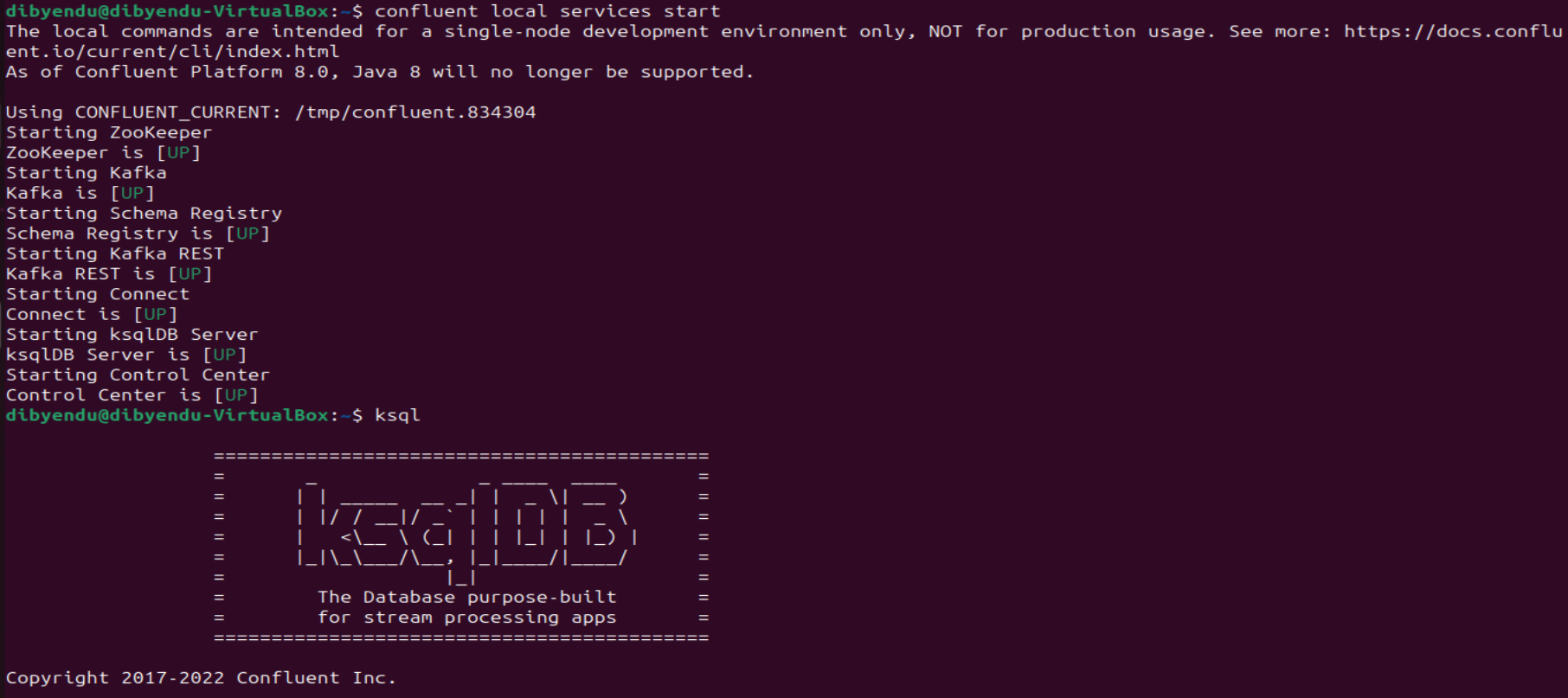
- Start the Confluent local services using the command:
confluent local services startThis starts all the Confluent Services like Zookeeper, Kafka, Schema Registry, Kafka REST, Kafka CONNECT, ksqlDB and Control Center. You are now ready to use the CData JDBC driver for Sage X3 Cloud to stream messages using Kafka Connect Driver into Kafka Topics on ksqlDB.
- Create the Kafka topics manually using a POST HTTP API Request:
 curl --location 'server_address:8083/connectors'
	--header 'Content-Type: application/json'
	--data '{
		"name": "jdbc_source_cdata_sagex3cloud_01",
		"config": {
			"connector.class": "io.confluent.connect.jdbc.JdbcSourceConnector",
			"connection.url": "jdbc:sagex3cloud:AuthScheme=OAuth;URL=https://x3server/;OAuthAccessTokenUrl=https://auth-domain/oauth/token;OAuthClientId=your_client_id;OAuthClientSecret=your_client_secret;Audience=https://api-audience;XAPIKey=your_api_key;Folder=SEED;",
		"topic.prefix": "sagex3cloud-01-",
		"mode": "bulk"
		}
	}'
Let us understand the fields used in the HTTP POST body (shown above):
- connector.class: Specifies the Java class of the Kafka Connect connector to be used.
- connection.url: The JDBC connection URL to connect with Sage X3 Cloud data.
Built-in Connection String Designer
For assistance in constructing the JDBC URL, use the connection string designer built into the CData JDBC Driver for Sage X3 Cloud. Either double-click the JAR file or execute the jar file from the command-line.
java -jar cdata.jdbc.sagex3cloud.jarFill in the connection properties and copy the connection string to the clipboard.
Sage X3 Cloud uses the OAuth 2.0 Client Credentials flow, and an X-API-Key is also required for API access. Set AuthScheme to OAuth and specify the following connection properties:
- URL: The base URL of your Sage X3 Cloud instance.
- OAuthAccessTokenUrl: The OAuth token endpoint (e.g., https://your-auth-domain/oauth/token).
- OAuthClientId: Your OAuth application client ID.
- OAuthClientSecret: Your OAuth application client secret.
- Audience: The API audience value for the token request.
- XAPIKey: The X-API-Key provided by your Sage X3 Cloud administrator.
- Folder: The Sage X3 folder name (e.g., SEED). This folder is used as the default schema.
- Folders (optional): A comma-separated list of Sage X3 folders (e.g., SEED,PERF). Each folder is exposed as a separate schema, so you can query across folders with the Schema.Table syntax.
The driver obtains an access token with the Client Credentials flow and sends it with the X-API-Key on every API request. With InitiateOAuth set to GETANDREFRESH (the default), the driver acquires and refreshes the token automatically.

- topic.prefix: A prefix that will be added to the Kafka topics created by the connector. It's set to "sagex3cloud-01-".
- mode: Specifies the mode in which the connector operates. In this case, it's set to "bulk", which suggests that the connector is configured to perform bulk data transfer.
This request adds all the tables/contents from Sage X3 Cloud as Kafka Topics.
Note: The IP Address (server) to POST the request (shown above) is the Linux Network IP Address.
- Run ksqlDB and list the topics. Use the commands:
ksql
list topics;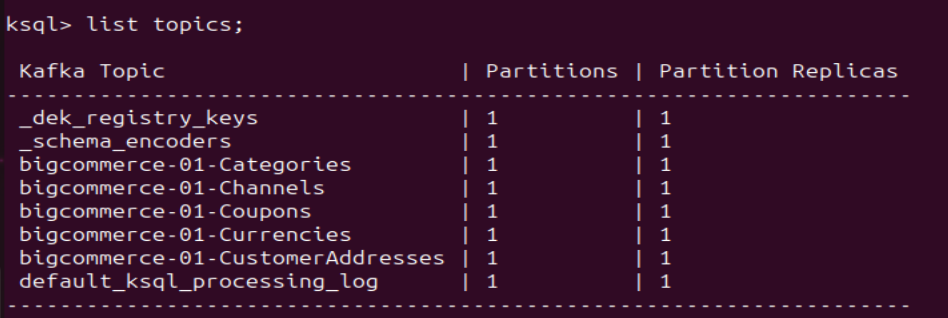
- To view the data inside the topics, type the SQL Statement:
PRINT topic FROM BEGINNING;
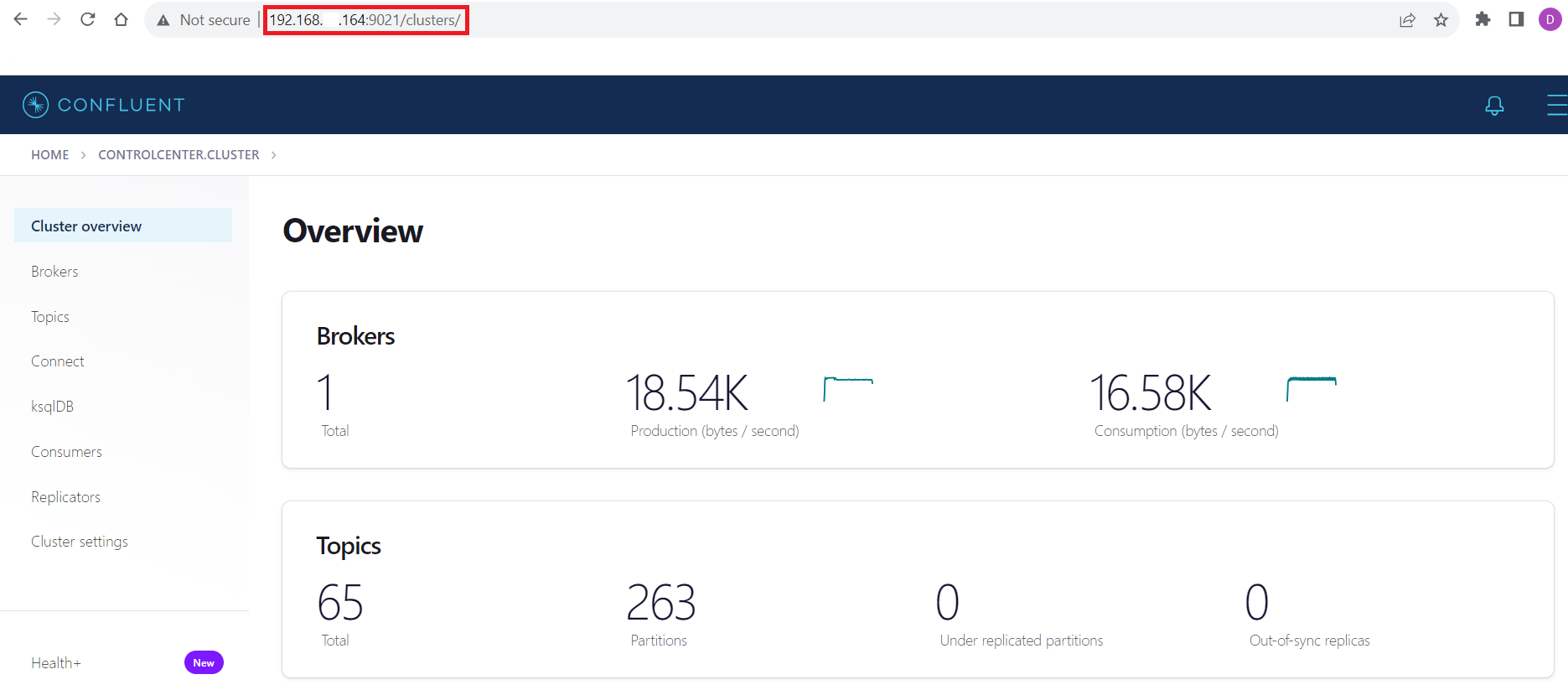
Connecting with the Confluent Control Center
To access the Confluent Control Center user interface, ensure to run the "confluent local services" as described in the above section and type http://<server address>:9021/clusters/ on your local browser.
Get Started Today
Download a free, 30-day trial of the CData JDBC Driver for Sage X3 Cloud and start streaming Sage X3 Cloud data into Apache Kafka. Reach out to our Support Team if you have any questions.
Ready to get started?
Download a free trial of the Sage X3 Cloud Driver to get started:
Download NowLearn more:
 Sage X3 Cloud JDBC Driver
Rapidly create and deploy powerful Java applications that integrate with Sage X3 Cloud.