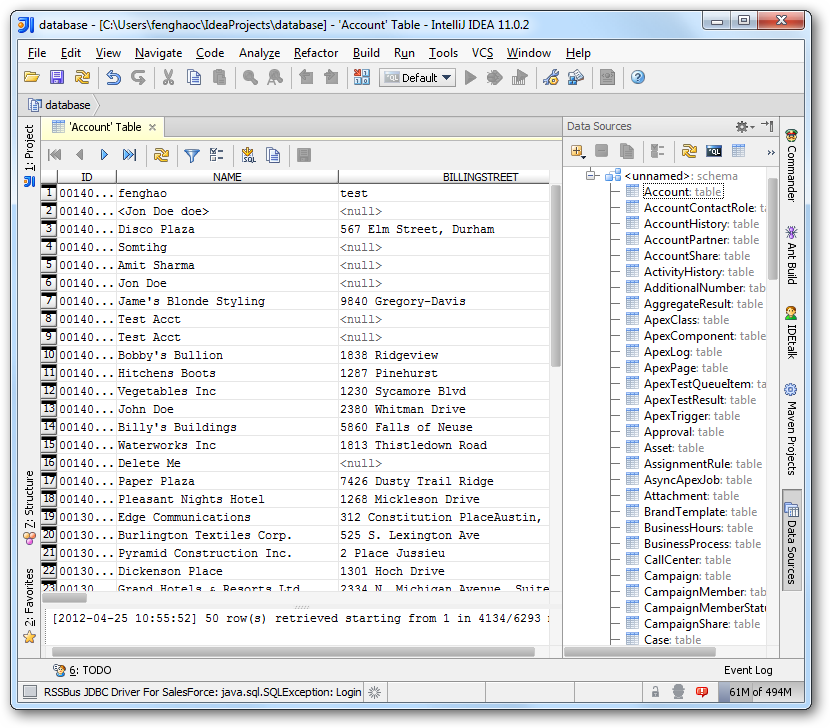
How to connect to SerpApi Data from IntelliJ

The CData JDBC Driver for SerpApi enables you to access SerpApi as a JDBC data source, providing integration with rapid development tools in IDEs. This article shows how to use the data source configuration wizard to connect to SerpApi data in IntelliJ.
Create a JBDC Data Source for SerpApi
Follow the steps below to add the driver JAR and define connection properties required to connect to SerpApi data.
- In the Data Sources window, right-click and then click Add Data Source -> DB Data Source.
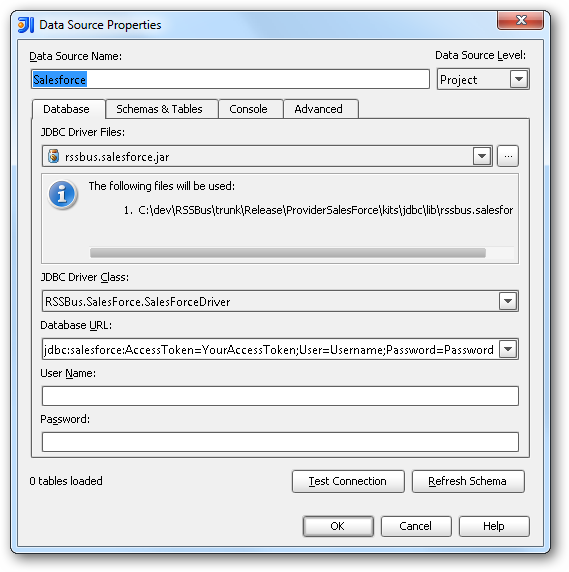
In the Data Source Properties dialog that appears, the following properties are required:
- JDBC Driver Files: Click the button next to this menu to add the JDBC Driver file cdata.jdbc.api.jar, located in the installation directory.
- JDBC Driver Class: In this menu, select cdata.jdbc.api.APIDriver from the list.
Database URL: Enter the connection URL in the JDBC URL property. The URL must start with jdbc:api: and includes connection properties separated with semicolons.
Start by setting the Profile connection property to the location of the SerpAPI Profile on disk (e.g. C:\profiles\SerpAPI.apip). Next, set the ProfileSettings connection property to the connection string for SerpAPI (see below).
SerpAPI API Profile Settings
SerpAPI uses API key authentication. To obtain an API key:
- Sign in to your SerpAPI account at https://serpapi.com
- Navigate to the API Key page at https://serpapi.com/manage-api-key
- Copy your private API key
After obtaining your API key, set the following connection properties:
- AuthScheme: Set this to APIKey.
Set the following in the ProfileSettings connection property:
- APIKey: Set this to your SerpAPI private API key.
Built-in Connection String Designer
For assistance in constructing the JDBC URL, use the connection string designer built into the SerpApi JDBC Driver. Either double-click the JAR file or execute the jar file from the command-line.
java -jar cdata.jdbc.api.jarFill in the connection properties and copy the connection string to the clipboard.

A typical JDBC URL is the following:
jdbc:api:Profile=C:\profiles\SerpAPI.apip;AuthScheme=APIKey;ProfileSettings='APIKey=your_api_key_here';
Edit and Save SerpApi Data
To discover schema information, right-click the data source you just created and click Refresh Tables. To query a table, right-click it and then click Open Tables Editor.