






Connect to Short.io Data in DBeaver

NOTE: The Legacy ODBC driver was removed in DBeaver Community Edition 23.1. As an alternative, you can use a CData JDBC Driver (learn how here: How to Connect DBeaver to Short.io via JDBC). If you need to use ODBC Drivers, refer to the DBeaver Documentation.
The CData API Driver for ODBC enables access to live data from Short.io under the ODBC standard, allowing you work with Short.io data in a wide variety of BI, reporting, and ETL tools and directly, using familiar SQL queries. This article shows how to manage Short.io data with visual tools in DBeaver like the query browser.
The CData ODBC drivers offer unmatched performance for interacting with live Short.io data in DBeaver due to optimized data processing built into the driver. When you issue complex SQL queries from DBeaver to Short.io, the driver pushes supported SQL operations, like filters and aggregations, directly to Short.io and utilizes the embedded SQL engine to process unsupported operations (often SQL functions and JOIN operations) client-side. With built-in dynamic metadata querying, you can manage and analyze Short.io data.
Connect to Short.io
If you have not already done so, provide values for the required connection properties in the data source name (DSN). You can configure the DSN using the Microsoft ODBC Data Source Administrator. This is also the last step of the driver installation. See the "Getting Started" chapter in the Help documentation for a guide to using the Microsoft ODBC Data Source Administrator to create and configure a DSN.
Using API Key Authentication
Short.io uses API Key authentication. To obtain your API key:
- Log in to your Short.io account
- Navigate to Settings > Integrations & API > API
- Click Create API Key and copy your API key
After obtaining the API key, you are ready to connect:
- AuthScheme: Set this to APIKey.
- APIKey: Set this to your Short.io API key obtained from Settings > Integrations & API > API.
Example connection string:
Profile=C:\profiles\ShortIo.apip;AuthScheme=APIKey;ProfileSettings='APIKey=your_api_key';
Available Tables
The Short.io profile provides access to the following tables:
- Domains - Short.io domains associated with the authenticated account
- Links - Short links for a domain
- LinkExpand - Expand a short link by domain and path
- LinksByOriginalUrl - Retrieve multiple short links matching a given original destination URL
- Folders - Link folders within a specific domain
- LinkPermissions - Permission records for a specific link within a domain
- CountryTargeting - Country-based redirect targeting rules for a specific short link
- RegionTargeting - Region-based redirect targeting rules for a specific short link
- Regions - List of available regions/states for a given country code
- DomainStatistics - Aggregated click and traffic statistics for a Short.io domain
- LinkStatistics - Aggregated click and traffic statistics for a specific Short.io link
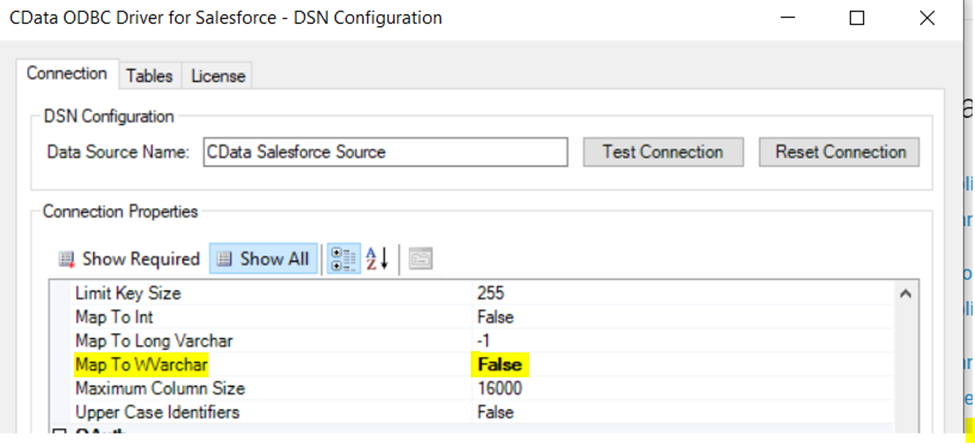
Finally, set the "Map To WVarchar connection property to False in the DSN Configuration window for the driver. This configuration will allow string types to be mapped to SQL_VARCHAR and prevent SQL_WVARCHAR types from being displayed as NULL.
Connecting to the Short.io ODBC Data Source in DBeaver
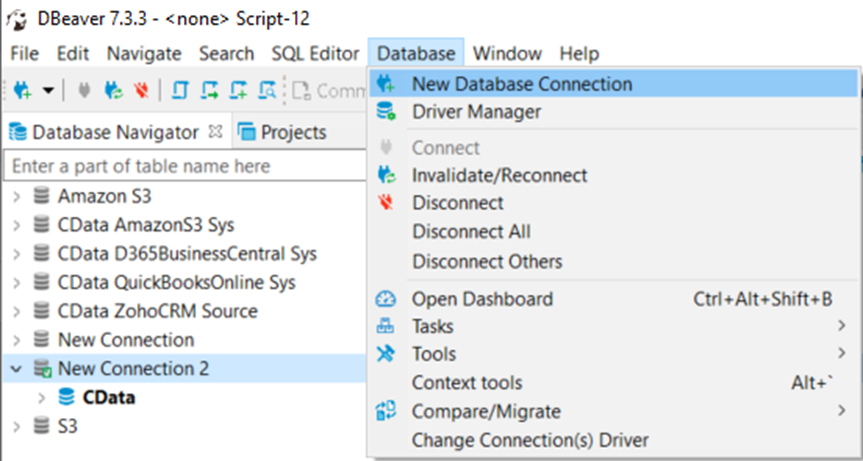
- Open the DBeaver application and in the Database menu, select the New Database Connection option.
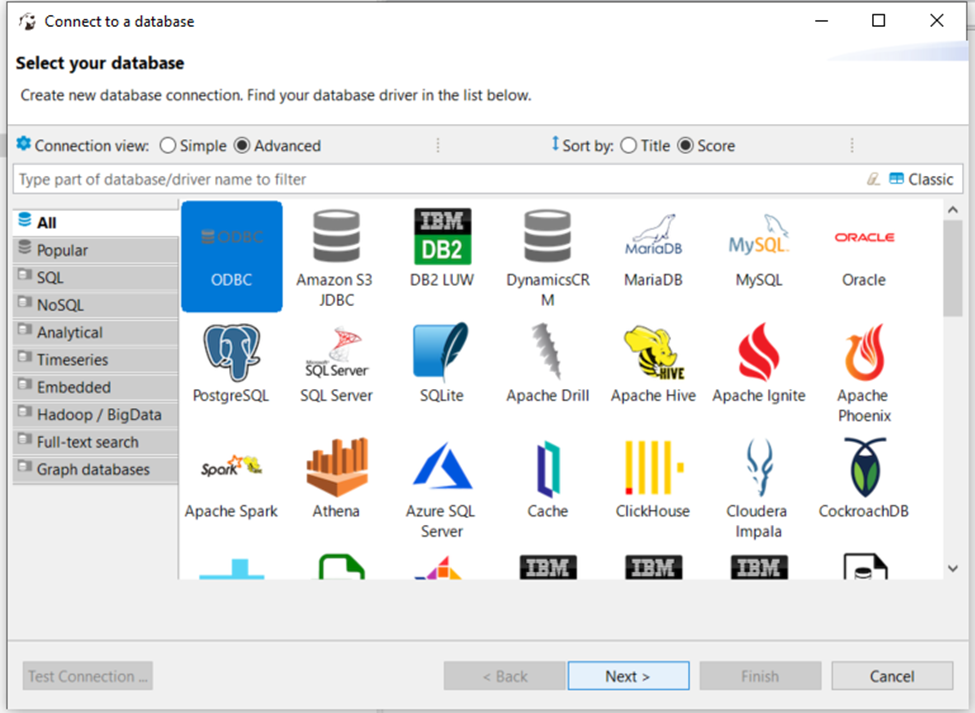
- In the 'Connect to a database' window, select ODBC and click Next.
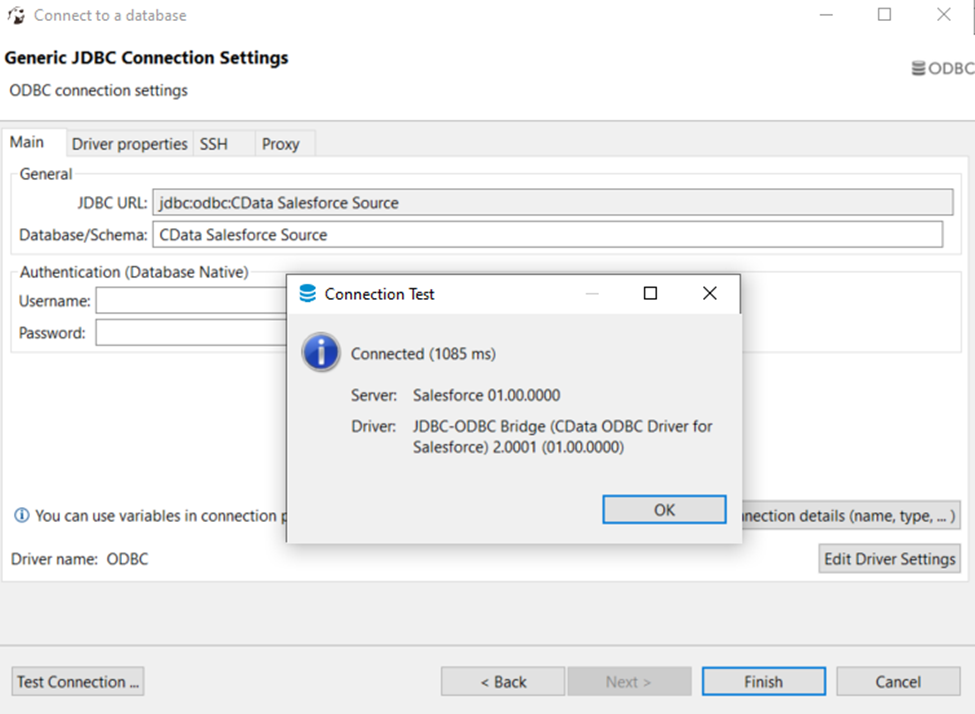
- In the Database/Schema field, enter the DSN name (CData Short.io Source by default). It will be automatically added to the JDBC URL as well.
- Click the Test Connection button. You should receive a 'Connected' message after DBeaver has detected the DSN, along with details about the driver if the connection is successful.
Query Short.io Data
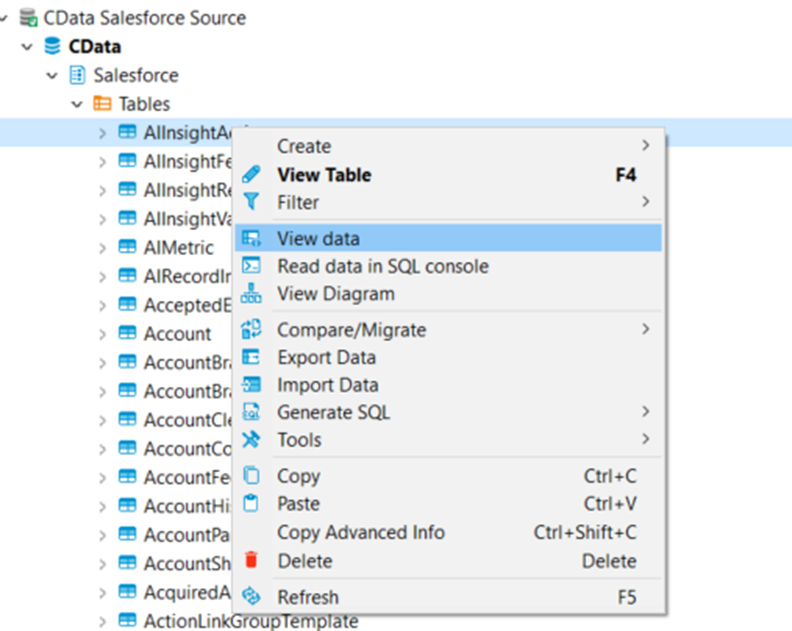
You can now query information from the tables exposed by the data source connection. You can expand the database structure in order to view all the tables. You can retrieve the table's data by right-clicking on a table name and selecting View data. The data will then be available in the Data tab.
Free Trial & More Information
At this point, you have connected to live Short.io data from DBeaver. For more information, visit the CData ODBC Driver page. Download a free, 30-day trial and start working live Short.io data DBeaver today.