






Query Suadeo Data through ODBC in Node.js

Node.js is a JavaScript runtime environment that allows you to run JavaScript code outside of a browser. With the CData ODBC Driver for Suadeo, you can access live Suadeo data from Node.js apps and scripts. In this article, we walk through installing node-odbc and the required tools to create a simple Node.js app with access to live Suadeo data.
With built-in optimized data processing, the CData ODBC Driver offers unmatched performance for interacting with live Suadeo data in Node.js. When you issue complex SQL queries from Node.js to Suadeo, the driver pushes supported SQL operations, like filters and aggregations, directly to Suadeo and utilizes the embedded SQL engine to process unsupported operations client-side (often SQL functions and JOIN operations).
Connecting to Suadeo Data
If you have not already done so, provide values for the required connection properties in the data source name (DSN). You can use the built-in Microsoft ODBC Data Source Administrator to configure the DSN. This is also the last step of the driver installation. See the "Getting Started" chapter in the help documentation for a guide to using the Microsoft ODBC Data Source Administrator to create and configure a DSN.
The driver uses the OAuth 2.0 Resource Owner Password Credentials (ROPC) grant to authenticate to Suadeo. Authentication occurs directly using your credentials; there is no browser-based authorization flow or refresh token.
Set the following connection properties:
- URL: The base URL of your Suadeo instance.
- User: Your Suadeo username.
- Password: Your Suadeo password.
- AuthenticationName: The name identifier for the authentication configuration in your Suadeo instance. Different authentication names can be configured for different environments or use cases.
When you connect, the driver sends your credentials to the Suadeo OAuth token endpoint, receives an access token, and uses it for all subsequent requests. A new access token is obtained automatically when needed during the session.
Building node-odbc
In order to connect to Suadeo through the CData ODBC Driver, you need to build node-odbc manually (after installing the required tools).
Installing the Required Tools
The following commands install the tools required to build node-odbc (note the -g parameter, which installs the tools globally).
npm i -g windows-build-tools
npm i -g node-gyp
Building node-odbc
After installing the required tools, create a directory for the Node.js app and install odbc (which builds the binary for us to use in our Node.js script).
mkdir nodeodbc
cd nodeodbc
npm i -g node
Querying Suadeo from Node.js
With the ODBC Driver installed, a DSN Configured, and node-odbc built, we are ready to query live Suadeo data from a Node.js app. The sample code below connects to a specific DSN and queries the Customers table.
myscript.js
const odbc = require('odbc');

async function querySuadeo() {
    const connection = await odbc.connect(`DSN=CData Suadeo Source`);
    const data = await connection.query('SELECT Id, Name FROM Customers');
    console.log(data);
}

querySuadeo();
Once you write the app, use node to execute the script:
node myscript.js
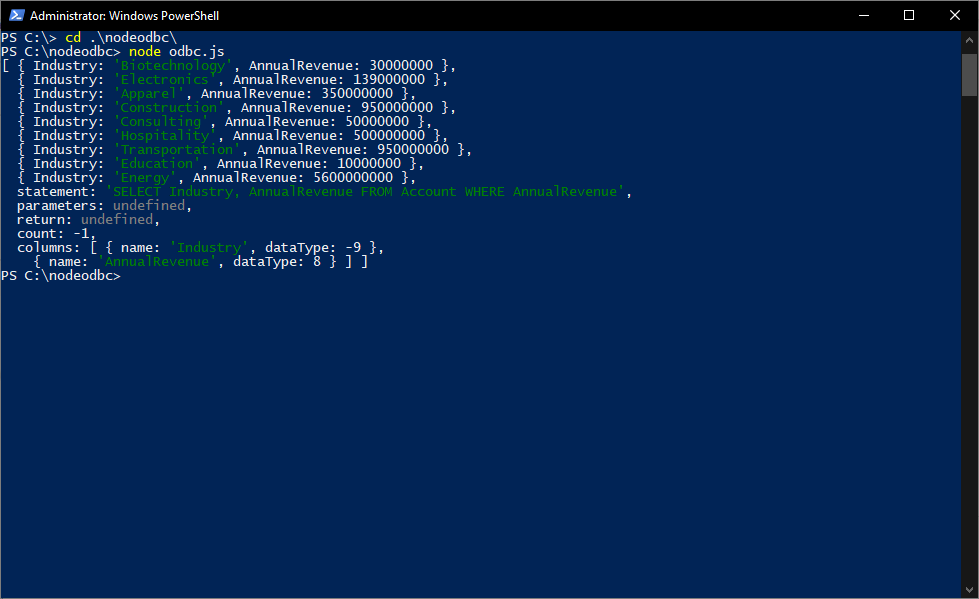
Download a free, 30-day trial of the CData ODBC Driver for Suadeo and start working with your live Suadeo data in Node.js. Reach out to our Support Team if you have any questions.
Ready to get started?
Download a free trial of the Suadeo ODBC Driver to get started:
Download NowLearn more:
 Suadeo ODBC Driver
The Suadeo ODBC Driver is a powerful tool that allows you to connect with live data from Suadeo, directly from any applications that support ODBC connectivity.
Access Suadeo data like you would a database - read, write, and update Suadeo 0, etc. through a standard ODBC Driver interface.