




Integrate UKG Pro HCM Data in Pentaho Data Integration

The CData API Driver for JDBC enables access to live data from data pipelines. Pentaho Data Integration is an Extraction, Transformation, and Loading (ETL) engine that data, cleanses the data, and stores data using a uniform format that is accessible.This article shows how to connect to UKG Pro HCM data as a JDBC data source and build jobs and transformations based on UKG Pro HCM data in Pentaho Data Integration.
Configure to UKG Pro HCM Connectivity
Start by setting the Profile connection property to the location of the UKGProHCM Profile on disk (e.g. C:\profiles\UKGProHCM.apip). Next, set the ProfileSettings connection property to the connection string for UKGProHCM (see below).
UKGProHCM API Profile Settings
UKG Pro HCM uses Basic authentication combined with a customer API key to authorize access to the API. To connect, you will need your UKG Pro HCM credentials and a customer API key issued by UKG.
Set the following connection properties to authenticate:
- AuthScheme: Set this to Basic.
- User: Set this to your UKG Pro HCM username.
- Password: Set this to your UKG Pro HCM password.
- ProfileSettings: Set this to a semicolon-separated list containing:
- Host: Your UKG Pro HCM tenant hostname (e.g., yourcompany.ultipro.com).
- CustomerAPIKey: Your UKG customer API key. This is passed as the US-CUSTOMER-API-KEY request header on each API call.
To obtain your customer API key, contact your UKG Pro HCM administrator or refer to the UKG Developer Portal at https://developer.ukg.com.
Built-in Connection String Designer
For assistance in constructing the JDBC URL, use the connection string designer built into the UKG Pro HCM JDBC Driver. Either double-click the JAR file or execute the jar file from the command-line.
java -jar cdata.jdbc.api.jar
Fill in the connection properties and copy the connection string to the clipboard.

When you configure the JDBC URL, you may also want to set the Max Rows connection property. This will limit the number of rows returned, which is especially helpful for improving performance when designing reports and visualizations.
Below is a typical JDBC URL:
jdbc:api:Profile=C:\profiles\UKGProHCM.apip;AuthScheme=Basic;User=your_username;Password=your_password;ProfileSettings='Host=yourcompany.ultipro.com;CustomerAPIKey=your_customer_api_key';Save your connection string for use in Pentaho Data Integration.
Connect to UKG Pro HCM from Pentaho DI
Open Pentaho Data Integration and select "Database Connection" to configure a connection to the CData API Driver for JDBC
- Click "General"
- Set Connection name (e.g. UKG Pro HCM Connection)
- Set Connection type to "Generic database"
- Set Access to "Native (JDBC)"
- Set Custom connection URL to your UKG Pro HCM connection string (e.g.
jdbc:api:Profile=C:\profiles\UKGProHCM.apip;AuthScheme=Basic;User=your_username;Password=your_password;ProfileSettings='Host=yourcompany.ultipro.com;CustomerAPIKey=your_customer_api_key'; - Set Custom driver class name to "cdata.jdbc.api.APIDriver"
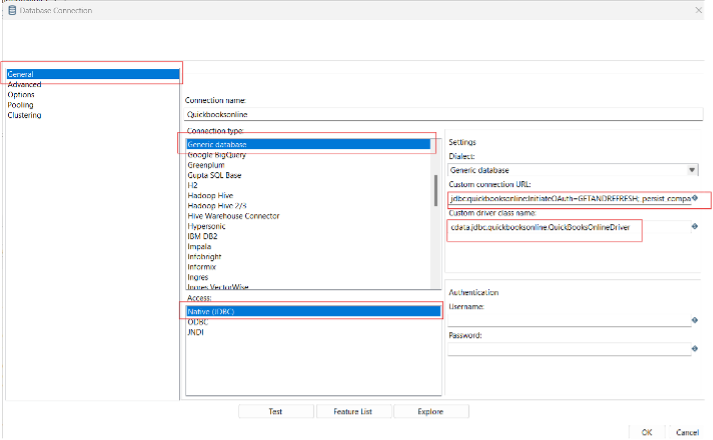
- Test the connection and click "OK" to save.
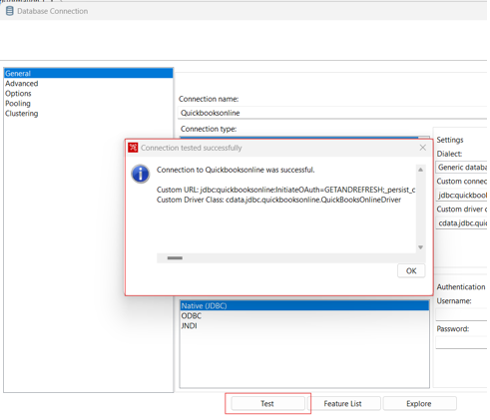
Create a Data Pipeline for UKG Pro HCM
Once the connection to UKG Pro HCM is configured using the CData JDBC Driver, you are ready to create a new transformation or job.
- Click "File" >> "New" >> "Transformation/job"
- Drag a "Table input" object into the workflow panel and select your UKG Pro HCM connection.
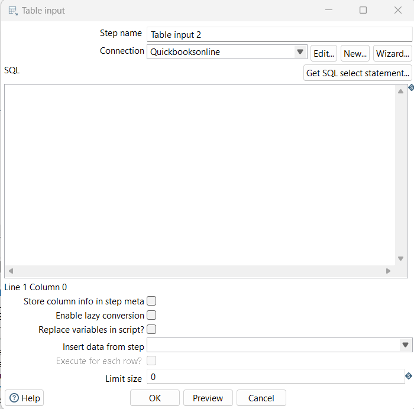
- Click "Get SQL select statement" and use the Database Explorer to view the available tables and views.
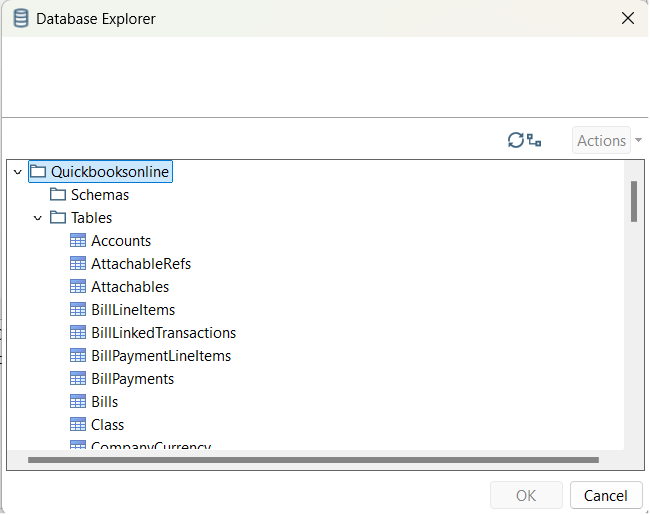
- Select a table and optionally preview the data for verification.
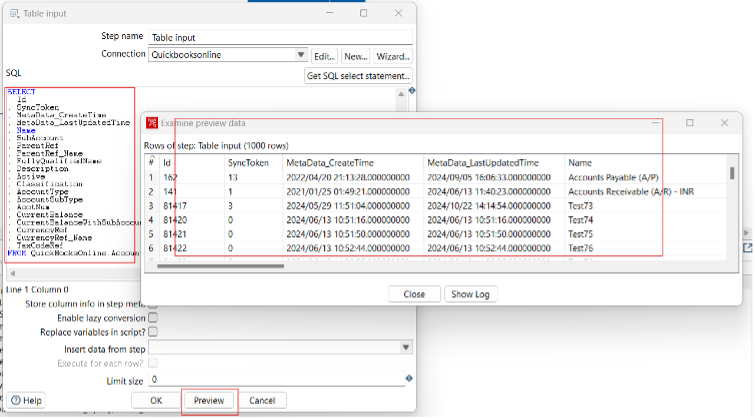
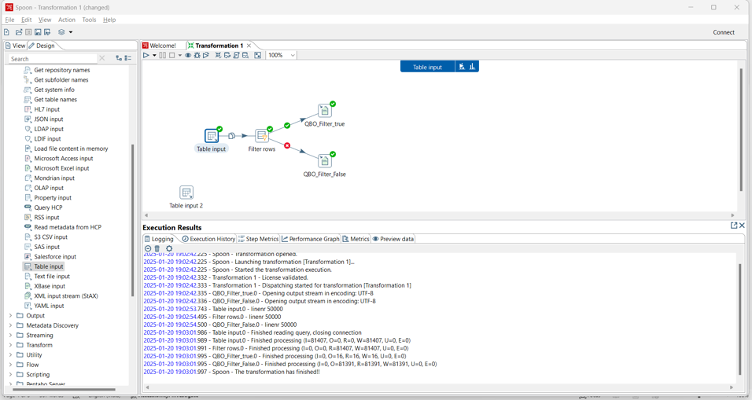
At this point, you can continue your transformation or jb by selecting a suitable destination and adding any transformations to modify, filter, or otherwise alter the data during replication.
Free Trial & More Information
Download a free, 30-day trial of the CData API Driver for JDBC and start working with your live UKG Pro HCM data in Pentaho Data Integration today.