




Create SSAS Tabular Models from UKG Pro WFM Data

SQL Server Analysis Services (SSAS) is an analytical data engine used in decision support and business analytics. It provides enterprise-grade semantic data models for business reports and client applications, such as Power BI, Excel, Reporting Services reports, and other data visualization tools. When paired with the CData API Driver for ODBC, you can create a tabular model from UKG Pro WFM data for deeper and faster data analysis.
Create a Connection to UKG Pro WFM Data
If you have not already, first specify connection properties in an ODBC DSN (data source name). This is the last step of the driver installation. You can use the Microsoft ODBC Data Source Administrator to create and configure ODBC DSNs.
Start by setting the Profile connection property to the location of the UKGProWFM Profile on disk (e.g. C:\profiles\UKGProWFM.apip). Next, set the ProfileSettings connection property to the connection string for UKGProWFM (see below).
UKGProWFM API Profile Settings
UKG Pro Workforce Management uses OAuth 2.0 with the Resource Owner Password Credentials grant (grant_type=password) to authorize access to the API. Unlike most OAuth-based profiles, this does not use a browser redirect/authorization-code step: the driver exchanges your UKG Pro WFM username, password, client ID, and client secret directly for an access token.
Set the following connection properties to authenticate:
- AuthScheme: Set this to OAuthPassword.
- Host: Set this to the hostname of your UKG Pro Workforce Management datacenter/tenant (for example, yourcompany.mykronos.com). Do not include the protocol (https://) or a trailing slash.
- OAuthClientId: Set this to the client ID issued for your UKG Pro Workforce Management OAuth application.
- OAuthClientSecret: Set this to the client secret issued for your UKG Pro Workforce Management OAuth application.
- User: Set this to your UKG Pro Workforce Management username.
- Password: Set this to your UKG Pro Workforce Management password.
Access tokens are obtained from https://{Host}/api/authentication/access_token. Refresh tokens issued by UKG Pro Workforce Management expire after 7 days; if a refresh attempt fails because the refresh token itself has expired, the driver must re-authenticate with your User/Password credentials to obtain a new access token.
Creating a Data Source for UKG Pro WFM
Start by creating a new Analysis Services Tabular Project in Visual Studio. Ensure that you select a Compatibility Level of 1400 or higher in the Tabular model designer dialog. Next create a Data Source for UKG Pro WFM in the project.
- In the Tabular Model Explorer, right-click Data Sources and select "New Data Source"
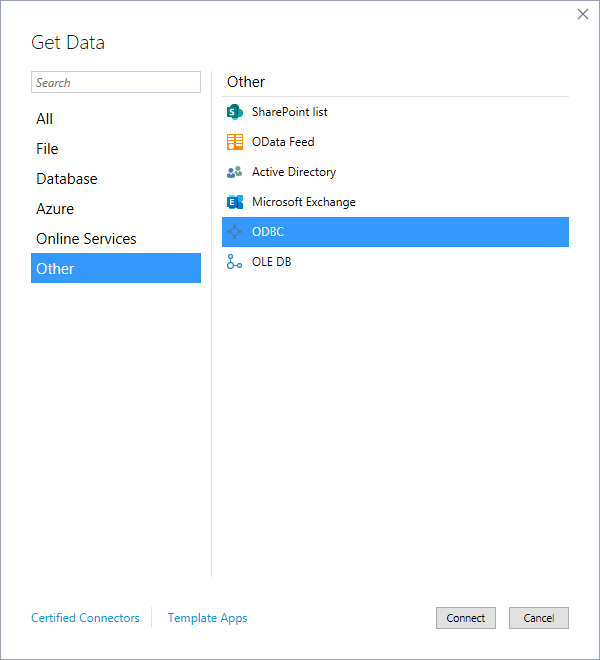
- Select "ODBC" from the Other tab and click "Connect"
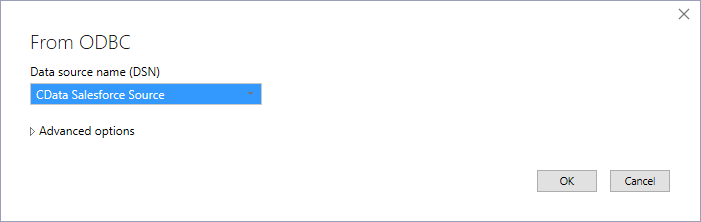
- Select the DSN you previously configured
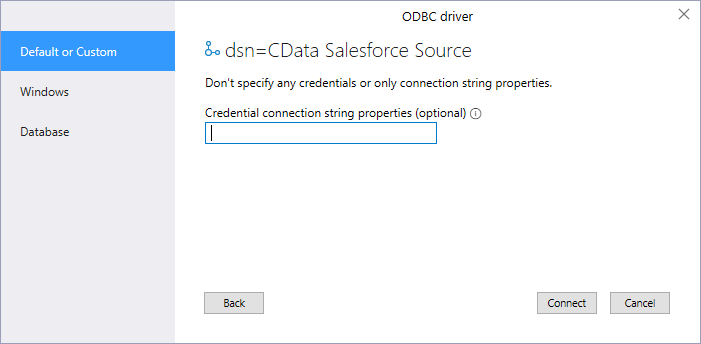
- Choose "Default or Custom" as the authentication option and click "Connect"
Add Tables & Relationships
After creating the data source you are ready to import tables and define the relationships between the tables.
- Right-click the new data source, click "Import New Tables" and select the tables to import
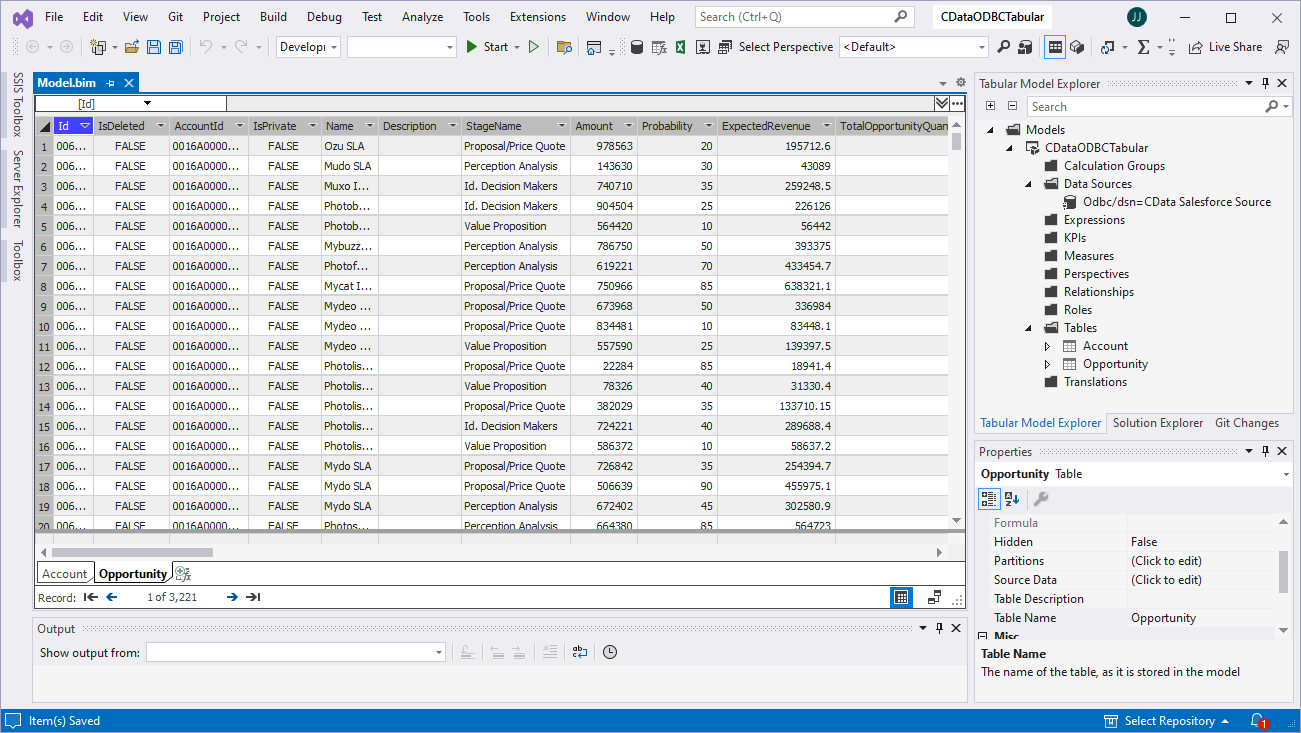
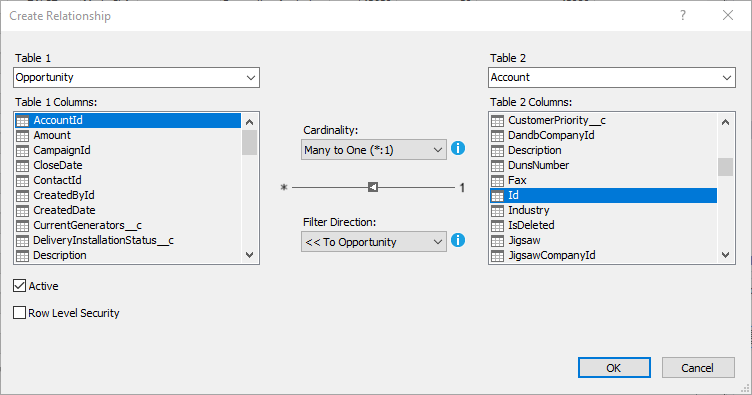
- After importing the tables, right-click "Relationships" and click "Create Relationships"
- Select table(s), and choose the foreign keys, cardinality, and filter direction
Create Measures
After importing the tables and defining the relationships, you are ready to create measures.
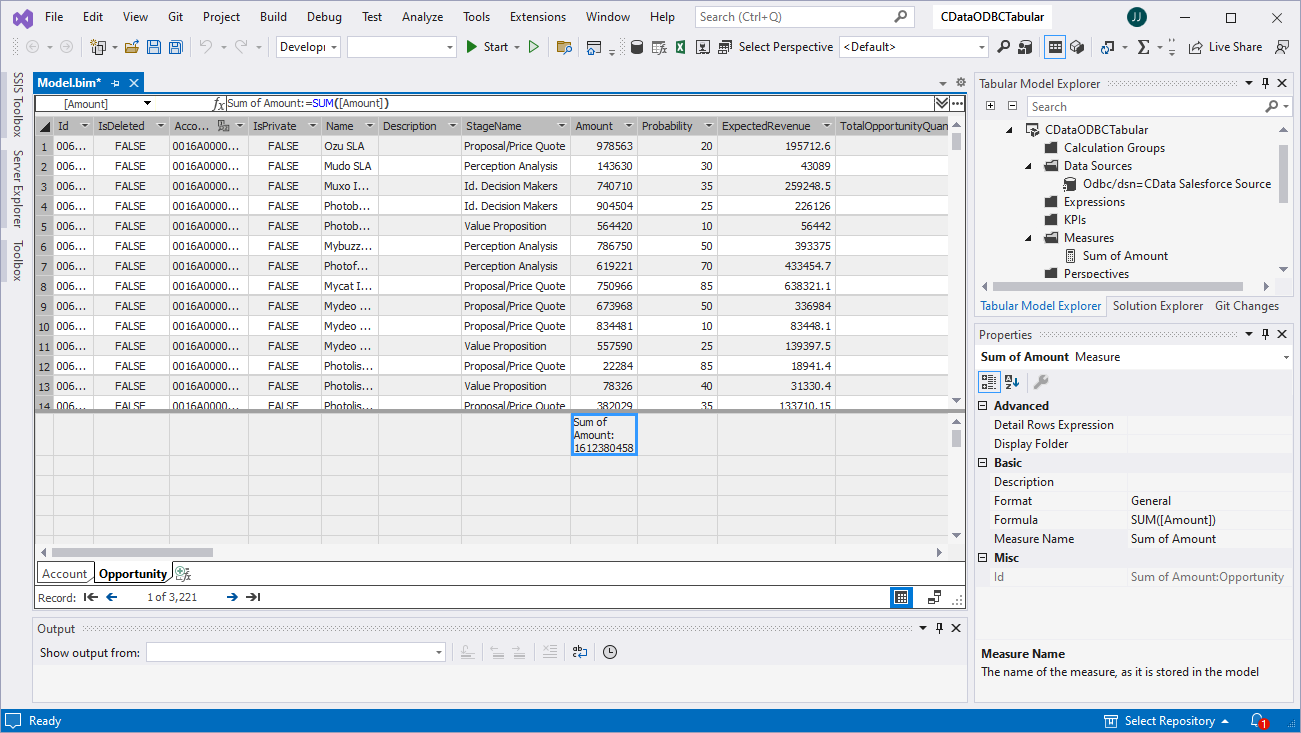
- Select the column in the table for which you wish to create a measure
- In the Extensions menu -> click "Columns" -> "AutoSum" and select your aggregation method
Deploy the Model
Once you create measures, you are ready to deploy the model. Configure the target server and database by right-clicking the project found in the Solution Explorer and selecting "Properties." Configure the "Deployment Server" properties and click "OK."
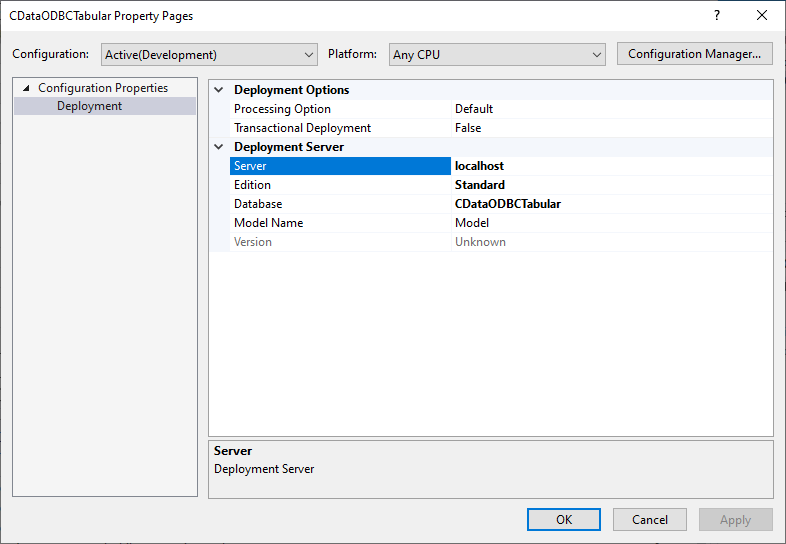
After configuring the deployment server, open the "Build" menu and click "Deploy Solution." You now have a tabular model for UKG Pro WFM data in your SSAS instance, ready to be analyzed, reported, and viewed. Get started with a free, 30-day trial of the CData API Driver for ODBC.