




Connect to Yotpo Data from PowerBuilder via ODBC

The CData ODBC Driver for Yotpo can be used from any platform or development technology that supports ODBC, including PowerBuilder. This article shows how to connect to Yotpo data and execute queries from the Database Painter and controls such as the DataWindow.
Connect to Yotpo as an ODBC Data Source
If you have not already, first specify connection properties in an ODBC DSN (data source name). This is the last step of the driver installation. You can use the Microsoft ODBC Data Source Administrator to create and configure ODBC DSNs.
Start by setting the Profile connection property to the location of the Yotpo Profile on disk (e.g. C:\profiles\Yotpo.apip). Next, set the ProfileSettings connection property to the connection string for Yotpo (see below).
Yotpo API Profile Settings
To authenticate to Yotpo, you can use the OAuth 2.0 client credentials flow with your Yotpo AppKey and AppSecret.
To use the Yotpo API, you need a Yotpo store account with an AppKey and AppSecret. You can find these credentials in the Yotpo dashboard under Account Settings > Store.
After setting the following connection properties, you are ready to connect:
- AuthScheme: Set this to OAuthClient.
- InitiateOAuth: Set this to GETANDREFRESH. You can use InitiateOAuth to manage the process to obtain the OAuthAccessToken.
- OAuthClientId: Set this to your Yotpo AppKey.
- OAuthClientSecret: Set this to your Yotpo AppSecret.
Create a Profile for the ODBC Driver for Yotpo
Follow the steps below to use the Database Painter tool to create a database profile based on an ODBC DSN (data source name) for Yotpo. In the Database Painter, you can use wizards and the UI to work with Yotpo data.
- In PowerBuilder, click Tools -> Database Painter.
- In the Objects window in the Database Painter, right-click the ODBC node and click New Profile.
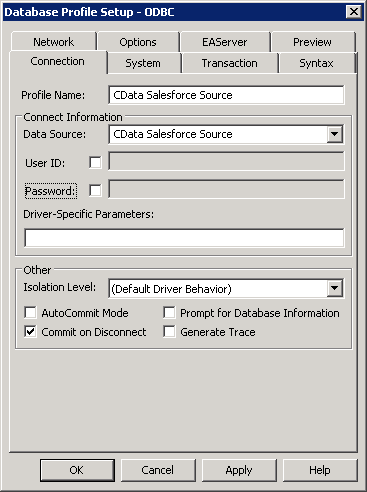
- On the Connection tab, enter a name for the profile and select the Yotpo DSN in the Data Source menu.
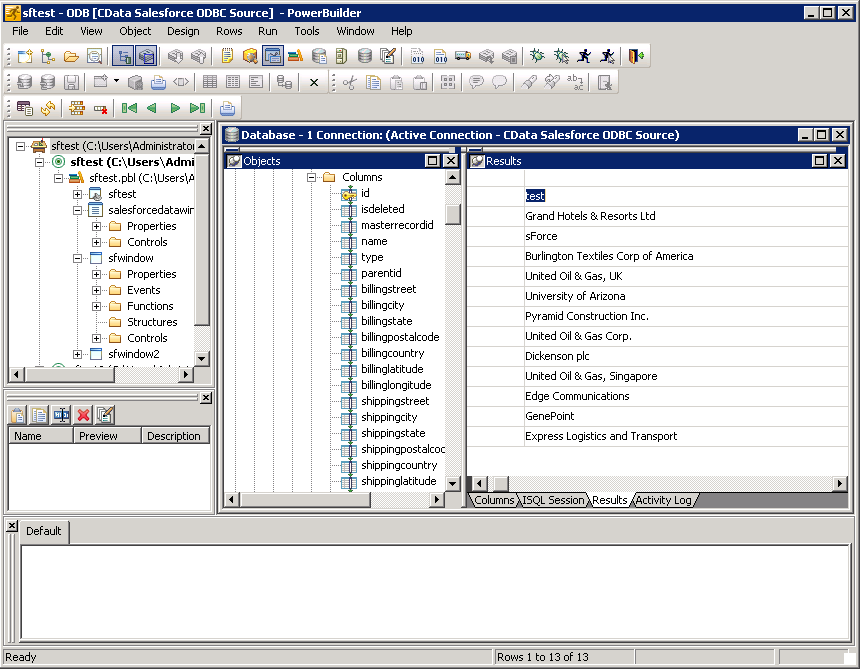
- To view and modify a table, right-click a table and then click Edit Data -> Grid.
Using Yotpo Data with PowerBuilder Controls
You can use standard PowerBuilder objects to connect to ODBC data sources and execute queries. The following example shows how to retrieve Yotpo data into a DataWindow. You can add the following code to the open method:
SQLCA.DBMS = "ODBC"
SQLCA.DBParm = "ConnectString='DSN=CData API Source'"
CONNECT USING SQLCA;
dw_productbottomline.SetTransObject(SQLCA);
dw_productbottomline.Retrieve();