Use the CData ODBC Driver for ZohoExpense in Microsoft Power Query

The CData ODBC Driver for ZohoExpense enables you to link to ZohoExpense data in Microsoft Power Query, ensuring that you see any updates. This article details how to use the ODBC driver to import ZohoExpense data into Microsoft Power Query.
Connect to ZohoExpense as an ODBC Data Source
If you have not already, first specify connection properties in an ODBC DSN (data source name). This is the last step of the driver installation. You can use the Microsoft ODBC Data Source Administrator to create and configure ODBC DSNs.
Start by setting the Profile connection property to the location of the ZohoExpense Profile on disk (e.g. C:\profiles\ZohoExpense.apip). Next, set the ProfileSettings connection property to the connection string for ZohoExpense (see below).
ZohoExpense API Profile Settings
Register an OAuth application in the Zoho Developer Console to obtain your Client ID and Client Secret.
Import ZohoExpense Data
Follow the steps below to import ZohoExpense data using standard SQL:
-
From the ribbon in Excel, click Power Query -> From Other Data Sources -> From ODBC.
- Enter the ODBC connection string. Below is a connection string using the default DSN created when you install the driver:
Provider=MSDASQL.1;Persist Security Info=False;DSN=CData API Source
-
Enter the SELECT statement to import data with. For example:
SELECT Id, CurrencyName FROM Currencies WHERE CurrencyCode = 'USD'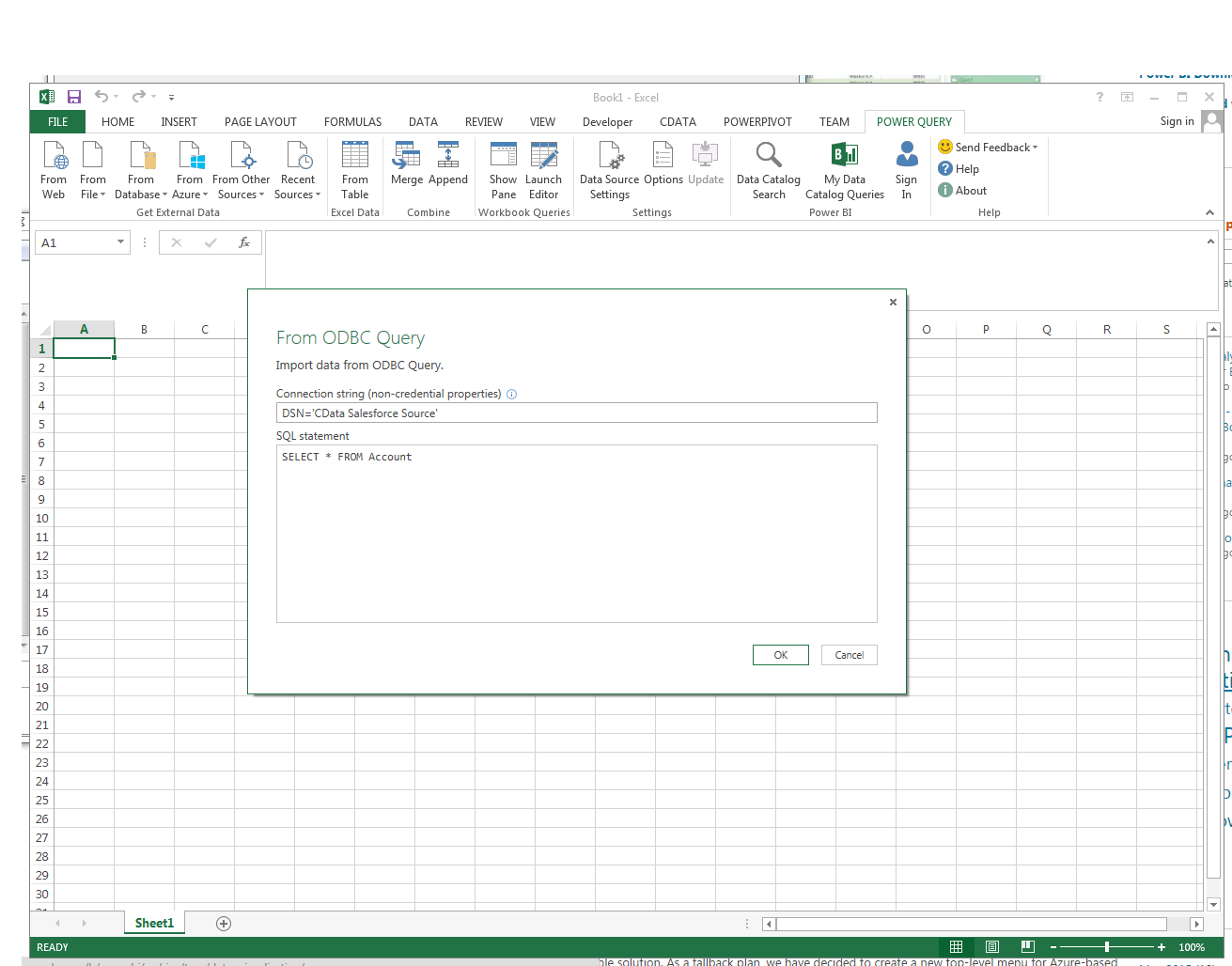
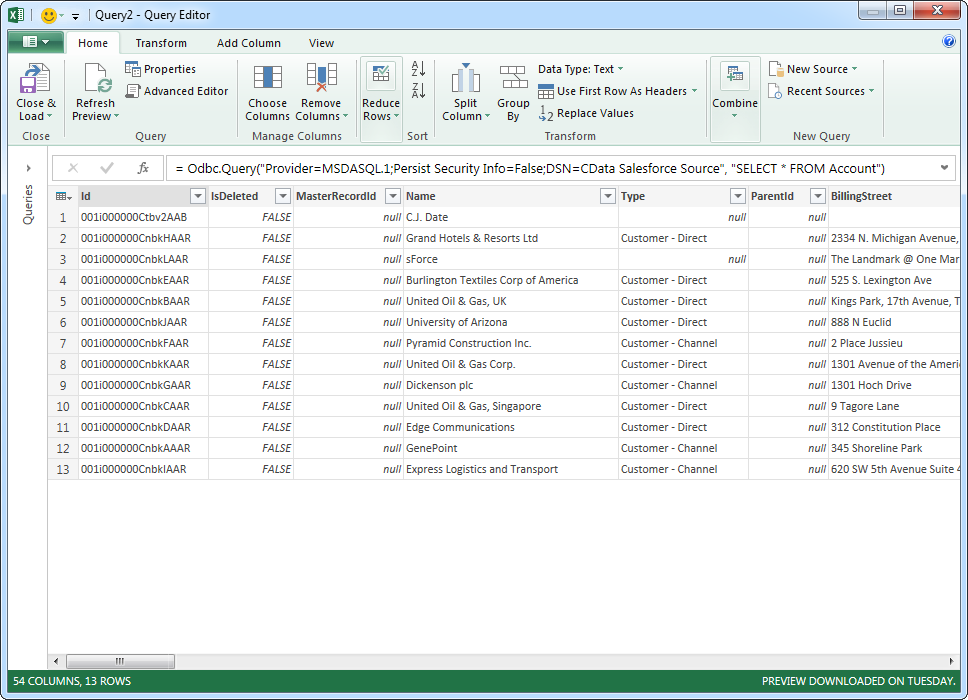
Enter credentials, if required, and click Connect. The results of the query are displayed in the Query Editor Preview. You can combine queries from other data sources or refine the data with Power Query formulas. To load the query to the worksheet, click the Close and Load button.