








Connect ChatGPT to live Suadeo data, securely.
CData Connect AI lets you plug any business application into any AI tool—like Suadeo into ChatGPT—for live, trusted answers and actions with zero data copies.


Schema-aware MCP server
ChatGPT reads your full Suadeo data model on connect
Cross-source MCP toolset
Join live Suadeo with hundreds of other systems in one prompt
Bidirectional with identity passthrough
ChatGPT reads and writes under your access rules

Suadeo:
Suadeo is a comprehensive self-service business intelligence platform designed to give business users direct access to their data without requiring IT support. The platform combines data integration, semantic modeling, analytics, and dashboarding in a single environment, enabling end-to-end data workflows from source to visualization. Users can connect to diverse data sources, build dynamic models, and create interactive reports using a no-code interface. Suadeo's collaborative features support shared analytics across teams while maintaining governance and data quality. The platform helps organizations reduce reliance on technical resources and accelerate insight-driven decision-making.

ChatGPT:
ChatGPT is OpenAI’s conversational AI with enterprise-grade controls and extensibility through GPTs and Actions, which let ChatGPT call external REST APIs to fetch or update data securely. Developers can also build agentic workflows using OpenAI’s Agents stack, with retrieval, web search, and function-style tools—now enabled by the Model Context Protocol (MCP) for standardized connectivity. Available on web, desktop, and API, ChatGPT helps teams draft, summarize, plan, and answer questions—and, when paired with CData Connect AI, deliver real answers from live business data.
Popular ChatGPT & Suadeo integration use cases
- Executive Q&A on live metrics — Let leaders ask ChatGPT questions about revenue, pipeline, support tickets, or financial KPIs directly from Suadeo.
- Drafts and summaries grounded in real data — Generate customer emails, project briefs, or meeting summaries using the latest records from Suadeo without exporting or staging data.
- Agentic workflows using Actions — Enable ChatGPT to trigger governed actions on Suadeo (like creating support cases or updating opportunities) using Actions mapped to approved writes.
- Secure retrieval and analysis — Give technical teams a safe way to query and analyze real-time Suadeo data inside ChatGPT while maintaining full audit trails.
Learn more about CData Connect AI

Suadeo to ChatGPT features
Access data where it lives right now. Ensure data is always live, always retains its metadata and semantics, and always protected by source system permissions.
Expose your data's metadata, relationships, and context so AI has real understanding of your business without recreating it on top of a warehouse.
Point-and-click connection setup that works for both queries and actions so you can set up integrations in minutes.
Pass through and edit role-based access control (RBAC) inherited from the source to users in AI and AI agents.
How It Works: Model Context Protocol (MCP)
Connect AI is first managed Model Context Protocol (MCP) platform for AI integration. Model Context Protocol (MCP) is an open standard for connecting AI assistants, agents, and automations to external tools and data.
With Connect AI's managed MCP platform, you can present your enterprise systems as standardized MCP tools and resources and call them directly from AI.
Instead of building and maintaining dozens of one-off MCP Servers, your AI simply calls one universal MCP URL from Connect AI, and gets governed access to live data from across your enterprise stack.
Getting Started is Easy:
- Configure data sources (Salesforce, NetSuite, Workday, SQL, Jira, etc.) in Connect AI.
- Create a 'Remote MCP' URL.
- Connect ChatGPT to your business data.
Get Started for Free
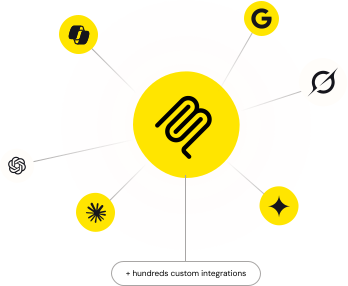
Access live Suadeo data in other popular AI tools
No complicated data movement, ETL, or data integration required. Securely connect live Suadeo data with any AI tool that supports MCP. Select your preferred tool below to learn more.


