Ask an AI agent about an employee's compensation in Workday, and it may answer confidently, cite a number, and get it wrong, not because the model is bad at its job, but because Workday's REST API has a compensation service that returns scorecards and one-time payment requests, not salary, bonus, or pay-rate amounts. That data lives behind Workday Query Language (WQL) and the SOAP Compensation service. A connector that only speaks REST doesn't know it's missing anything, so it answers anyway, minus the numbers that would have made the answer true.
A broken report shows you a blank cell or a zero, and you know to go check. An agent doesn't leave that kind of trace. It reasons over whatever data it was handed and delivers the answer in the same confident tone it would use if nothing were missing. Nothing flags the gap. The wrong number just moves forward until someone downstream trusts it.
For many enterprises, the instinct when an agent underperforms is to route to a better model — swap the provider, upgrade the tier, or build an LLM gateway to manage the traffic. That's half the stack. The other half, the one fewer teams interrogate, is the data layer: what the agent can reach, and how completely it reaches it. What "complete" must mean there is what the rest of this piece works through.
Why partial connectivity is worse than no connectivity
The Workday example is a silent retrieval failure: the connector returns part of what the agent needs; the agent has no signal that anything is missing, and it answers anyway with the same confidence it would have had with the full picture. The same failure happens across any source where a connector treats partial reach as close enough.
This isn't a fringe worry anymore, either. Dig into why agents fail in production, and analysts and practitioners keep landing on the same answer: it's rarely the reasoning that breaks. It's what the agent was fed. The model does fine with the data in front of it. The data just wasn't the whole story.
That's what makes this failure mode worse than an outright error. An error gets caught, traced, and fixed, usually fast, because something visibly broke. A wrong answer that sounds right doesn't get caught at all. It gets trusted, repeated, and passed along, until it's the number sitting in a board deck that nobody thought to double-check.
Depth is not one thing
Most vendors measure "deep connectivity" on a single axis, usually endpoint count. For an agent working against enterprise data, depth breaks into six dimensions, and skipping any one of them creates a blind spot.
Surface. Does the connector reach every API a source offers, or just one? Workday alone exposes four: WQL, Reports as a Service, REST, and SOAP, each surfacing data the others don't. NetSuite splits capability across SuiteQL, SOAP SuiteTalk, and RESTlets. Reaching the API isn't the same as getting rows back, either. Workday requires prompt values resolved from reference tables before many data sources return anything, and a connector that doesn't model that step returns an empty result, not an error.
Data model. Does the connector surface custom objects and user-defined fields, or only the vendor's default structure? Real Salesforce orgs live in custom objects. Unified APIs typically surface around 30 shared fields; Salesforce alone exposes more than 200.
Operation. Can the agent read, write, and act, or only read? Most connectors stop at read.
Execution. Does the filter, join, and aggregation run at the source, or inside the model's context window?
Context. Does the connector teach the model how the system works, or hand it a raw schema and leave it to guess?
Maintenance. What happens to the agent's access when the source ships a new API version?
Where the computation happens matters as much as what gets reached
Here's a failure pattern that shows up constantly: the connector pulls the full object back, and the agent ends up filtering and aggregating it inside its own context window. Cost stops tracking the size of the question and starts tracking the size of the data instead, and accuracy takes a hit too, since a language model doing arithmetic across thousands of rows is being asked to do something it was never particularly good at.
Query pushdown fixes this at the mechanism level rather than papering over the symptom. It translates an agent's request into the source system's native filters, joins, and aggregations, so the computation happens where the data already lives, and only the result travels back to the model. The model ends up reasoning over a small, relevant answer instead of chewing through a raw dump it never needed.
In CData's public benchmark on a request spanning three sources, moving schema discovery out of the model's runtime and into an admin-curated tool cut Claude input tokens by 97.6%, and scoped Workspaces and Toolkits got there too, at 93.6%. The testing harness is open source on GitHub, and the replication guide says that this is best-case discovery compression, not what you'd expect on average across a real mix of requests, which is the kind of honesty that makes the number worth citing at all.
Reads are the floor, not the ceiling
A read-only agent has, without anyone quite deciding this on purpose, made every action someone else's job to finish. It can tell you an invoice is unreconciled. It can't go reconcile it.
Write-back is the capability most connectors never reach, and that gap costs more than people tend to admit. An agent that can only read spends its whole existence generating reports for a human to act on, which puts a hard ceiling on how useful it can ever be, well below what most enterprises need from it.
The bar for write-back is identity and audit: knowing who initiated the action, under what permissions, with a record a security team can pull up later. That's what turns a write from reckless into approvable — and what a real AI data gateway has to clear before write-back is safe to switch on.
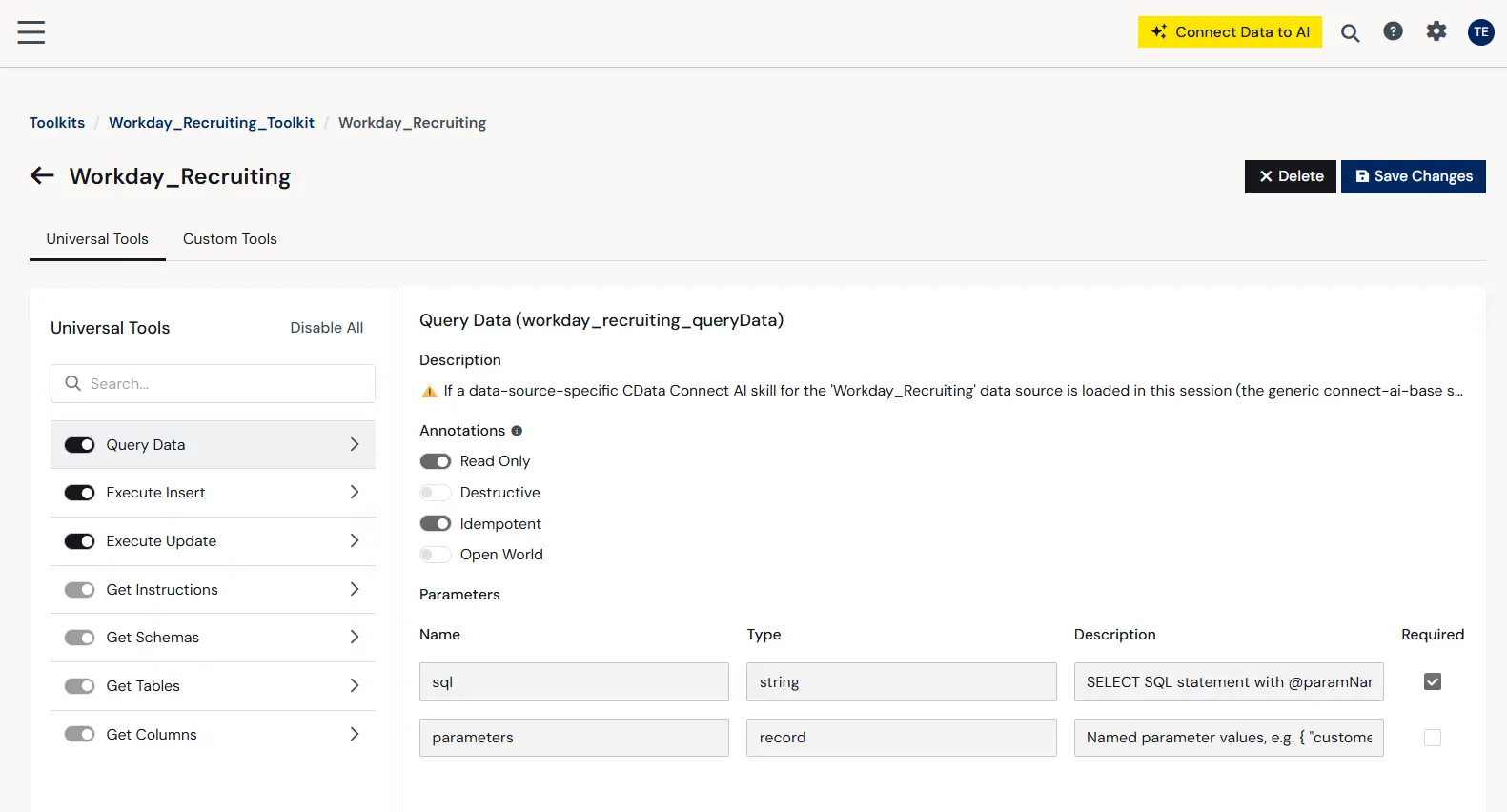
Figure: Write-back capability
Seven questions to ask before trusting an agent with enterprise data
Run these against any connector before it touches production data.
"Which of this source's APIs does the connector reach, and which does it skip?" Test it against Workday compensation.
"Does it surface custom objects and user-defined fields automatically?" Test it against a custom object your team built in Salesforce.
"Can the agent write and act, or only read?"
"Where does the join run: at the source, or in the model?"
"Does the connector carry source-specific context, or hand over a raw schema?"
"Who maintains it when the source API changes?"
"Is every action logged under the individual user's identity, in the connectivity layer and in the source system?"
One more question, if there's room for it: "Does the agent know its own permissions before it acts?" A connector that tells the agent upfront it only has select access on a source stops a failed write before it happens, instead of after someone must clean it up.
What complete access looks like through the Connect AI MCP
CData Connect AI is a managed Model Context Protocol (MCP) server: one hosted endpoint that any MCP client, Claude, ChatGPT, Microsoft Copilot, or a Databricks agent, connects to directly. It runs on connectors CData has maintained for more than a decade, built to reach every relevant endpoint a source exposes.
Here's how it answers the six questions above.
Surface. Workday connects through WQL, RaaS, REST, or SOAP, so compensation data and custom reports are both reachable. A single WQL connection exposes dozens of compensation data sources, from compensation plans and grades to bonus payments and stock plan awards. NetSuite connects through every variation of SuiteQL plus SOAP SuiteTalk, with saved searches available through RESTlets. Salesforce connects through Web Services and Bulk API 2.0, with custom reports and dashboards exposed as views.
Data model. Dynamic data model discovery surfaces every object and field for a system, including custom objects and fields, in the relational interface automatically, without a manual mapping step and not limited to the fields in a contrived common or universal data model.
Operation. Connect AI reads, writes, and acts through one interface. For actions that aren't plain CRUD, it exposes stored procedures: Salesforce gets ConvertLead, Merge, Undelete, and Search; Workday REST uses paired Begin and Submit business process procedures; NetSuite SuiteTalk includes procedures for tasks like file upload. Writes use the same identity and logging model as reads. On NetSuite, writes and procedures run through SuiteTalk, not SuiteQL.
Execution. Query pushdown handles filters, joins, and aggregations at the source, with parallel paging and streaming for large datasets, and a client-side query engine for the rare operation a source can't handle natively.
Context. Every source comes with its own MCP instructions that teach the model how that system works before the first request runs. For Workday, that covers which connection type supports writes, how prompt values resolve, and what specific error codes mean. For NetSuite, it covers which schema a connection is bound to and how transaction type codes differ between them. Tools sit in three tiers, universal, source-specific, and custom, and Workspaces define the data boundary while Toolkits define the action boundary.
Maintenance. The managed connector layer absorbs API version changes, schema updates, and authentication changes, so a new API version from the source doesn't break an agent overnight.
Control. Access runs under the requesting user's own credentials, applied at the source at execution time, so the agent inherits exactly what that person is allowed to see and do. It can check its own permission set, select-only versus select, insert, update, delete, and execute, before it acts. Every request is logged with who, what, and when, alongside the source system's own log. Connect AI stores no result data, only metadata for audit, and teams that want caching can point it at their own Postgres database, keeping residency in their control.
Zoom out and the pattern holds across all six dimensions: most gateways govern at the routing layer, deciding which model gets used and which tool get called. Some reach first-party access or a copy of the data. Connect AI governs at the live source, per request, per user, and can write back to it.
Since CData Connect AI sits between the model layer and the data platforms, the context built up here survives a warehouse migration or a model swap without starting over. Files and reports in the source are queryable and editable through the same interface too, no separate retrieval pipeline required.
In an internal benchmark across 378 real-world prompts, Connect AI held 98.5% accuracy, more than 25 points ahead of competing MCP providers, including one ERP platform where the vendor's own native MCP server failed outright. The gap comes down to depth and where the work happens, not a different model underneath.
Give your AI agents complete access to Workday, NetSuite, and Salesforce with CData Connect AI
CData Connect AI is the AI data gateway for Claude, ChatGPT, Copilot, and any MCP client: every API surface, every custom field, read and write and act, joins executed at the source, and every request run under the individual user's credentials with a full audit trail behind it. Connect Workday or NetSuite, point your AI tool at the MCP endpoint, and ask a question a shallow connector would get wrong.
Start a free trial of CData Connect AI




