AI features demo well. Making them run in production across customer environments, behind firewalls, through security reviews, is a different problem entirely.
Closing those gaps means taking on data connectivity work like connectivity layers, governance controls, and observability tooling that has nothing to do with your product's core value. Connect AI Embed is the managed MCP layer that takes that build off your team's plate. Our Q1 release adds four capabilities specifically designed to extend governed AI connectivity into private network environments, tighten access controls, and give product and engineering teams operational visibility across all their customer environments.
Connect Gateway: Extend your AI features to data behind the firewall
For many customers, keeping critical data on-premises isn't a preference. It's a compliance requirement. This creates a hard problem: your AI features need access to that data to work, but your customers can't or won't route it through the cloud.
Without a solution, the answer is either "we don't support on-premises data” (which costs you deals) or a custom hybrid connectivity build that consumes engineering resources and creates long-term maintenance overhead.
Connect Gateway eliminates that tradeoff. It runs as a lightweight Docker container inside your customer's own network, establishing a secure, outbound-only reverse tunnel to Connect AI Embed. No inbound firewall rules, no VPN, no exposed ports. Because the connection is initiated from inside the customer's network, their on-premises systems are never directly reachable from the public internet. Your customers' data stays in their environment, which is often a non-negotiable for security-conscious buyers, and one you now meet without building for it.
Each gateway is registered per network location, not per individual source, so a single gateway instance can cover multiple data sources within the same private network. Customers with data in multiple locations can run gateways in each. And if a gateway instance goes down, requests automatically route to remaining instances, so your product stays available without manual intervention.
Validated connectors include SAP, SQL Server, and PostgreSQL, with additional systems expanding rapidly.
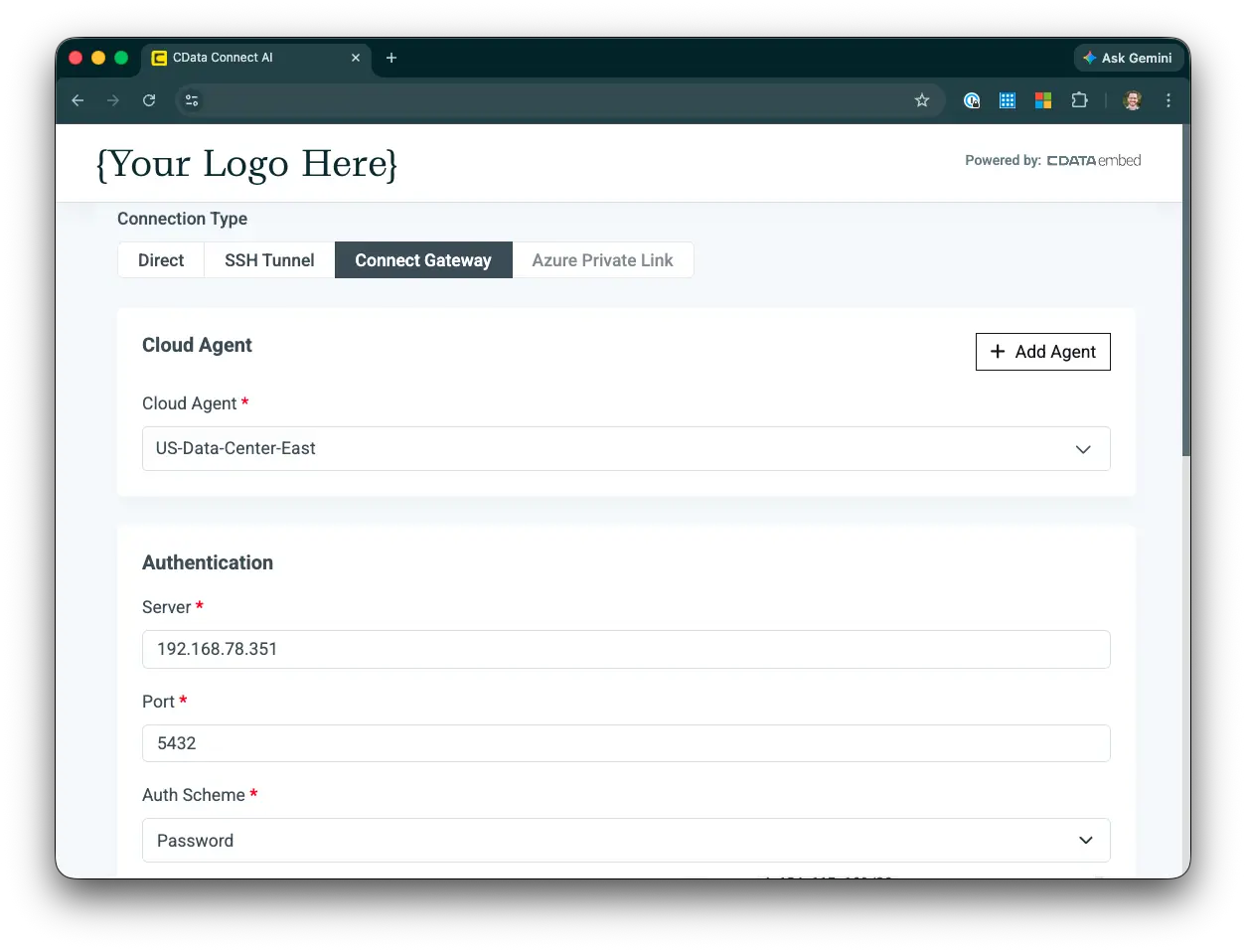
Connect Gateway Setup in Connect AI Embed
Global Connection Properties: Centralize configuration across tenants at scale
Building branded OAuth flows for every data source your customers connect to is a significant engineering investment, and one that needs to be maintained as provider APIs change. Global Connection Properties for Embed eliminates that build. You configure OAuth credentials centrally and push them to sub-accounts so your customers see your brand when they authenticate, not CData's. Configuration is centralized: push approved settings to sub-accounts rather than managing each one manually.
For product teams selling into larger accounts, branded authentication is often a requirement before an integration ships. Without it, deals stall. With it, your team doesn't have to build or maintain the OAuth infrastructure to get there, removing a common blocker without adding engineering overhead.
Embedded Master Dashboard: Centralize visibility across your entire deployment
As your customer base grows, operational visibility becomes non-negotiable. Without it, diagnosing issues means digging through sub-accounts manually. Your engineering team spends time on connector triage instead of shipping, and customers start asking questions you can't answer quickly.
The Embedded Master Dashboard gives you a centralized control plane for monitoring and managing your Connect AI Embed tenants from a single interface. Monitor connection health and agent activity across sub-accounts, track usage metrics and performance trends, and identify configuration issues or integration errors before customers escalate them. Your support workflows get faster. And customers who need it get the operational visibility to feel confident in your platform, without you building a custom observability layer to deliver it.
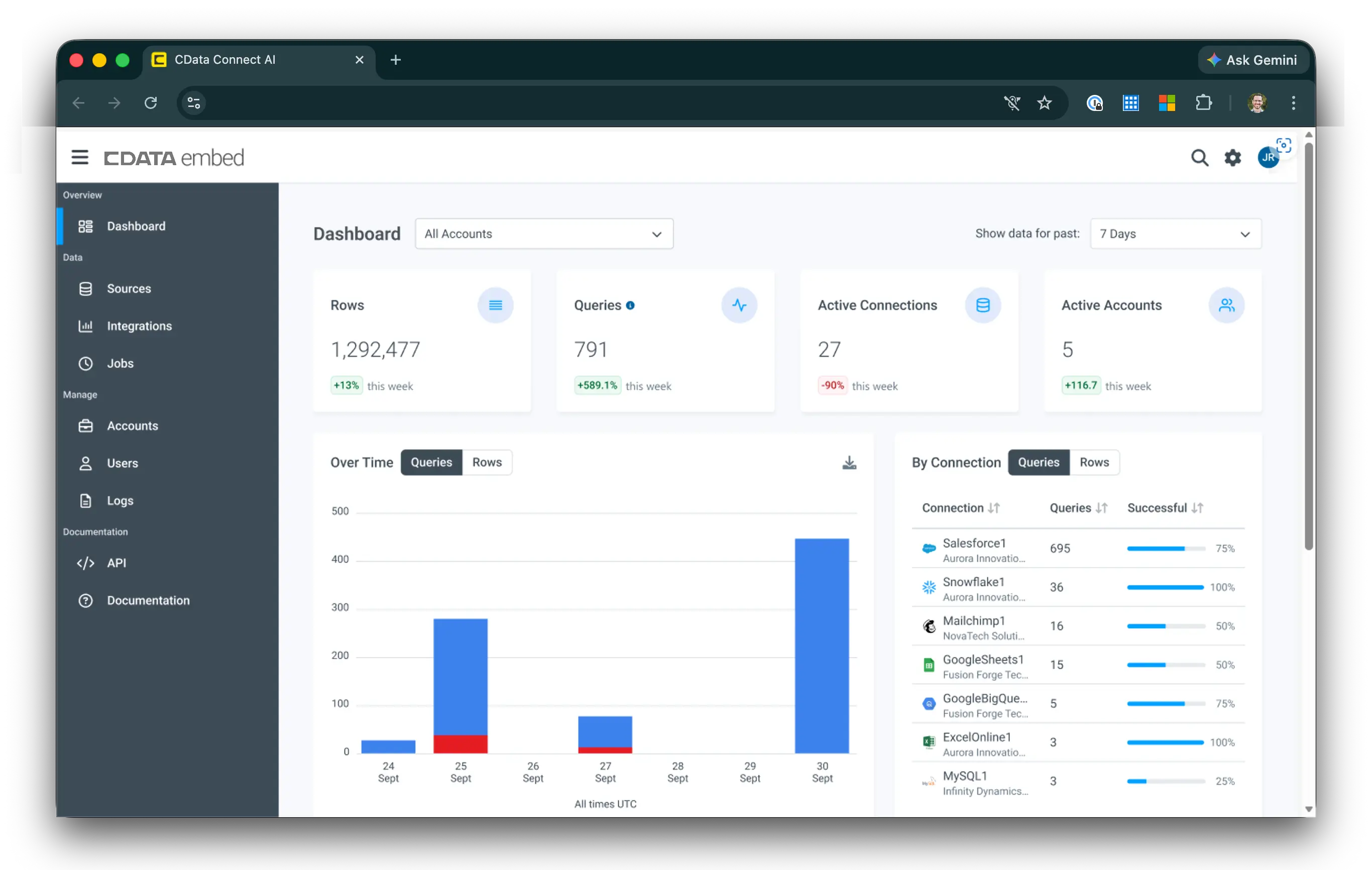
View cross-tenant usage metrics, connection performance, and account activity with the Embedded Master Dashboard
Embedded Caching UI: Manage AI performance without building the interface yourself
Caching is one of the most effective levers for making AI features feel fast and responsive under load. The engineering cost of building a caching management interface against the API, however, falls entirely on your team, and creates ongoing maintenance overhead as your deployment scales.
The Embedded Caching UI removes that build requirement entirely. It's a ready-to-use visual interface for managing cache configurations directly within your product. Your team adjusts cache settings without writing against the API, skipping the implementation and maintenance cost of building the interface from scratch. Your customers get visibility into how caching is configured for their environment. The kind of transparency that builds confidence in your platform at scale.
For your customers, responsive AI isn't a nice-to-have. It's the baseline expectation. Caching is one of the fastest ways to meet it without a performance engineering project.
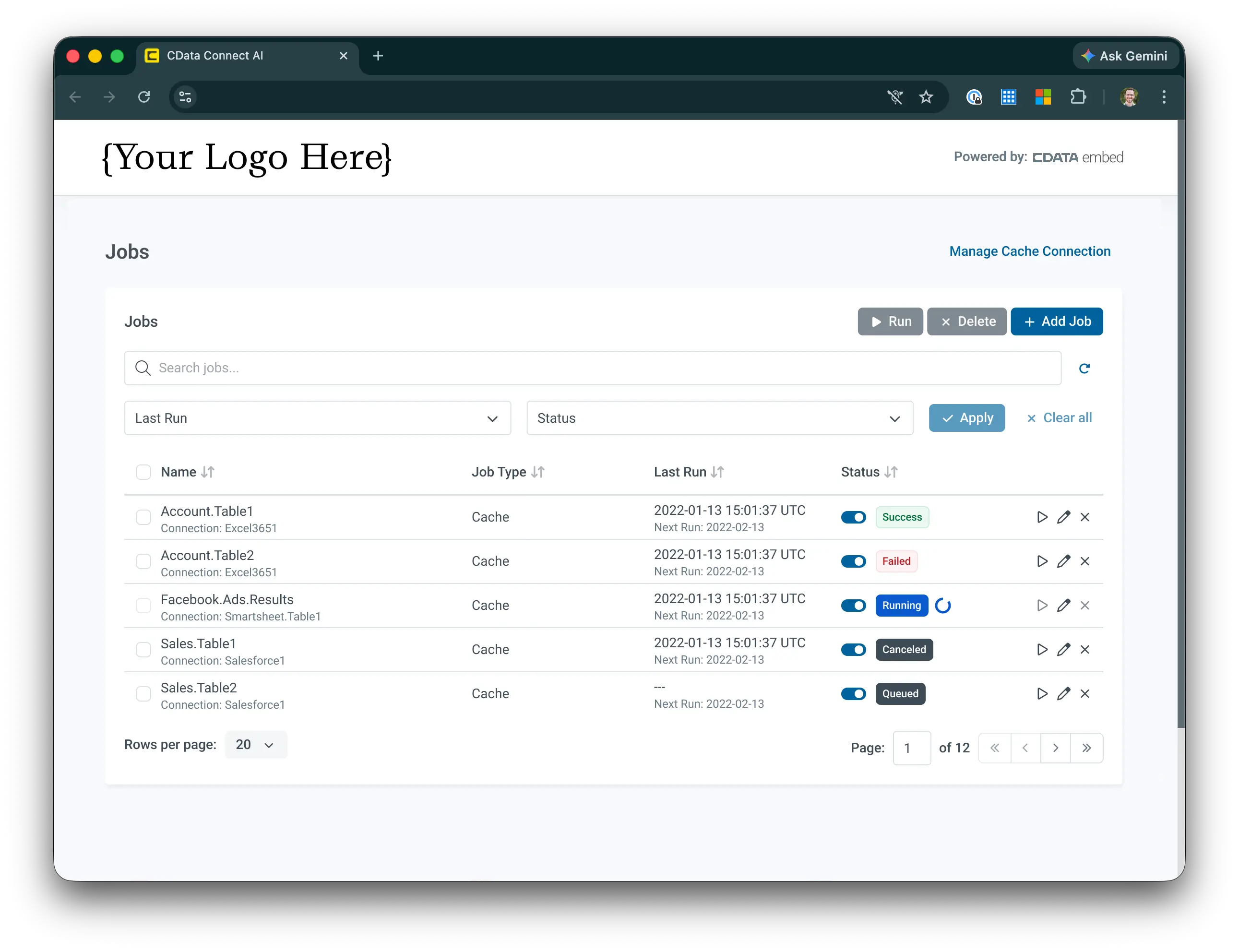
The Embedded Caching UI gives your customers cache visibility without the engineering overhead
What this release makes possible
Connect AI Embed is built on a simple premise: your team should spend its time building your product, not the data integration layer underneath it. This release extends that premise further: into private networks your customers couldn't open before, across tenant deployments that would otherwise require manual configuration, and through the security and observability requirements that come with scaling a production AI product.
The result is a managed MCP platform that grows with your deployment, without growing your data integration burden.
Ready to embed production-grade AI into your product?
Product and engineering teams building on Connect AI Embed can now reach on-premises data, deliver branded authentication, and give customers the operational visibility they need to trust your platform, all without building or maintaining the data integration layer themselves.
If you're evaluating what it takes to scale your AI features into regulated industries, multi-tenant deployments, or larger accounts, this is the release to look at.
Talk to the team about your embedded AI use case →




