Enterprise AI doesn't stall because of the model—it stalls because the data infrastructure underneath isn't built for production. The Q1 release for Connect AI addresses that directly, introducing the first purpose-built agent tooling architecture for MCP: scoped tool types, governed workspaces, and composable toolkits that give enterprises precise control over what agents can see and do.
We are excited to announce that our Q1 release for Connect AI expands its capabilities with major new features: custom MCP tools and toolkits extend agent precision and control; a new Connect Gateway brings live connectivity to on-prem data; and SCIM 2.0 provisioning with Custom OAuth Apps deepen the enterprise control layer.
Custom MCP tools: Governed tooling and workspaces for production AI
Enterprise AI deployments don't operate in a single mode. Some queries are exploratory — an analyst asking why renewal rates are dropping, an agent surfacing correlations across CRM, billing, and support data. Others are deterministic — a month-end close workflow pulling transactions, reconciling systems, and routing approvals through fixed steps. Others are fully autonomous — an agent detecting a potential stockout, evaluating suppliers, and placing orders before anyone reviews. Each mode compounds the architectural requirements of the last.
A tool architecture built for one mode breaks under the others. The Q1 release for Connect AI introduces a three-tier tool design built to support all three from a single governed foundation.
Universal Tools provide a normalized set of operations that work consistently across all 350+ connected systems. Instead of exposing hundreds of system-specific tools, agents receive a compact, schema-aware interface ideal for data exploration, ad-hoc analysis, and multi-source reasoning — without tool surface bloat.
Custom Tools allow organizations to define purpose-built operations tailored to specific workflows. These tools execute pre-optimized queries with explicit data access limits — reducing token usage, improving performance, and eliminating unintended data exposure.
Source Tools (coming Spring 2026) expose tightly defined operations specific to each system. These tools map directly to approved system actions, allowing IT teams to enforce predictable execution, transactional safety, and auditability for production workflows.
Most MCP providers support a single tool type, typically a generic query interface, or a fixed set of API-mapped operations. Connect AI is the only managed MCP platform that delivers all three in a single governed layer, so AI interacts with resolved, business-aligned tools rather than reasoning through raw schema on every query.
Read more about Custom MCP Tools in our documentation.
Build tools that reflect business workflows
Custom Tools are purpose-built for agentic workflows, where agents execute multi-step processes and need predictable, scoped operations at every stage. Consider an order-to-cash workflow running across Salesforce, Dynamics 365 Business Central, and Zuora. The moment a Salesforce opportunity moves to Closed Won, an agent needs to create a customer record in the ERP, generate an order, provision a subscription in the billing system, and update Salesforce with the order status — autonomously, without human intervention at each step.
Without purpose-built tooling, the agent reasons over raw schema at every stage: guessing field names, resolving relationships, handling system-specific behaviors that aren't visible until runtime. Each step introduces uncertainty — and in a multi-step workflow, that uncertainty compounds. A single misresolved field early in the process can produce incorrect orders, failed provisioning, or data inconsistencies that require manual cleanup downstream.
With Custom Tools, each operation is pre-defined: scoped inputs, validated logic, and structured output. The agent doesn't reason through schema — it calls a resolved tool and moves to the next step. The result is a workflow that executes reliably across three enterprise systems, with a clear audit trail and no unintended data exposure at any layer.
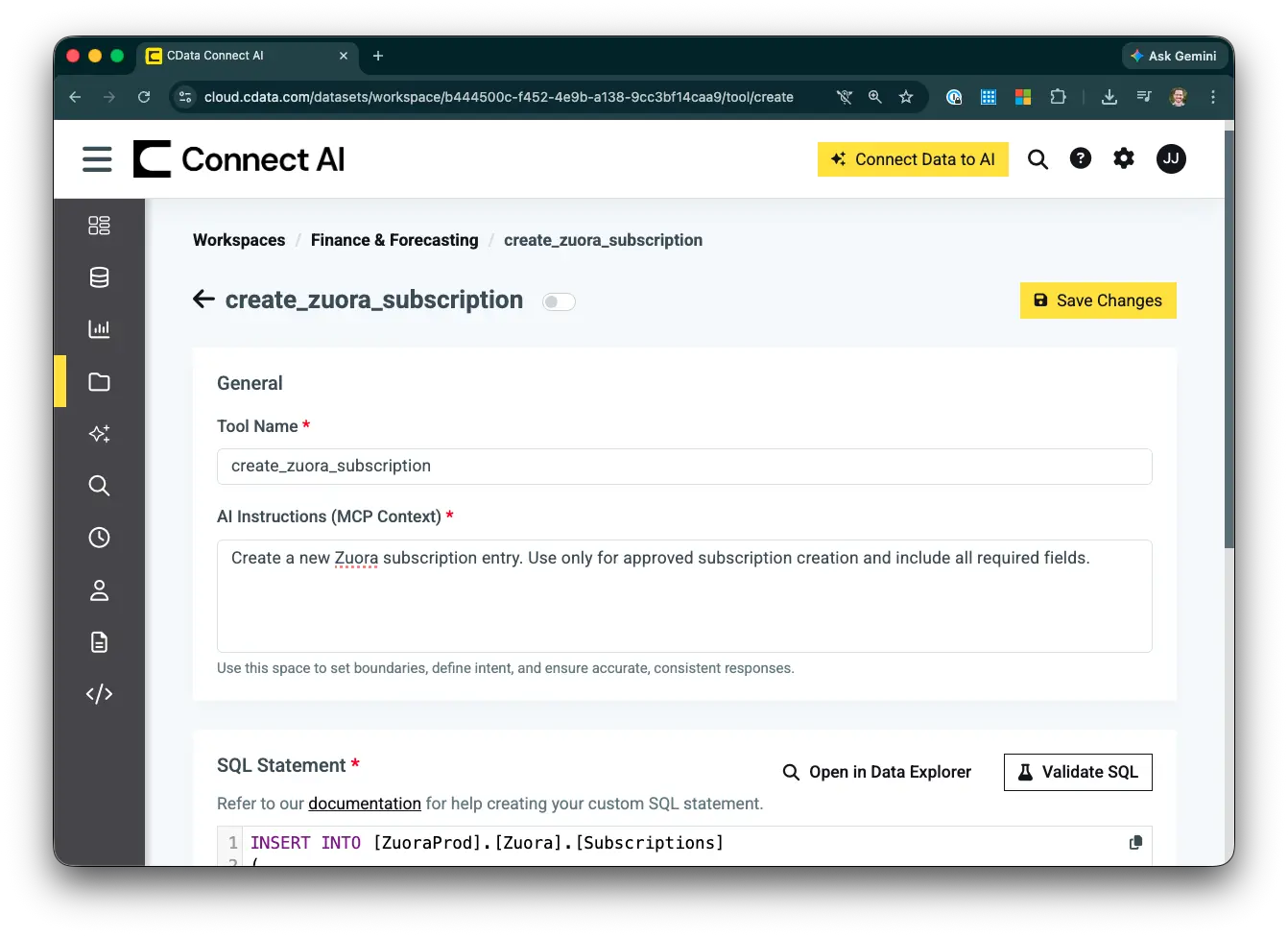
Custom MCP Tool configuration
Governance through workspaces and toolkits
Workspaces define the data boundary for each agent — specifying exactly which datasets, schemas, or views are accessible. Finance tools remain accessible only within finance workspaces. HR logic stays within HR. Customer analytics tools do not surface in sales operations environments. This structure enables organizations to scale AI deployments across departments without creating governance sprawl or requiring separate platform instances for different teams.
Toolkits define the action boundary — determining which Universal, Source, or Custom Tools are available for a given workflow. A Toolkit bundles a curated set of MCP tools into a single governed MCP endpoint, purpose-built for a specific team or use case. Organizations define exactly which connections, tools, and logic are exposed, and publish a single MCP Server URL that AI tools connect directly.
Each Workspace and Toolkit combination can be deployed as a dedicated MCP server, ensuring agents operate only within their intended scope — reducing context noise, strengthening governance, and delivering enterprise-grade control over agent behavior.
Together, Custom Tools, Workspaces, and Toolkits shift Connect AI from connecting AI to data, to building governed AI workflows on enterprise data.
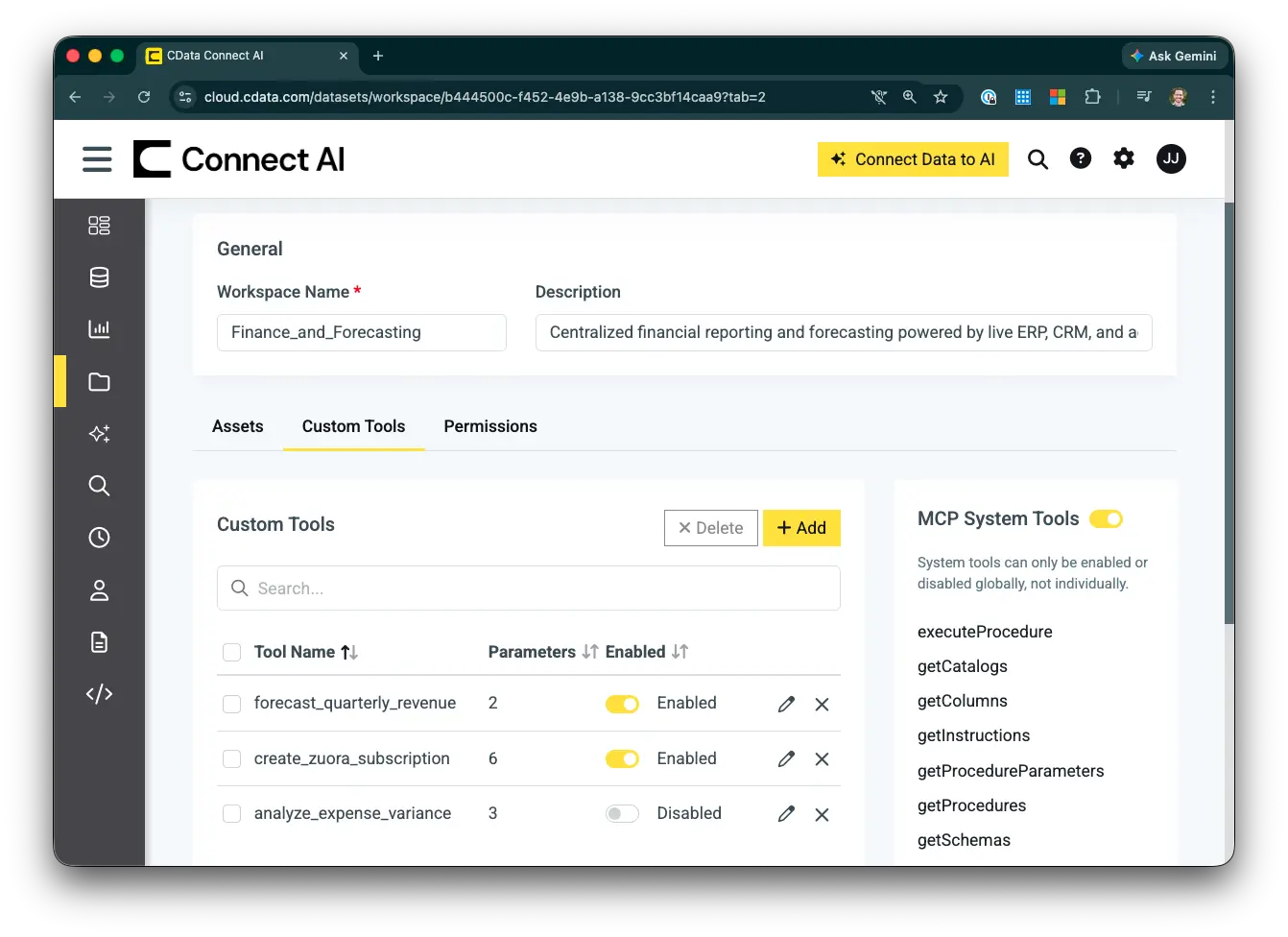
Configured Workspace with Custom MCP Tools
Connect Gateway: Secure access behind the firewall
For most organizations, the data that matters most isn't only in the cloud. ERP systems, manufacturing databases, legacy data stores, and operational systems often live on-premises, and inside private networks that cloud-based AI platforms can't reach. The Connect Gateway closes that gap, extending Connect AI's managed MCP platform behind the firewall without opening inbound ports or exposing systems to the public internet.
The gateway runs as a lightweight agent within your infrastructure and establishes a secure, outbound-only connection to Connect AI — no inbound firewall rules, no VPN, no exposed ports. Because the connection is initiated from inside your network, your on-premises systems are never directly reachable from the public internet. At launch, validated connectors include SAP, SQL Server, and PostgreSQL, with additional systems expanding rapidly.
Read more about Connect Gateway in our documentation.
Enable hybrid AI architecture without compromise
With the Connect Gateway, organizations don't have to choose between cloud convenience and on-premises control. A manufacturer can give AI access to live production data sitting behind a factory firewall. A financial services firm can connect AI to an on-premises SQL Server without migrating sensitive records to the cloud. A healthcare organization can surface operational data from legacy systems alongside cloud applications. All governed through a single MCP layer, with the same audit trails and permission controls applied everywhere.
The result is a single managed platform spanning SaaS applications, cloud data warehouses, and on-premises systems with no architectural compromises and no parallel governance model to maintain.
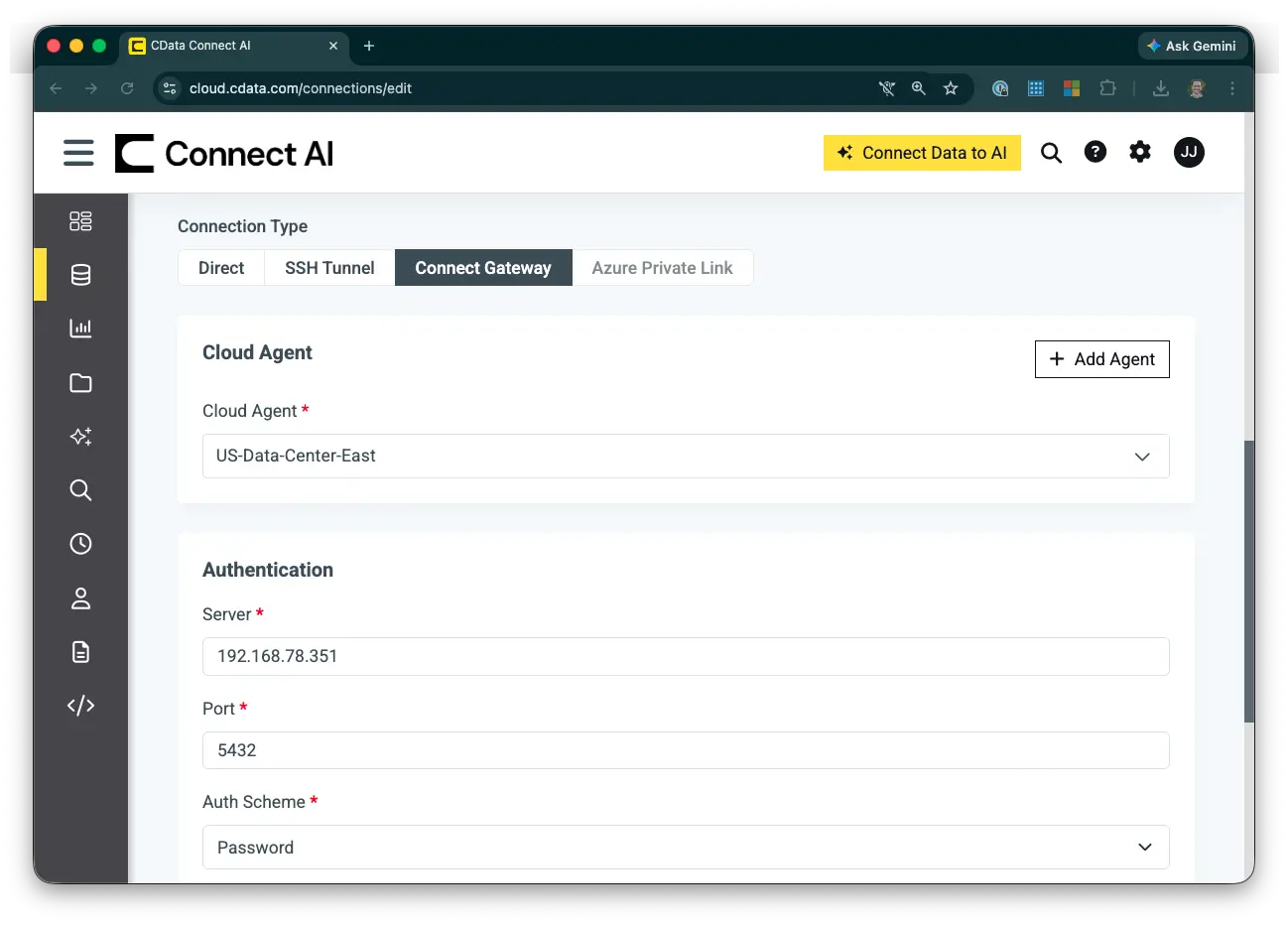
Connect Gateway configuration
Enterprise control: SCIM and custom OAuth apps
As AI deployments move to production, identity management and credential governance become non-negotiable. Security teams need assurance that access is provisioned correctly, revoked promptly, and attributable at every layer. The Connect AI Q1 Release deepens Connect AI's enterprise control layer with two capabilities purpose-built for the standards enterprise security programs require.
SCIM 2.0: Automated identity lifecycle management
With SCIM 2.0 support, organizations can synchronize users, groups, and permissions directly from identity providers including Okta, Azure AD, and Ping Identity. Access is provisioned, updated, and revoked automatically as employees join, change roles, or leave. This eliminates manual access reviews and the risk of orphaned credentials persisting in the system.
For organizations operating under SOC 2, ISO 27001, and similar frameworks, this isn't a convenience feature, it's a compliance requirement. SCIM ensures Connect AI aligns with mandatory automated access controls and audit trail requirements, removing a common blocker for security team sign-off.
Read more about SCIM 2.0 provisioning in our documentation.
Custom OAuth Apps: Bring your own credentials
Custom OAuth Apps (coming Spring 2026) allow organizations to authenticate using their own registered OAuth application credentials rather than shared apps. For enterprises connecting to Salesforce, Microsoft 365, Google Workspace, and similar systems, this matters in practice: dedicated rate limits instead of shared capacity, organization-controlled permission scopes, first-party credentials aligned with internal security policies, and clear audit attribution back to the organization's own registered application.
Together, SCIM and Custom OAuth Apps ensure that as AI access scales across the organization, identity and credential governance scale with it.
Strengthening every pillar of the platform
The Q1 release reinforces Connect AI's three foundational pillars:
Connectivity: 350+ data sources plus secure on-prem access via the Connect Gateway
Context: Custom MCP Tools with semantic intelligence and workspace scoping
Control: SCIM automation, first-party OAuth credentials, and Workspace Isolation
By unifying these capabilities within a single managed MCP platform, Connect AI eliminates the need to assemble separate connectivity tools, identity automation layers, and governance workarounds.
To go deeper on what's in this release, explore our related resources:
Start building with a 14-day free trial of CData Connect AI and explore what governed, enterprise-ready MCP infrastructure enables.




