








Work with Live Adobe Experience Manager Data in Power Query

Power Query is a data transformation and data preparation engine. When paired with CData Connect AI, you get instant, cloud-to-cloud access to Adobe Experience Manager data from Power Query. This article shows how to connect to Connect AI from Power Query through Microsoft Excel and get live access to Adobe Experience Manager data for transformation and preparation.
CData Connect AI provides a pure SQL, cloud-to-cloud interface for Adobe Experience Manager, allowing you to easily integrate with live Adobe Experience Manager data in Power Query — without replicating the data. CData Connect AI looks exactly like a SQL Server database to Power Query and uses optimized data processing out of the box to push all supported SQL operations (filters, JOINs, etc) directly to Adobe Experience Manager, leveraging server-side processing to quickly return Adobe Experience Manager data.
Configure Adobe Experience Manager Connectivity for Power Query
Connectivity to Adobe Experience Manager from Power Query is made possible through CData Connect AI. To work with Adobe Experience Manager data from Power Query, we start by creating and configuring a Adobe Experience Manager connection.
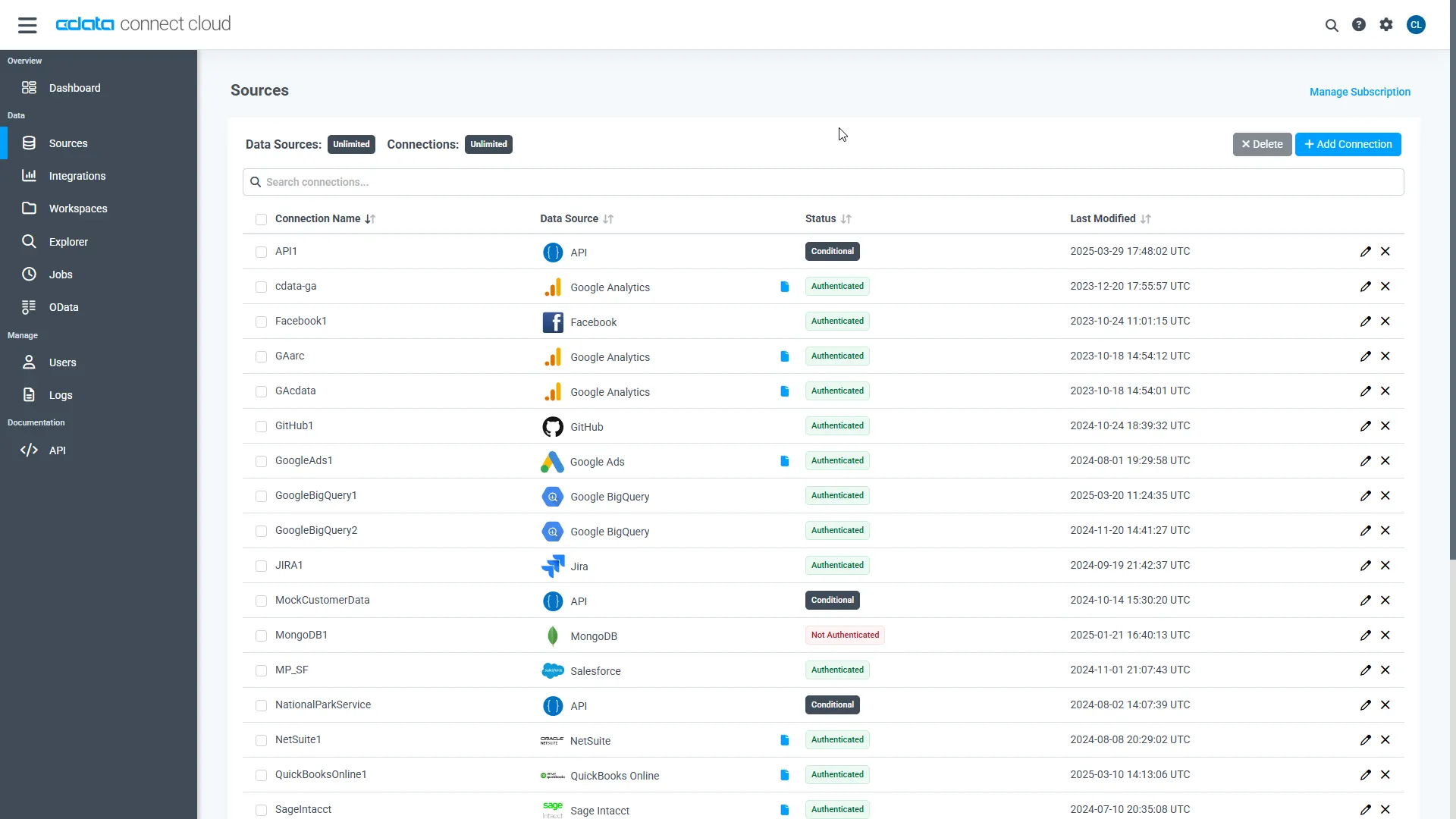
- Log into Connect AI, click Sources, and then click Add Connection
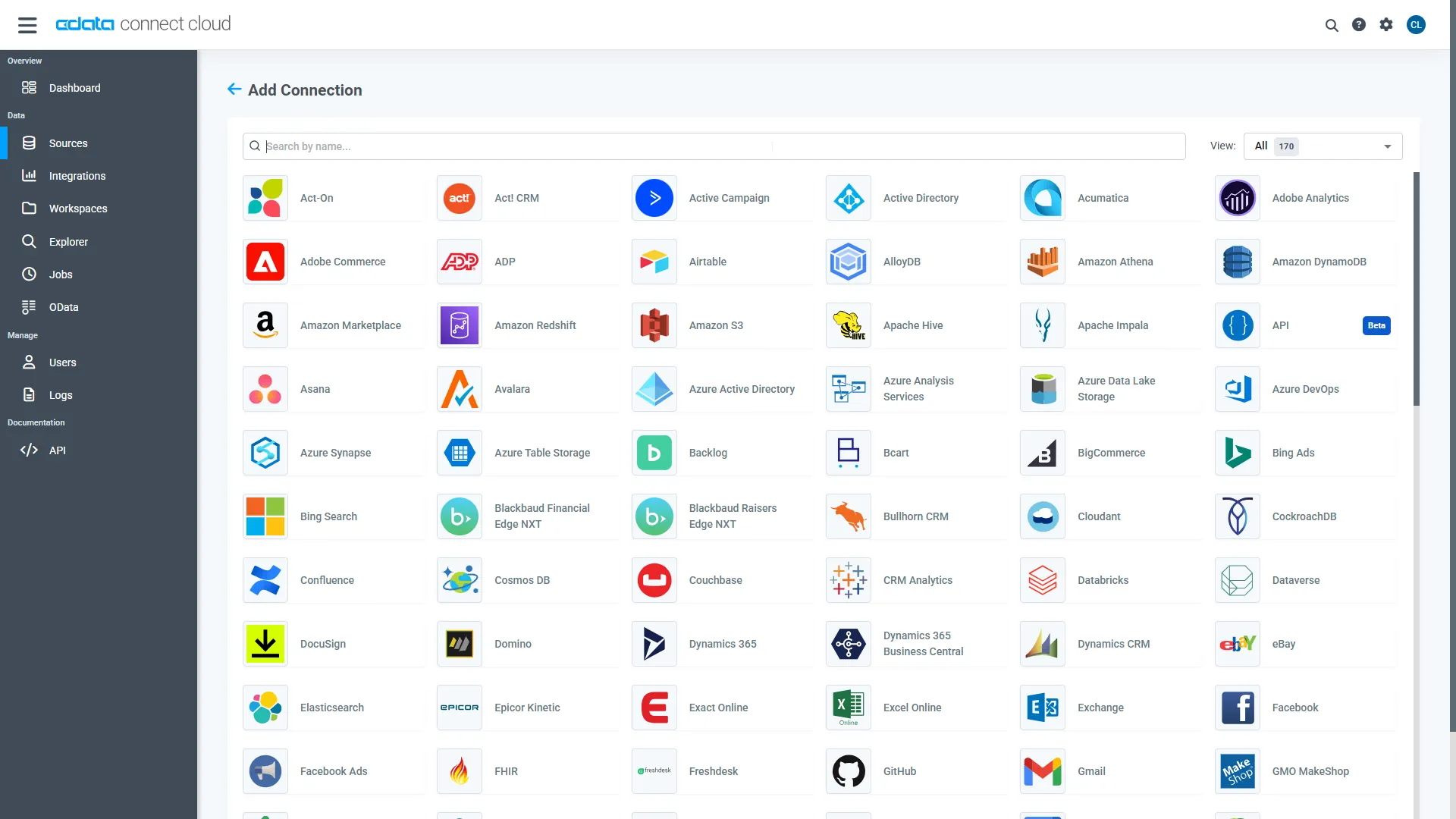
- Select "Adobe Experience Manager" from the Add Connection panel
-
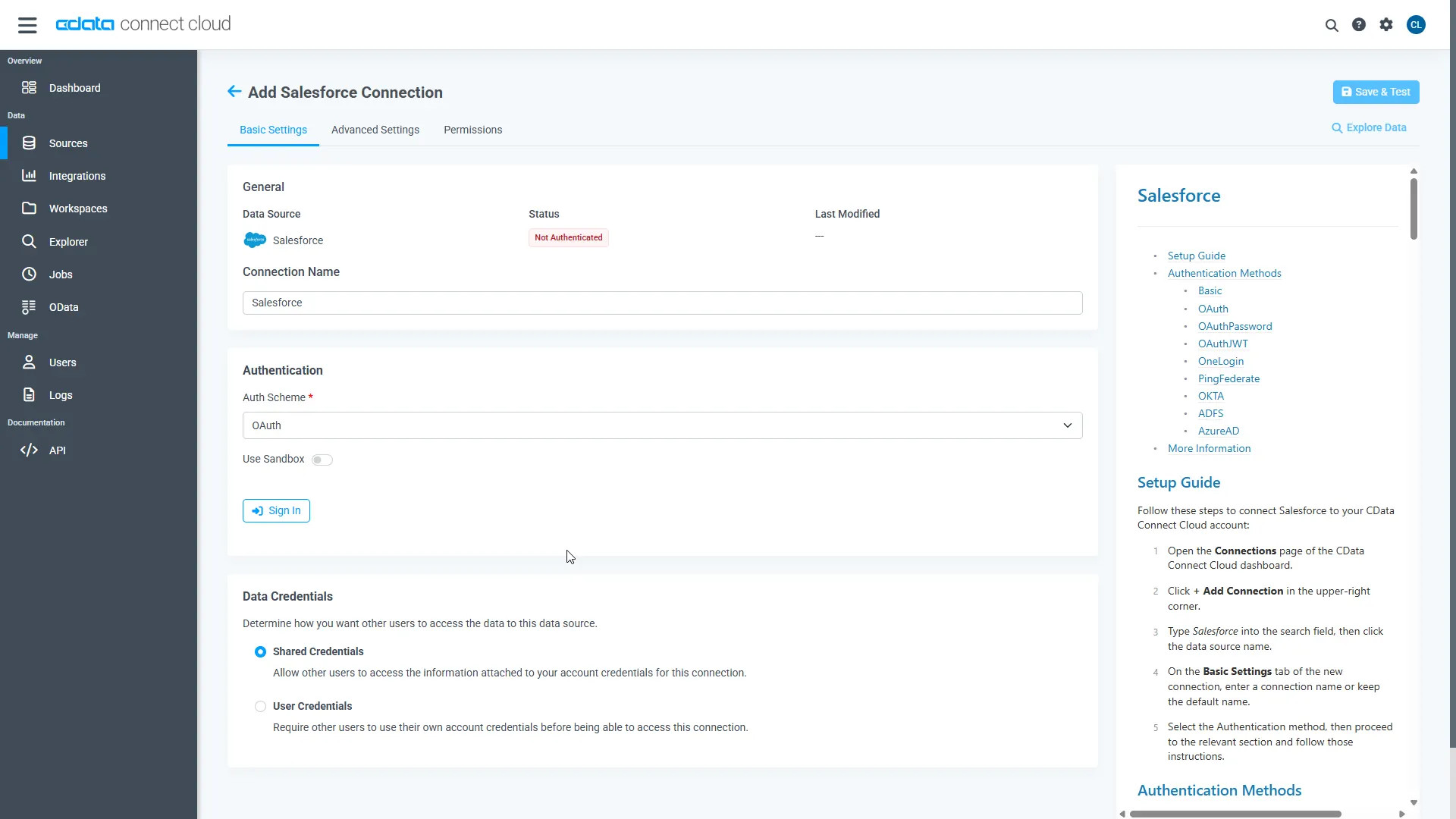
Enter the necessary authentication properties to connect to Adobe Experience Manager.
The driver connects to Adobe Experience Manager (AEM) instances that expose the JCR repository over WebDAV. It supports both on-premises AEM and AEM as a Cloud Service deployments.
To establish a connection, set the following properties:
- URL: The WebDAV-enabled JCR server URL.
- AEM as a Cloud Service: https://author-pXXXXX-eXXXXX.adobeaemcloud.com/crx/server
- Local development: http://localhost:4502/crx/server
- User: Your AEM username.
- Password: Your AEM password.
Note: Tables are dynamically generated based on the JCR repository structure. Ensure that the configured user has sufficient permissions to access the required content paths in the AEM repository.
- URL: The WebDAV-enabled JCR server URL.
- Click Save & Test
-
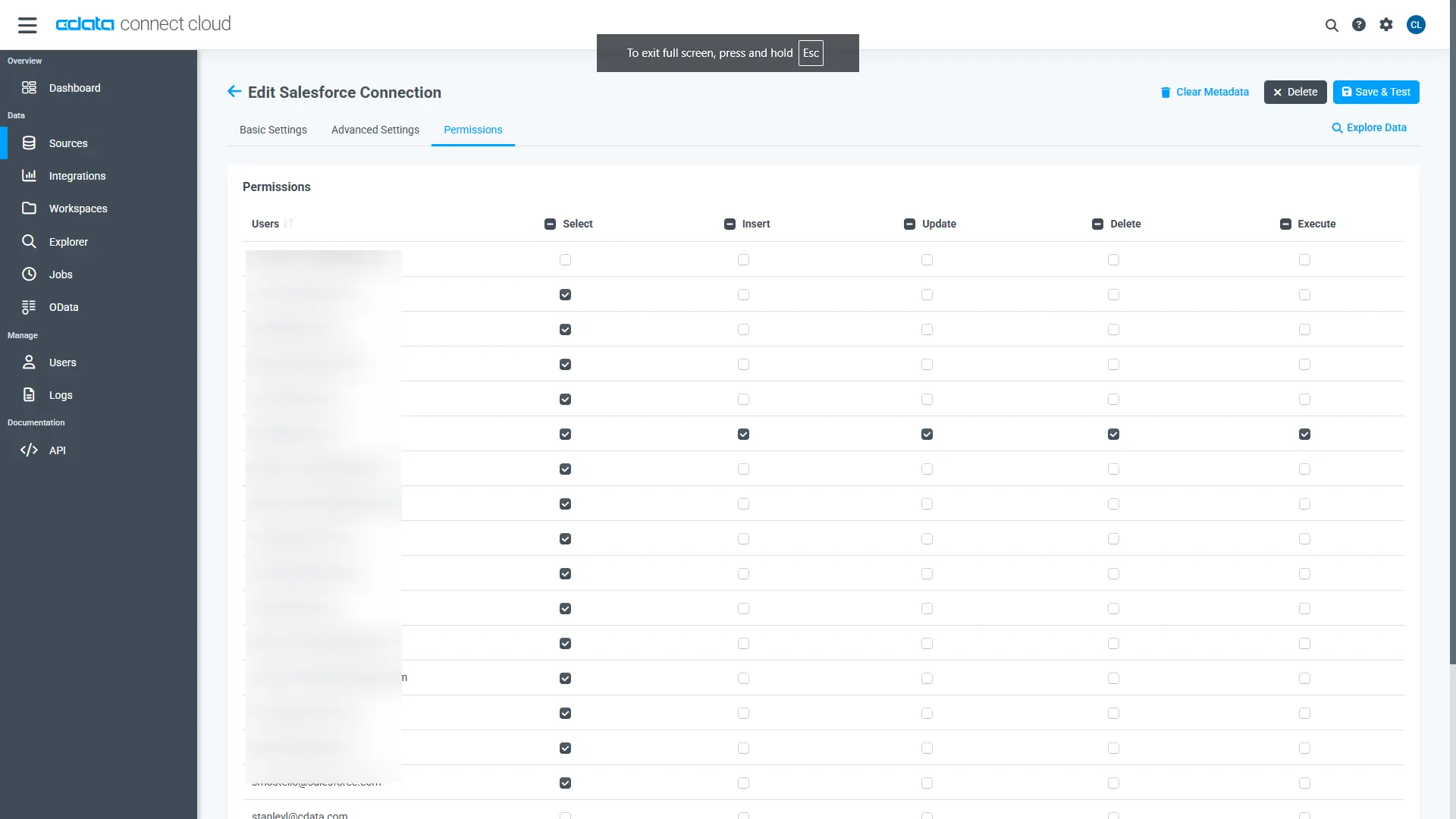
Navigate to the Permissions tab in the Add Adobe Experience Manager Connection page and update the User-based permissions.
Add a Personal Access Token
When connecting to Connect AI through the REST API, the OData API, or the Virtual SQL Server, a Personal Access Token (PAT) is used to authenticate the connection to Connect AI. It is best practice to create a separate PAT for each service to maintain granularity of access.
- Click on the Gear icon () at the top right of the Connect AI app to open the settings page.
- On the Settings page, go to the Access Tokens section and click Create PAT.
-
Give the PAT a name and click Create.
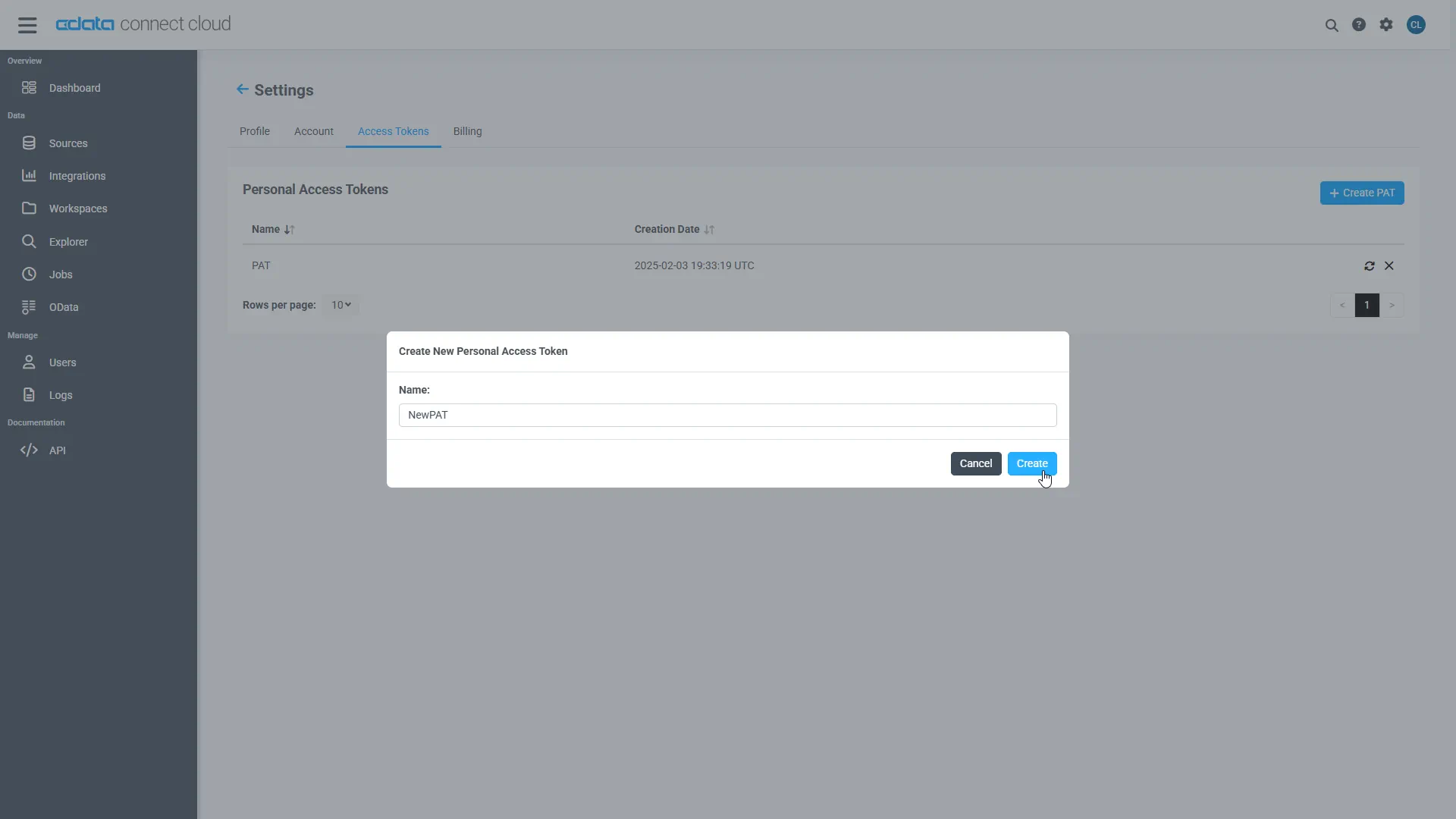
- The personal access token is only visible at creation, so be sure to copy it and store it securely for future use.
With the connection configured and a PAT generated, you are ready to connect to Adobe Experience Manager data from Power Query.
Working with Live Adobe Experience Manager Data in Power Query
With the connection to Connect AI configured, you are ready to work with live Adobe Experience Manager data in Power Query.
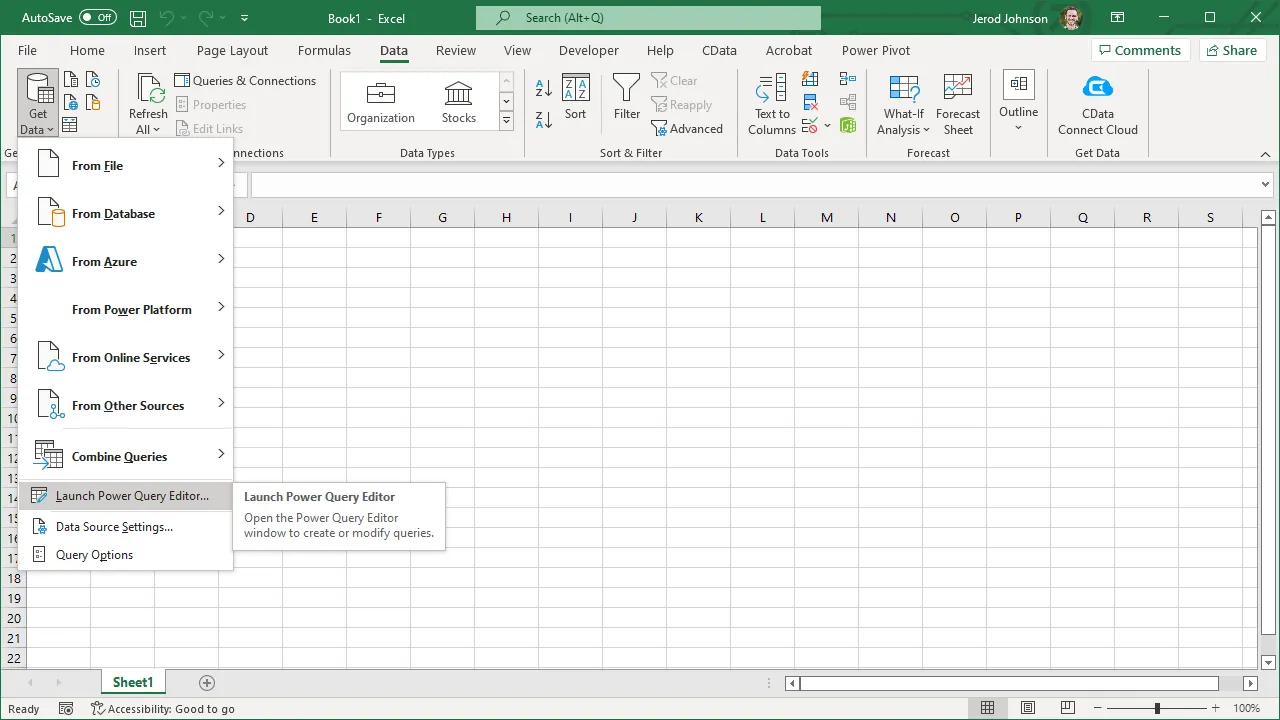
- In Microsoft Excel, open the Power Query Editor (from the Data ribbon, click Get Data -> Launch Power Query Editor)
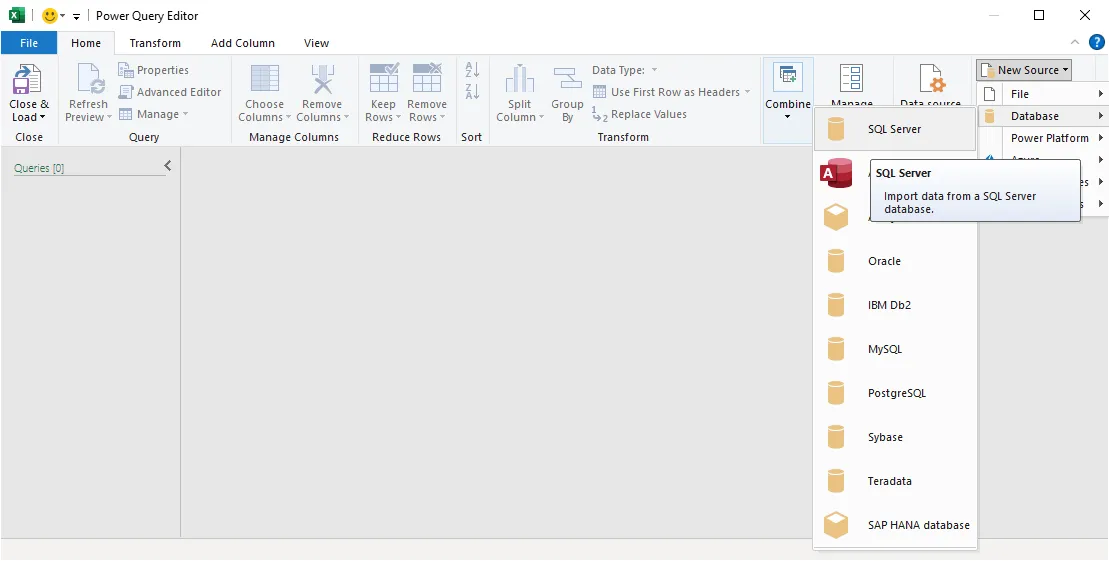
- Click New Source -> SQL Server
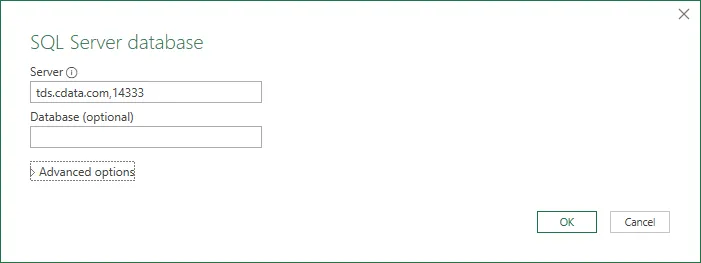
- In the SQL Server database modal:
- Set Server to tds.cdata.com,14333
- (Optional) Set Database to the name of the Adobe Experience Manager connection (e.g. AdobeExperienceManager1 )
- In the SQL Server credentials modal, select "Database" and
- Set User to your Connect AI username (e.g. [email protected] )
- Set Password to the PAT for the above user
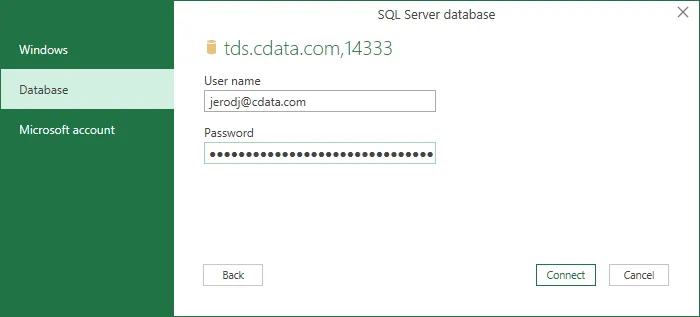
- Click Connect
- Select the table(s) you wish to work with in the Navigator and click "OK"
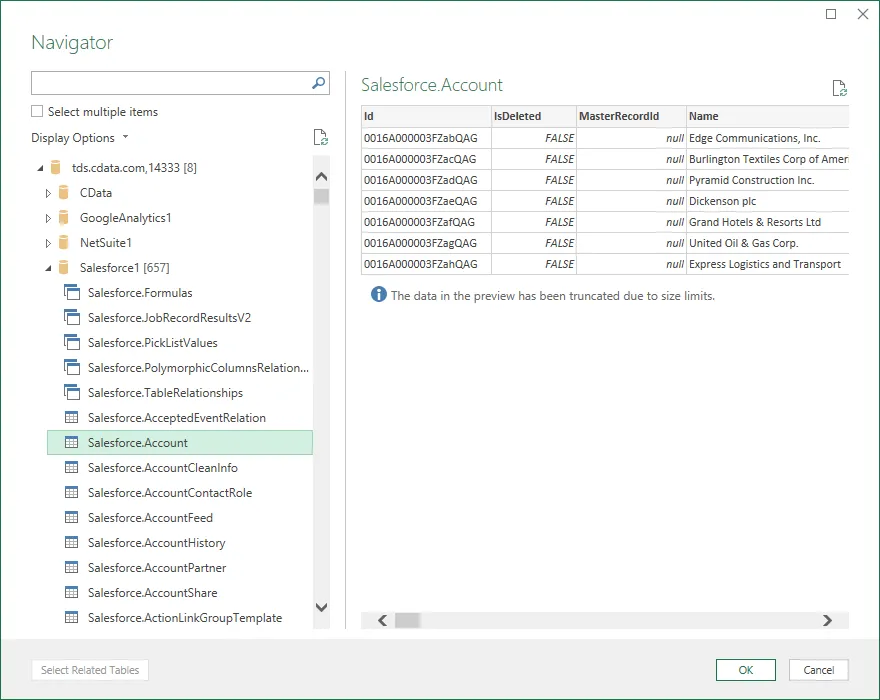
At this point, you have live access to Adobe Experience Manager data from Power Query for transformation and preparation.
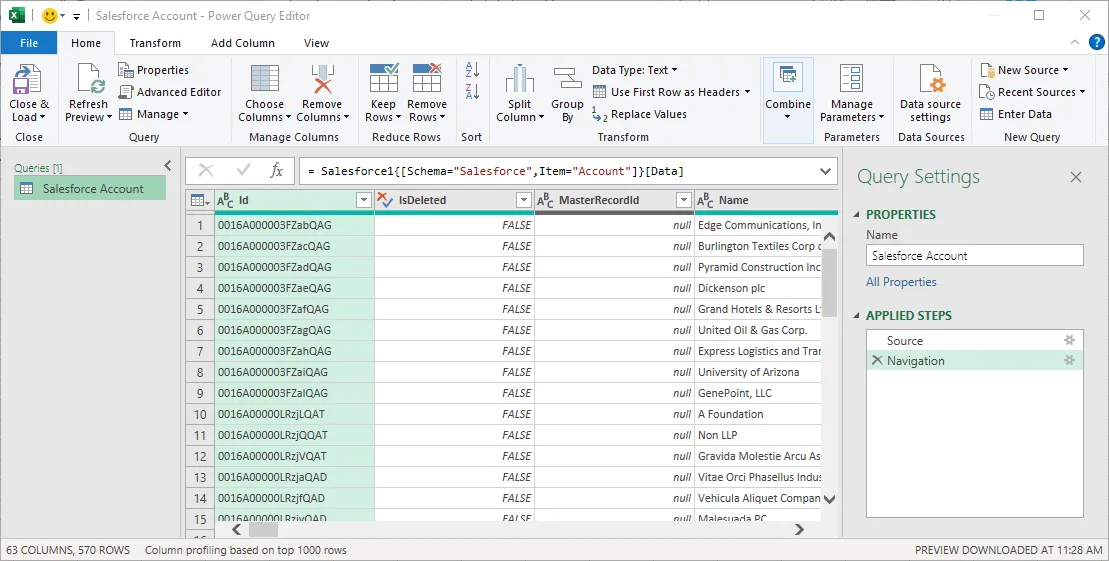
SQL Access to Adobe Experience Manager Data
Now you have a direct connection to live Adobe Experience Manager data from Microsoft Power Query. You can create more connections and transform and preparte your data to better drive business — all without replicating Adobe Experience Manager data.
To get real-time data access to hundreds of SaaS, Big Data, and NoSQL sources directly from your cloud applications, sign up for a free trial of CData Connect AI.