








Use Agno to Talk to Your Anaplan Data via CData Connect AI

Agno is a developer-first Python framework for building AI agents that reason, plan, and take actions using tools. Agno emphasizes a clean, code-driven architecture where the agent runtime remains fully under developer control.
CData Connect AI provides a secure cloud-to-cloud interface for integrating hundreds of enterprise data sources with AI systems. Using Connect AI, live Anaplan data data can be exposed through a remote MCP endpoint without replication.
In this guide, we build a production-ready Agno agent using the Agno Python SDK. The agent connects to CData Connect AI via MCP using streamable HTTP, dynamically discovers available tools, and invokes them to query live Anaplan data.
Prerequisites
- Python 3.9+.
- A CData Connect AI account – Sign up or log in here.
- An active Anaplan account with valid credentials.
- An LLM API key (for example, OpenAI).
Overview
Here is a high-level overview of the process:
- Connect: Configure a Anaplan connection in CData Connect AI.
- Discover: Use MCP to dynamically retrieve tools exposed by CData Connect AI.
- Query: Wrap MCP tools as Agno functions and query live Anaplan data.
Step 1: Configure Anaplan in CData Connect AI
To enable Agno to query live Anaplan data, first create a Anaplan connection in CData Connect AI. This connection is exposed through the CData Remote MCP Server.
-
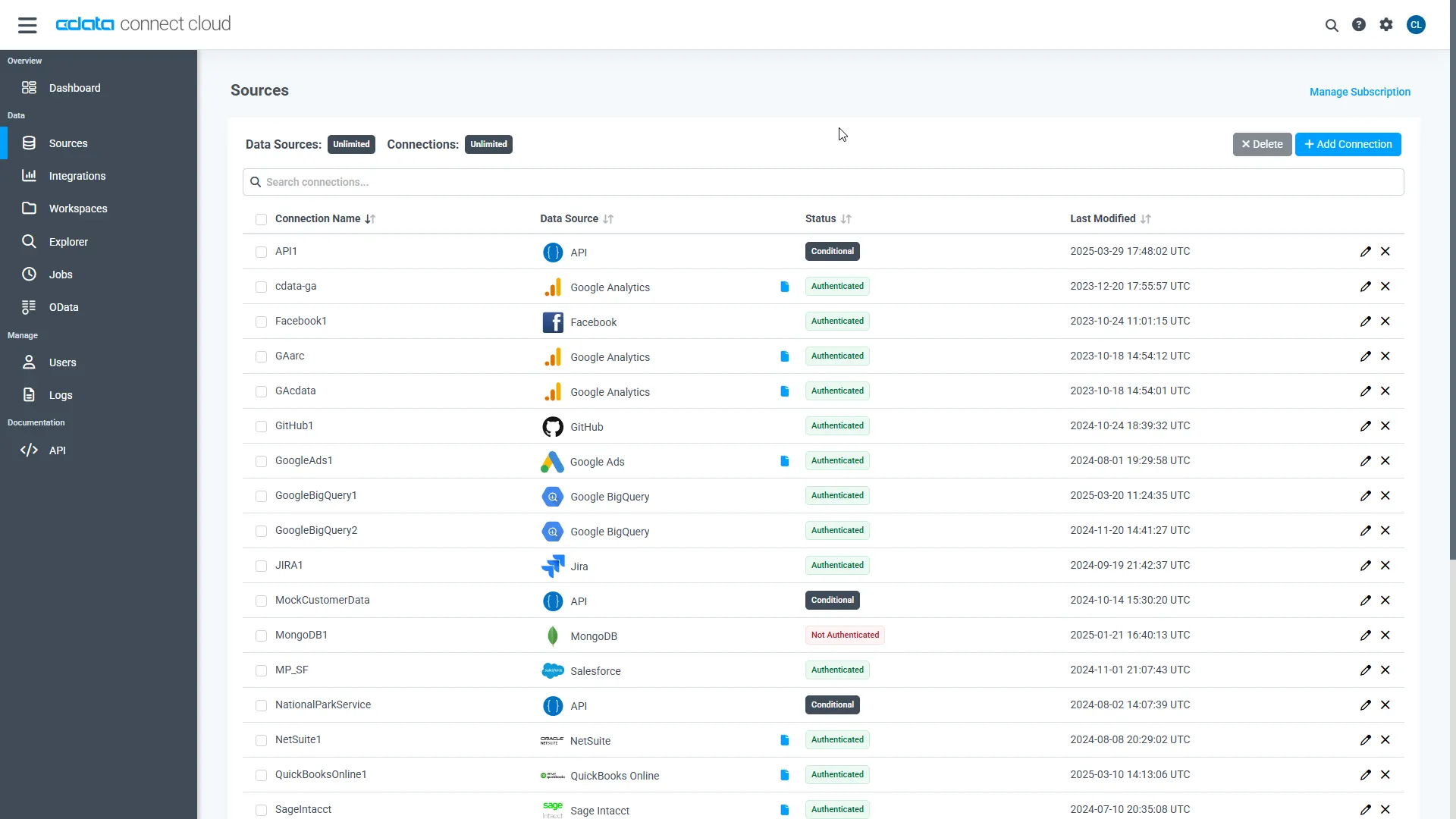
Log into Connect AI, click Sources, and then click
Add Connection.
-
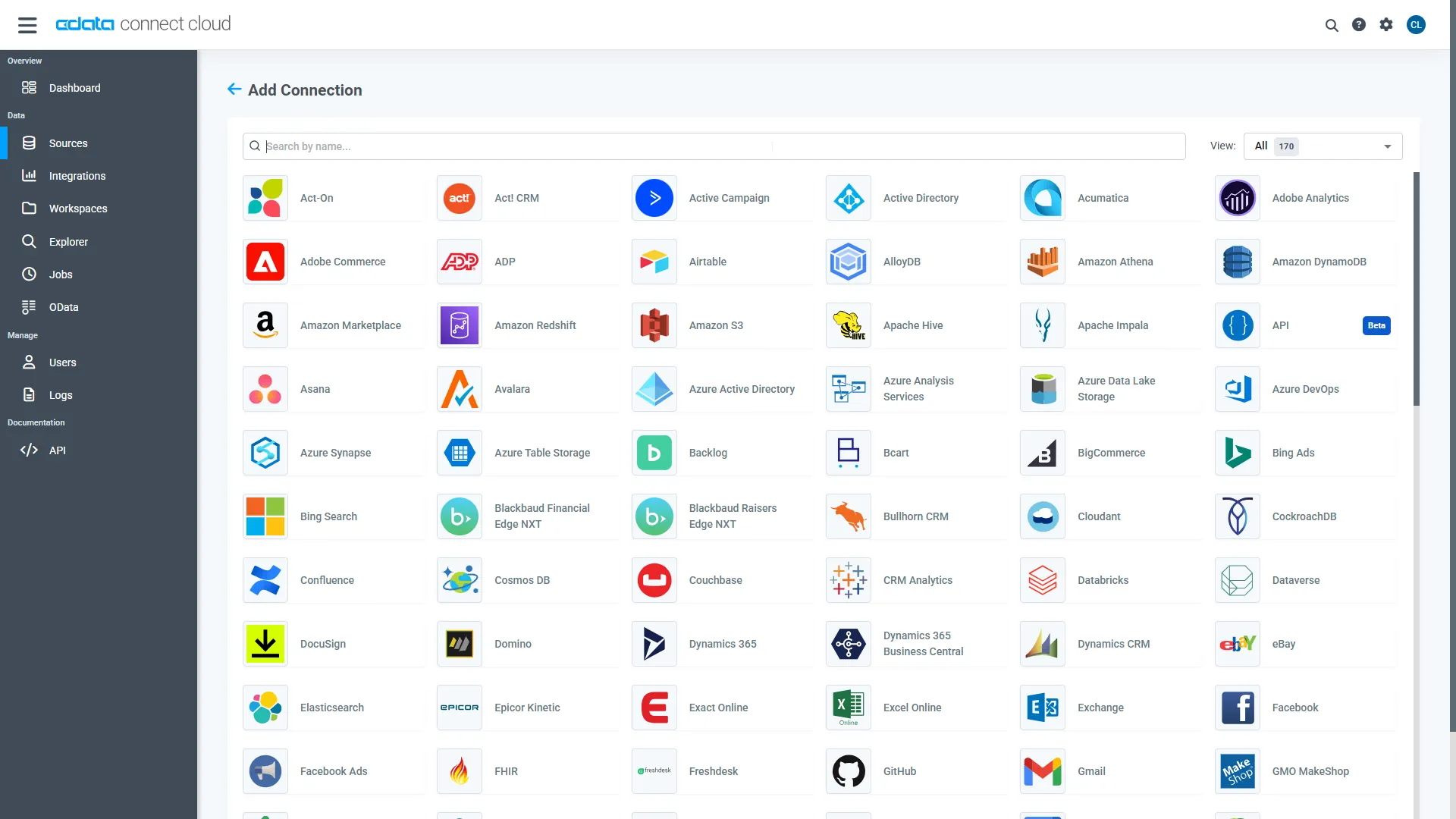
Select "Anaplan" from the Add Connection panel.
-
Enter the required authentication properties.
Authenticating to Anaplan
The driver supports authenticating with Basic, Certificate, or OAuth. In every case, set Region to the region where your Anaplan account data is hosted (e.g., US1, which is the default).
Using Basic Authentication
Set AuthScheme to Basic, then supply your Anaplan User and Password. If your workspace uses single sign-on (SSO), you must be assigned as an Exception User to use Basic authentication.
Using Certificate Authentication
Set AuthScheme to Certificate, then supply the Certificate, CertificateType, and PrivateKey properties (and the matching CertificatePassword / PrivateKeyPassword if either is encrypted). The certificate must be a CA-issued X.509 certificate registered with your Anaplan tenant administrator.
Using OAuth Authentication
Register a custom OAuth application in Anaplan, then set the following properties:
- OAuthClientId: The client Id assigned when you registered your custom OAuth application.
- OAuthClientSecret: The client secret assigned when you registered your custom OAuth application.
- CallbackURL: The redirect URI defined when you registered your application.
- InitiateOAuth: Set to GETANDREFRESH to have the driver manage the OAuth token exchange and refresh automatically.
See the Getting Started chapter of the help documentation for a guide to creating a custom OAuth app and using OAuth.
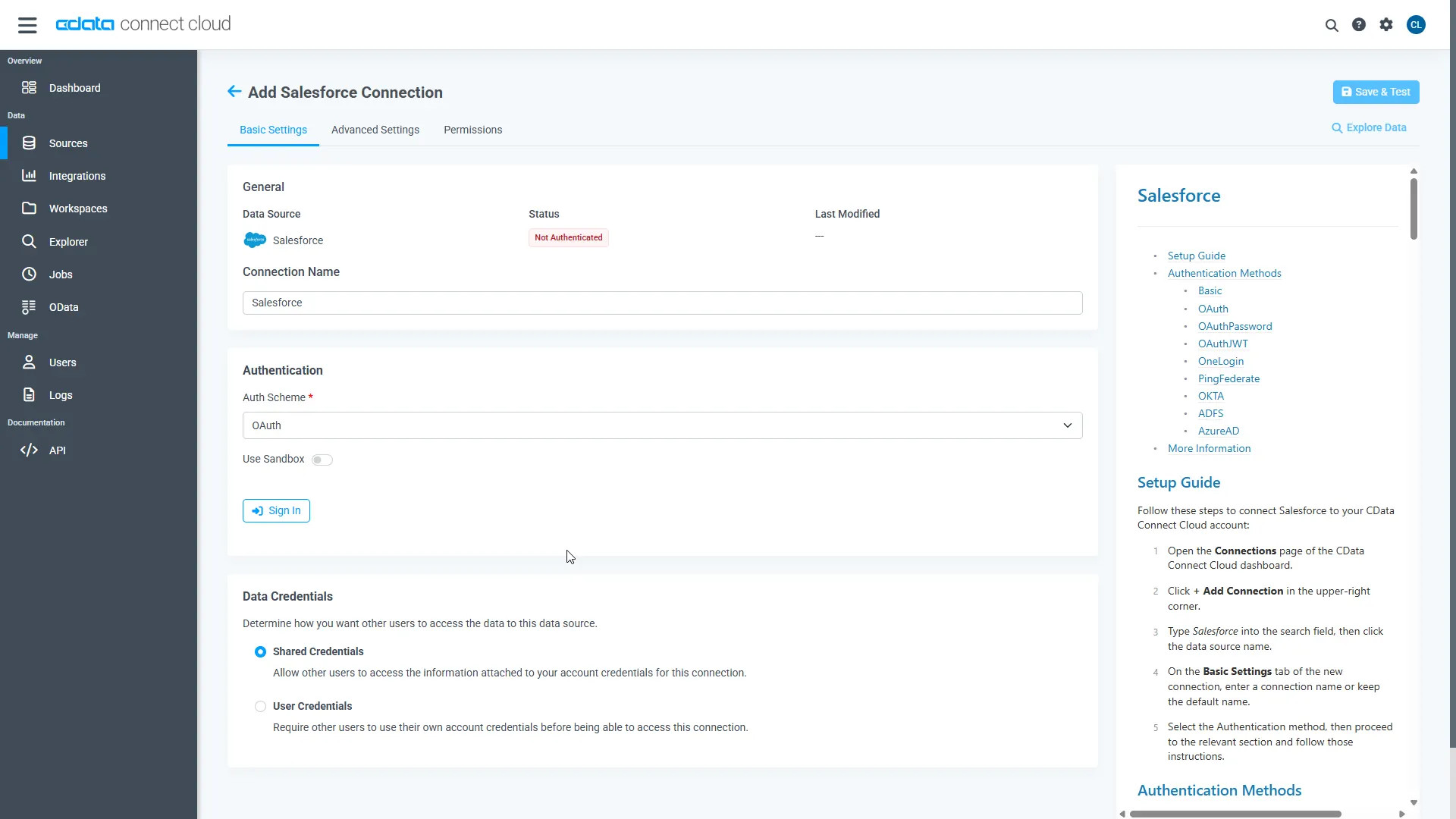 Click Create & Test.
-
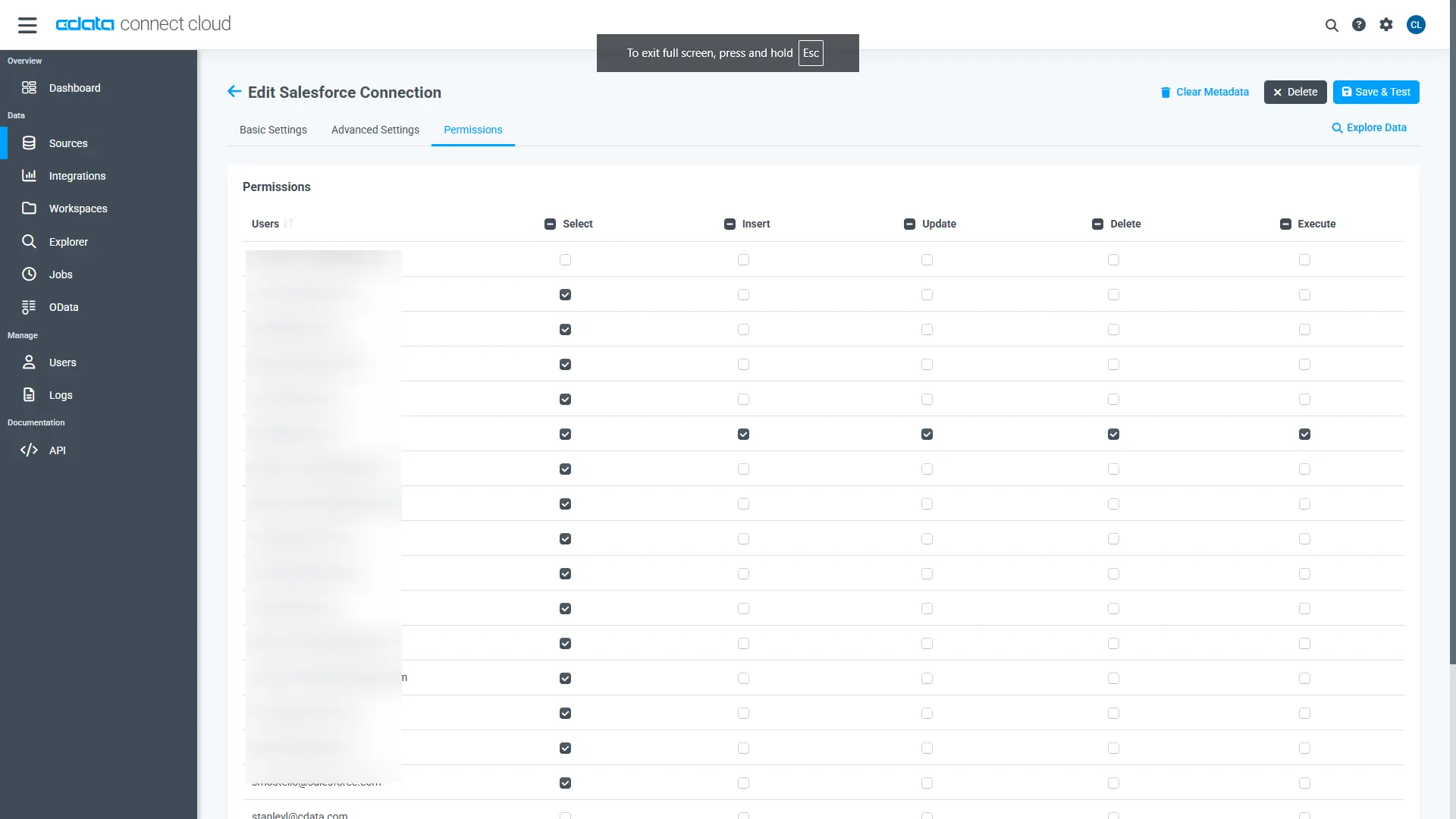
Open the Permissions tab and configure user access.
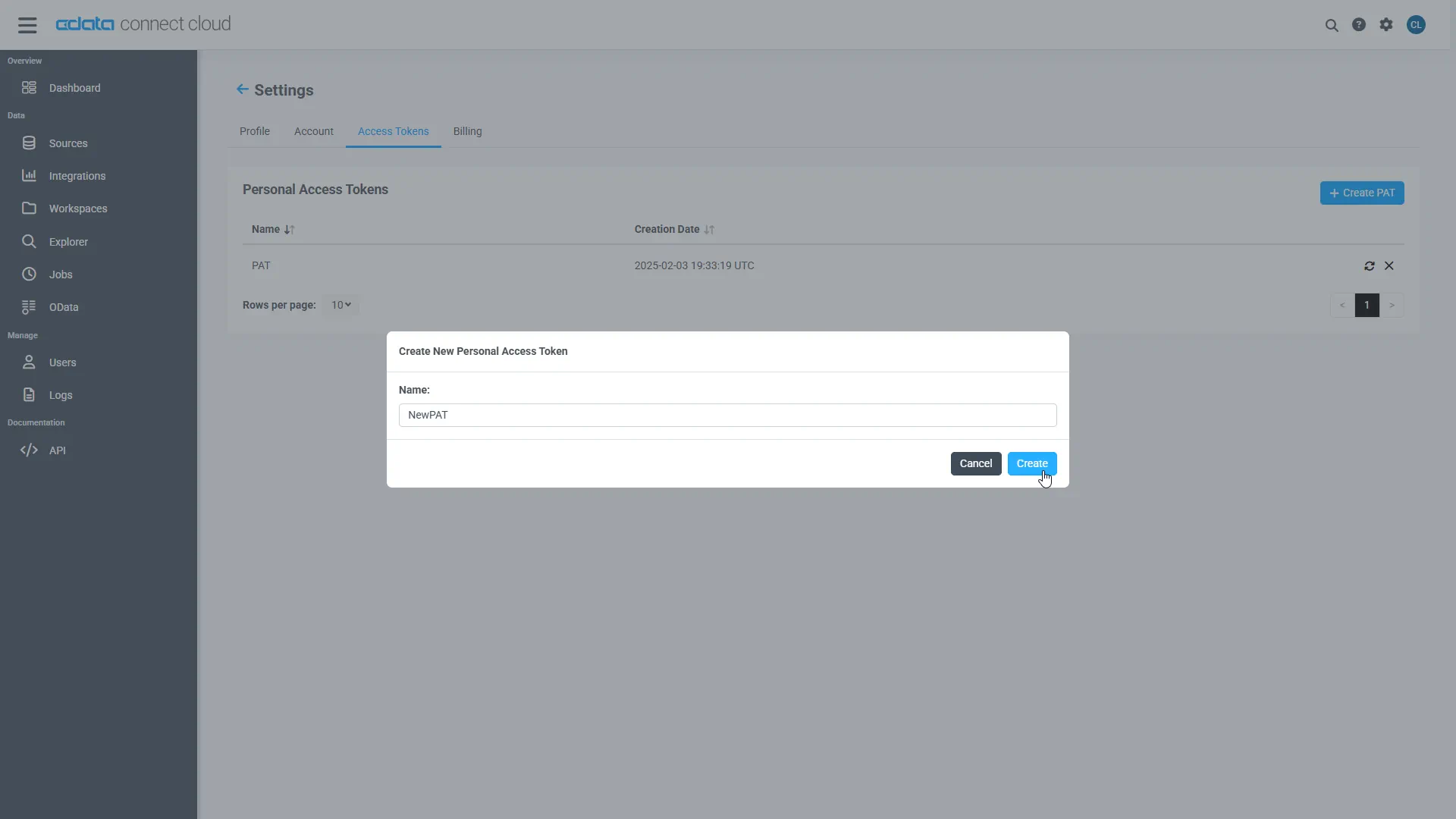
Add a Personal Access Token
A Personal Access Token (PAT) authenticates MCP requests from Agno to CData Connect AI.
- Open Settings and navigate to Access Tokens.
- Click Create PAT.
-
Save the generated token securely.
Step 2: Install dependencies and configure environment variables
Install Agno and the MCP adapter dependencies. LangChain is included strictly for MCP tool compatibility.
pip install agno agno-mcp langchain-mcp-adapters
Configure environment variables:
export CDATA_MCP_URL="https://mcp.cloud.cdata.com/mcp"
export CDATA_MCP_AUTH="Base64EncodedCredentials"
export OPENAI_API_KEY="your-openai-key"
Where "Base64EncodedCredentials" is your Connect AI user email and your Personal Access Token joined by a colon (":") and Base64 Encoded: Base64([email protected]:MY_CONNECT_AI_PAT)
Step 3: Connect to CData Connect AI via MCP
Create an MCP client using streamable HTTP. This establishes a secure connection to CData Connect AI.
import os
from langchain_mcp_adapters.client import MultiServerMCPClient

mcp_client = MultiServerMCPClient(
  connections={
    "default": {
      "transport": "streamable_http",
      "url": os.environ["CDATA_MCP_URL"],
      "headers": {
        "Authorization": f"Basic {os.environ['CDATA_MCP_AUTH']}"
      }
    }
  }
)
Step 4: Discover MCP tools
CData Connect AI exposes operations as MCP tools. These are retrieved dynamically at runtime.
langchain_tools = await mcp_client.get_tools()
for tool in langchain_tools:
  print(tool.name)
Step 5: Convert MCP tools to Agno functions
Each MCP tool is wrapped as an Agno function so it can be used by the agent.
NOTE: Agno performs all reasoning, planning, and tool selection.LangChain is used only as a lightweight MCP compatibility layer to consume tools exposed by CData Connect AI.
from agno.tools import Function

def make_tool_caller(lc_tool):
  async def call_tool(**kwargs):
    return await lc_tool.ainvoke(kwargs)
  return call_tool
Step 6: Create an Agno agent and query live Anaplan data
Agno performs all reasoning, planning, and tool invocation. LangChain plays no role beyond MCP compatibility.
from agno.agent import Agent
from agno.models.openai import OpenAIChat

agent = Agent(
  model=OpenAIChat(
    id="gpt-4o",
    temperature=0.2,
    api_key=os.environ["OPENAI_API_KEY"]
  ),
  tools=agno_tools,
  markdown=True
)

await agent.aprint_response(
  "Show me the top 5 records from the available data source"
)

if __name__ == "__main__":
    asyncio.run(main())
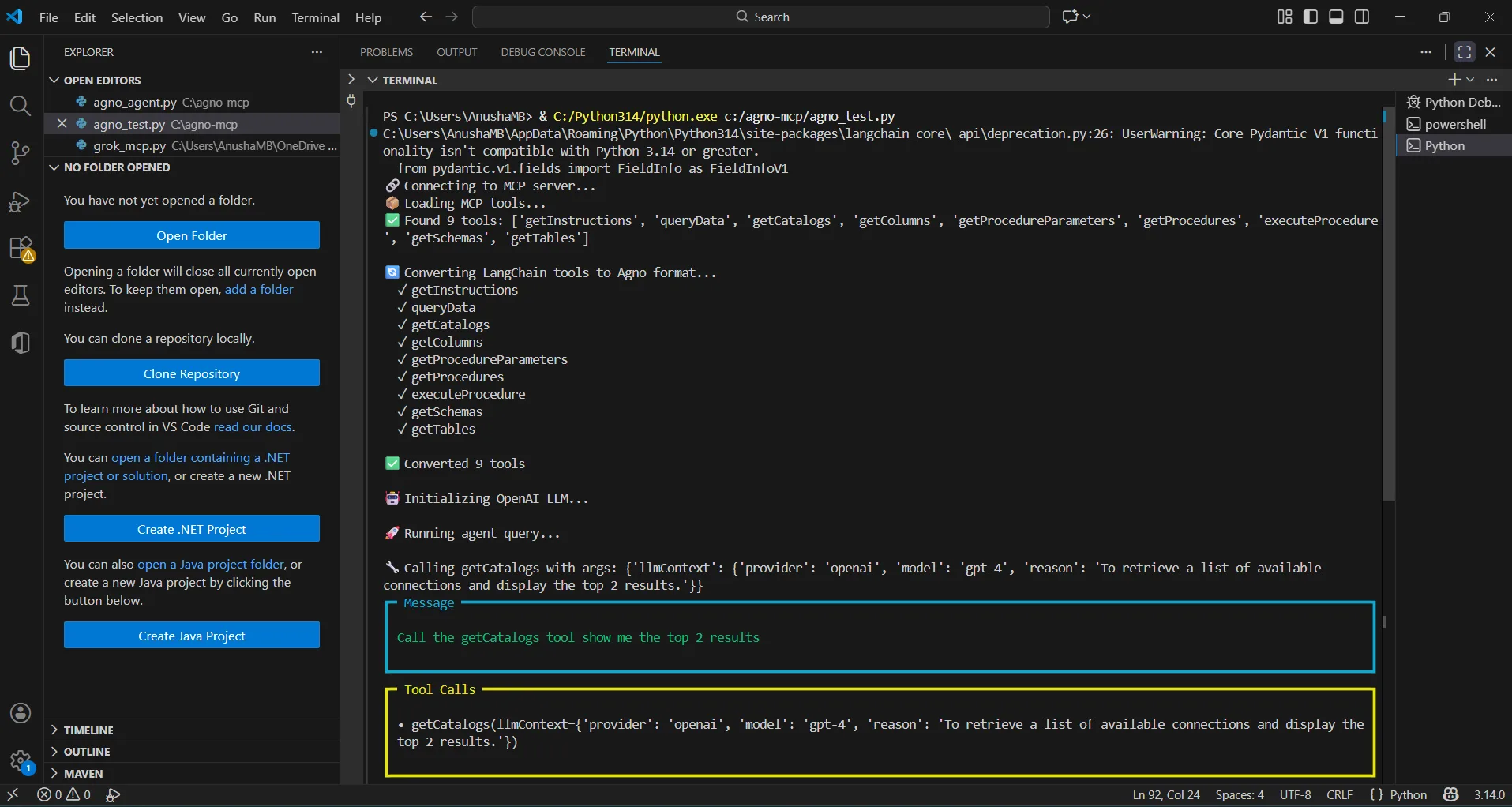
The results below show an Agno agent invoking MCP tools through CData Connect AI and returning live Anaplan data data.
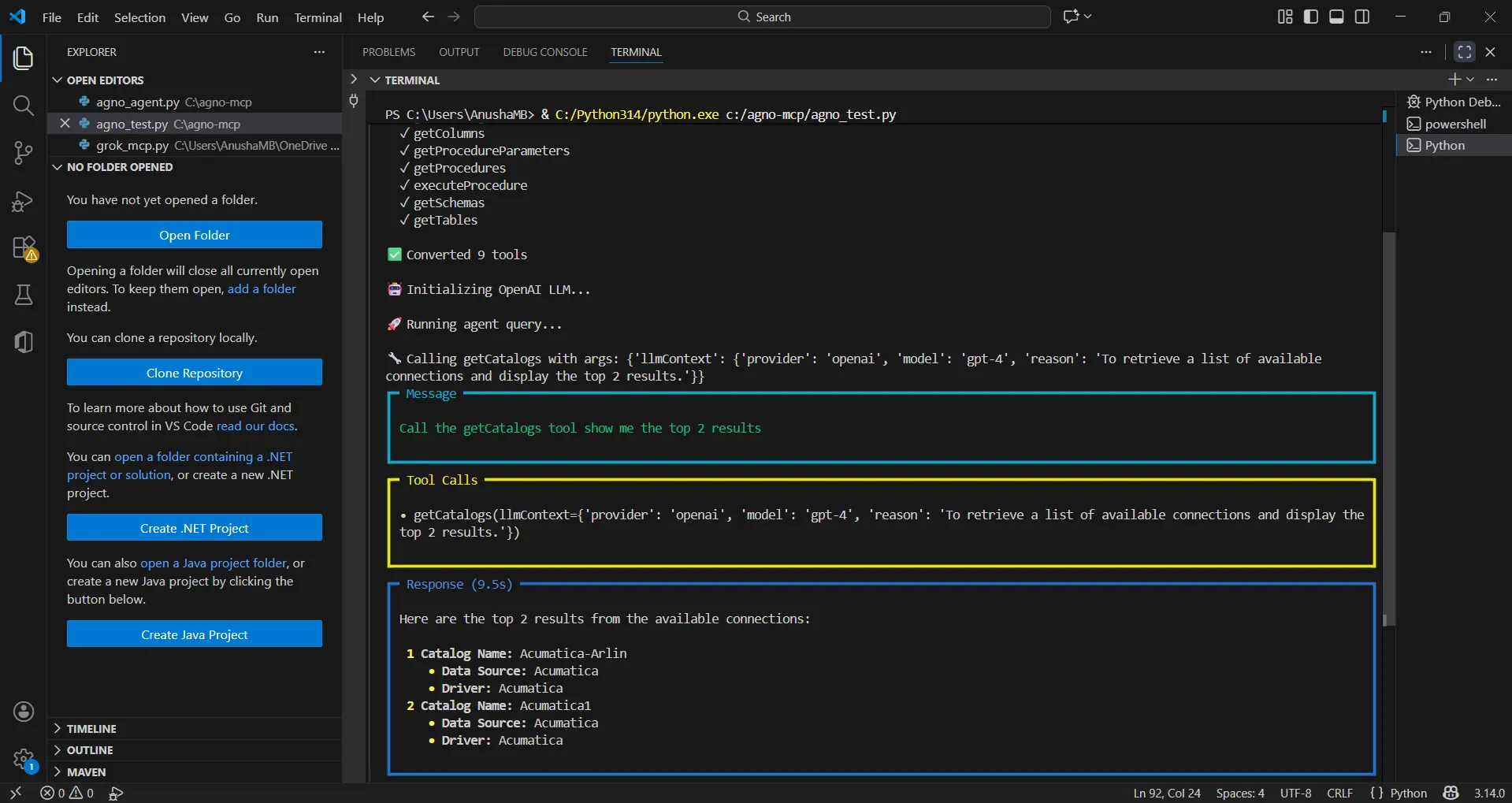
You can now query live Anaplan data using natural language through your Agno agent.
Get CData Connect AI
To get live data access to hundreds of SaaS, Big Data, and NoSQL sources directly from your cloud applications, try CData Connect AI today!