




Import Real-Time TimeCamp Data via ODBC in ColdFusion to Build Applications

Adobe ColdFusion is a web and mobile application development platform. It uses its own scripting language, ColdFusion Markup Language (CFML), to create data-driven websites as well as generate remote services, such as REST. When ColdFusion is paired with the CData API Driver for ODBC, you can link your ColdFusion web and mobile applications to operational TimeCamp data. This allows for your applications to be more robust and complete. This article details how to use the ODBC driver to create a table populated with TimeCamp data from within a ColdFusion markup file.
To follow along with this tutorial, you need to install the CData API Driver for ODBC and Adobe ColdFusion.
Configuring the Connection
If you have not already, first specify connection properties in an ODBC DSN (Data Source Name). This is the last step of the driver installation process. You can use the Microsoft ODBC Data Source Administrator to create and configure ODBC DSNs.
Start by setting the Profile connection property to the location of the TimeCamp Profile on disk (e.g. C:\profiles\TimeCamp.apip). Next, set the ProfileSettings connection property to the connection string for TimeCamp (see below).
TimeCamp API Profile Settings
TimeCamp uses token-based authentication. To obtain an API Token:
- Log in to your TimeCamp account at https://app.timecamp.com
- Click your profile avatar in the top-right corner
- Select Profile Settings
- Copy the API token shown at the bottom of the page
After obtaining your API Token, set the following connection properties:
- AuthScheme: Set this to APIKey.
Set the following in the ProfileSettings connection property:
- APIKey: Set this to your TimeCamp API token.
Adding a Data Source and Creating a Table
After creating a DSN, follow the steps below to add a new data source, test our connection to it, create a ColdFusion markup file, and, finally, import TimeCamp Data and display it in a table in ColdFusion:
-
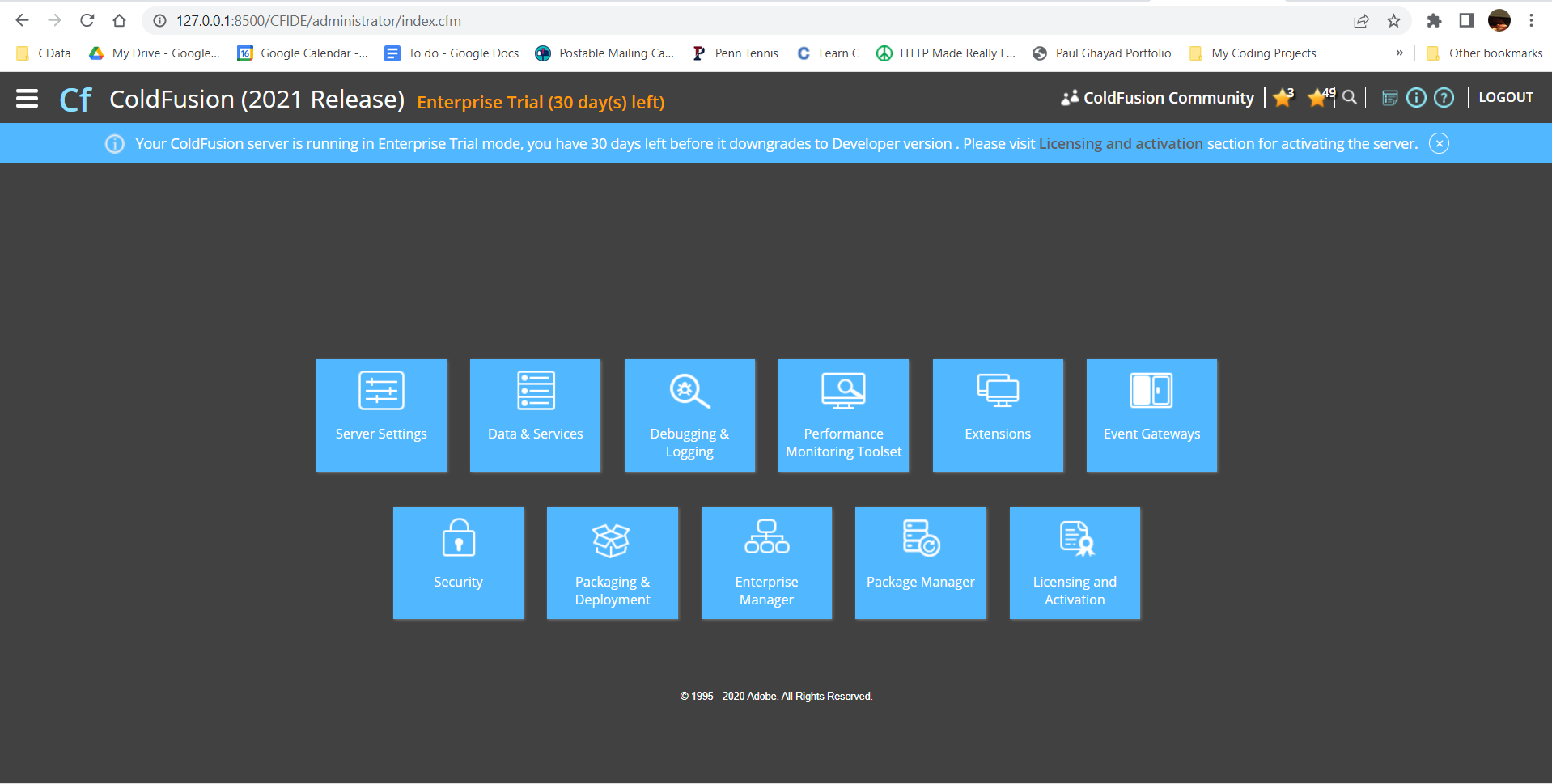
From the ColdFusion administrator interface, choose Data & Services.
-
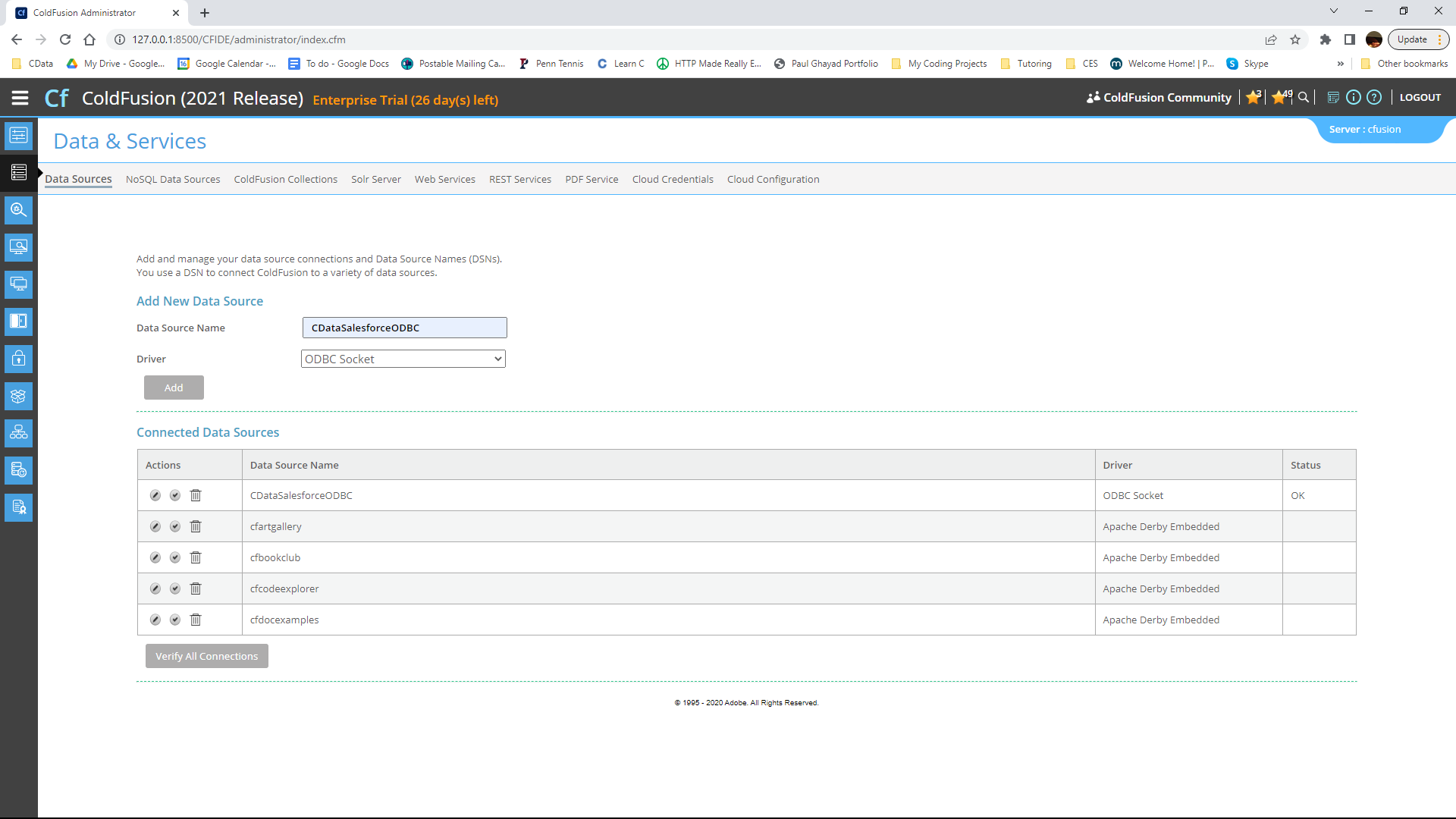
Here, click "Add New Data Source". The data source name can be any name, provided it conforms to the ColdFusion
variable naming conventions. For our ODBC driver, choose "ODBC Socket", then click the "Add" button.
-
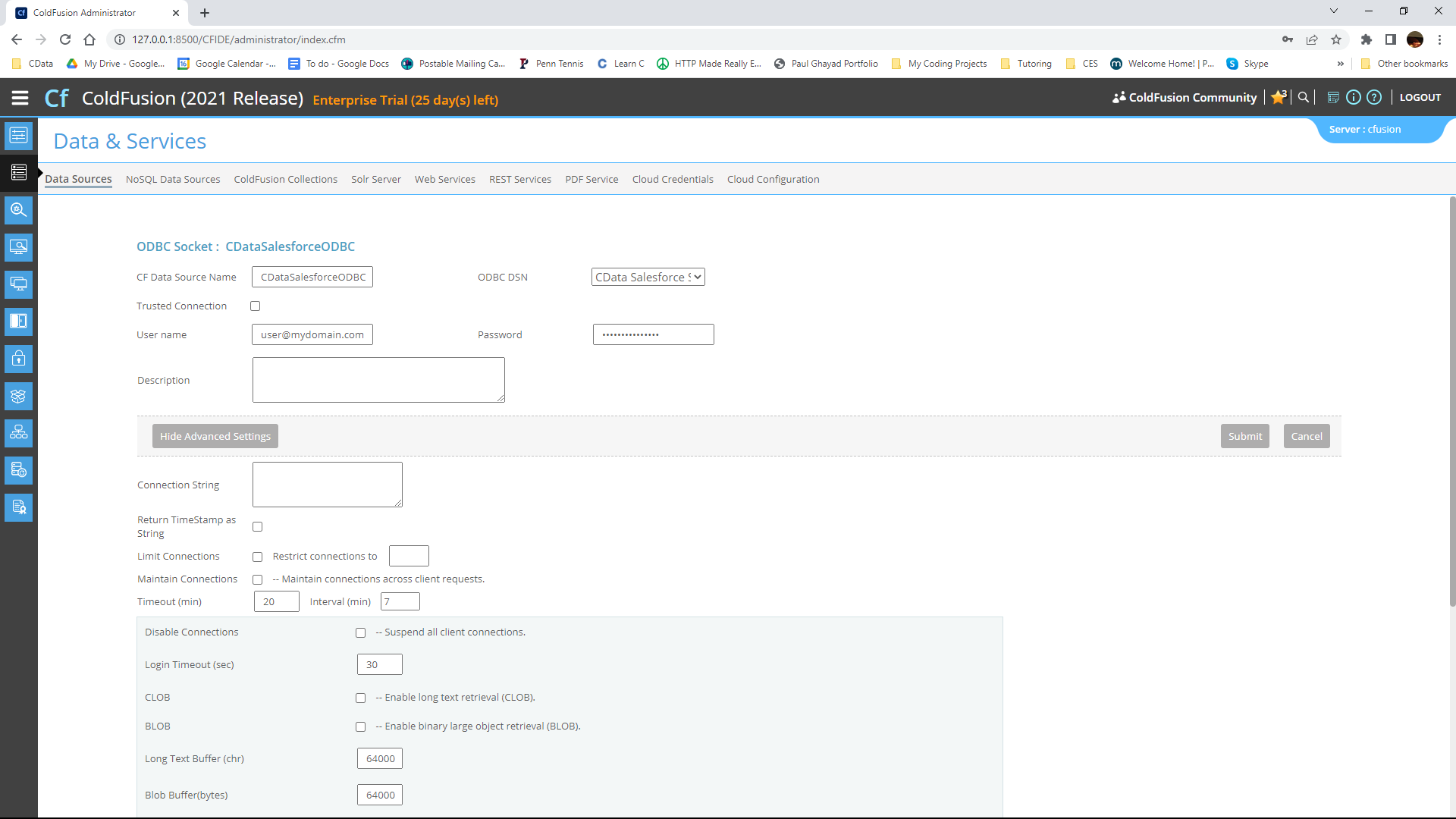
From the ODBC DSN Dropdown menu select CData TimeCamp Sys. Under the Advanced Settings section, leave the
Connection String blank. Note that any properties specified in this input field will override the ones specified in the
DSN Configuration.
-
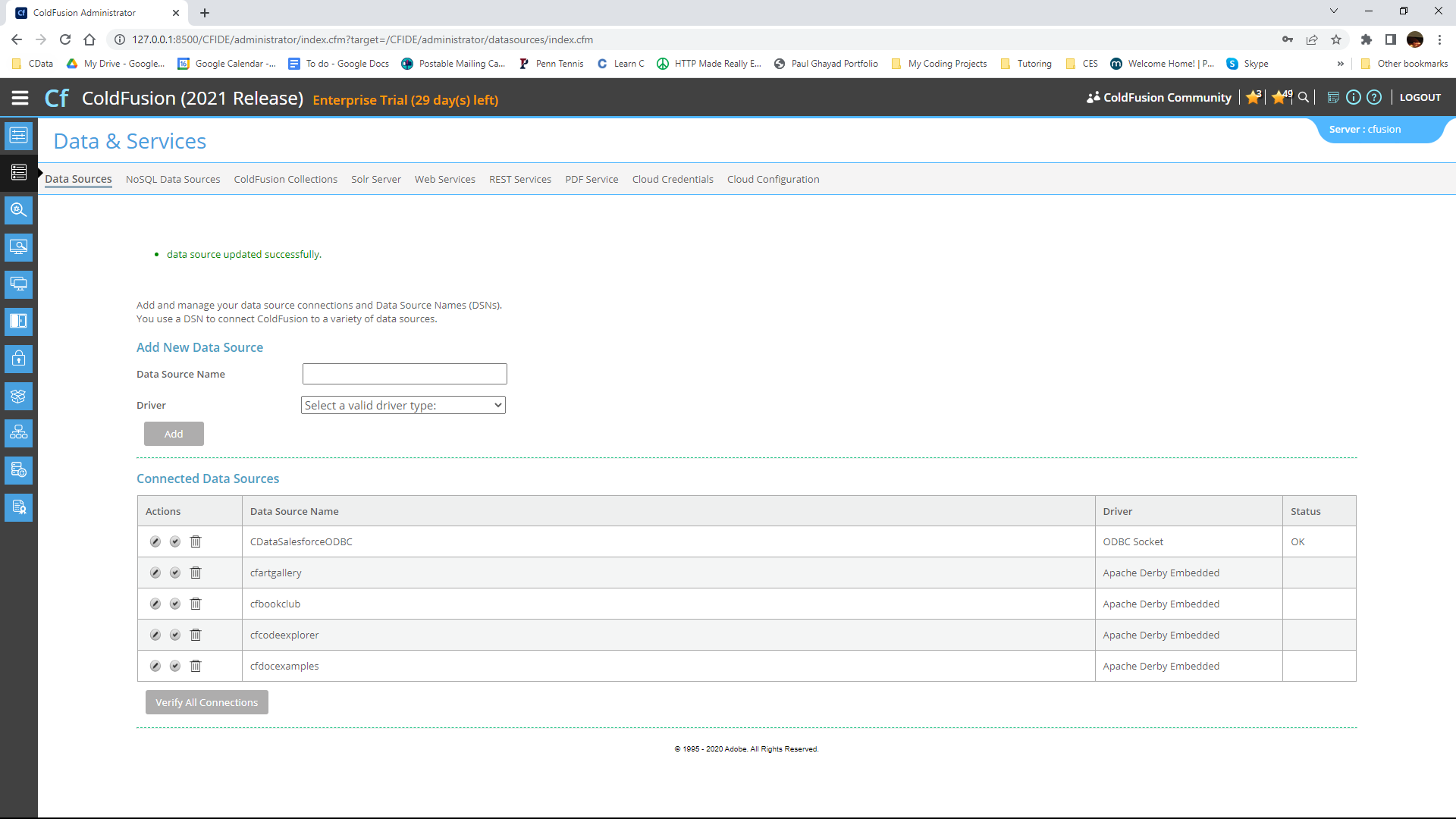
Now, test the connection by pressing the check mark to the left of the CDataTimeCampODBC data source you just created.
When the data source reports an "OK" status, it is ready for use.
-
Next, create a new ColdFusion Markup file (.cfm) and place it in the wwwroot directory ("C:\ColdFusion2021\cfusion\wwwroot")
for ColdFusion.
The following code queries the data source:
        <cfquery name="TimeCampQuery" dataSource="CDataTimeCampODBC">
          SELECT * FROM GroupUsers
        </cfquery>
And a CFTable can be used to quickly output the table in HTML:<cftable query = "TimeCampQuery" border = "1" colHeaders colSpacing = "2" headerLines = "2" HTMLTable maxRows = "500" startRow = "1"> <cfcol header="<b>UserId</b>" align="Left" width=2 text="UserId"/> <cfcol header="<b>Email</b>" align="Left" width=15 text="Email"/> ... </cftable>Full code, including the HTML portion is available below:<html> <head><title>CData Software | TimeCamp GroupUsers Table Demo </title></head> <body> <cfoutput>#ucase("TimeCamp GroupUsers Table Demo")#</cfoutput> <cfquery name="TimeCampQuery" dataSource="CDataTimeCampODBC"> SELECT * FROM GroupUsers </cfquery> <cftable query = "TimeCampQuery" border = "1" colHeaders colSpacing = "2" headerLines = "2" HTMLTable maxRows = "500" startRow = "1"> <cfcol header="<b>UserId</b>" align="Left" width=2 text="UserId"/> <cfcol header="<b>Email</b>" align="Left" width=15 text="Email"/> ... </cftable> </body> </html> -
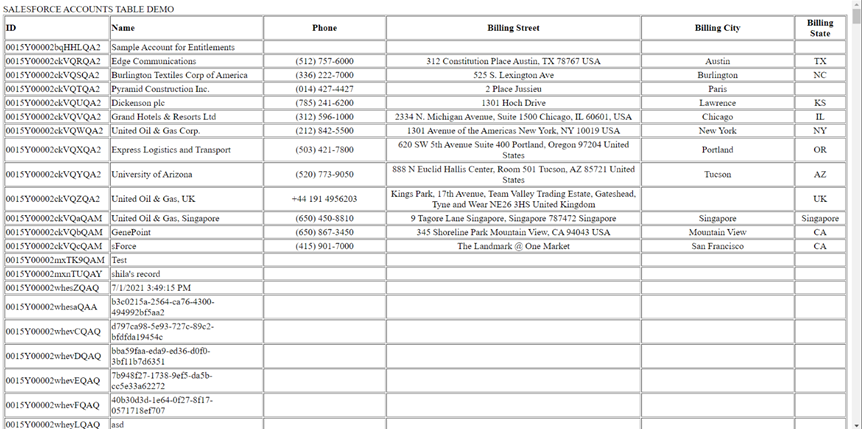
Finally, run the code in a browser. It produces a table populated with TimeCamp data!
As a note, the CData ODBC Drivers also support parameterized queries using the cfqueryparam element. For example:
SELECT * FROM Account WHERE name = Get Started Today
Download a free, 30-day trial of the CData ODBC Driver for TimeCamp and start building TimeCamp-connected applications with Adobe ColdFusion. Reach out to our Support Team if you have any questions.