








Analyze Wave Financial Data in Infragistics Reveal

Reveal, an offering from Infragistics, serves as a data visualization tool that seamlessly integrates with CData Connect AI. Together, they empower users to deliver dynamic dashboards using real-time data from a diverse range of data sources, including Wave Financial data. In this article, we will guide you through the process of connecting to Wave Financial via Connect AI and subsequently linking Connect AI with Infragistics Reveal to construct a straightforward dashboard.
Connect to Wave Financial from Infragistics Reveal
To work with live Wave Financial data in Infragistics Reveal, we need to connect to Wave Financial from Connect AI, provide user access to the connection, and create a Workspace for the Wave Financial data.
Connect to Wave Financial from Connect AI
CData Connect AI uses a straightforward, point-and-click interface to connect to data sources.
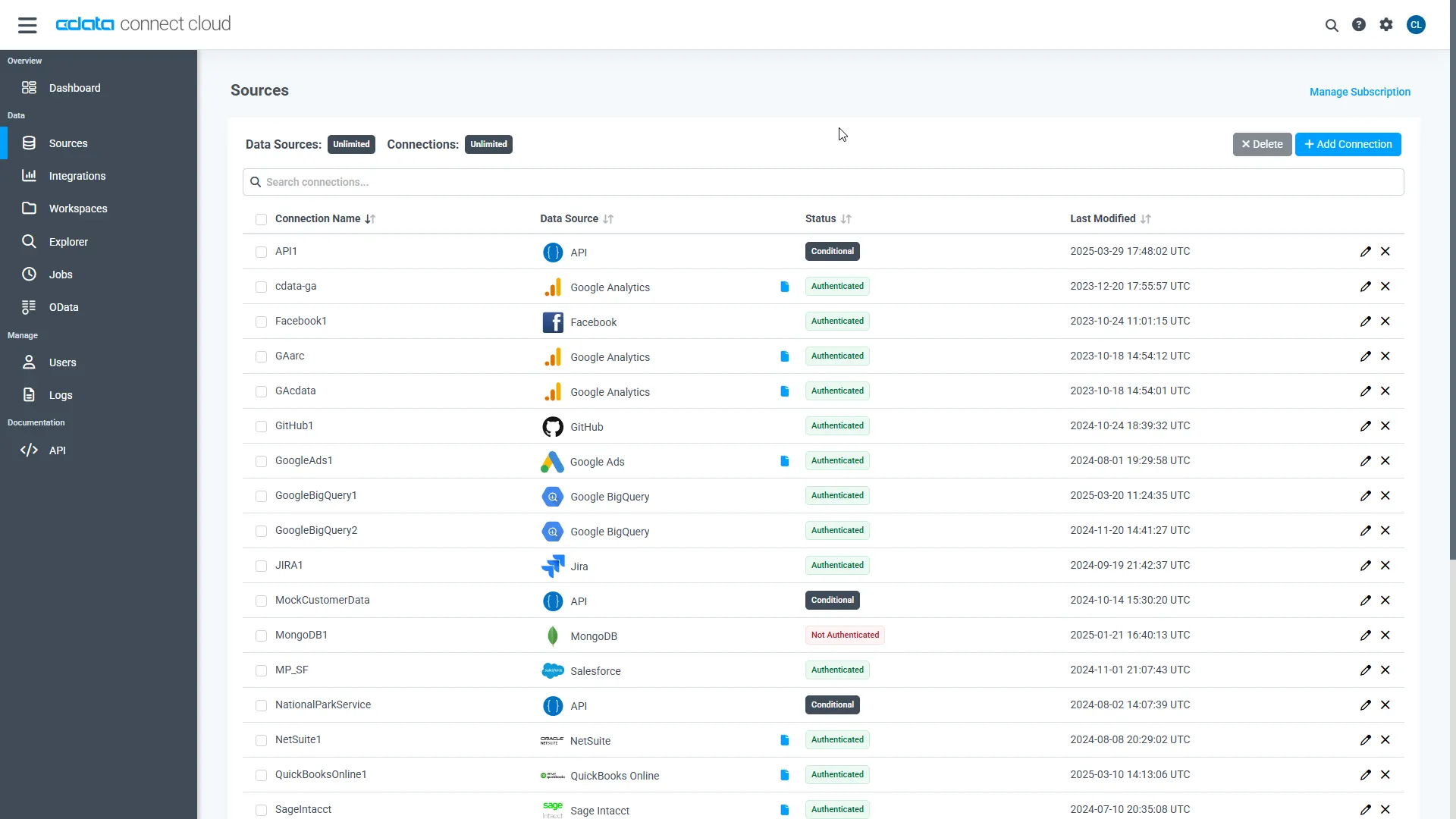
- Log into Connect AI, click Sources, and then click Add Connection
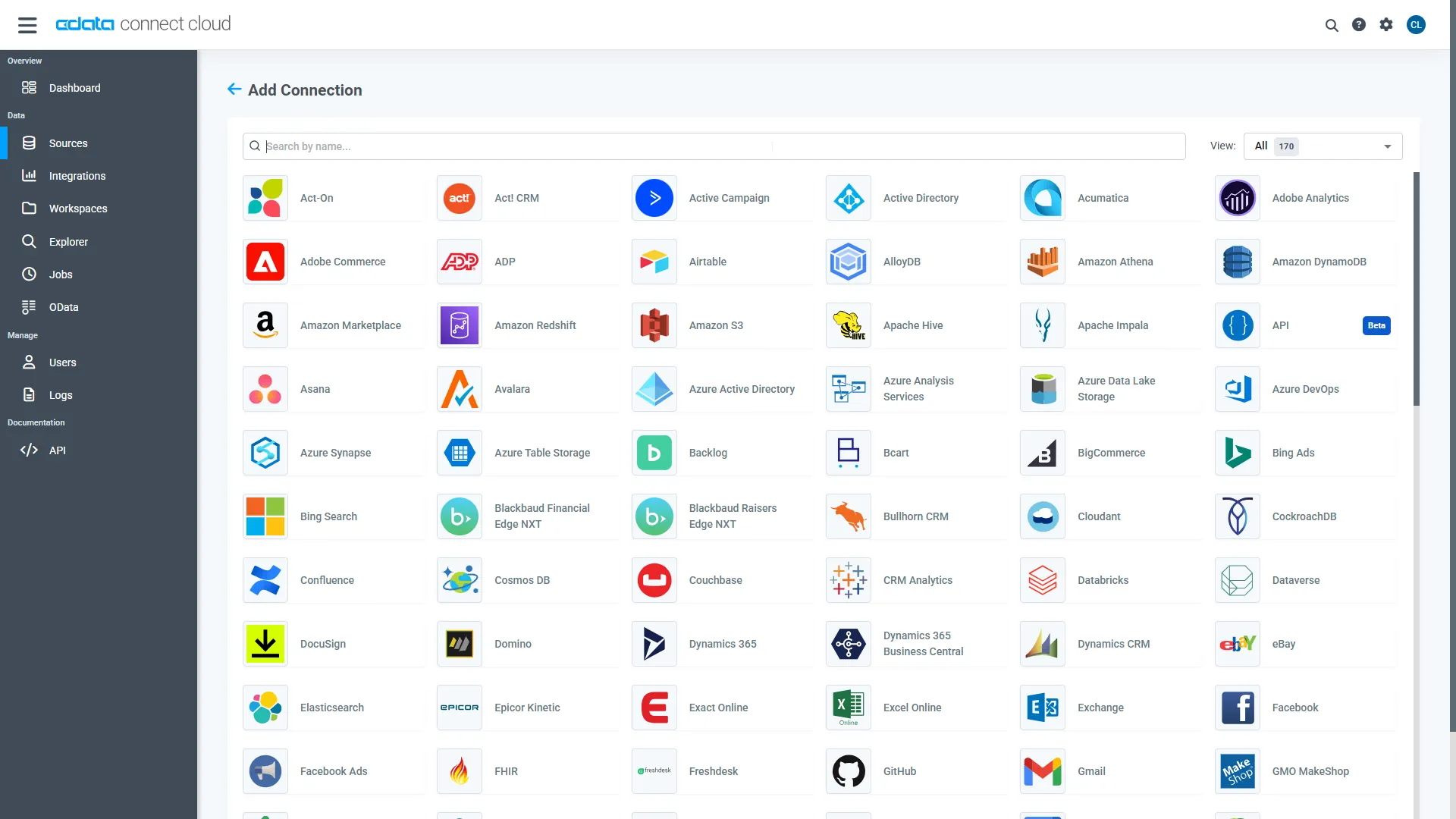
- Select "Wave Financial" from the Add Connection panel
-
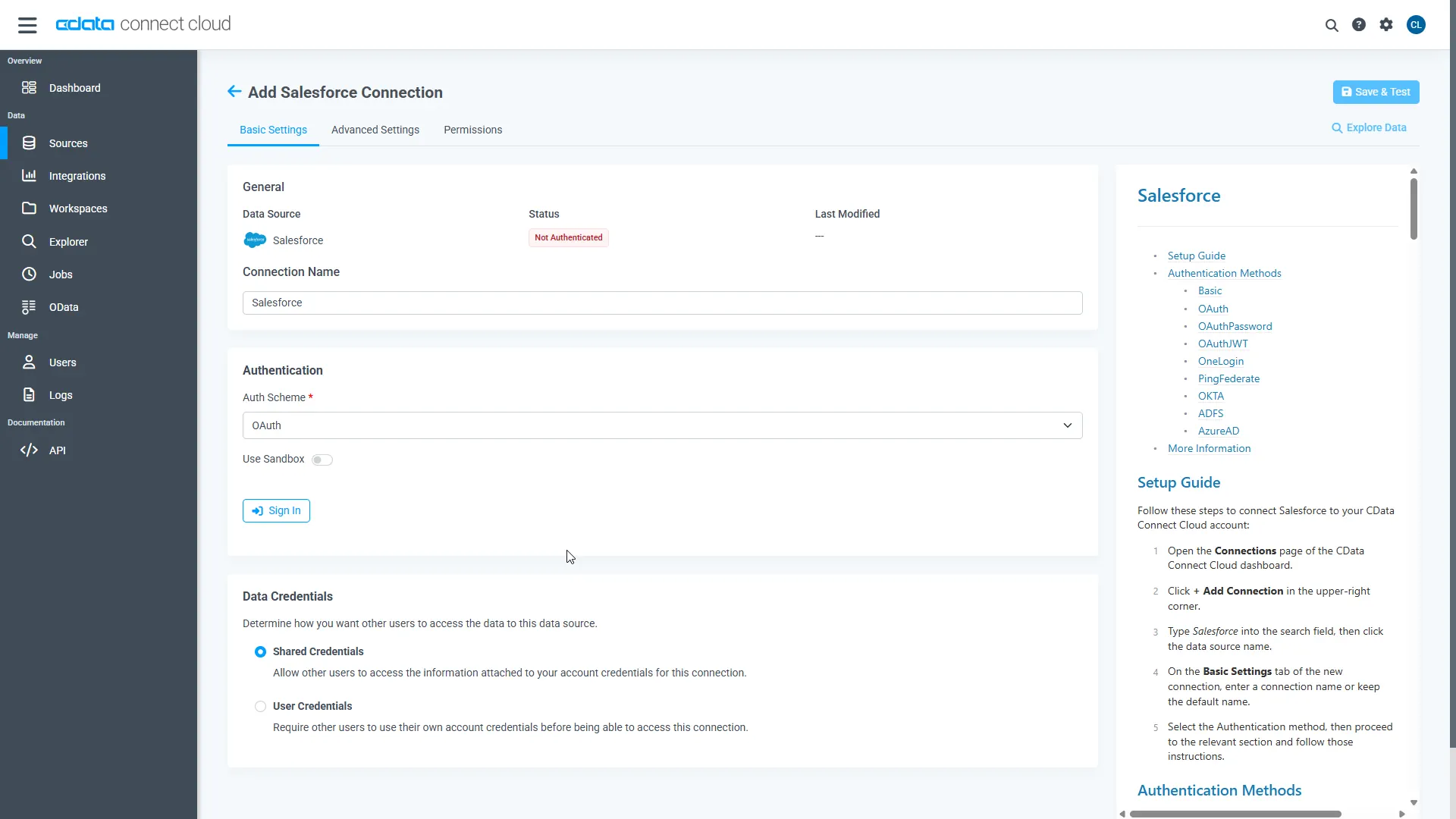
Wave Financial uses OAuth to authenticate. Click "Sign in" to authenticate with Wave Financial.
-
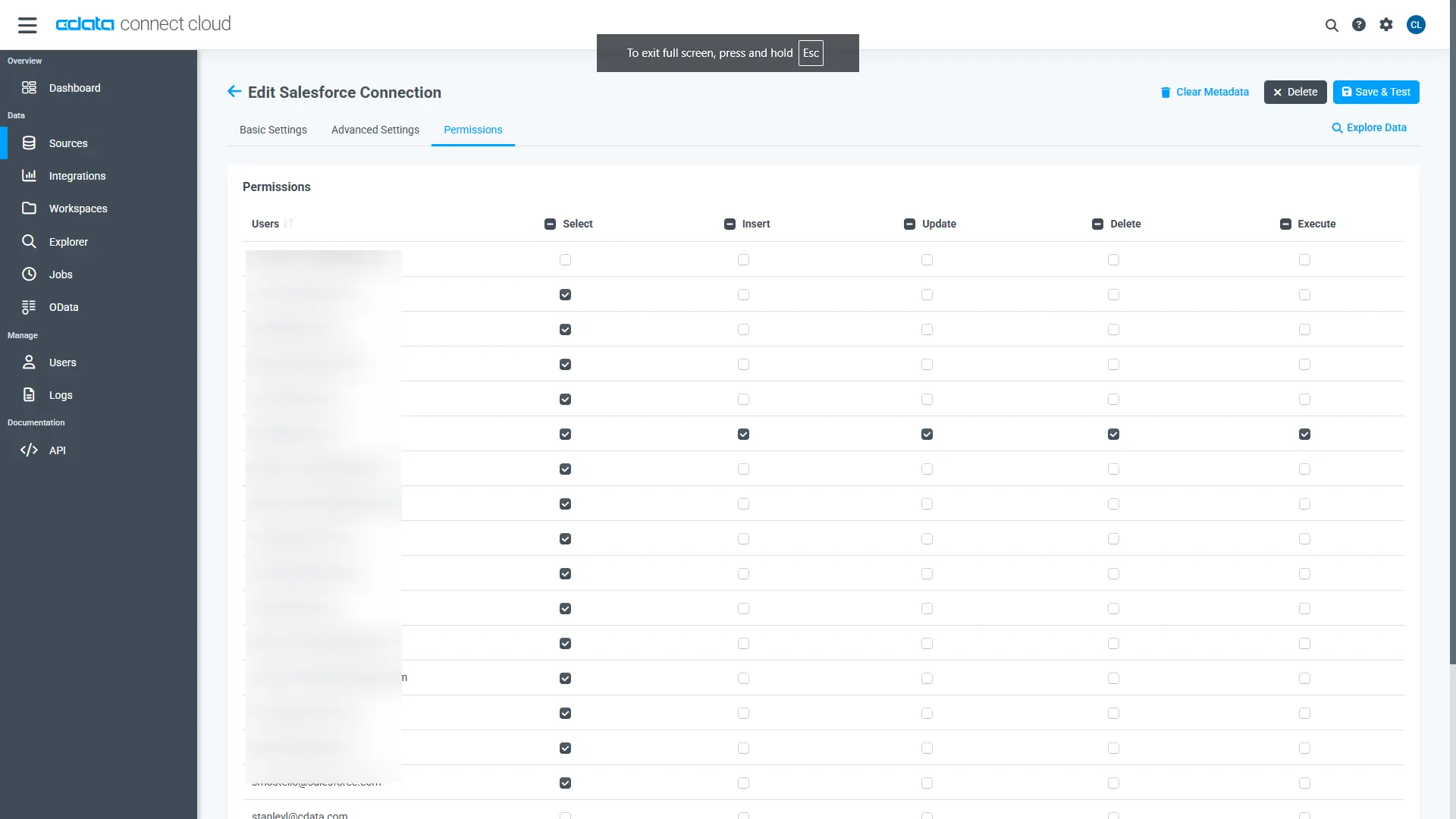
Navigate to the Permissions tab in the Add Wave Financial Connection page and update the User-based permissions.
Add a Personal Access Token
When connecting to Connect AI through the REST API, the OData API, or the Virtual SQL Server, a Personal Access Token (PAT) is used to authenticate the connection to Connect AI. It is best practice to create a separate PAT for each service to maintain granularity of access.
- Click on the Gear icon () at the top right of the Connect AI app to open the settings page.
- On the Settings page, go to the Access Tokens section and click Create PAT.
-
Give the PAT a name and click Create.
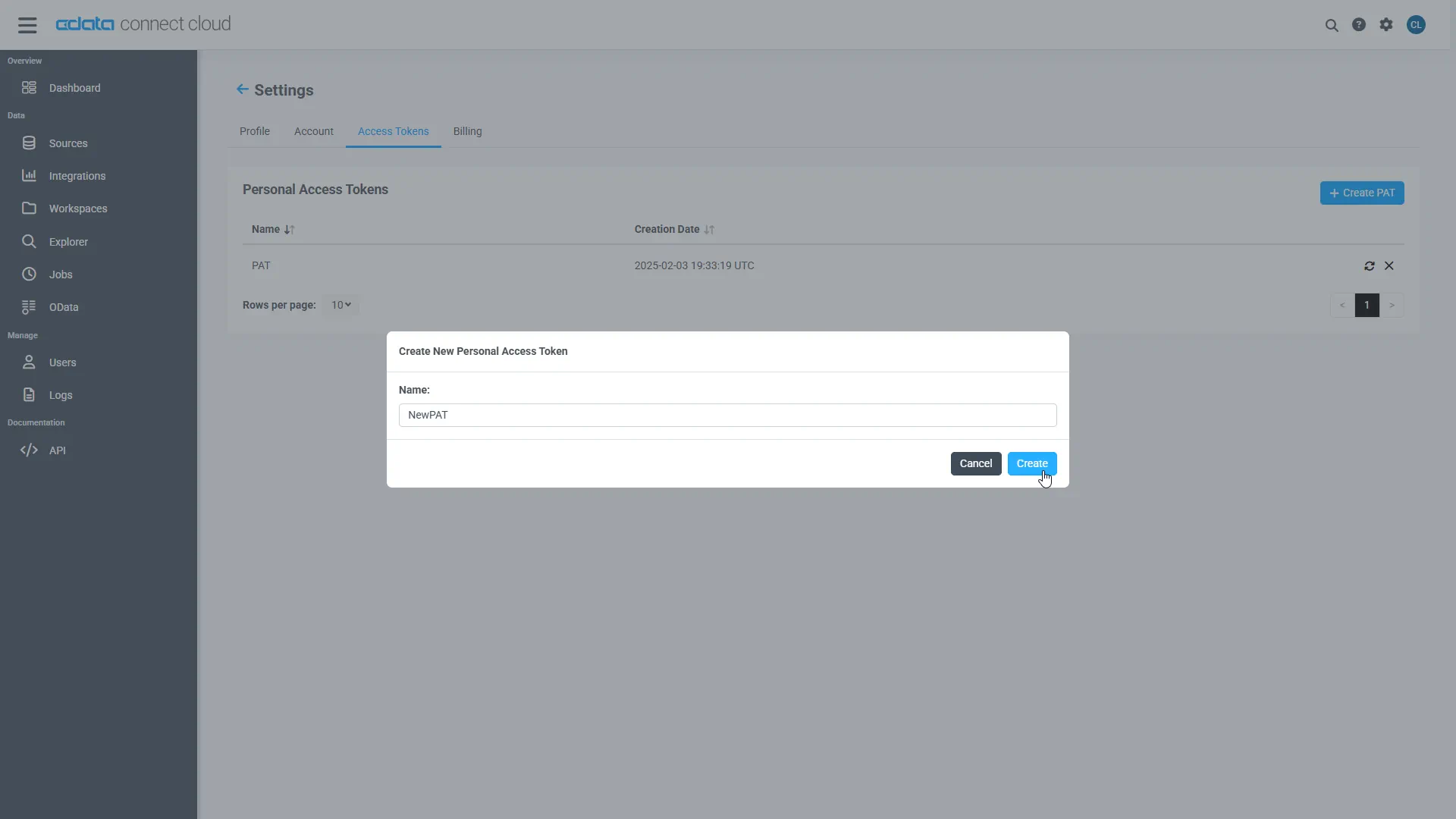
- The personal access token is only visible at creation, so be sure to copy it and store it securely for future use.
Configure Wave Financial Endpoints for Infragistics Reveal
After connecting to Wave Financial, create a workspace for your desired table(s).
-
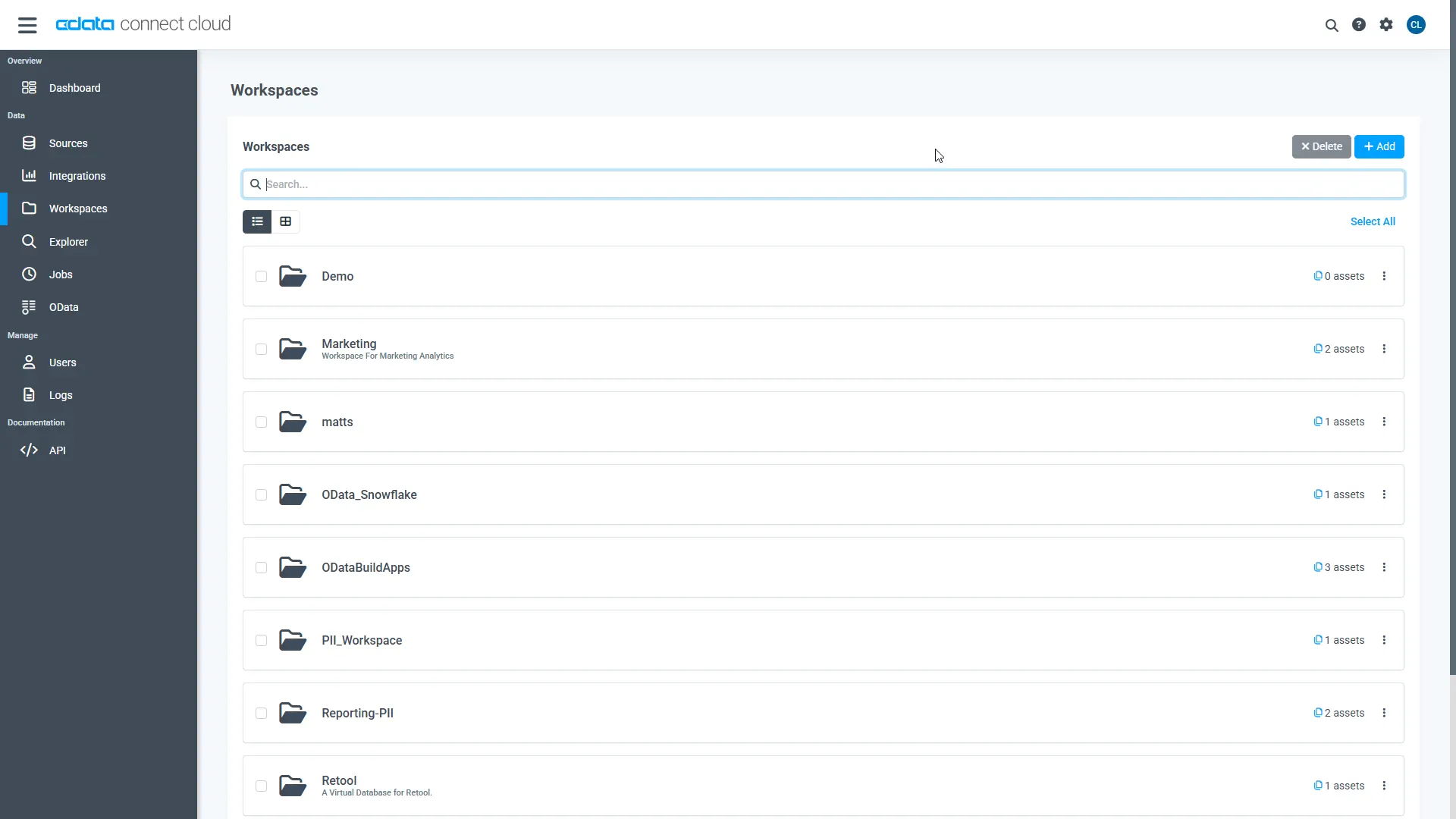
Navigate to the Workspaces page and click Add to create a new Workspace (or select an existing workspace).
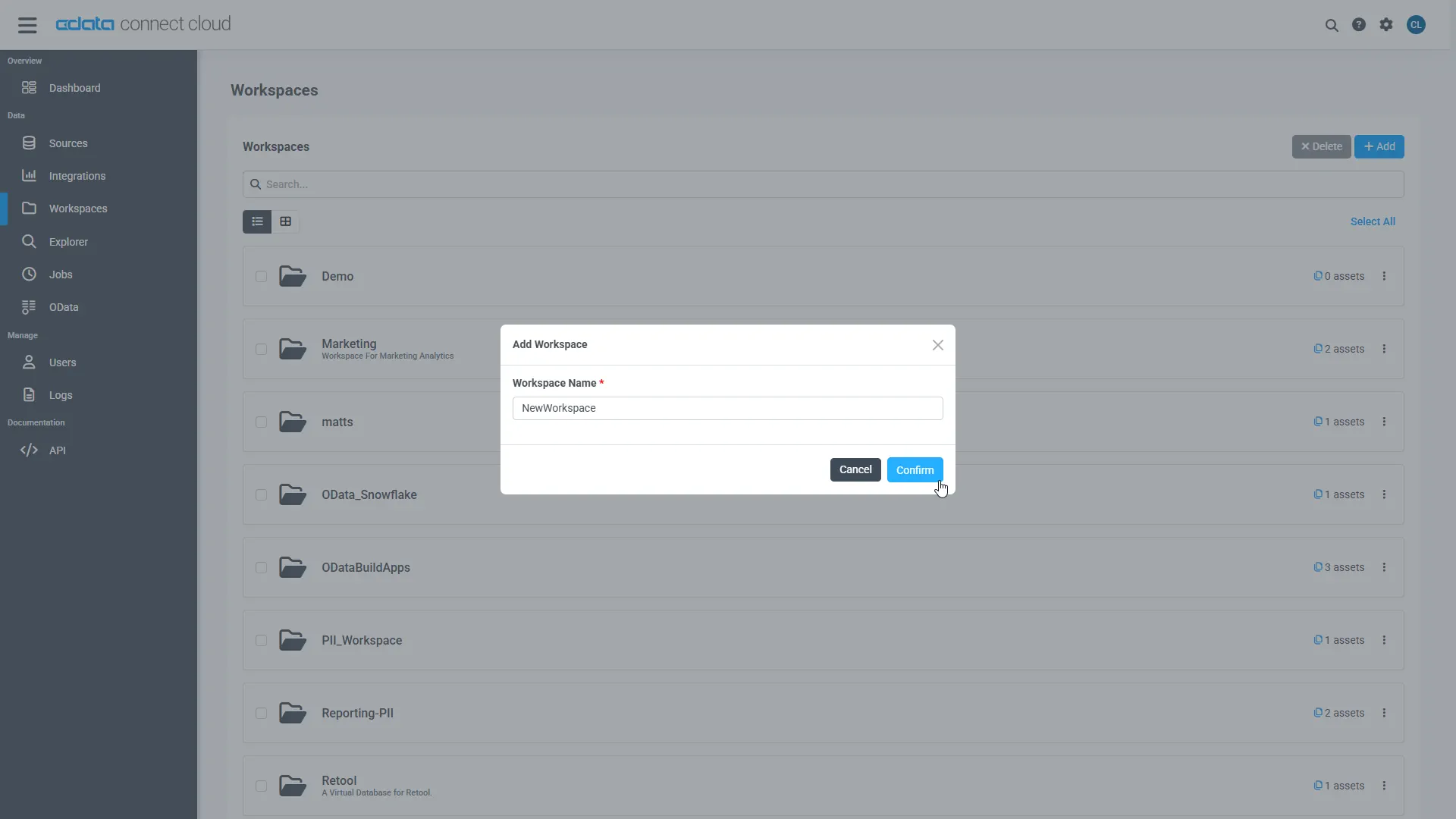
- Click Add to add new assets to the Workspace.
-
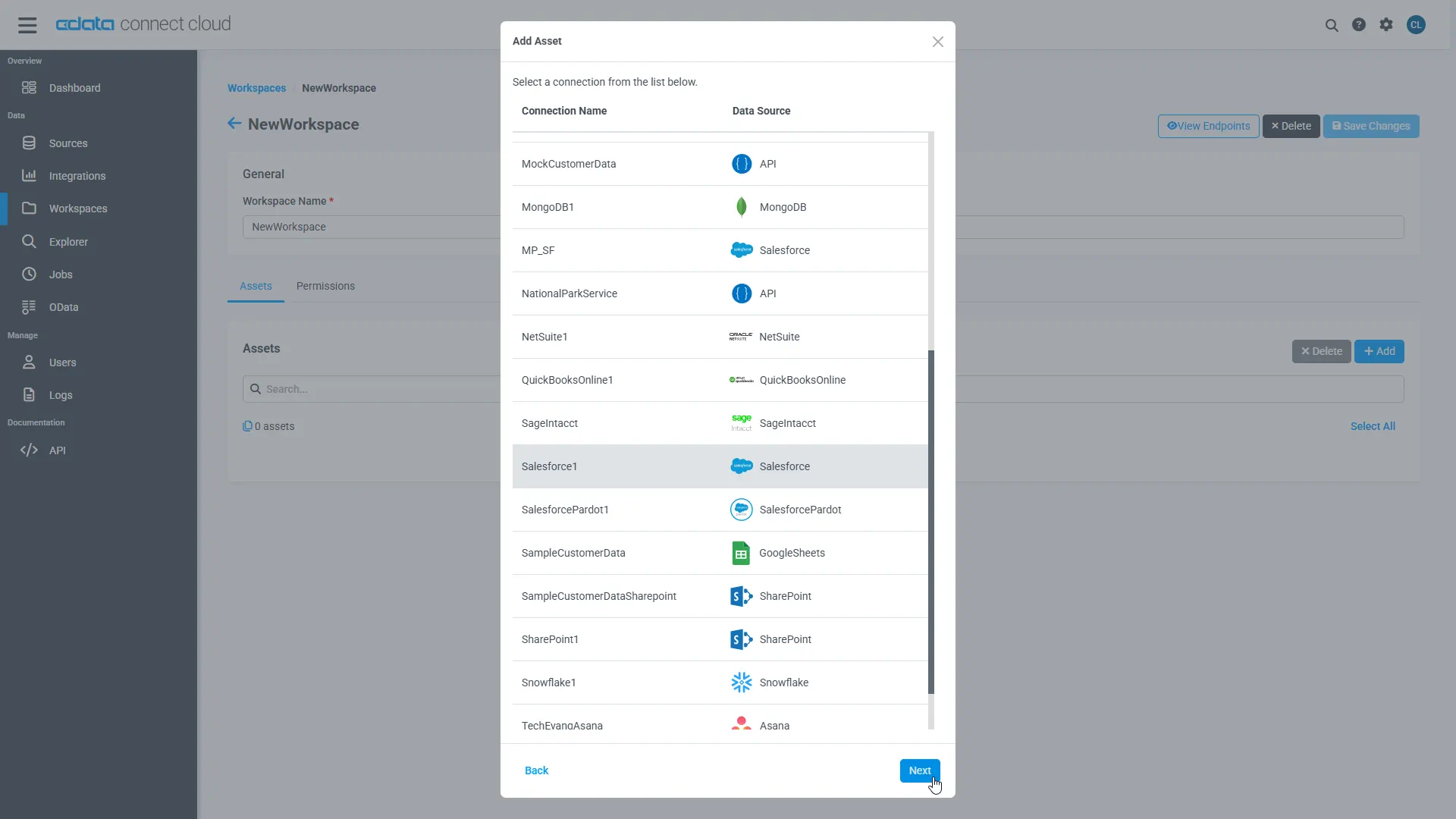
Select the Wave Financial connection (e.g. WaveFinancial1) and click Next.
-
Select the table(s) you wish to work with and click Confirm.
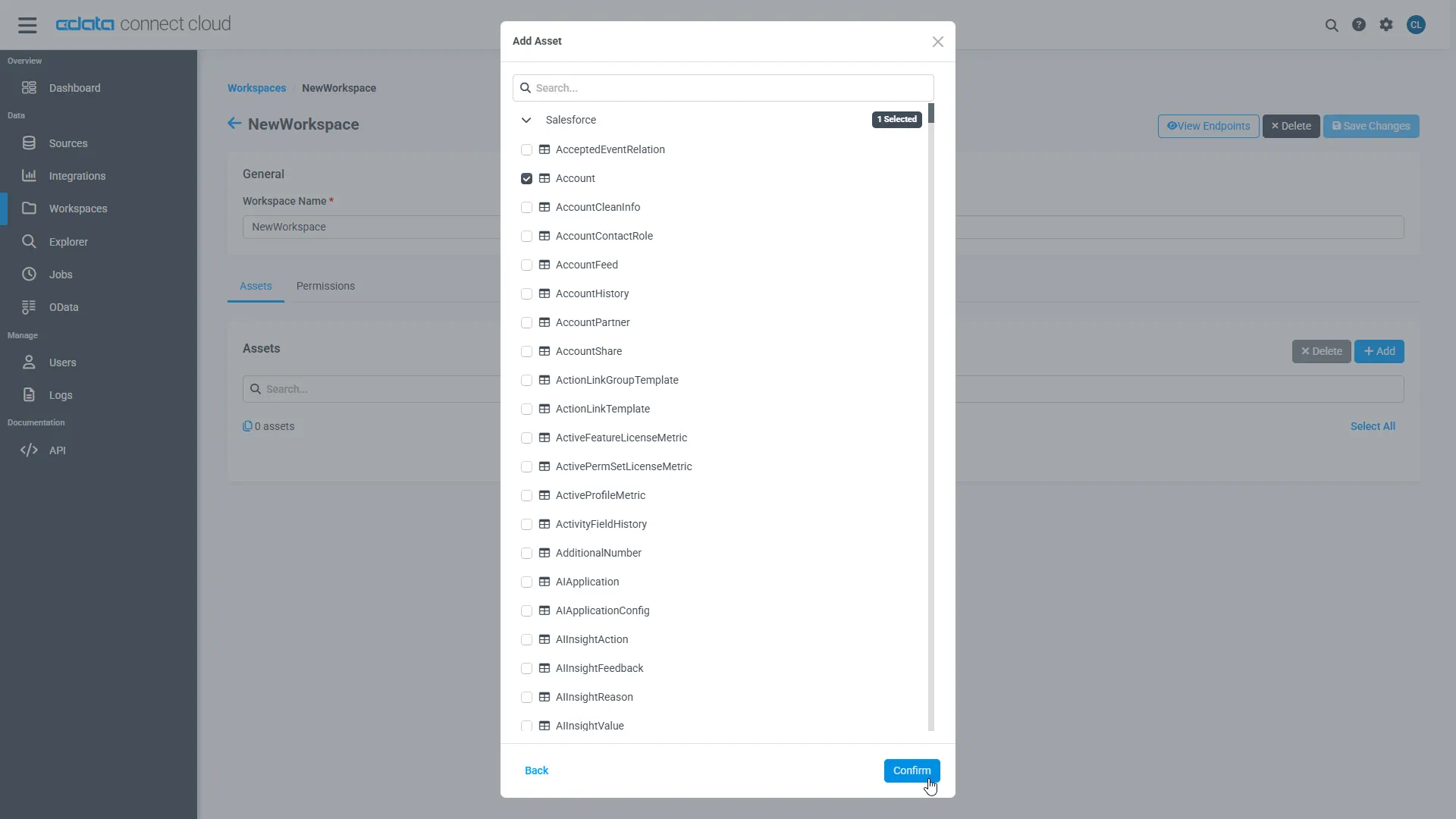
- Make note of the OData Service URL for your workspace, e.g. https://cloud.cdata.com/api/odata/{workspace_name}
With the connection, PAT, and Workspace configured, you are ready to connect to Wave Financial data from Infragistics Reveal.
Create a Dashboard in Reveal
With Connect AI configured, we can visualize Wave Financial data in Reveal.
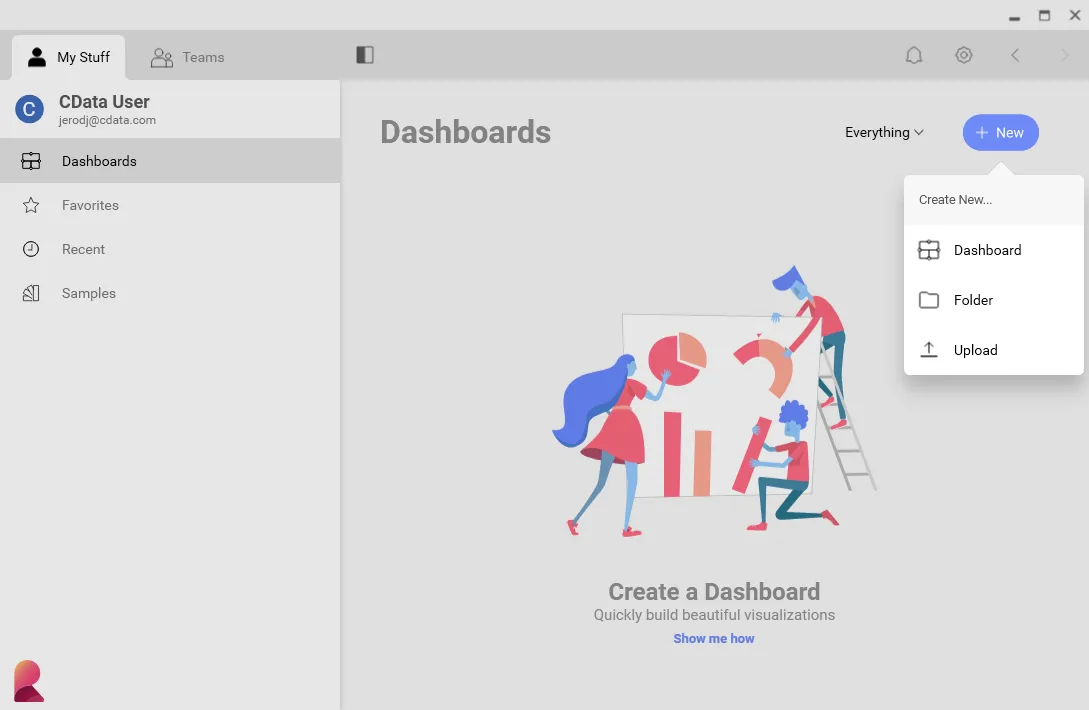
- Log into Reveal and click Dashboards -> New
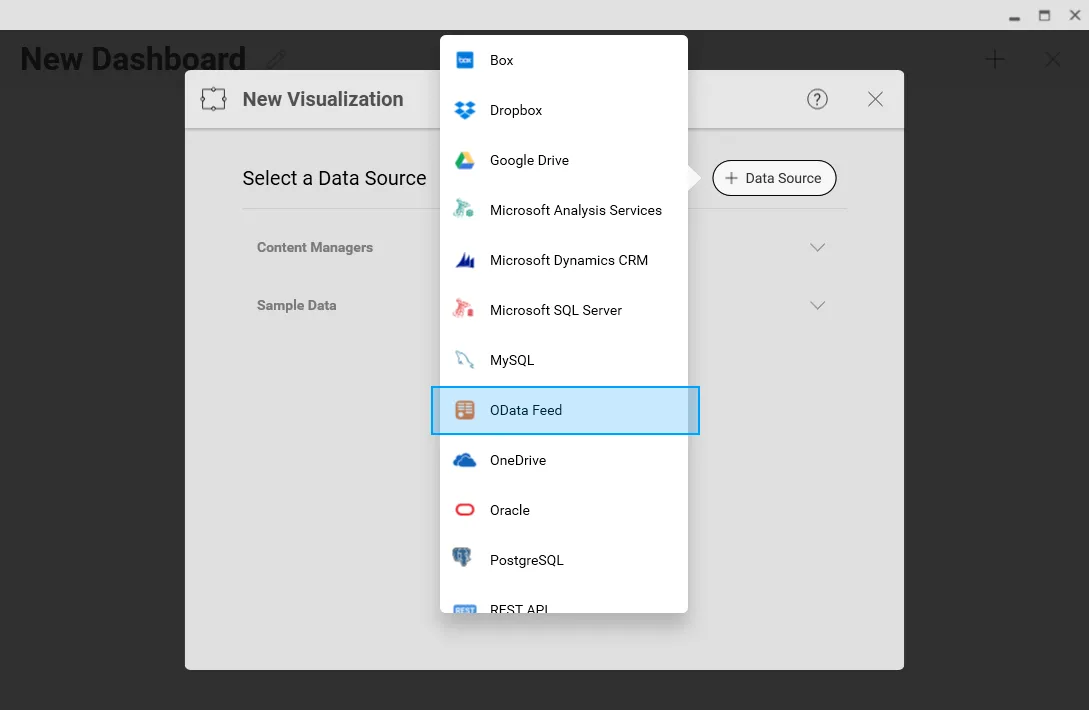
- Click Data Sources -> OData Feed
- Specify the Connect AI OData API endpoint URL (found on the OData page): https://cloud.cdata.com/api/odata/{workspace_name}
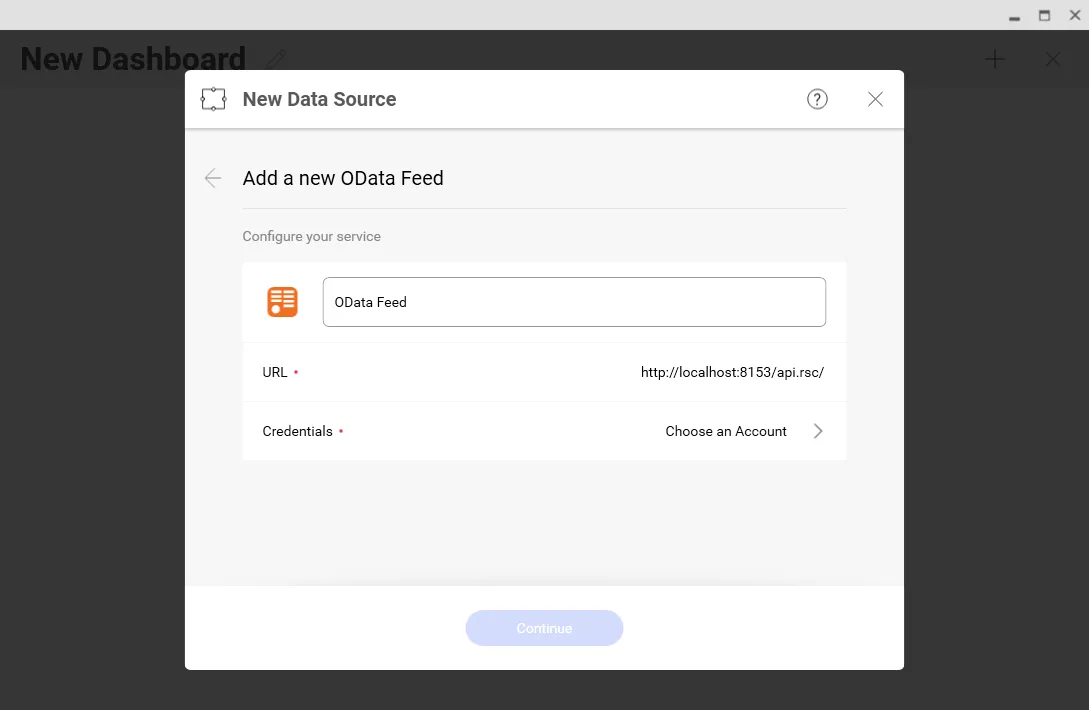
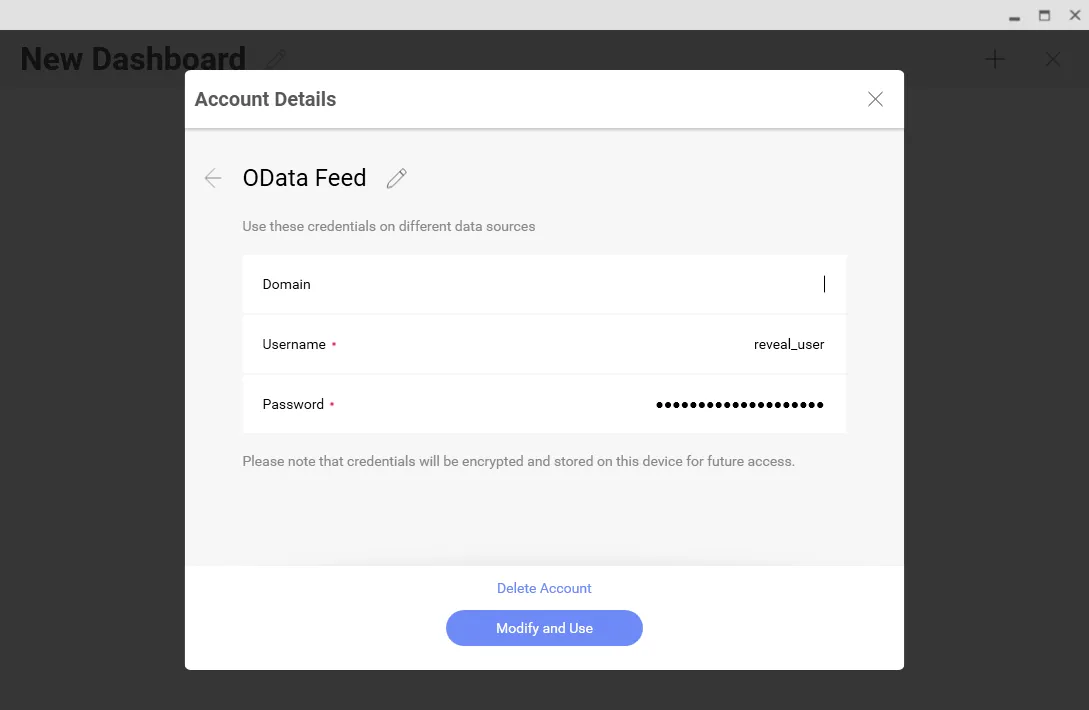
- Select Generic Credentials and
- Set Username to a Connect AI username (e.g. [email protected])
- Set Password to the PAT for the user
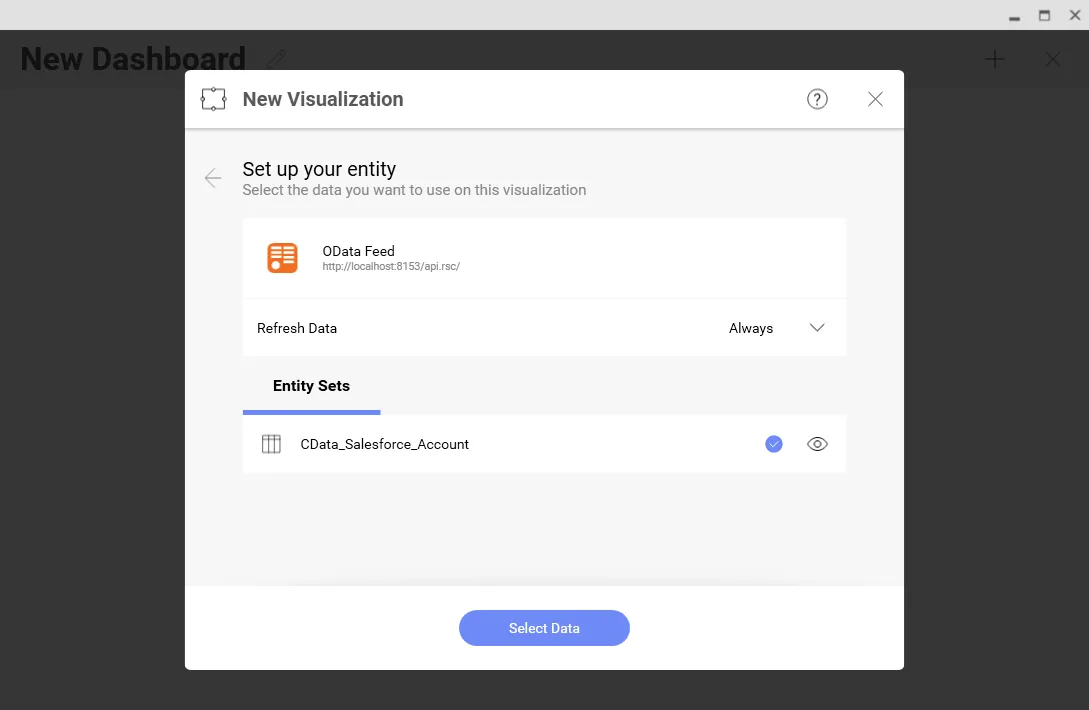
- Select the entity you wish to visualize
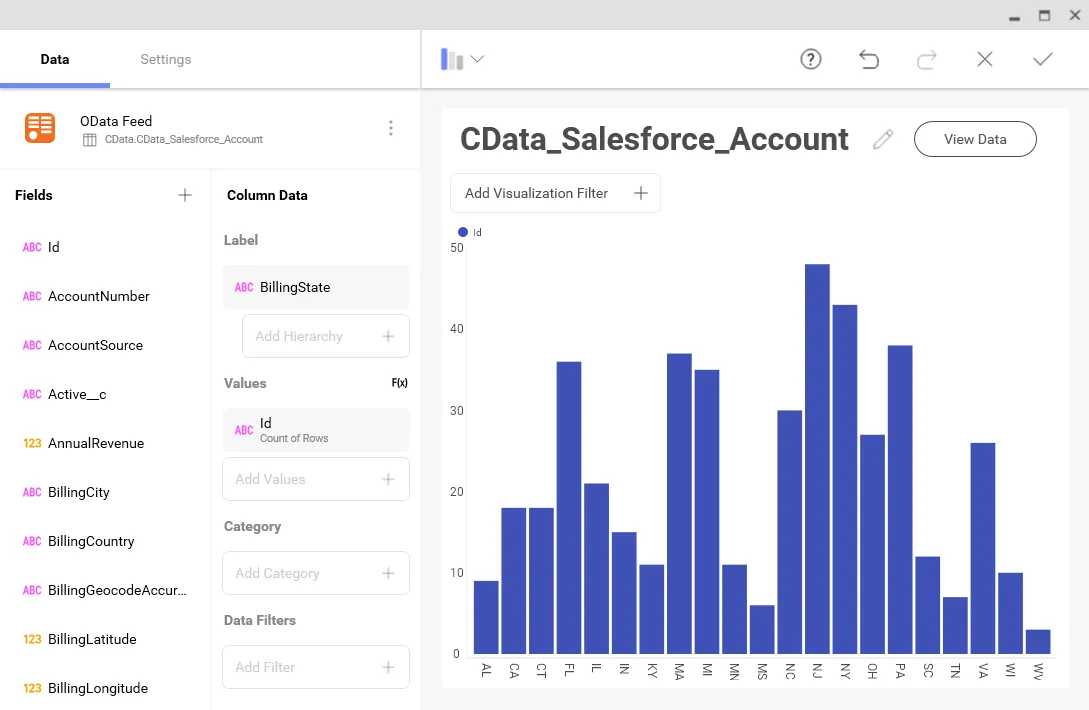
- Select fields and choose a chart type
More Information & Free Trial
At this point, you have created a simple dashboard from live Wave Financial data. For more information on creating OData feeds from Wave Financial (and more than 100 other sources), visit the Connect AI page. Sign up for a free trial and start working live Wave Financial data in tools that consume OData APIs.