








How to integrate Metabase with ZohoExpense Data

Metabase is an open source data visualization tool that allows users to create interactive dashboards. When paired with CData Connect AI, users can easily create visualizations and dashboards linked to live ZohoExpense data. This article describes how to connect to ZohoExpense and build a simple visualization using ZohoExpense data.
CData Connect provides a pure cloud-to-cloud interface for ZohoExpense, allowing you to easily integrate with live ZohoExpense data in Metabase — without replicating the data. Connect looks exactly like a SQL Server database to Metabase and uses optimized data processing out of the box to push all supported SQL operations (filters, JOINs, etc) directly to ZohoExpense, leveraging server-side processing to quickly return ZohoExpense data.
Configure ZohoExpense Connectivity for Metabase
Connectivity to ZohoExpense from Metabase is made possible through CData Connect AI. To work with ZohoExpense data from Metabase, we start by creating and configuring a ZohoExpense connection.
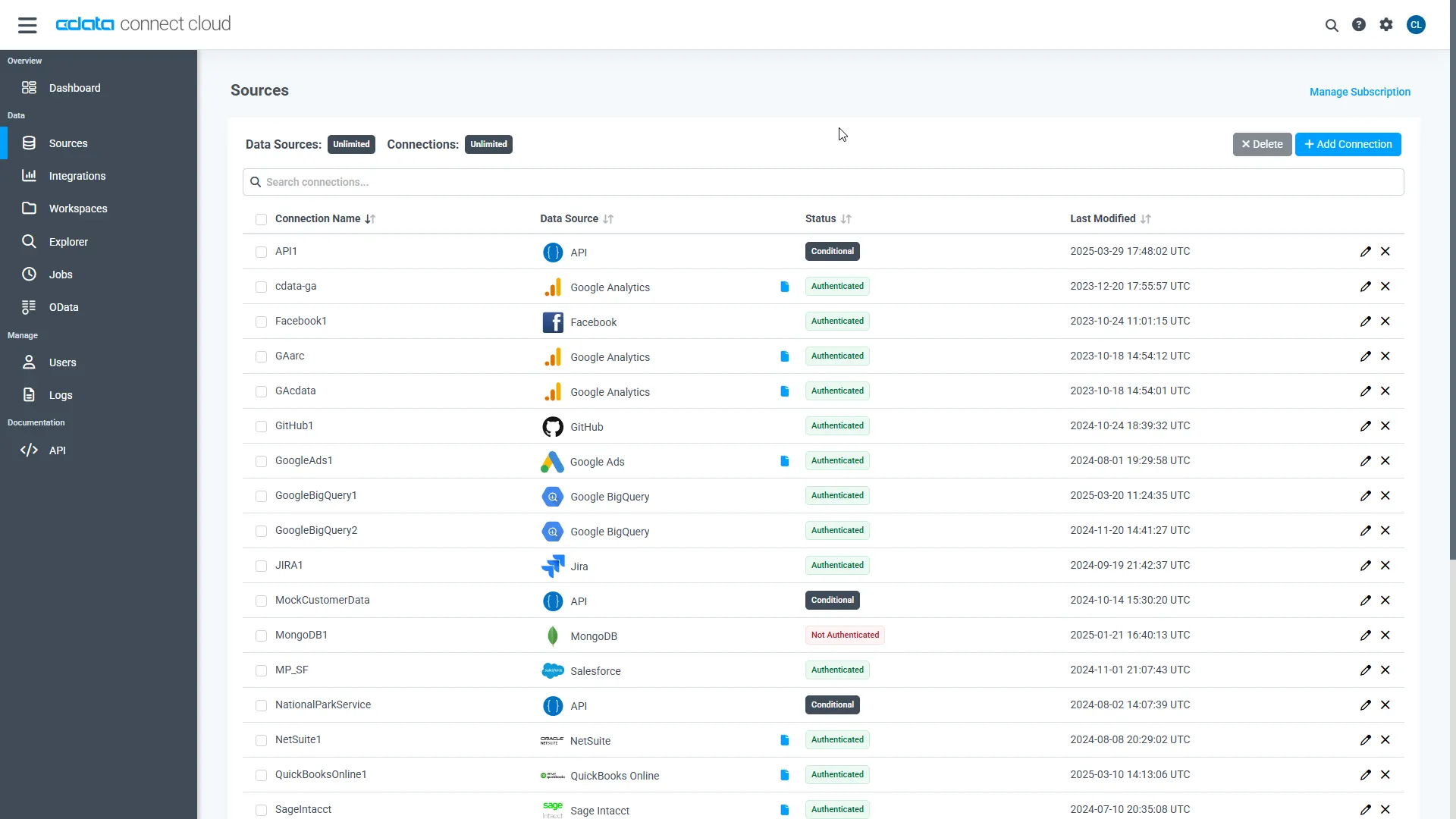
- Log into Connect AI, click Sources, and then click Add Connection
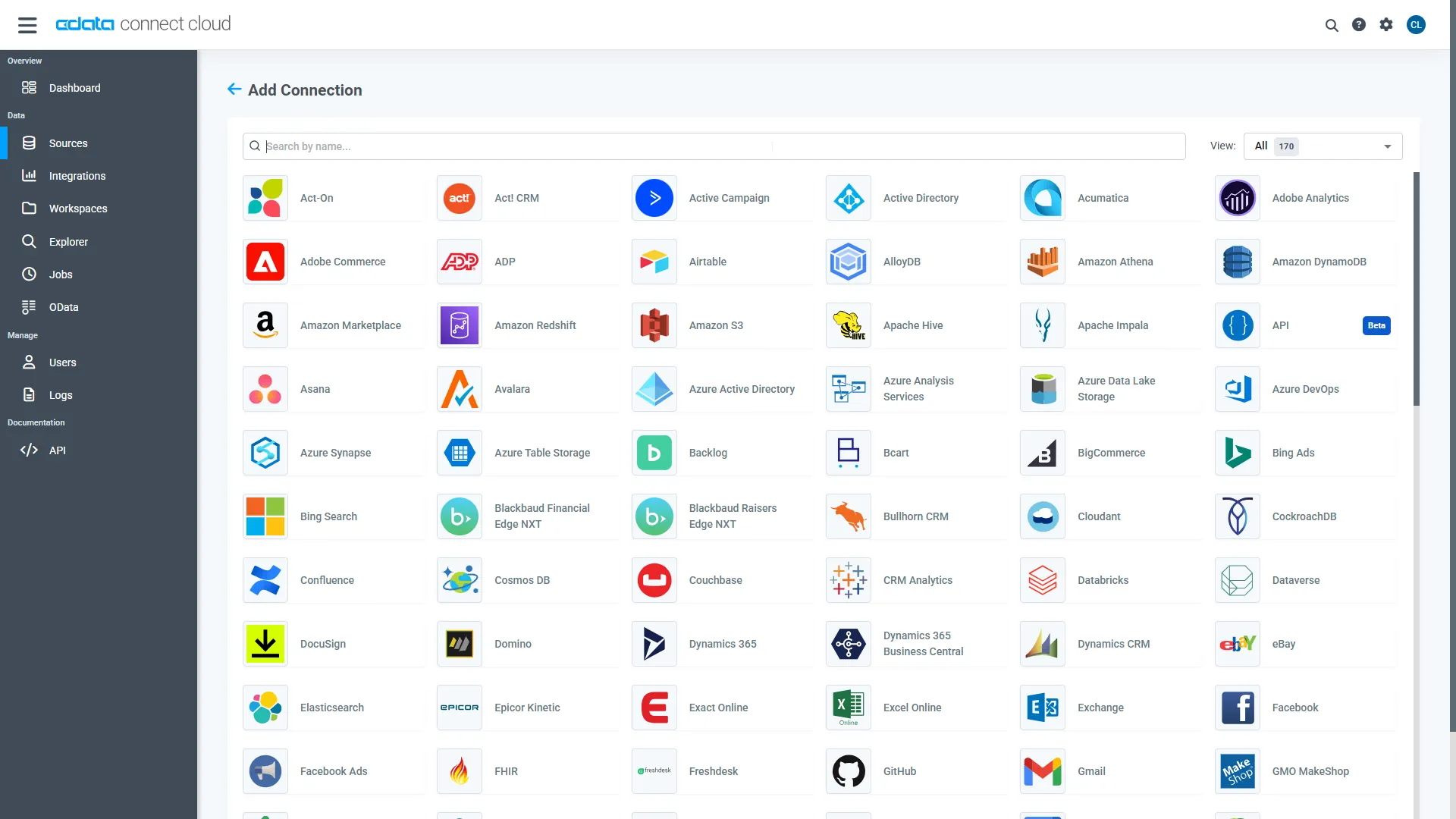
- Select "ZohoExpense" from the Add Connection panel
-
Enter the necessary authentication properties to connect to ZohoExpense.
Start by setting the Profile connection property to the location of the ZohoExpense Profile on disk (e.g. C:\profiles\ZohoExpense.apip). Next, set the ProfileSettings connection property to the connection string for ZohoExpense (see below).
ZohoExpense API Profile Settings
Register an OAuth application in the Zoho Developer Console to obtain your Client ID and Client Secret.
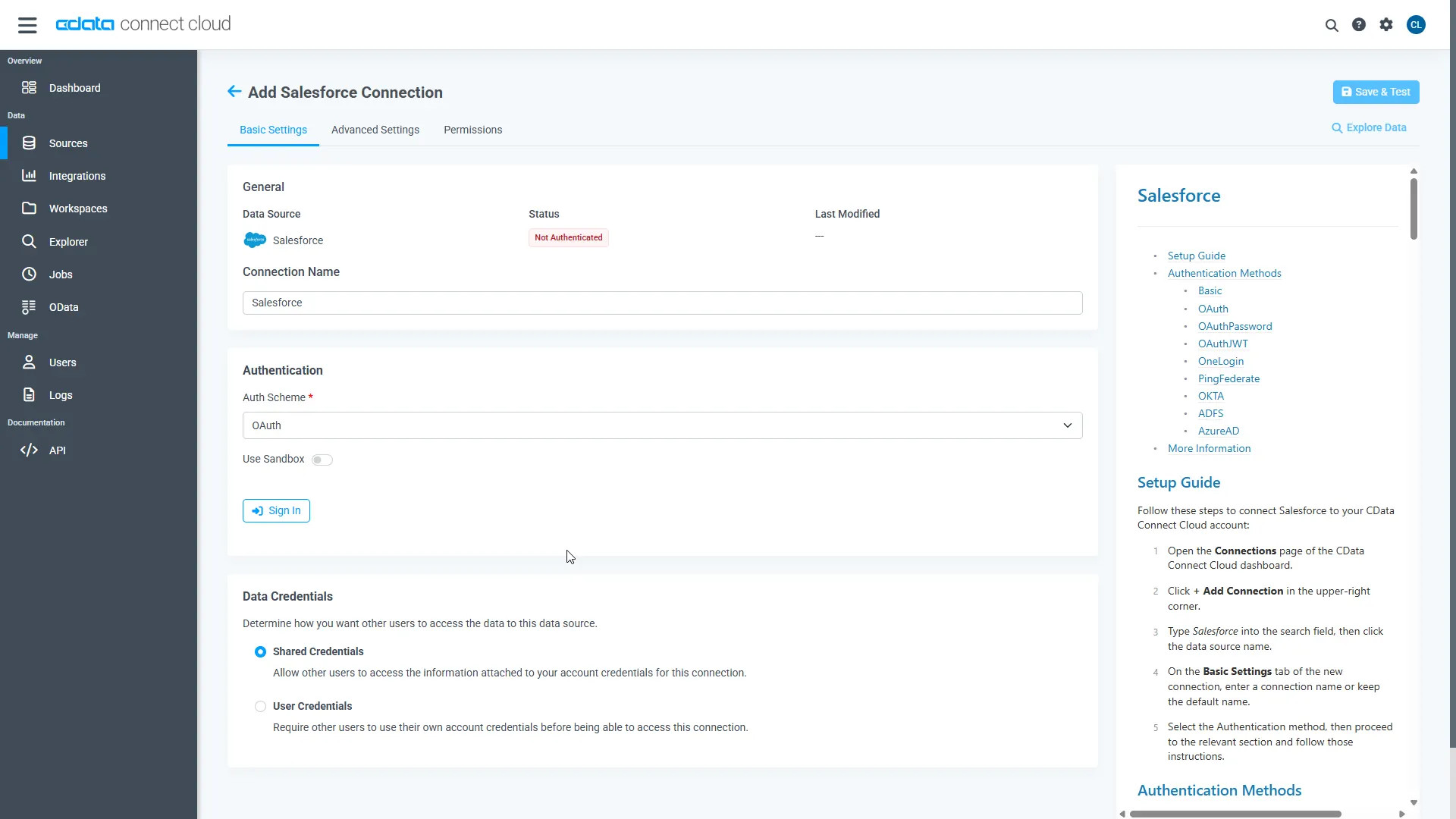
- Click Save & Test
-
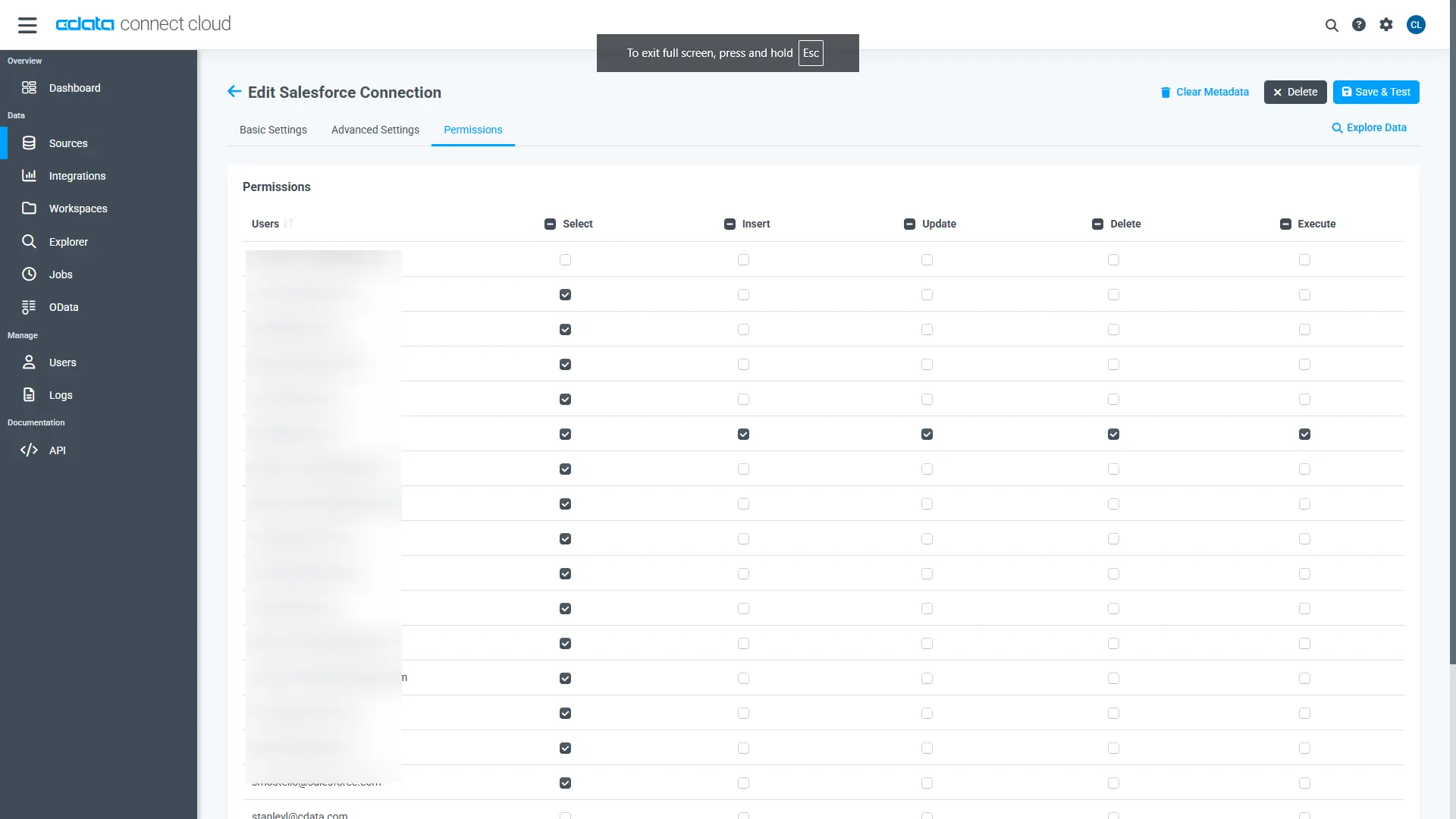
Navigate to the Permissions tab in the Add ZohoExpense Connection page and update the User-based permissions.
Add a Personal Access Token
When connecting to Connect AI through the REST API, the OData API, or the Virtual SQL Server, a Personal Access Token (PAT) is used to authenticate the connection to Connect AI. It is best practice to create a separate PAT for each service to maintain granularity of access.
- Click on the Gear icon () at the top right of the Connect AI app to open the settings page.
- On the Settings page, go to the Access Tokens section and click Create PAT.
-
Give the PAT a name and click Create.
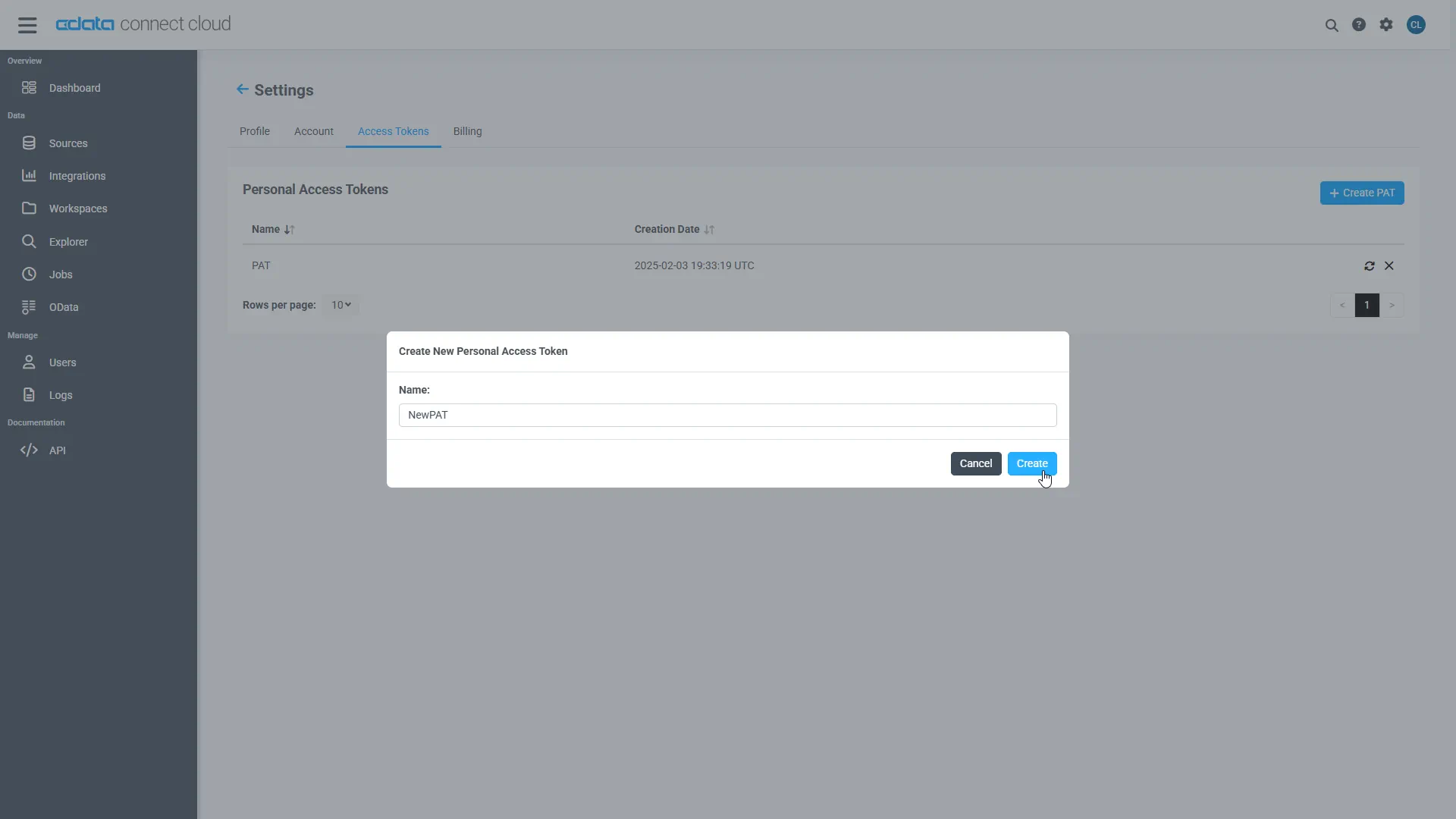
- The personal access token is only visible at creation, so be sure to copy it and store it securely for future use.
With the connection configured and a PAT generated, you are ready to connect to ZohoExpense data from Metabase.
Connect to CData Connect AI from Metabase
After creating the connection in Connect AI, navigate to your Metabase instance. Use the SQL Server interface to connect to Connect AI.
- Navigate to the administration screen (Settings -> Admin) and click "Add Database" from the "Databases" tab
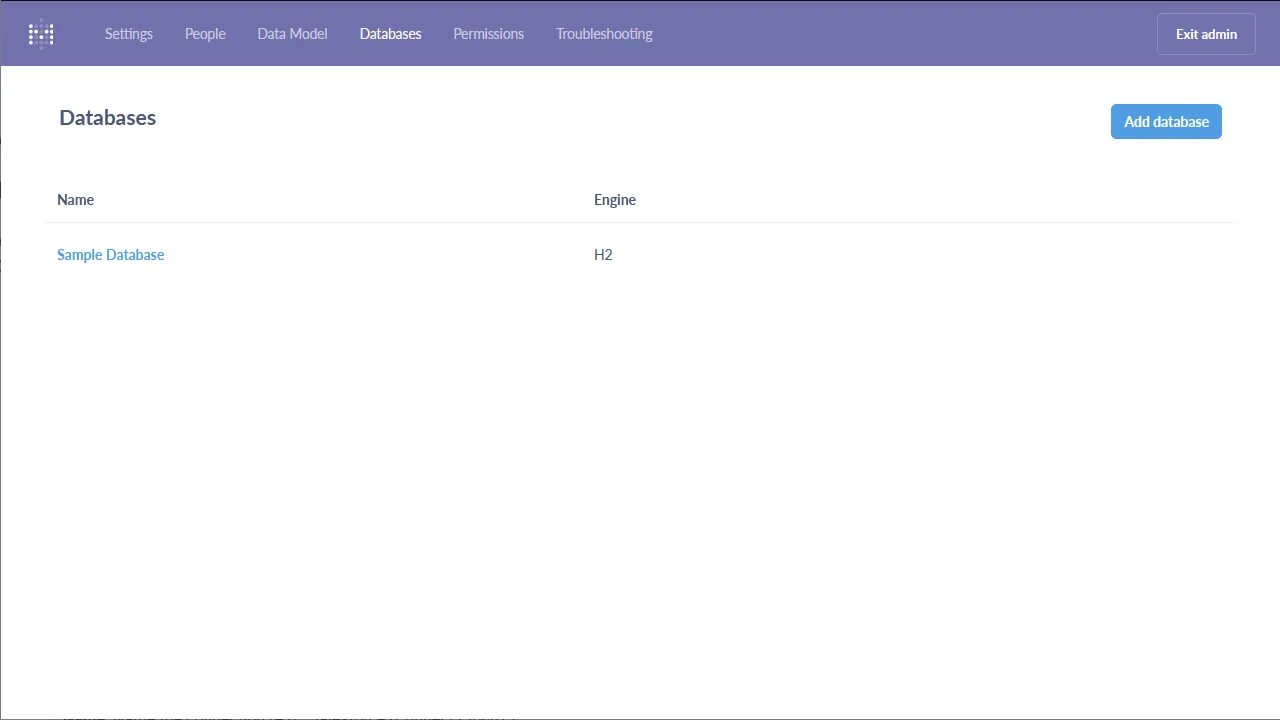
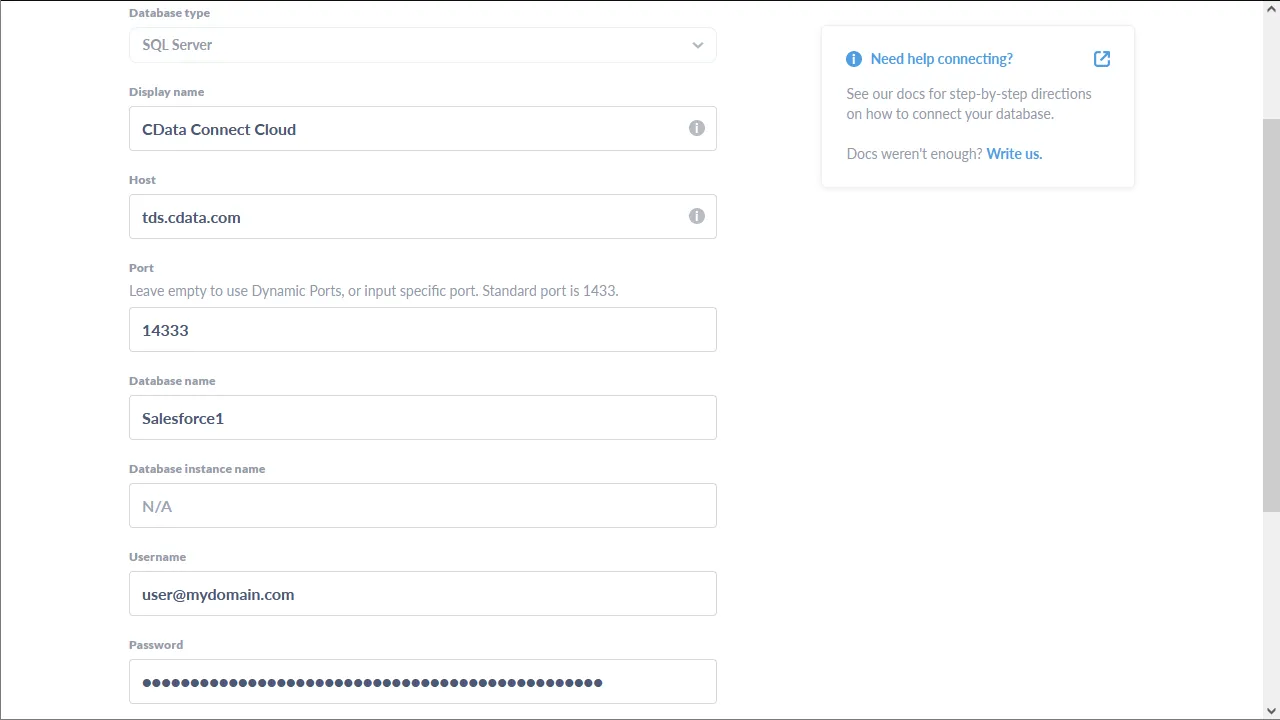
- Configure the connection to Connect AI and click "Save"
- Database type: Select "SQL Server"
- Name: Name the connection (e.g. "ZohoExpense (Connect AI)")
- Host: tds.cdata.com
- Port: 14333
- Database name: The name of the connection you just created (e.g. API1)
- Username: A Connect AI username (e.g. [email protected])
- Password: The PAT previously created
- Click to Use a secure connection (SSL)
Execute ZohoExpense Data with Metabase
Once you configure the connection to Connect AI, you can query ZohoExpense and build visualizations.
- Use the "Write SQL" tool to retrieve the ZohoExpense data
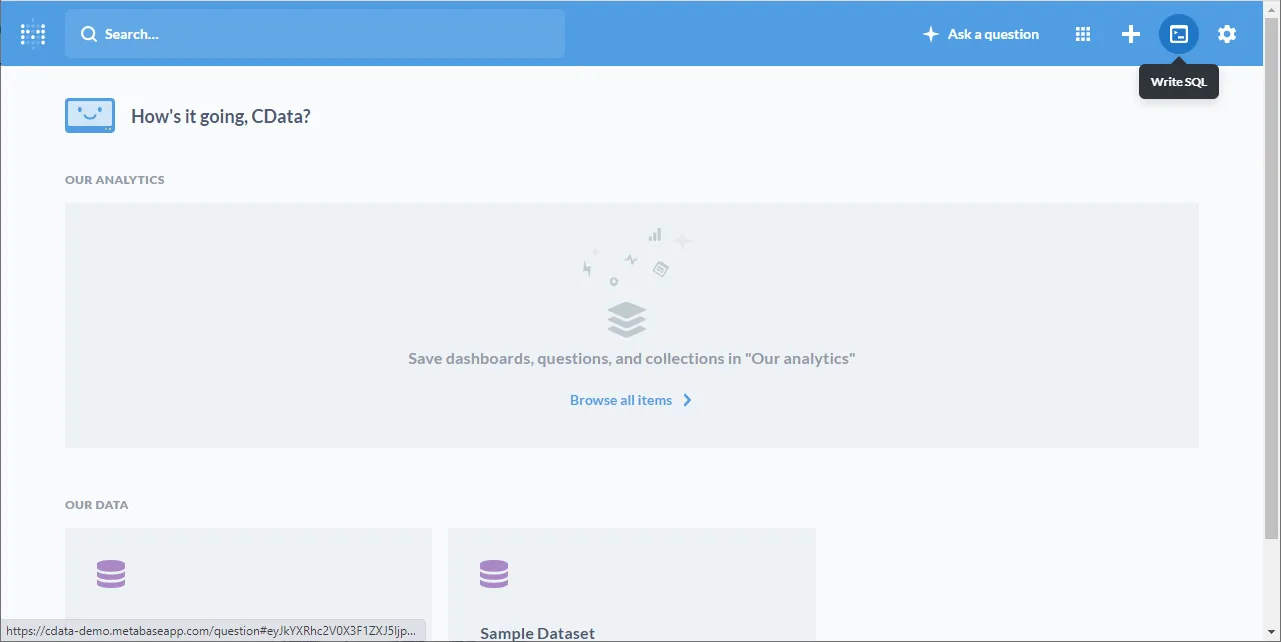
- Write a SQL query based on the ZohoExpense connection in CData Connect AI, e.g.
SELECT Id, CurrencyName FROM Currencies WHERE CurrencyCode = 'USD'
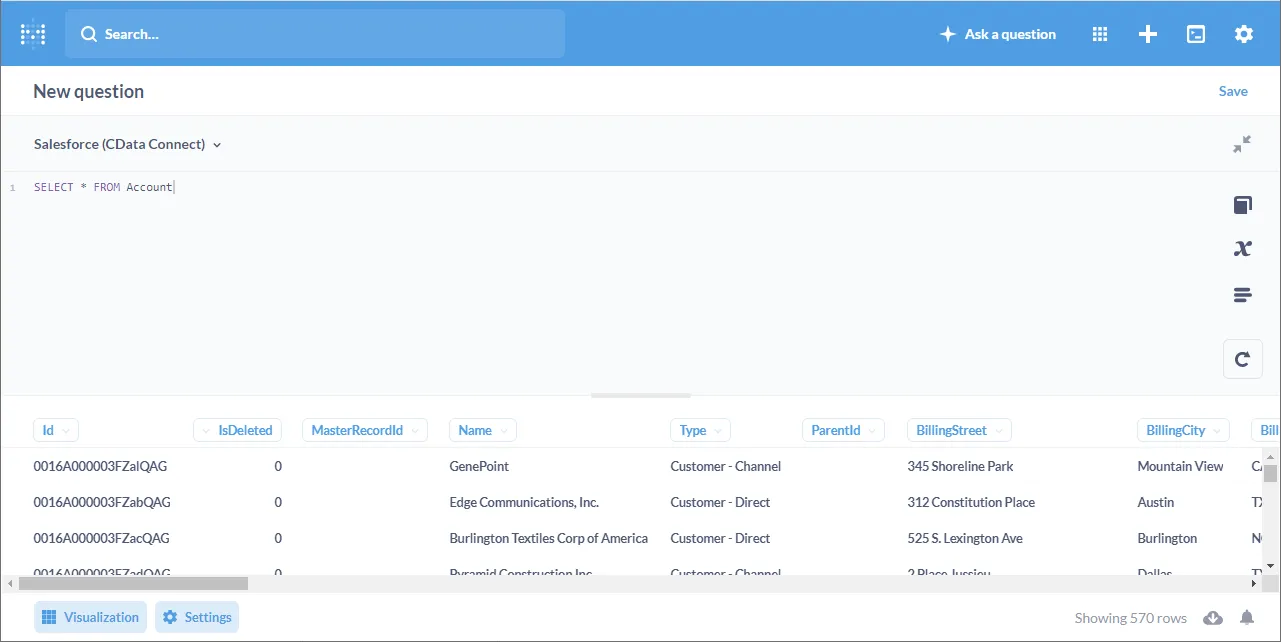
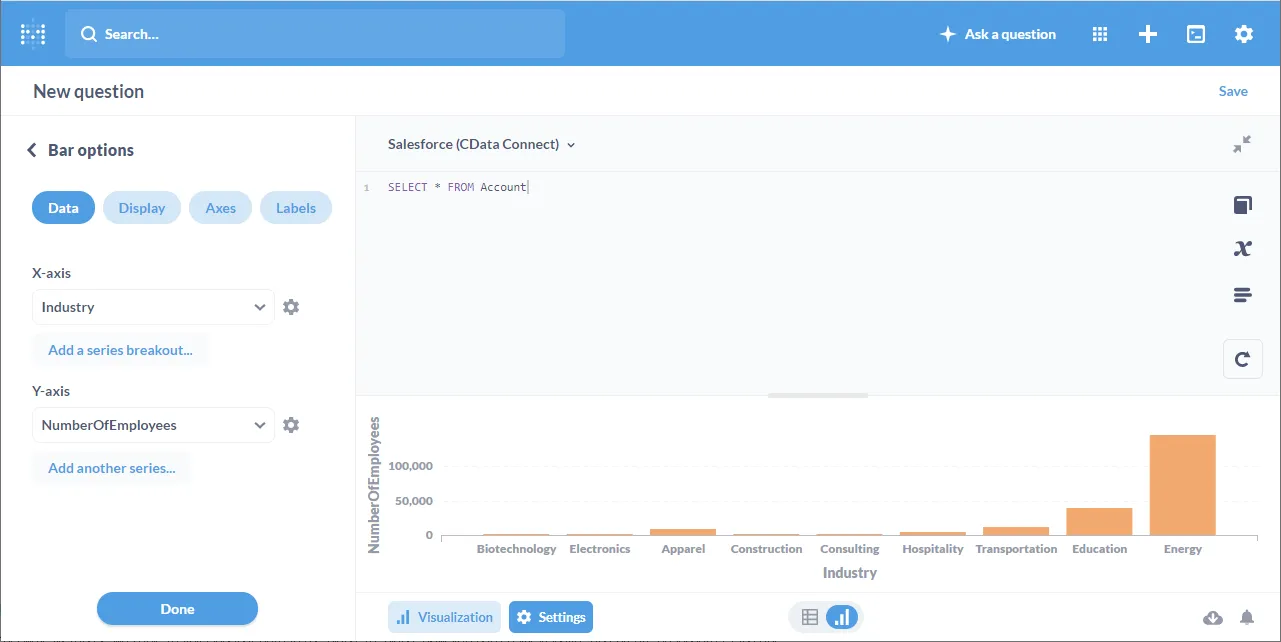
- Navigate to the "Visualization" screen, choose a visualization, and configure the visualization
More Information & Free Trial
At this point, you have built a simple visualization from ZohoExpense data in Metabase. You can continue to work with live ZohoExpense data in Metabase just like you would any SQL Server database. For more information on creating a live connection to ZohoExpense (and more than 100 other data sources), visit the Connect AI page. Sign up for a free trial and start working with live ZohoExpense data in Metabase today.